Highlights
- Clip highlights from a podcast episode
- Turn a webinar into Shorts and Reels
- Share quotes from interviews
- Post talk takeaways on TikTok
Screenshots
About Cloth
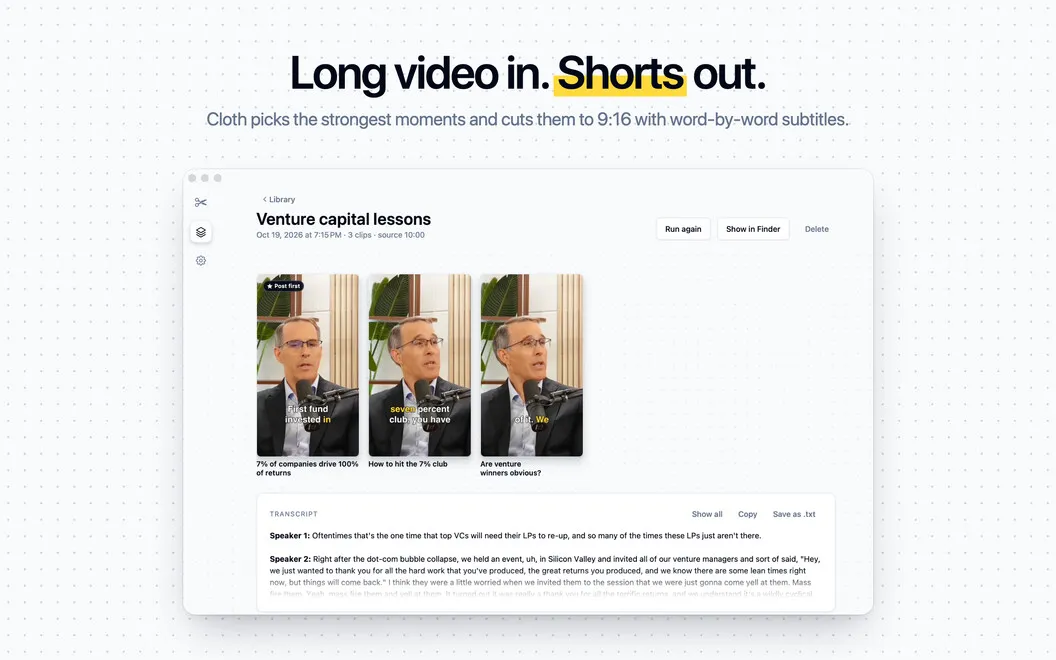
Cloth is a video clipping app that turns long recordings into short vertical clips. Drop in a talk, podcast, interview, or webinar, and Cloth finds the strongest moments. It cuts each one to 9:16 with word-by-word subtitles. Every clip starts and ends on a finished sentence, so nobody gets cut off mid-thought. You choose how many clips you get and what Cloth looks for.
Strongest moments, picked for you
Cloth listens to your whole video and pulls out the moments worth sharing. You can use a recording from your Mac or paste a link to a video on your own YouTube channel. Each clip starts and ends on a finished sentence, so there are no awkward mid-word cuts.
Frame follows the speaker
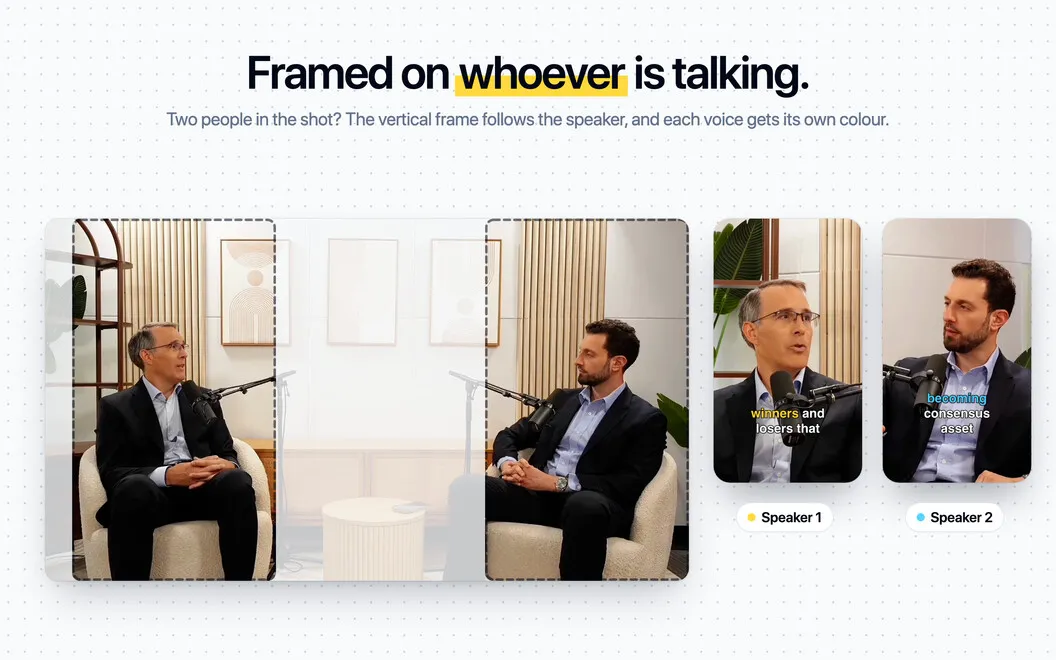
When two people share the shot, Cloth keeps the frame on whoever's talking. Want to make it easier to follow? Turn on speaker colors and each person's subtitles get their own look.
Subtitles that stay out of the way
Every clip gets word-by-word subtitles. Cloth places them clear of the buttons and captions that Reels, TikTok, and YouTube Shorts draw on top of your video. Nothing gets covered, so your words stay readable.
You stay in control
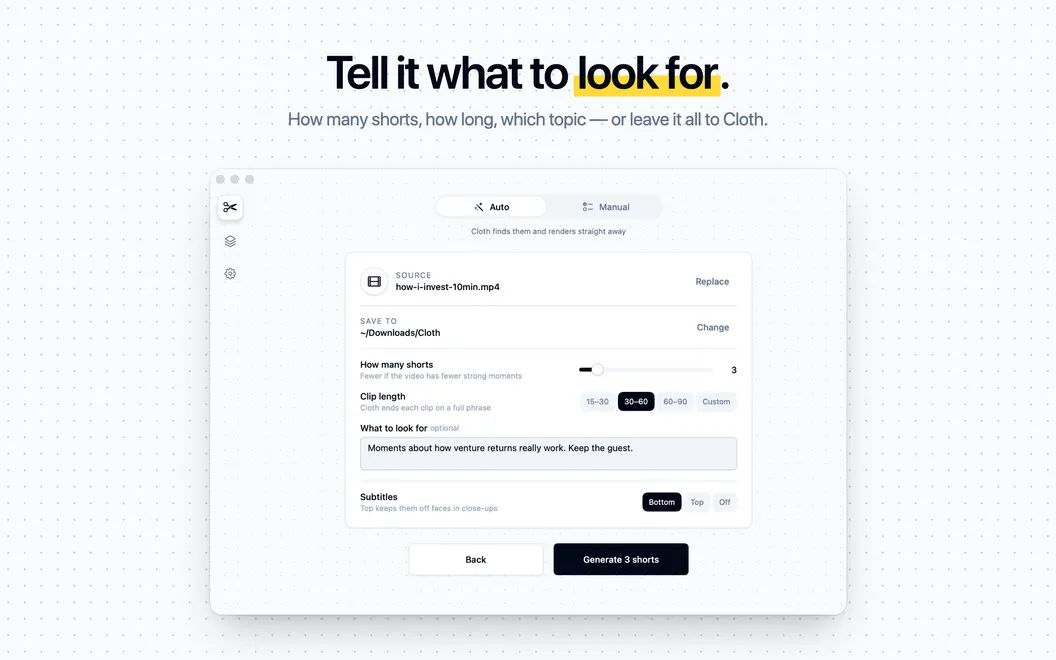
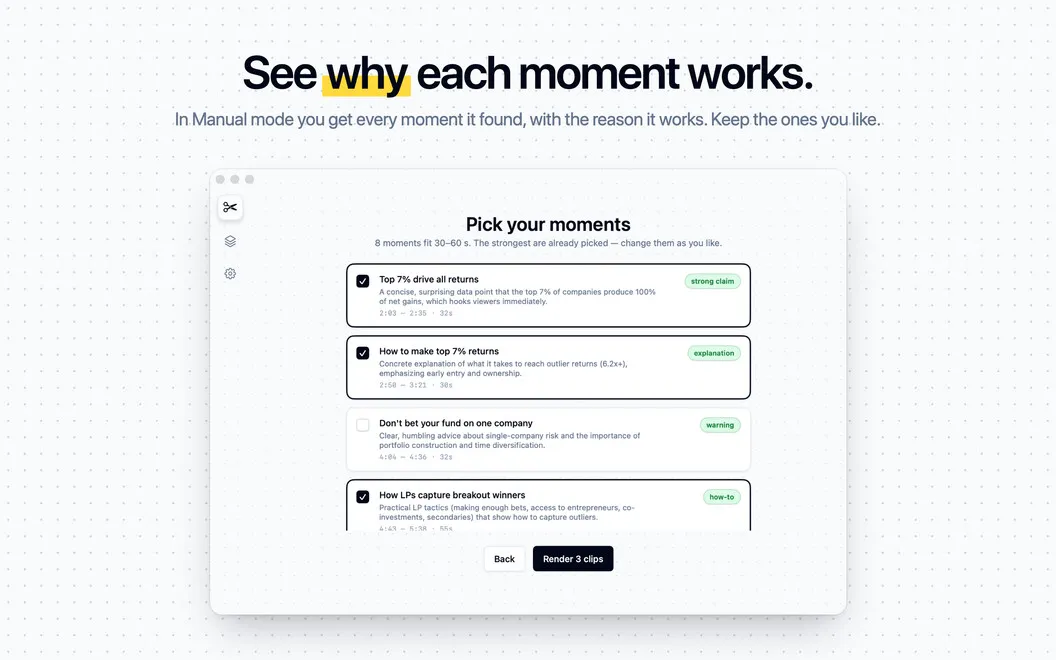
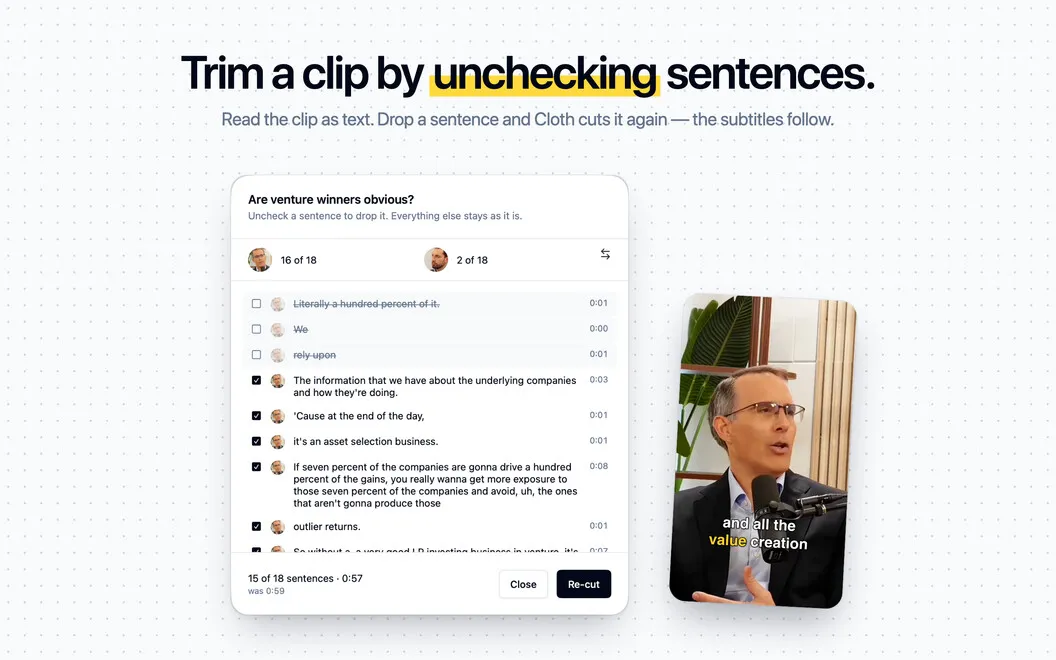
Pick how many clips you want and how long they should be. Or tell Cloth what to look for, like a topic, a guest, or a question. In Manual mode, you see the moments Cloth found and why each one works. Then you choose which ones to render. Need to trim a finished clip? Uncheck the sentences you don't need, and Cloth re-cuts it.
Every run saved in your library
Each run is saved with its clips and the full transcript. Copy the transcript or save it as text, then reuse it for posts and show notes.
Processing on your Mac
Video processing and framing run on your Mac. Only the audio and the transcript are sent to AI services through Setapp. AI features use your Setapp AI credits.