Screenshots
About Contour
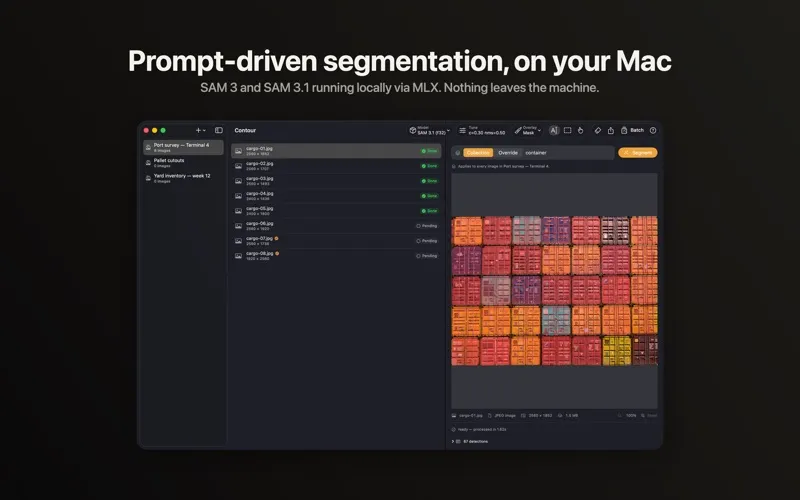
Contour is a native macOS segmentation workstation for ML researchers, CV engineers, annotation teams, and post-production artists who need prompt-driven instance masks in bulk, without sending a pixel to the cloud. Drop in a folder of images or a video, type a prompt or draw a box, tune the threshold, and export mask PNGs, cutouts, COCO JSON, or YOLO TXT straight from the Mac.
FREE TO DOWNLOAD
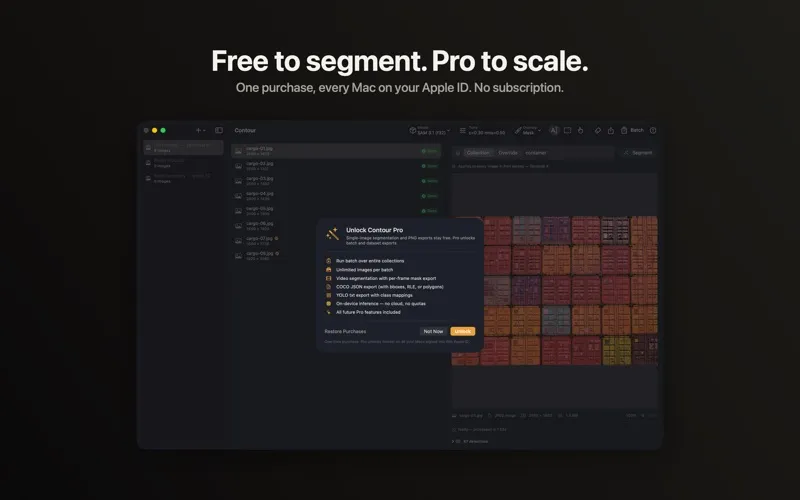
Download Contour free and segment single images with Meta's Segment Anything Model 3 and 3.1, running entirely on Apple Silicon via MLX. Prompt with text or boxes and tune the thresholds. Export Mask PNGs and transparent Cutout PNGs with no account, no trial timer, and no quota.
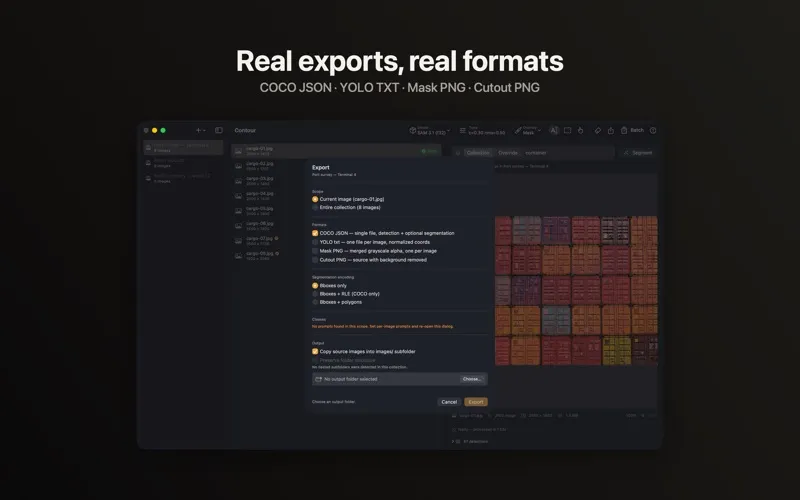
Unlock Contour Pro with a one-time in-app purchase for batch processing across Collections, video segmentation, and dataset exports: COCO JSON (boxes, RLE masks, or polygons) and YOLO TXT (bbox or polygon, with Ramer-Douglas-Peucker simplification). Pay once, with no subscription, and Pro unlocks on every Mac signed into the same Apple ID.
KEY FEATURES
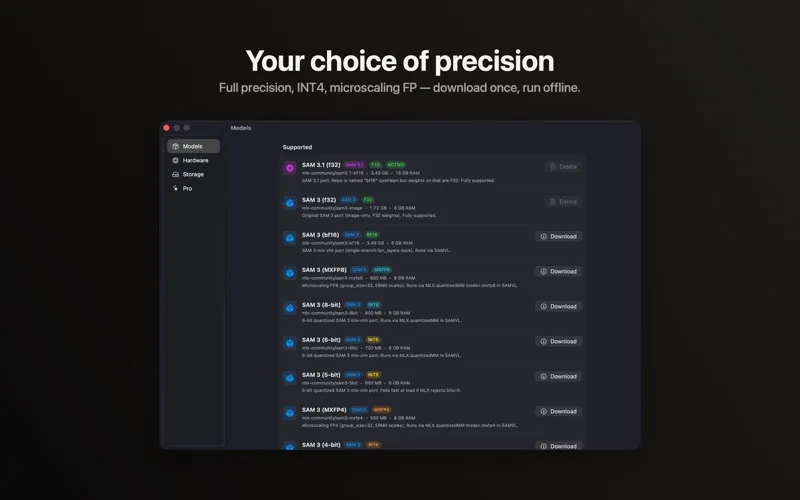
• SAM 3 and SAM 3.1, On-Device — Run Meta's latest Segment Anything models locally via MLX. Choose full precision (F32, BF16), affine quantization (INT8 down to INT4), or microscaling FP (MXFP4, MXFP8) and trade size for accuracy without leaving the app.
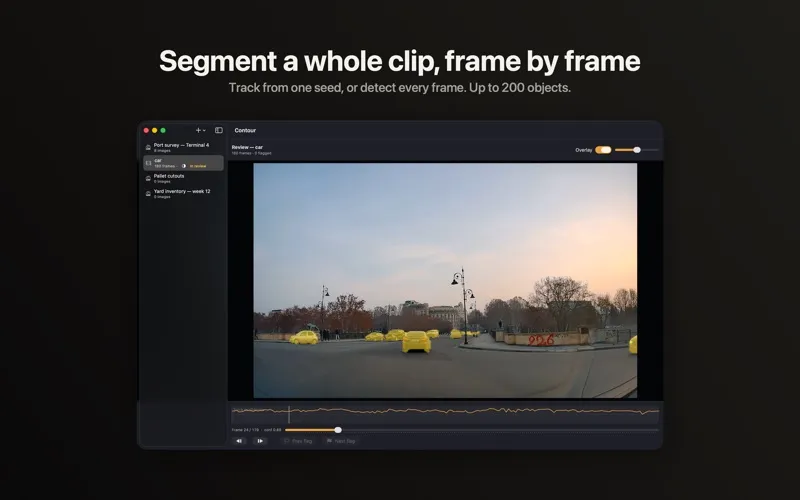
• Video Segmentation — Type a prompt, pick a seed frame, and Contour tracks objects through the clip, forward and backward so the frames before the seed are covered too. Re-scan periodically for objects that enter later, or detect every frame for crowded scenes and moving cameras, raising the ceiling from 16 objects to 200. Writes a mask PNG per frame at native resolution, plus an optional ProRes 4444 movie carrying the mask in its alpha channel. (Pro)
• Review and Correct — Scrub a finished run with the mask overlaid, read track confidence across the clip, and jump to the frames Contour flagged. Where a track drifted, re-seed on that frame and re-propagate just that range: the rest of the run is left exactly as it was, and the timeline marks every correction. Approve when it looks right. (Pro)
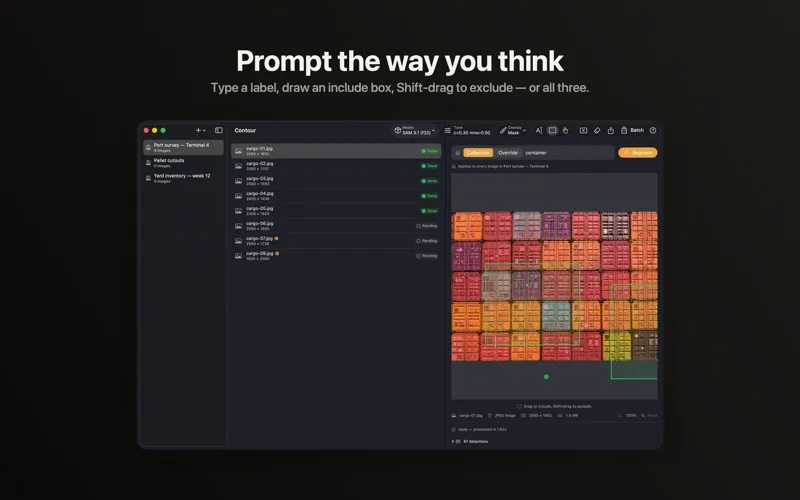
• Prompt the Way You Think — Text prompts, include boxes (draw a region for "more like this"), exclude boxes (Shift-drag for "and not this"), or all three combined on the same image.
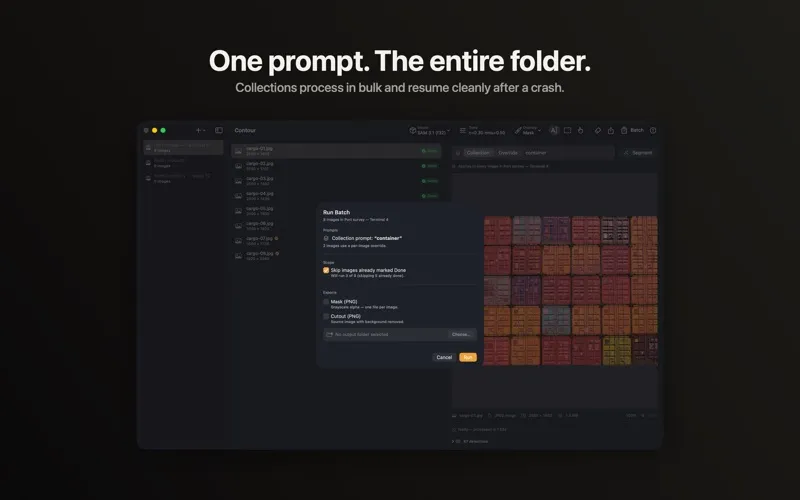
• Collections and Batch Processing — Organize images into Collections, set a prompt and model once, and process the whole set. Per-image state is saved as it completes, so re-runs skip finished images and a crash recovers cleanly. (Pro)
• Instant Threshold Tuning — Raw model output is cached per image. Drag the confidence, NMS IoU, alpha, or minimum component area sliders and the result re-renders in milliseconds, with no re-inference.
• Three Overlay Modes — Pixel Mask (alpha for cutouts), Bounding Box (axis-aligned, COCO-style), and Oriented Bounding Box (rotated rectangles for YOLO-OBB and aerial work). Up to 200 detections per image, in a sortable, keyboard-navigable list.
• Real Dataset Exports — Mask PNG and transparent Cutout PNG (free). COCO JSON with optional RLE encoding and YOLO TXT with class mappings (Pro).
• Reproducible by Default — Batch and video exports write a JSON manifest recording the model, precision, prompt, settings, and a SHA-256 per source file, so a dataset traces back to what produced it.
• Shortcuts and Automation — App Intents for processing a folder or a video, exporting a Collection, and revealing the latest export.
• Model Manager — Download SAM checkpoints (450 MB to 3.5 GB) from Hugging Face's mlx-community namespace. Nothing ships in the binary.
PRIVACY BY DESIGN
Every model runs locally on your Mac via MLX and Metal. Your client's unreleased imagery and research datasets never leave the machine. Contour is fully sandboxed and collects zero analytics.
REQUIREMENTS
An Apple Silicon Mac running macOS 26 or later. 8 GB of unified memory suffices for quantized SAM 3; 16 GB or more for full-precision SAM 3.1.