
Screenshots
About Cubbie Search
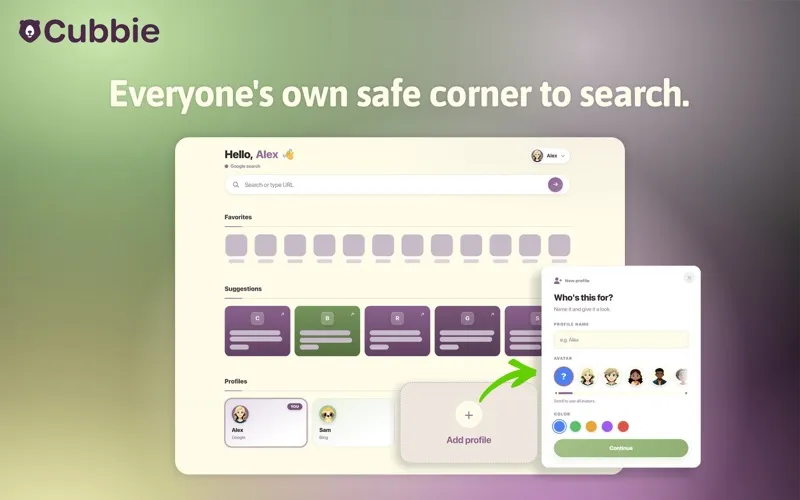
Cubbie replaces your Safari new tab with a home page for everyone who shares this Computer — so every person gets their own search profile, their own look, and their own space, all from one browser.
WHAT IT DOES
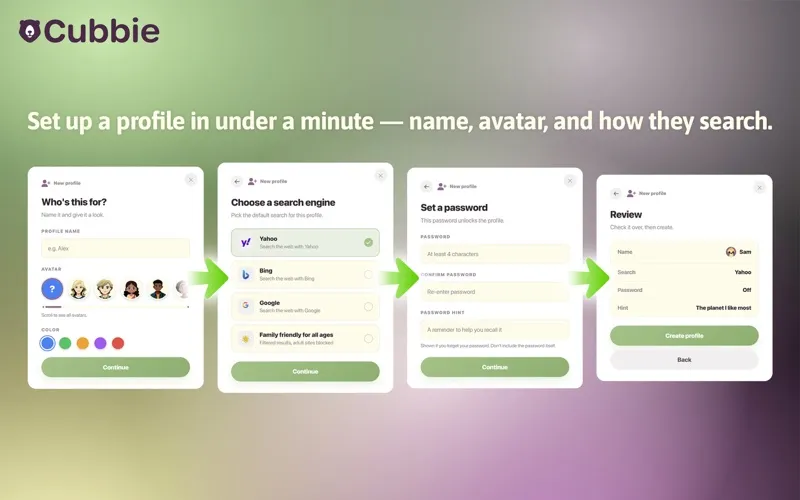
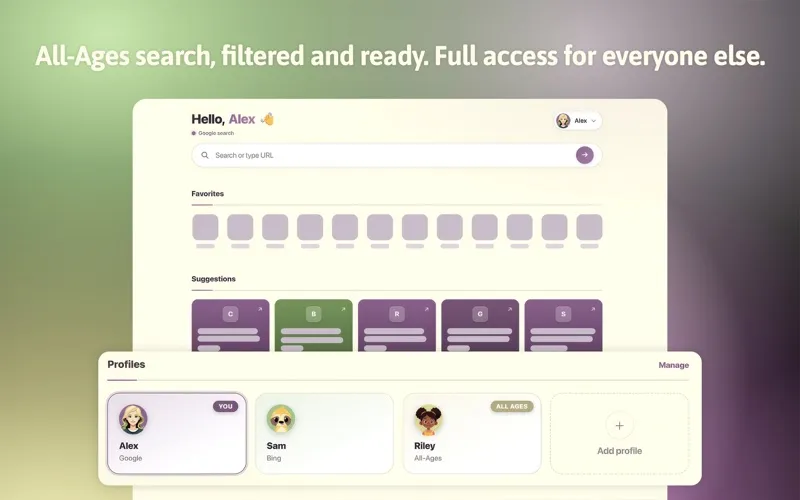
Profiles: Create individual profiles — each with its own name, avatar, and color — so everyone gets their own new tab experience. Search Engine Choice: Pick Yahoo, Bing, Google, or Cubbie's filtered All-Ages search for any profile. Password Protection: Lock any profile with a password and an optional hint. Open Pages: Your currently open tabs are shown at a glance so you can switch back to any page without hunting through Safari. Favorites: One-tap access to the sites you use most.
HOW IT WORKS Cubbie is a Safari Web Extension paired with a lightweight host app. After you enable the extension in Safari → Settings → Extensions, every new tab opens Cubbie instead of the default Safari start page, starting with a quick setup for your first profile. You can disable the extension at any time from Safari Settings.
SEARCH Each profile has its own default search engine — Yahoo, Bing, Google, or Cubbie's filtered All-Ages search. When you search from the new tab bar, or type a general web search into Safari's address bar, Cubbie directs it to the active profile's chosen search engine. This applies to your new tab search bar and replaces Safari's default search provider while the extension is active. No account required.
PRIVACY Open tab titles and URLs are read locally to display your Open Pages in the new tab. This data stays on your device and is never transmitted. When you perform a search, your search terms and a device identifier are sent to Cubbie's search service to return results. Cubbie also collects basic, non-personal usage data (such as install date) to improve the product. See our Privacy Policy for full details: https://productive-apps.com/privacy-policy/
SYSTEM REQUIREMENTS macOS 11.5 or later Safari 14 or later