Screenshots
About GCal for Google Calendar™
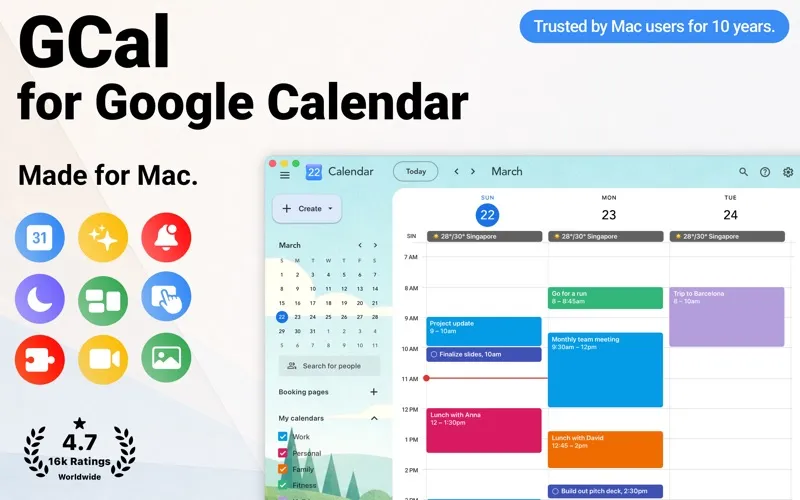
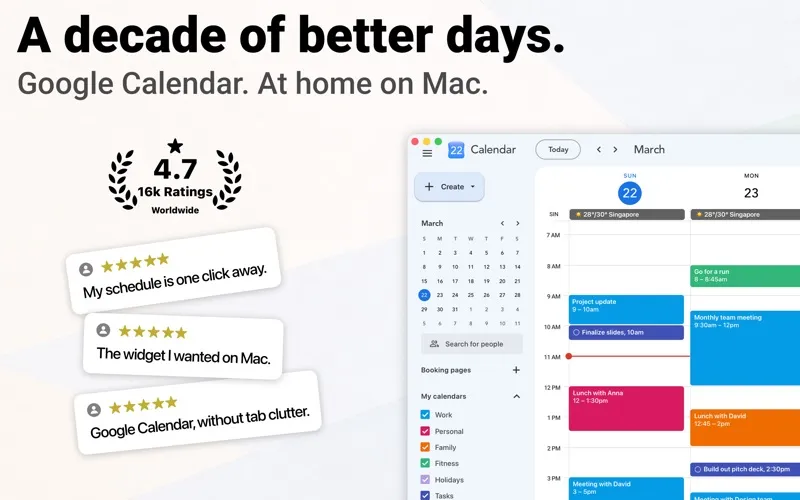
GCal for Google Calendar is the best Google Calendar™ app for Mac. Keep track of life’s important events in one place, with fast access to Google Calendar whenever you need it, without opening your web browser. Celebrating 10 years on Mac, GCal delivers its most comprehensive and powerful Google Calendar experience yet.
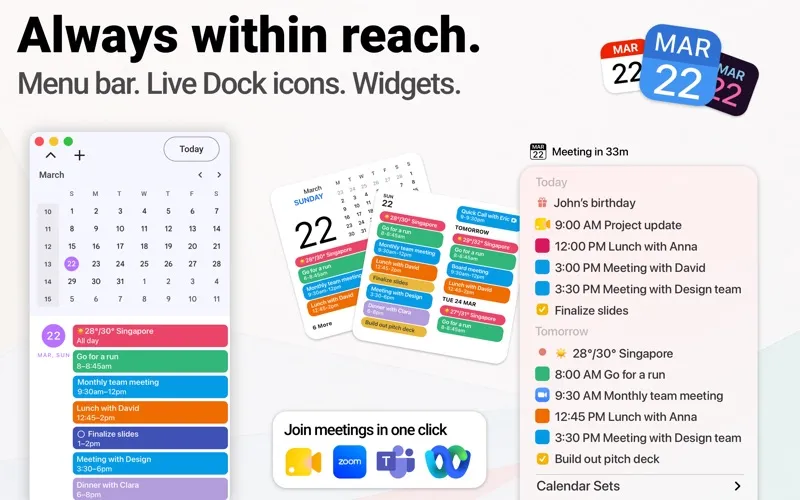
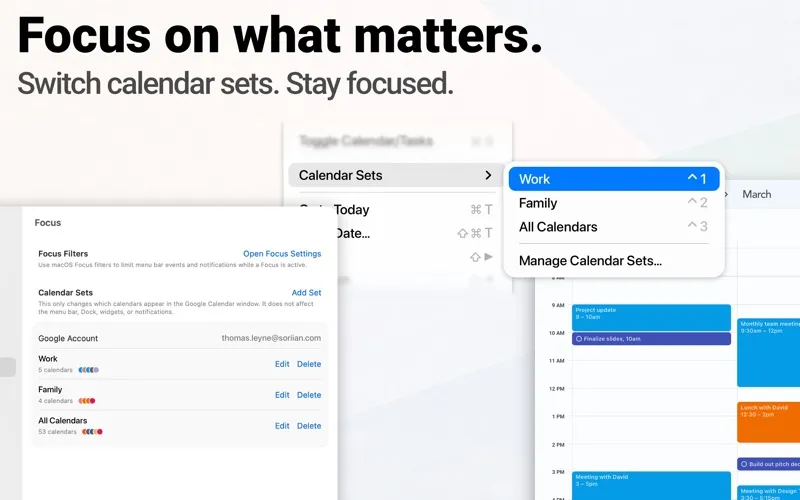
KEY FEATURES: • Instant Access: Open GCal from the menu bar, Dock, or a global hotkey. • Fast and Responsive: Move smoothly between dates, views, and events. • Easy Event Management: Create, edit, duplicate, and share events quickly. • Multiple Account Support: Bring multiple Google accounts and macOS calendars together. • Calendar Sets: Switch custom calendar groups in one click. • Smart Notifications: Stay on top of your schedule with reminders you can act on instantly. • Focus Filters: Automatically tailor menu bar events and notifications to each Focus. • One-Click Meetings: Join Meet, Zoom, Teams, Webex, and more. • Widgets and Shortcuts: View your schedule, create events, and automate daily actions. • Trackpad Gestures: Swipe naturally between calendar periods.
JOIN MEETINGS FASTER • Never Hunt for a Link: GCal finds upcoming meeting links automatically. • Join From Anywhere in GCal: Use the menu bar, Dock, widgets, notifications, or macOS Shortcuts. • Your Meeting, Your Way: Choose your browser or native Zoom or Teams app. • Use macOS Shortcuts to find and join your next meeting.
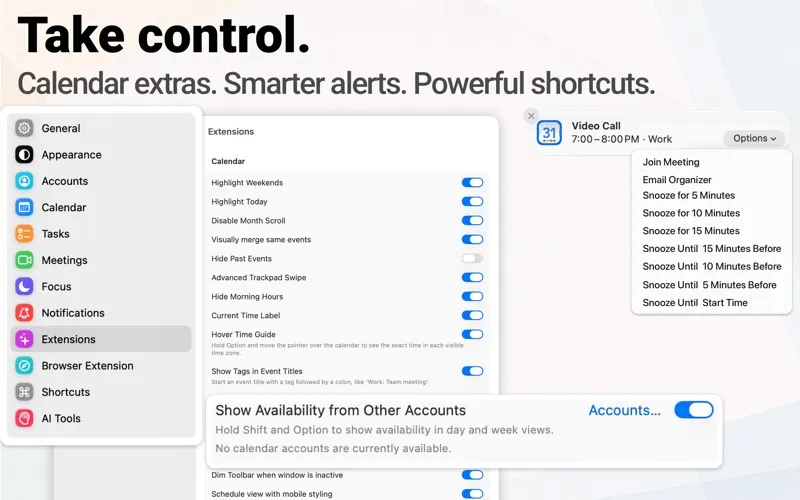
FOCUS ON WHAT MATTERS • Switch between work, family, and other calendar groups with Calendar Sets. • Configure macOS Focus Filters to tailor menu bar events and notifications when a Focus is active. • Filter by selected calendars, video meetings, or organizer emails and domains. • Check busy times from your other Google accounts in day and week views.
REMINDERS THAT WORK FOR YOU • Open events, join meetings, email organizers, or snooze from supported notifications. • Set reminders for scheduled tasks and all-day tasks, plus all-day events without an existing reminder. • Group all-day reminders scheduled for the same time into one notification.
WIDGETS AND SHORTCUTS • 35 Widgets at a Glance: See upcoming events, calendars, dates, clocks, and more. • Take Action Instantly: Open events, join meetings, or create events from widgets. • 13 Powerful Shortcut Actions: Create events and tasks, retrieve your schedule, join meetings, and more.
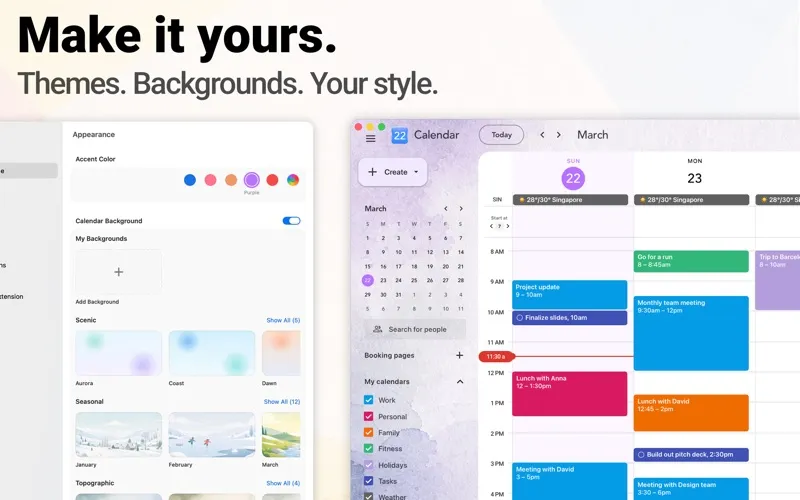
MAKE IT YOURS • Personalize Google Calendar with accent colors, Dark Mode, and 31 built-in backgrounds. • Import your own backgrounds, with separate images for light and dark appearances. • Clearer Calendar, Less Clutter: Highlight today and weekends, hide past events, or merge identical events. • Small Touches, Big Difference: Hide morning hours, use compact layouts, and duplicate events faster. • Icons That Stay Current: Choose 45 live Dock icons and 40 menu bar styles.
EVEN MORE TO LOVE • Connect a compatible AI assistant through MCP to check your schedule, find free time, and prepare event drafts for you to review and save. • ICS Without the Fuss: Open ICS files or drag them onto the Dock icon. • Weather on Your Calendar: Create forecasts for cities worldwide. • Bring selected calendar enhancements to Safari and supported Chromium browsers.
PREMIUM AND PURCHASE OPTIONS Unlock Premium your way: • Yearly Premium Subscription: $9.99/year after the 3-day trial ends. • Lifetime License: one-time purchase of $19.99.
Prices vary by region and appear before purchase. Payment is charged to your Apple Account at confirmation. The yearly plan auto-renews unless canceled at least 24 hours before the period ends. Manage or cancel it in Apple Account settings.
Privacy Policy: https://soriian.com/privacy/ Terms of Service: https://soriian.com/terms/
An internet connection is required. Offline mode is not supported. Some features require Premium.
GCal is an independent app and is not affiliated with, sponsored by, or endorsed by Google. Google Calendar™ is a trademark of Google LLC.