
Screenshots
About Navicat 18 for MySQL
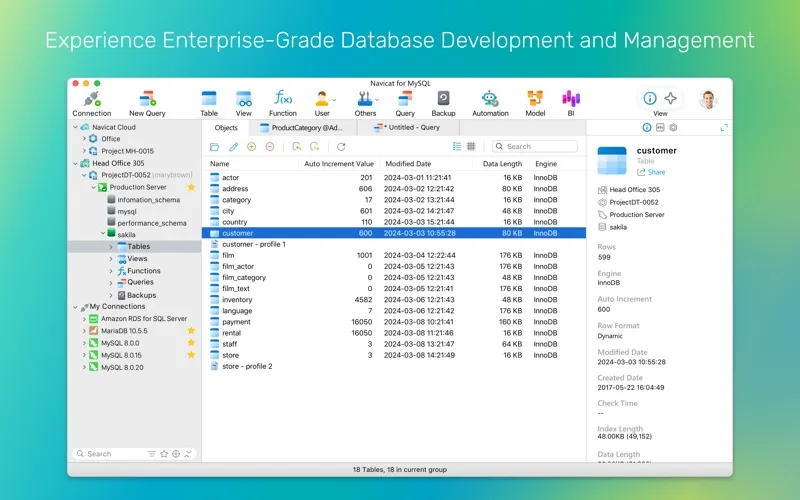
Navicat for MySQL is a complete package designed for the unified management and development of MySQL and MariaDB databases. It features visual designers for database modeling and data illustration, comprehensive data management tools for importing, exporting, and synchronization, and a drag-and-drop query builder that simplifies SQL creation - making it an invaluable tool for both beginners and experienced developers.
Data Editing & Entry
- Fill with AI: Populate missing gaps with realistic data, or use simple prompts to categorize text, catch mistakes, and summarize blocks directly inside your grid.
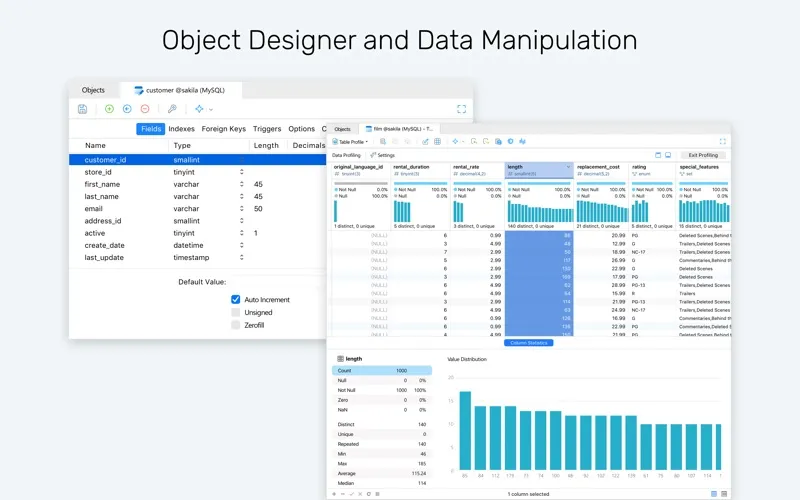
- Data Profiling: Analyze data health, distribution metrics, and quality indicators via intuitive visual charts.
- View Modes: View, update, and manage records in Grid View or Form View.
Query Editing & Code Insight
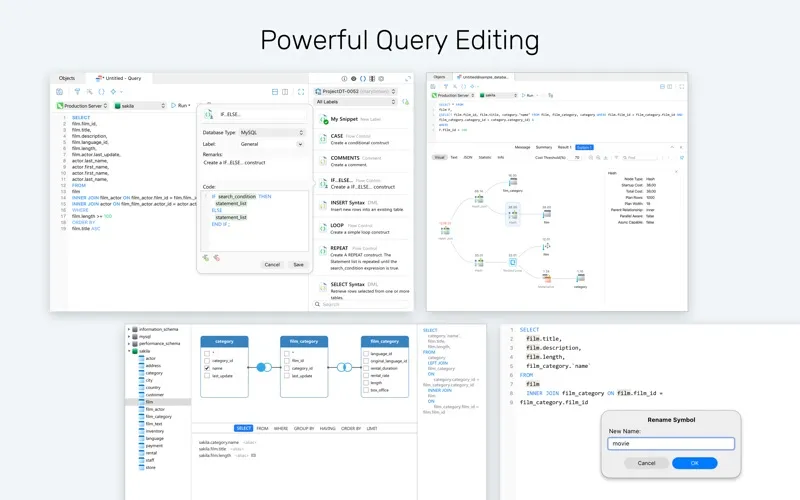
- Refactoring: Rename symbols, aliases, and identifiers uniformly across scripts.
- Code Completion & Execution Plans: Speed up coding with snippets and auto-complete, and optimize logic by visualizing execution plans.
- Catch Mistakes Live: Catch syntax flaws and invalid schema objects as you type.
- Code Tracing: Hover over items for instant metadata, trace usages, and jump directly to object declarations.
AI Assistant
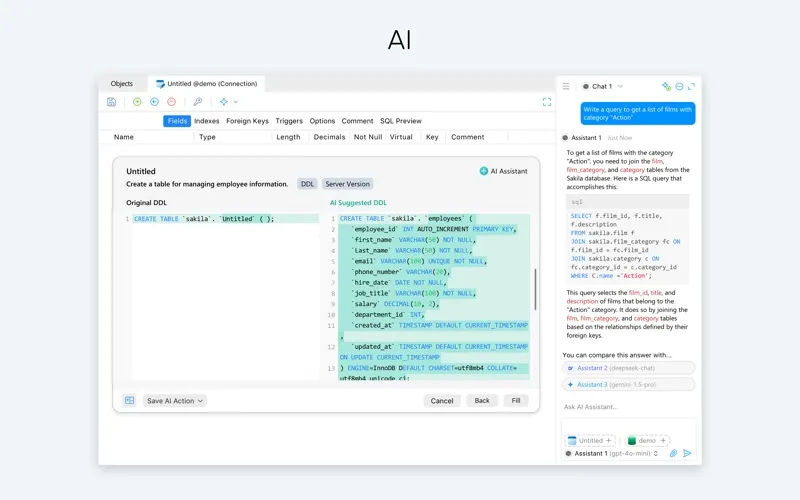
- AI Chat: Open multiple chat rooms, attach your database structures for precise query writing, and compare answers from leading AI models to choose the best response.
- Ask AI (Table Design): Build entire tables from plain text descriptions with automated columns and data types.
- Ask AI (Query Editing): Explain, optimize, tune, and convert SQL queries with instant side-by-side comparisons.
- Fix with AI: Diagnose and fix syntax mistakes from simple typos to complex logical bugs.
Visual Modeling & Data Architecture
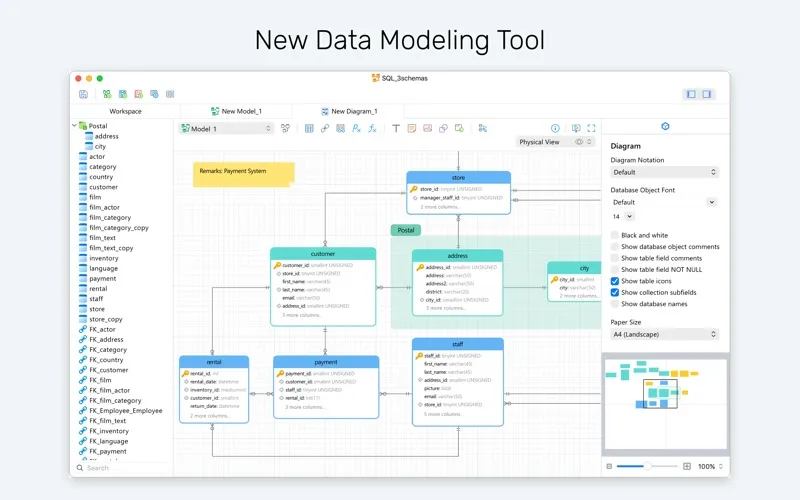
- Multi-Method Workspace: Build visual database models using Relational, Dimensional, or Data Vault 2.0 frameworks.
- Hybrid Integrity: Manage logical entities and physical constraints together to align designs with live databases.
- AI-Assisted Modeling: Accelerate schema creation and structural reviews directly inside the workspace using Ask AI.
- Naming Standards & Glossary: Enforce naming conventions with custom casing and prefixes using a centralized team glossary.
- Data Dictionaries: Generate documentation using custom templates with automated PDF exports.
BI & Analytics
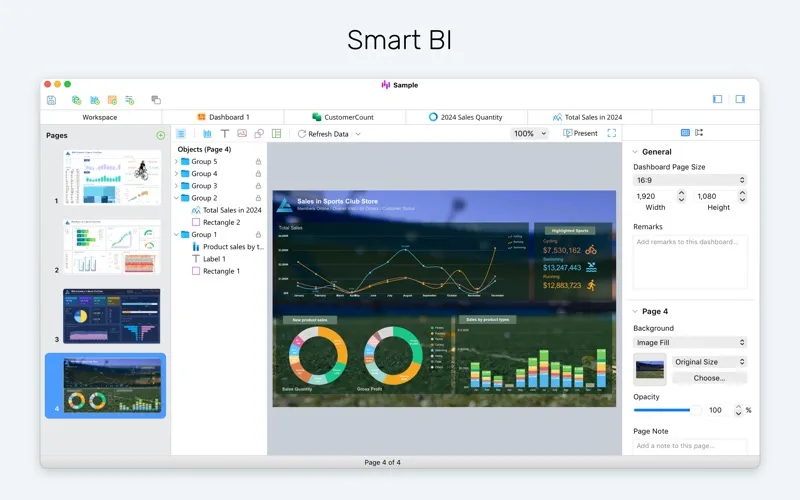
- Live Dashboards: Turn raw metrics into pixel-perfect dashboards and interactive, real-time charts.
- Cross-Filtering: Explore complex relationships using interconnected charts that cross-filter and update each other in real time.
Migration & Integration
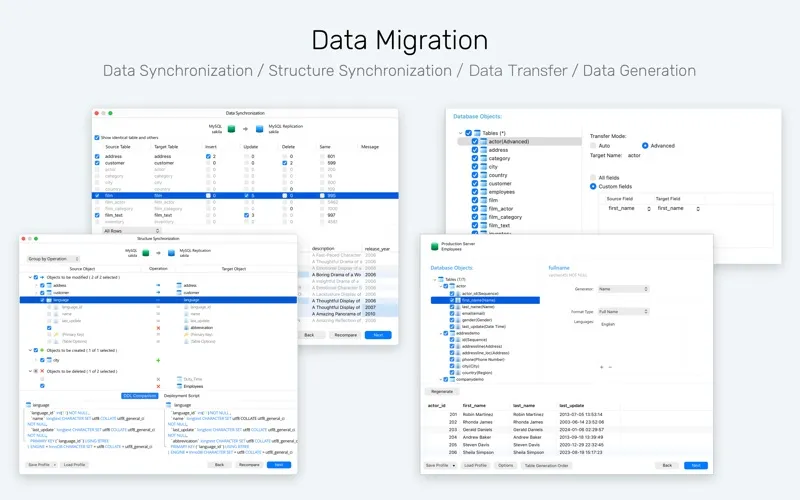
- Data Transfer: Move data across different database engines and file formats.
- Smart Synchronization: Compare and align differences in schemas and table records across environments with guided workflows.
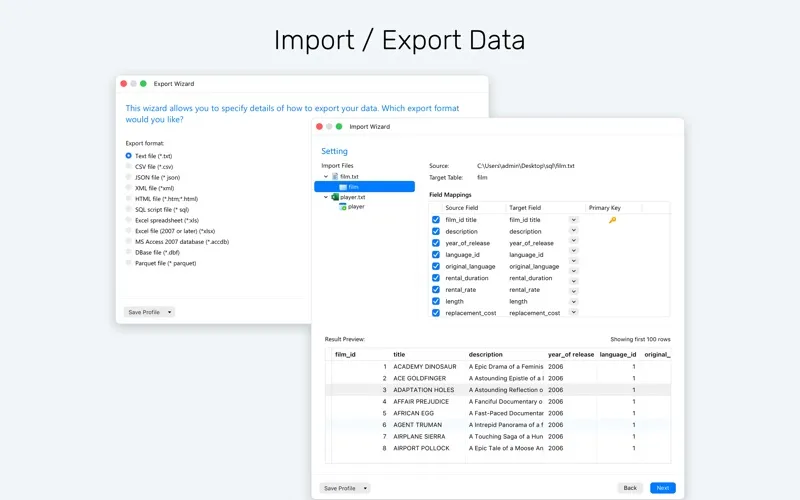
- Import/Export: Support for various formats like ODBC, Excel, Access, CSV, and Parquet files.
Data Generation & Masking
- Data Generation: Create large volumes of realistic test datasets based on customizable field rules and foreign key integrity.
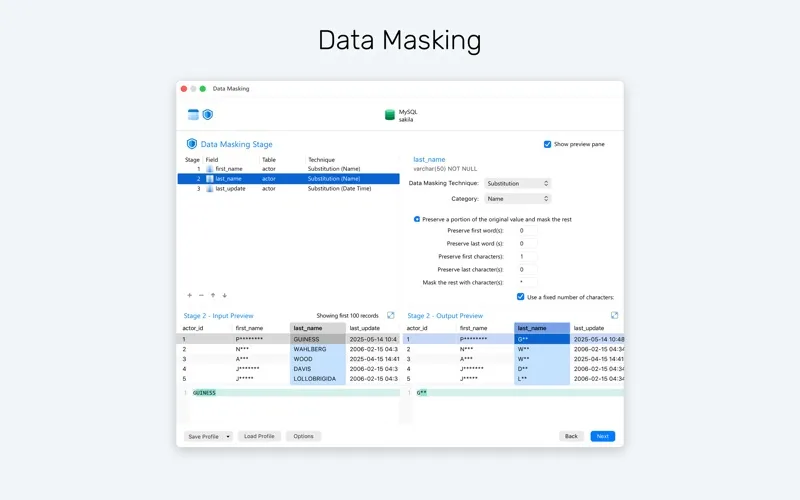
- Data Masking: Protect sensitive production records across dev and QA environments using flexible obfuscation algorithms like substitution, hashing, and shuffling.
Real-Time Collaboration Unify team workflows with real-time file sharing via Navicat Cloud or self-hosted Navicat On-Prem Server. Sync connection settings, queries, snippets, model/BI workspaces, virtual group information, and your personal preferences across every device.
Other useful features:
- Navicat URI
- ER diagram view
- Text, hex, image or web viewer and editor
- Backup and restore
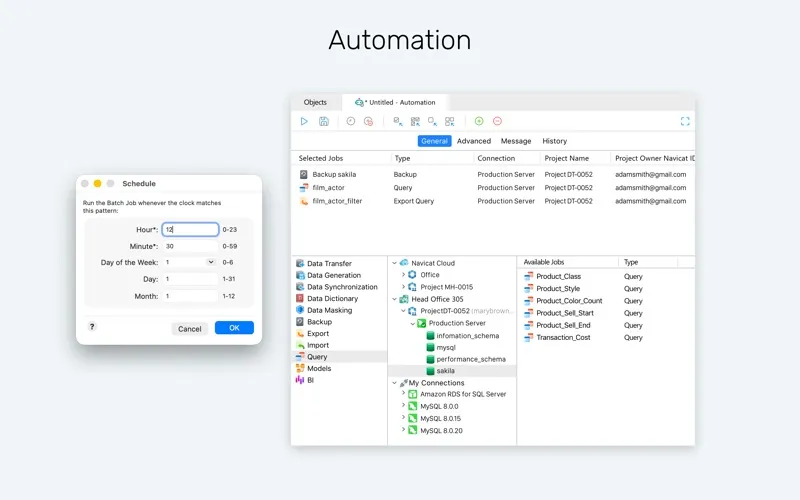
- Automation
Note: Try Navicat free for 14 days with full app access. Your trial will automatically convert to a paid subscription unless canceled 24 hours before it ends.
Terms of Use: https://www.navicat.com/manual/online_manual/en/navicat_18/mac_manual/#/license_agree