
채팅+ PC버전
채팅+ PC버전 lets you use your phone’s Chatting+ conversations on your Mac. It’s for you if you prefer reading messages on a larger screen and replying with a keyboard.
by SK Telecom
What you get
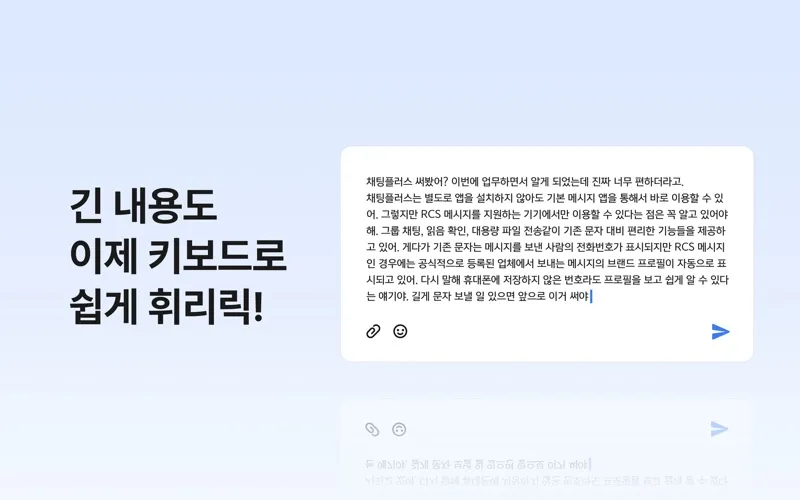
Continue your phone’s conversations on your Mac, using your keyboard.
With 채팅+ PC버전, you can read your Chatting+ conversations on your Mac’s larger screen and type replies with your keyboard. If you prefer writing messages at your desk, you can continue those conversations without composing each reply on your phone.
You connect through QR code authentication rather than a separate signup. Your phone’s saved conversations and contacts sync to the Mac app, so you can pick up existing chats with the people you already know instead of starting with an empty conversation list.
You can also message people who haven’t joined Chatting+. When a recipient isn’t registered, your message is sent as a regular text message, so you don’t need to ask them to join Chatting+ first.
-
Reply with your keyboard
You can compose messages on your Mac instead of typing each reply on your phone.
-
Keep your conversation history
Your saved phone conversations and contacts sync, letting you continue existing chats on your Mac.
-
Avoid another signup
You authenticate with a QR code rather than registering separately.
-
Reach people outside Chatting+
Your message goes as a regular text when the recipient hasn’t joined Chatting+.
Best for
- You already use Chatting+ on your phone
- You prefer typing replies with a keyboard
- You want to read conversations on a larger screen
Skip it if
You don’t need it if you’re happy keeping your Chatting+ conversations on your phone.
Screenshots




From the developer
이제 채팅+ UI를 Mac의 큰 화면으로 보면서 키보드로 편리하게 메시지를 입력하실 수 있습니다. 따로 가입하지 않고 QR 코드 인증만 하면 스마트폰에 저장된 대화 내용과 연락처가 모두 연동됩니다. 메시지를 받는 사람이 채팅+에 가입하지 않은 경우 일반 문자메시지로 전송됩니다.Read the full description
Alternatives to 채팅+ PC버전
Other apps to use messengers on Mac. See all