Screenshots
About Radiant Canvas Image Generator
Make AI images, edit photos and upscale pictures on your Mac. No account, no uploads and no per-image fees. Download a model once, then work offline.
Radiant Canvas is free to start with eight image models and the SeedVR2 upscaler. Add your own LoRAs and more control with optional PRO.
NEW: MOSS-IMAGE TURBO
MOSS-Image Turbo makes an image in 8 steps. It follows long, detailed prompts, tag lists and JSON layouts. Use it in Create and Studio, and add your own LoRAs with PRO.
UPSCALE WITH SEEDVR2
Open Upscale, add an image and choose an output size. SeedVR2 3B enlarges it up to 4096 pixels on the long edge and restores fine detail. No prompt needed. Use Softness for small or noisy images. Upscaling is free.
CREATE IMAGES FROM A PROMPT
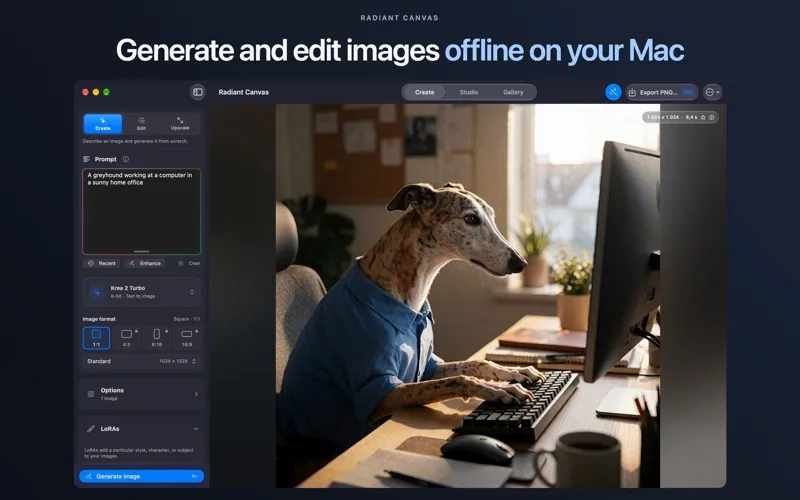
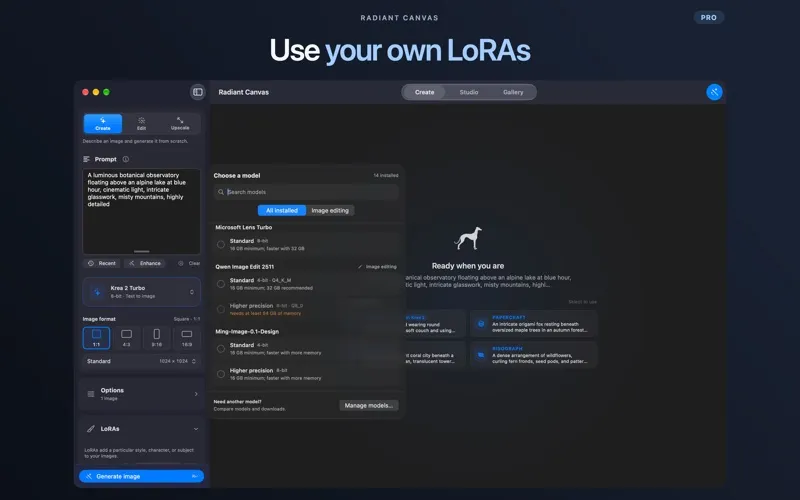
Describe what you want and get an image. Make illustrations, scenes, wallpapers and designs. No Python, no terminal and no setup files. Make variations, queue images and reuse settings.
EDIT A PHOTO WITH WORDS
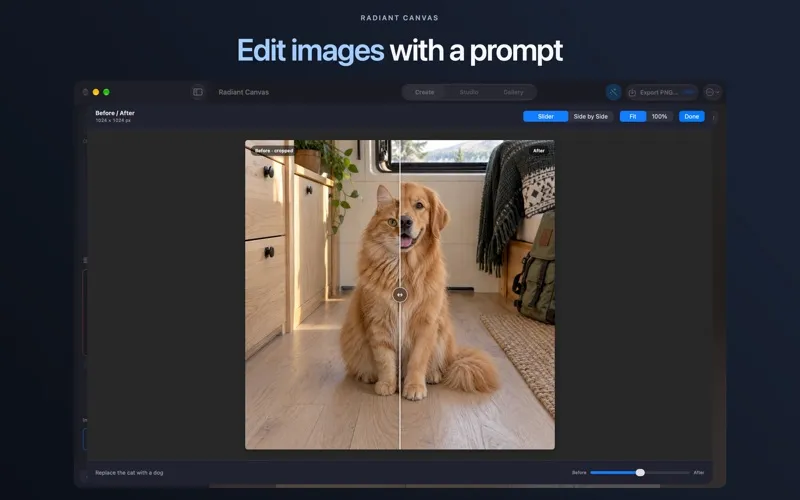
Add a photo or any image, say what to change and generate. Use FLUX.2 Klein with one reference image, or Qwen Image Edit with up to three. Compare it with the original in a Before / After view. Reference editing is free within the supported free image sizes.
EIGHT MODELS AND AN UPSCALER
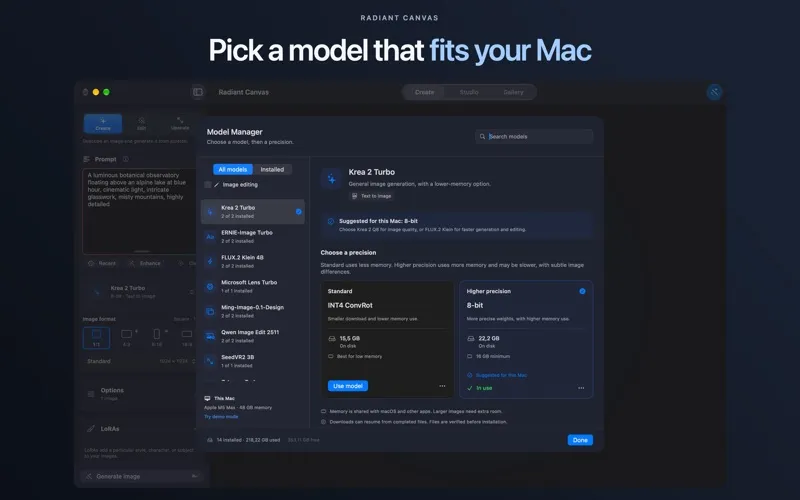
Choose from MOSS-Image Turbo, Ming-Image-0.1-Design, Krea 2 Turbo, Z-Image Turbo, FLUX.2 Klein 4B, ERNIE-Image Turbo, Microsoft Lens Turbo and Qwen Image Edit 2511, plus SeedVR2 3B for upscaling. Run one prompt on several models and compare the results. Ming makes designs with text or transparent backgrounds. Features vary by model. Model Manager shows download size and memory needs first.
YOUR OWN STYLE WITH LORAS (PRO)
Import compatible LoRA and LoKr adapters for supported models. Combine up to ten, set their strengths and save presets.
PRO also unlocks portrait and landscape formats on supported models, manual generation controls, Fast mode, ML Enhance and PNG export.
BUILT FOR APPLE SILICON
Models run directly on your Mac, with no cloud processing. Your prompts, photos and results stay on your device. No ads, tracking or developer analytics.
REUSABLE WORKFLOWS IN STUDIO
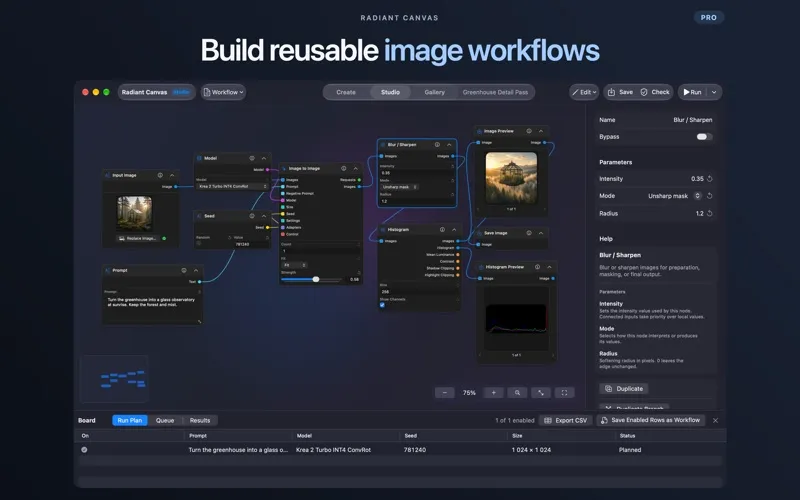
Connect prompts, models, images and previews in Studio, then save the workflow for next time. Basic workflows are free. PRO adds nodes for image-to-image, inpainting, depth guidance, batches, comparisons, SeedVR2 upscaling and export.
A PRIVATE GALLERY
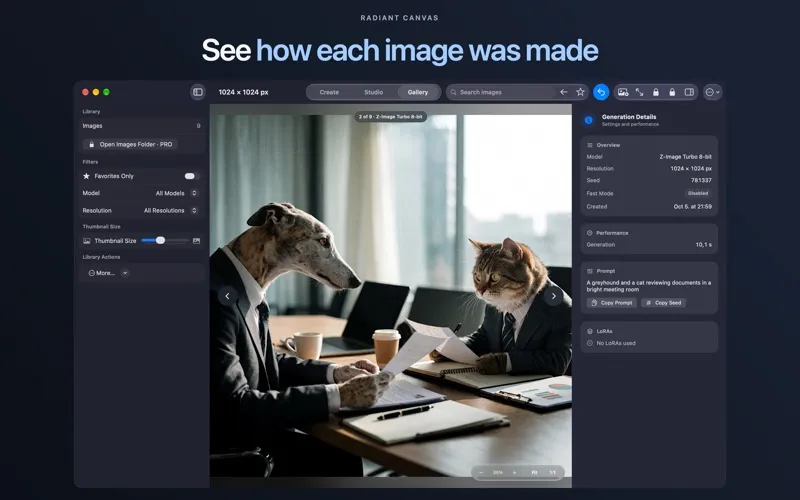
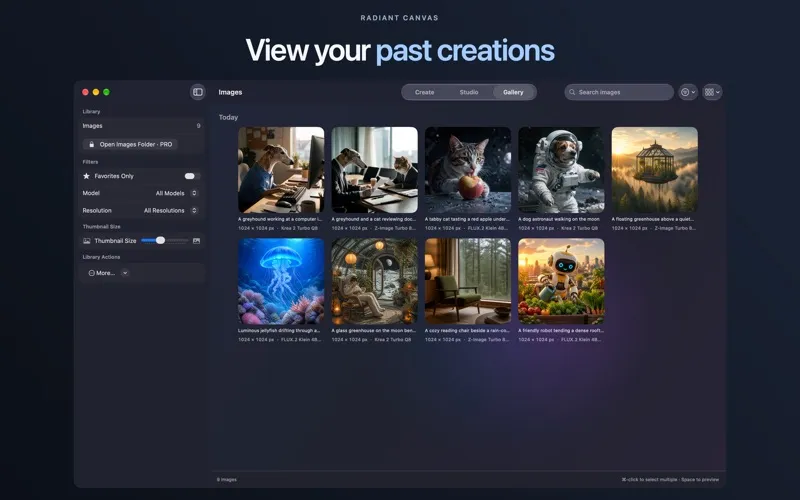
Every image is saved with its prompt and settings. Search by prompt or LoRA name, filter by model, reuse settings, or edit or upscale a saved image. The optional watermark is off by default.
FREE TO START. OPTIONAL PRO.
Free: all eight models, square images, photo editing in Edit, upscaling with SeedVR2, model comparison, variations, the queue, Gallery and basic Studio workflows.
PRO is available monthly, yearly or as a lifetime purchase, with the same features on every plan. No generation credits or per-image charges.
Eligible users can try monthly PRO free for 3 days to test LoRAs and advanced controls on their Mac. The trial renews as a paid monthly subscription unless canceled.
REQUIREMENTS
Requires an Apple silicon Mac (M1 or later) and macOS 26.2 or later. Models are separate, multi-gigabyte downloads. Memory needs vary; some models need 16 GB or more. MOSS-Image Turbo needs 16 GB and is about a 16 GB download. SeedVR2 needs 16 GB and is about a 7.3 GB download. Macs with 16 GB can upscale up to 3072 pixels. Check Model Manager before downloading.
Internet is needed for downloads, purchases and restoring purchases. Optional enhancement models need extra downloads. Model and adapter license terms apply.
Subscriptions renew automatically unless canceled at least 24 hours before the current period ends. Prices are shown before purchase. Manage or cancel subscriptions in your App Store account settings.
Privacy Policy: https://radiantbeargames.com/radiant-canvas/privacy Terms of Use: https://www.apple.com/legal/internet-services/itunes/dev/stdeula/