Screenshots
About Scrobbles for Last.fm
Scrobbles for Last.fm sends every track you play in Apple Music straight to Last.fm, and turns years of listening into the statistics Last.fm never shows you.
Your whole history is imported into a database on your own Mac, so every chart, streak and record is there the moment you open the app.
• Apple Music scrobbling Every track you play is submitted to Last.fm, with a countdown telling you exactly when the current one counts. You decide how much of a track has to play first, and songs from Apple Music radio stations are scrobbled too.
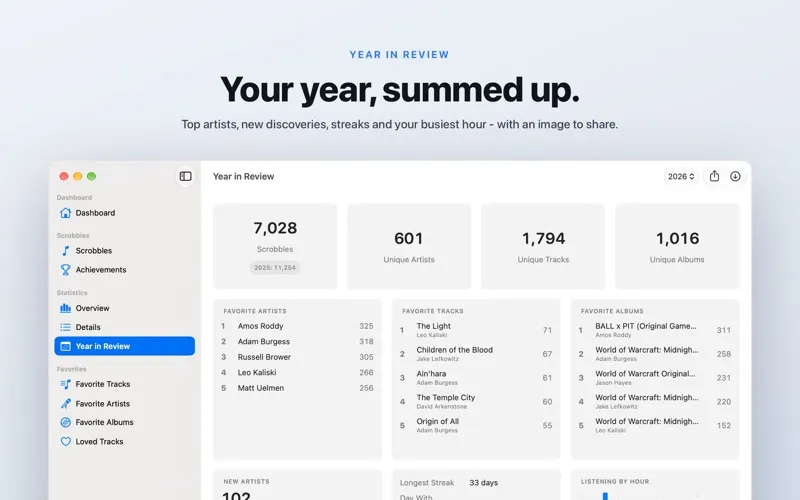
• Year in Review Any year of your history at a glance: top artists, tracks and albums, the artists you discovered, your longest streak, busiest day and favorite hour - and an image of it to share.
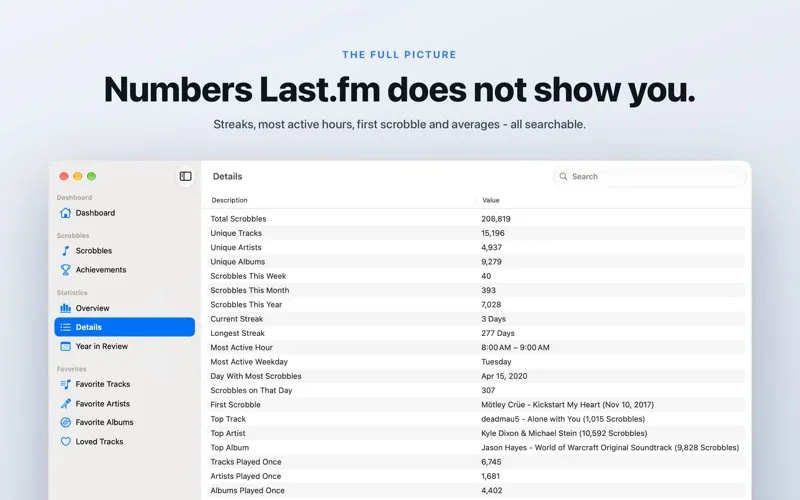
• The numbers Last.fm leaves out Unique tracks, artists and albums, your current and longest streak, your most active hour and weekday, the day you played the most, your very first scrobble and averages per track, artist and album - all searchable.
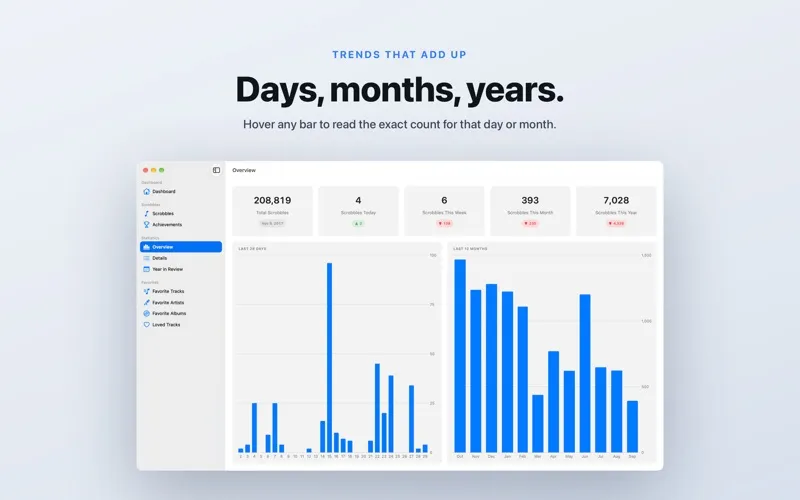
• Statistics Today, this week, this month and this year, each against the period before, plus 28 day and 12 month charts. Point at any bar to read the exact count.
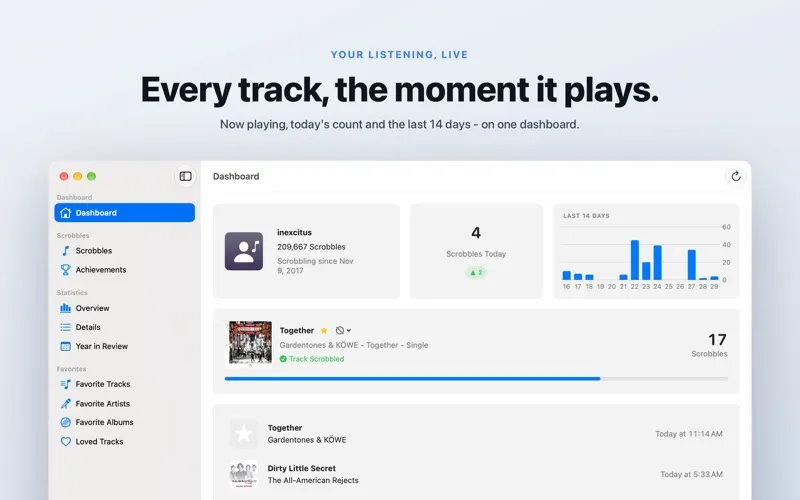
• Dashboard What is playing right now with its artwork, how many scrobbles today, the last 14 days as a chart, and the tracks you just played.
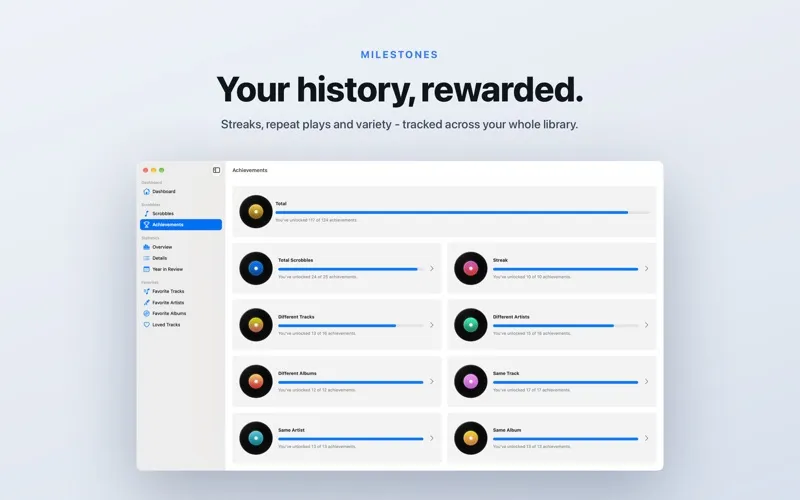
• Achievements More than a hundred milestones across totals, streaks, variety and repeat plays, each showing how close you are to the next one.
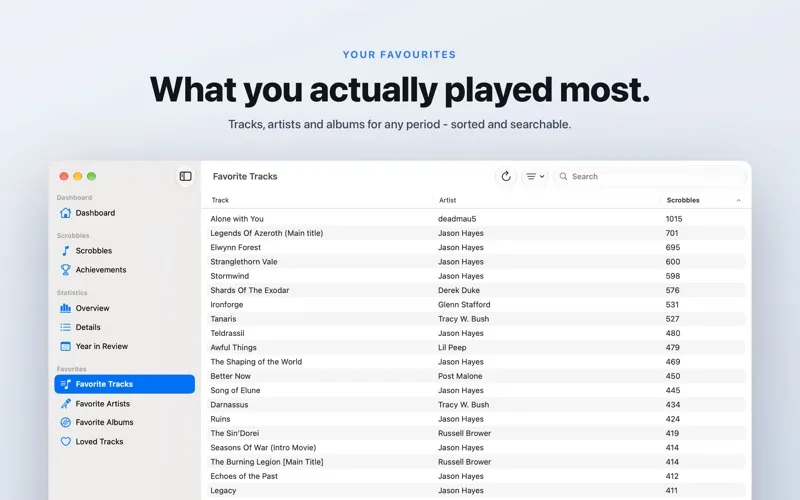
• Favorites Your most played tracks, artists and albums for any period, from the past week to everything you have ever played, sortable and searchable.
• Keep things out Exclude artists, genres and playlists from scrobbling - in the settings, or straight from the track that is playing. Short tracks and music videos can stay out too.
• Pause any time Pause scrobbling from the menu bar when the music is not yours, and resume it when it is. A track played while paused is never sent.
• Nothing gets lost Tracks you play without a connection are cached and submitted once you are back online, and a scrobble Last.fm turns down is retried instead of dropped.
• ListenBrainz as well Every scrobble can go to ListenBrainz in parallel. Add your token in the settings and both services stay in step.
• Loved tracks Star a song in Apple Music and it is loved on Last.fm. All your loved tracks are listed in the app, where you can unlove them as well.
• Menu bar, mini player and widgets Put the current track, today's scrobbles or your total in the menu bar and run the app from there without a Dock icon. A floating mini player shows the current track with its artwork and controls, and four widgets bring your total and your favorites to the desktop.
• Scrobbles Pro Scrobbling, statistics, favorites and widgets are free. One purchase unlocks the Year in Review, exclusions, achievements, ListenBrainz, loved track sync, the mini player and the menu bar items - and a purchase from earlier versions carries over.
This app is powered by AudioScrobbler by Last.fm.
The app icon was designed by Hugo Santos. You can find more information about my app icons here: https://sascha-simon.com/icons/
You can find more great apps on my homepage: https://www.sascha-simon.com
If you enjoy using this app, please leave a positive review. Positive reviews help other users discover the app and are a source of inspiration for me to further develop the app.