
WireGuard
WireGuard lets you create, import, and use VPN tunnels. It suits you if you already have a WireGuard configuration or want to set up your own server.
by WireGuard Development Team
What you get
You can connect through a secure VPN tunnel you configure.
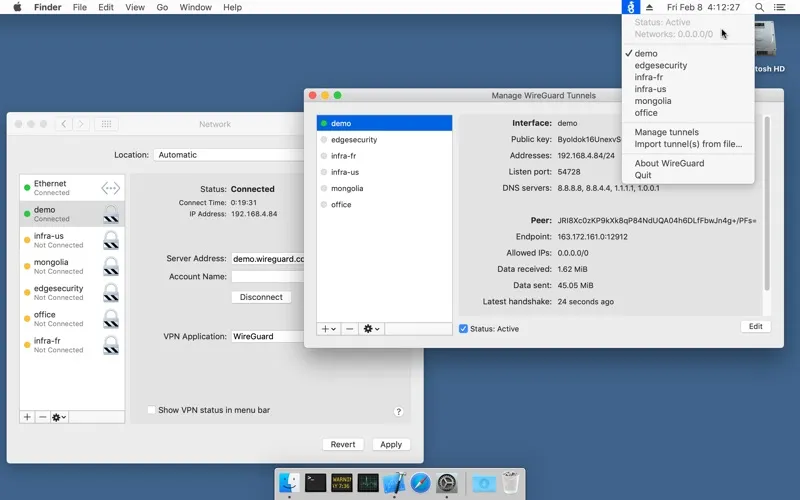
WireGuard gives you a way to use and manage secure VPN tunnels. If you have a WireGuard configuration, you can bring it into the app and use it to connect through the server it specifies.
You can import tunnel configurations from files or archives rather than enter everything manually. If you’re setting up a new connection, you can also create a tunnel configuration from scratch.
You’ll need a configured WireGuard server to connect to, so this is best suited to you if you already have connection details or intend to run your own server. The app handles the tunnels you configure; setting up the server is a separate step.
-
Use your VPN connection
You can connect through a secure WireGuard tunnel using your server configuration.
-
Reuse existing connection details
You can import configurations from files or archives instead of entering their settings manually.
-
Configure your own tunnel
You can create a tunnel from scratch when setting up a connection to your WireGuard server.
Best for
- You already have a WireGuard configuration
- You want to connect to your own WireGuard server
Skip it if
You don’t need it if you want a VPN you can use without obtaining a configuration or setting up a server.
Screenshots
From the developer
WireGuard is a fast, modern, and secure VPN tunnel. This app allows users to manage and use WireGuard tunnels. The app can import new tunnels from archives and files, or you can create one from scratch.Read the full description
Alternatives to WireGuard
Other apps to browse privately with a VPN. See all