
DevTools for Xcode, Homebrew
DevTools for Xcode, Homebrew is a Mac utility for you if you develop Apple apps or use Homebrew and want to review storage, check versions, and prepare image assets.
by JADE TEAMWORKS LLC
What you get
You can reclaim development storage, compare versions, and prepare app images.
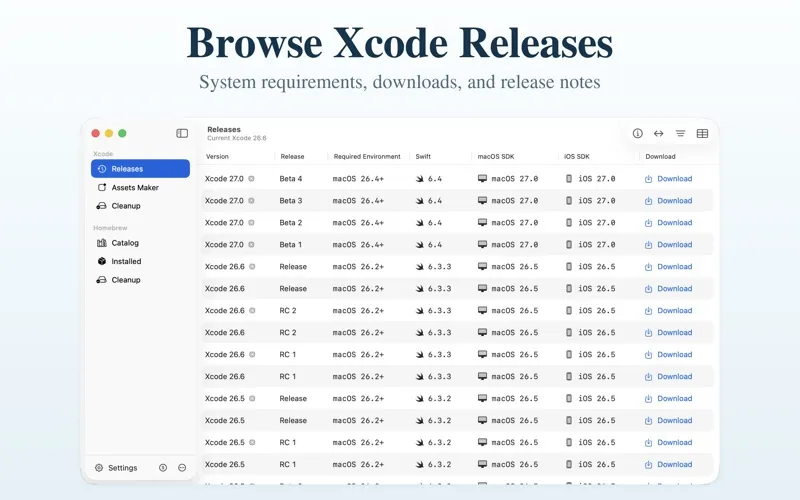
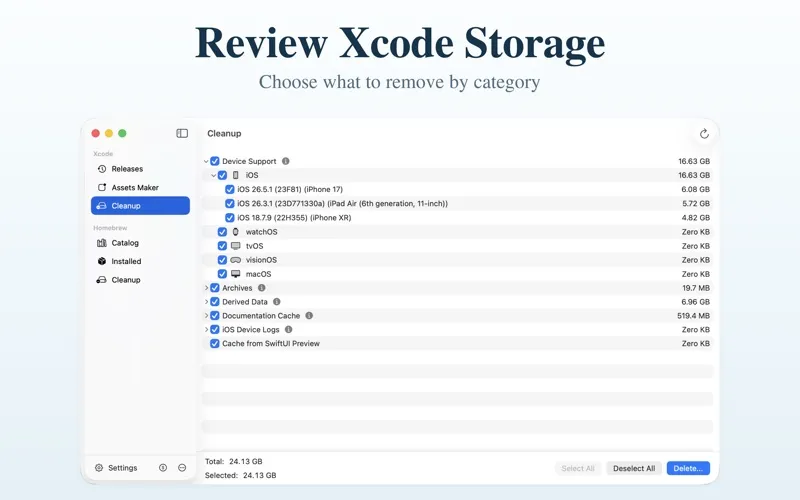
You can see where Xcode-related files take up space, then choose what to remove. Storage is grouped into categories such as Archives, Derived Data, Device Support, and logs, so you can review them before deleting anything. You can also check Xcode releases, system requirements, Swift versions, and SDKs, with access to Apple’s download pages and release notes.
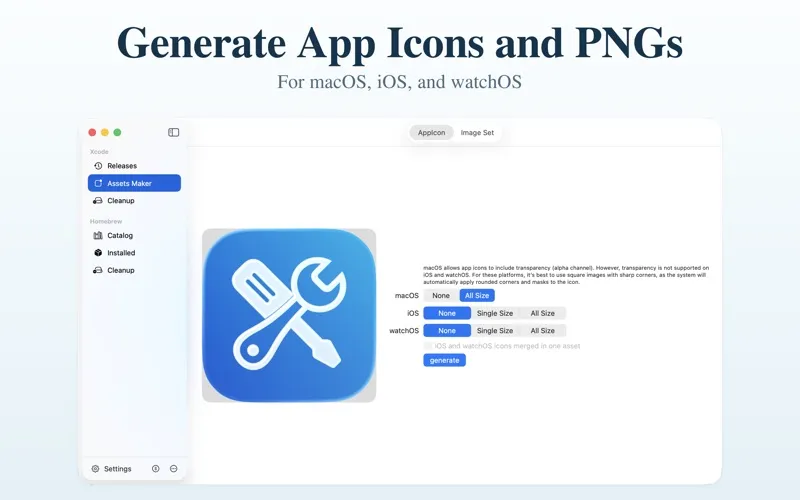
For your app images, you can turn one source image into macOS, iOS, and watchOS app icons, or generate @1x, @2x, and @3x PNGs. This saves you from preparing each size individually.
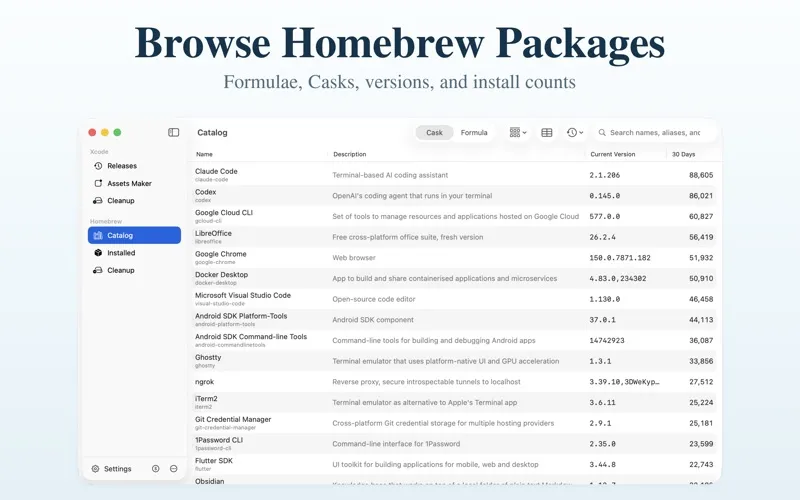
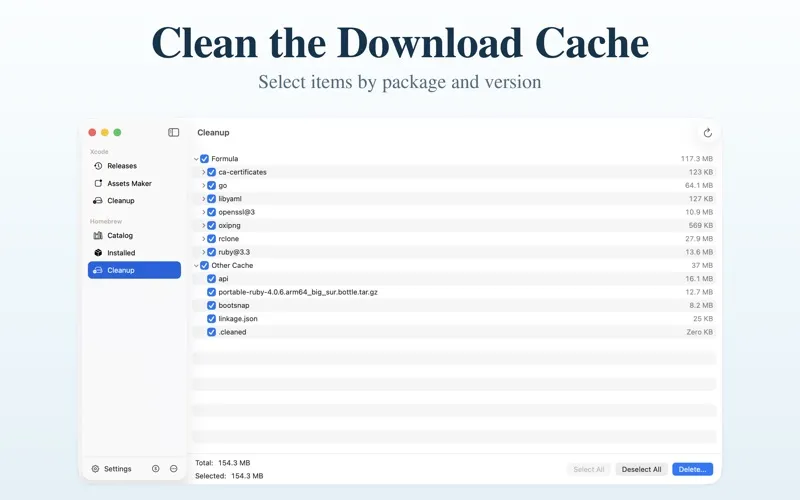
If you use Homebrew, you can research packages, compare installed versions with catalog versions, and inspect download cache space by package and version. You grant access to local package and cache folders separately; installed-package scans are read-only. Any Xcode file or Homebrew cache deletion is permanent and requires your explicit selection and confirmation.
-
Reclaim development storage
You can review Xcode storage by category and permanently delete only the items you select and confirm.
-
Check release compatibility
You can check Xcode system requirements, Swift versions, and included SDKs before choosing a release.
-
Prepare app image sizes
You can generate Apple-platform app icons and multiple PNG scales from one source image.
-
Compare Homebrew versions
You can see how your installed package versions compare with the catalog without changing your installations.
-
Review cached downloads
You can identify Homebrew cache space by package and version, then remove selected downloads after confirmation.
Best for
- You develop Apple apps and need to review Xcode storage.
- You use Homebrew and want to compare versions or clear cached downloads.
- You need app icons and scaled PNGs from one image.
Skip it if
You probably do not need it if you use neither Xcode nor Homebrew and have no need to generate app image assets.
Screenshots
From the developer
DevTools for Xcode is a native macOS utility for Xcode storage, release information, image assets, and Homebrew package information.Read the full description
Alternatives to DevTools for Xcode, Homebrew
Other apps to build & ship Apple apps. See all
 Buildwatch
Track your build time in Xcode
Setapp
99% · 79 ratings
Buildwatch
Track your build time in Xcode
Setapp
99% · 79 ratings
 Asset Catalog Creator Pro
Prepare icons and app assets
Setapp
96% · 90 ratings
Asset Catalog Creator Pro
Prepare icons and app assets
Setapp
96% · 90 ratings
 SwiftyLaunch
Build iOS apps faster
Setapp
67% · 55 ratings
SwiftyLaunch
Build iOS apps faster
Setapp
67% · 55 ratings
 DMGKit
Ship polished Mac installers
Sold separately
DMGKit
Ship polished Mac installers
Sold separately
 Kickstart
App Accelerator
Mac App Store
Kickstart
App Accelerator
Mac App Store
 RocketSim for Xcode Simulator
Mac App Store
RocketSim for Xcode Simulator
Mac App Store