
Eno from Capital One
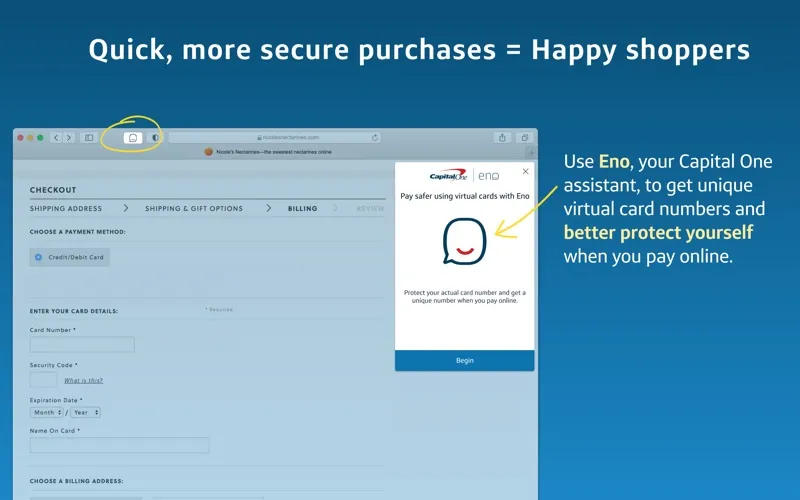
Eno gives you site-specific virtual card numbers for shopping in Safari, if you have an eligible Capital One credit card.
by Capital One
What you get
You can shop online without sharing your real credit card number.
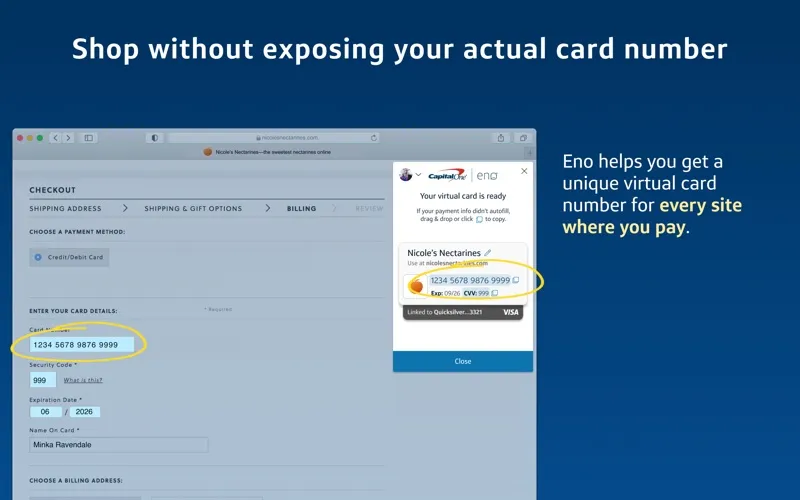
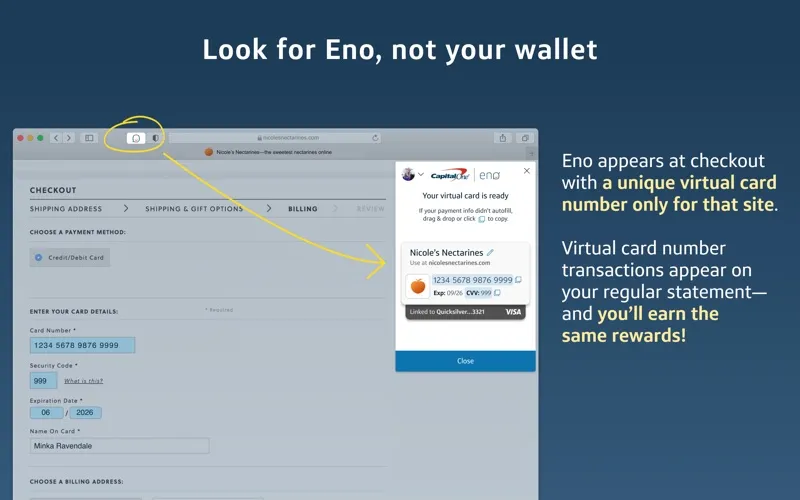
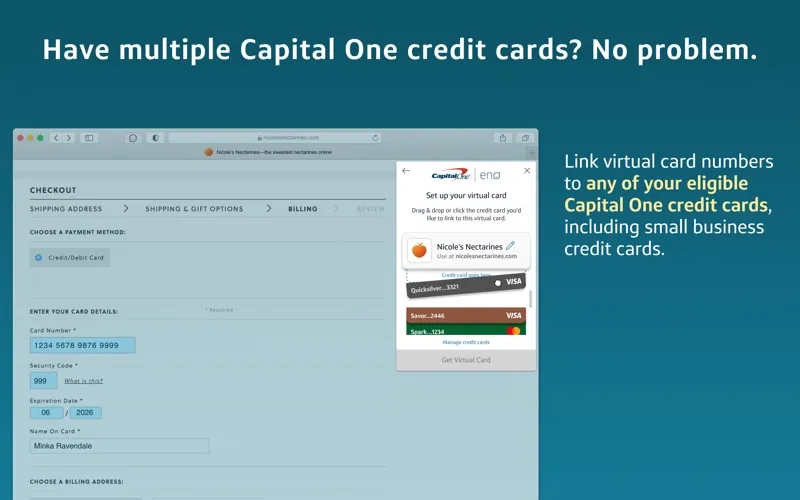
With Eno, you can pay on shopping websites using a virtual card number tied to that particular site instead of handing over your real credit card number. Your purchases still go through your Capital One account, and you keep earning your card’s usual rewards and benefits.
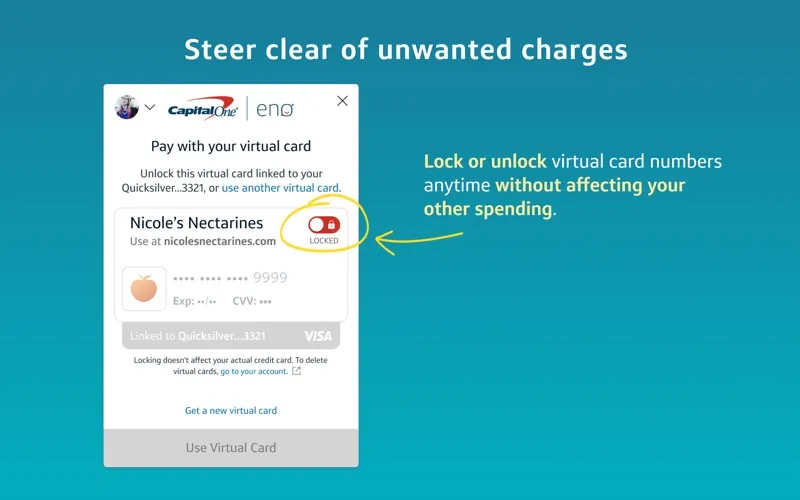
You can disable an individual virtual number when you want to stop it being used, then enable it again later. That leaves your other spending unaffected. If you receive a replacement credit card, your virtual numbers continue to work, so you avoid updating saved payment details on those sites.
You’ll need an eligible Capital One card and the Safari extension enabled. Once it’s set up, you can open Eno from Safari when you’re ready to pay.
-
Keep your number private
You give each shopping site a virtual number rather than your real credit card number.
-
Control individual virtual numbers
You can lock or unlock one virtual number without affecting spending through your other numbers.
-
Avoid replacing saved details
Your virtual numbers keep working after you get a replacement credit card, reducing payment information you need to update.
-
Keep your usual rewards
You earn the same card rewards and benefits when you pay using a virtual number.
Best for
- You have an eligible Capital One card and shop in Safari
- You want separate payment numbers for different shopping sites
- You want fewer saved payment details to update after a card replacement
Skip it if
You don’t need this if you lack an eligible Capital One card or don’t shop through Safari.
Screenshots
From the developer
Shop more securely through your desktop browser with Eno®, your Capital One® assistant. INSTRUCTIONS FOR ENABLING ENO FROM CAPITAL ONE IN SAFARI Install the “Eno from Capital One” application from the Mac App Store. Open the “Eno from Capital One” application.Read the full description
Alternatives to Eno from Capital One
Other apps to pay with virtual cards. See all