Eplist
convert data to plist
Eplist lets you turn Excel data into plist files or SQLite databases, with generated access code for developers who keep app data or configuration in spreadsheets.
by HuMinghua
What you get
Turn your Excel data into files your app can read.
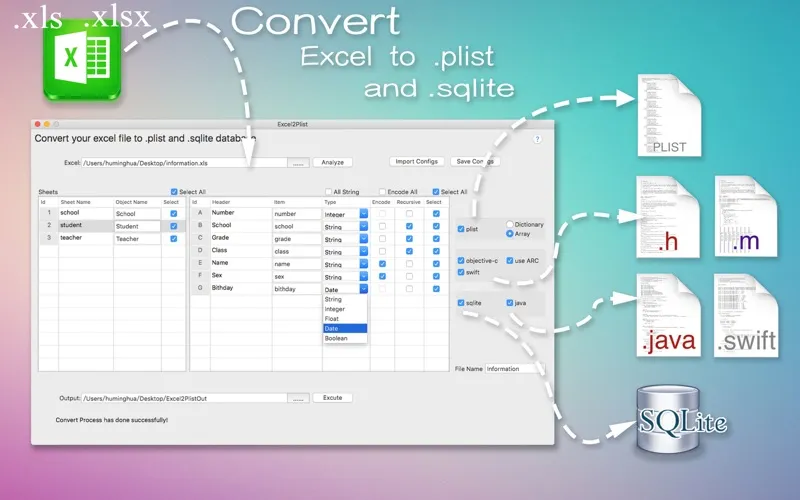
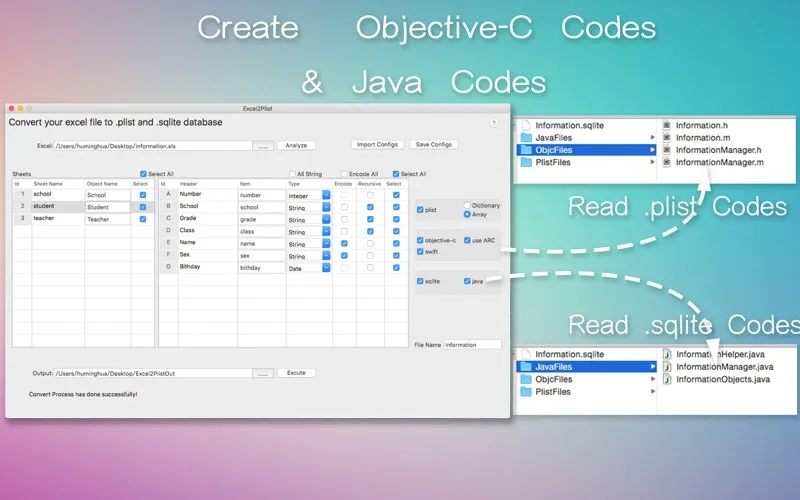
If you maintain app data or configuration in Excel, you can use Eplist to turn your .xls or .xlsx sheets into .plist files or SQLite databases instead of recreating that data by hand. You also get generated Objective-C or Swift code for reading the plist output, or Java code for accessing the SQLite output, to add to your project.
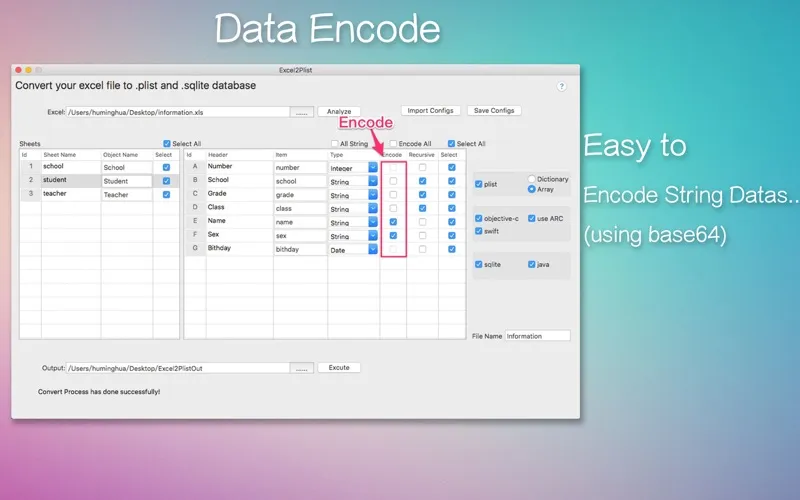
For recurring conversions, you can save settings for all your sheets and import them next time, reducing repeated setup. Blank rows are skipped automatically, and you can encode string data when needed. If you work with larger spreadsheets, note that .xls input has a 65,535-cell limit; .xlsx input does not have that restriction.
-
Reuse your spreadsheet data
You can convert Excel sheets into plist files or SQLite databases without manually recreating their contents.
-
Start reading data sooner
You get Objective-C or Swift access code for plist output, or Java access code for SQLite output.
-
Repeat conversions with less setup
You can save settings for all sheets and import them again for later conversions.
-
Leave blank rows alone
You don't need to remove empty rows before converting; they're ignored automatically.
Best for
- You maintain app configuration in Excel
- You need plist data for an Apple app
- You need SQLite data with Java access code
Skip it if
You don't need it if your app data is already in the required format and you don't import it from Excel.
Screenshots
From the developer
Eplist for Excel is a lightweight conversion tool to help developers to improve development efficiency. You can convert your datas or configuration from excel(.xls and .xlsx) document into .plist file or .sqlite database quickly when you develop iOS or other Apps.Read the full description
Alternatives to Eplist
Other apps to developer utilities. See all