
IconJar
Organize your icon sets
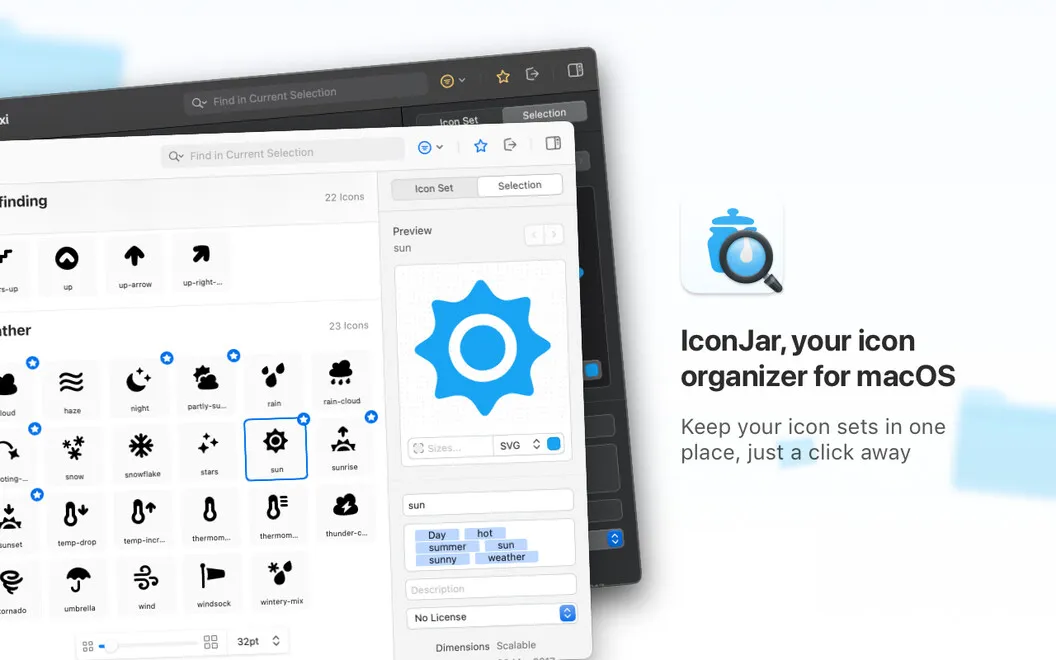
IconJar gives you a searchable library for your icon collections, so you can find and export assets when designing interfaces or developing apps.
by IconJar · 98% positive (434)
What you get
You get the icons you need without digging through asset folders.
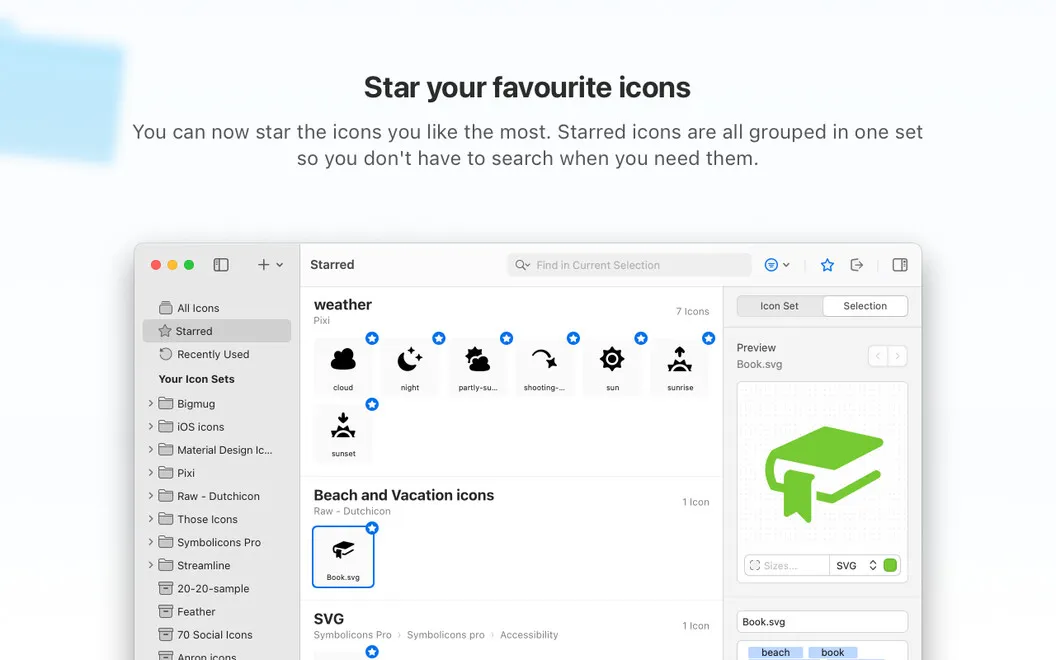
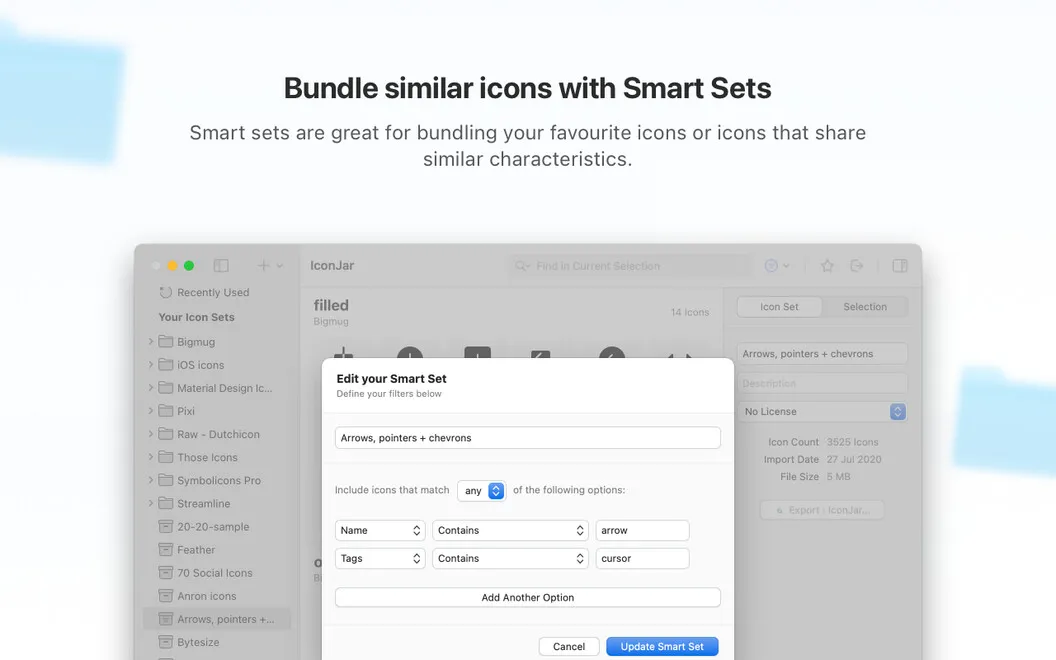
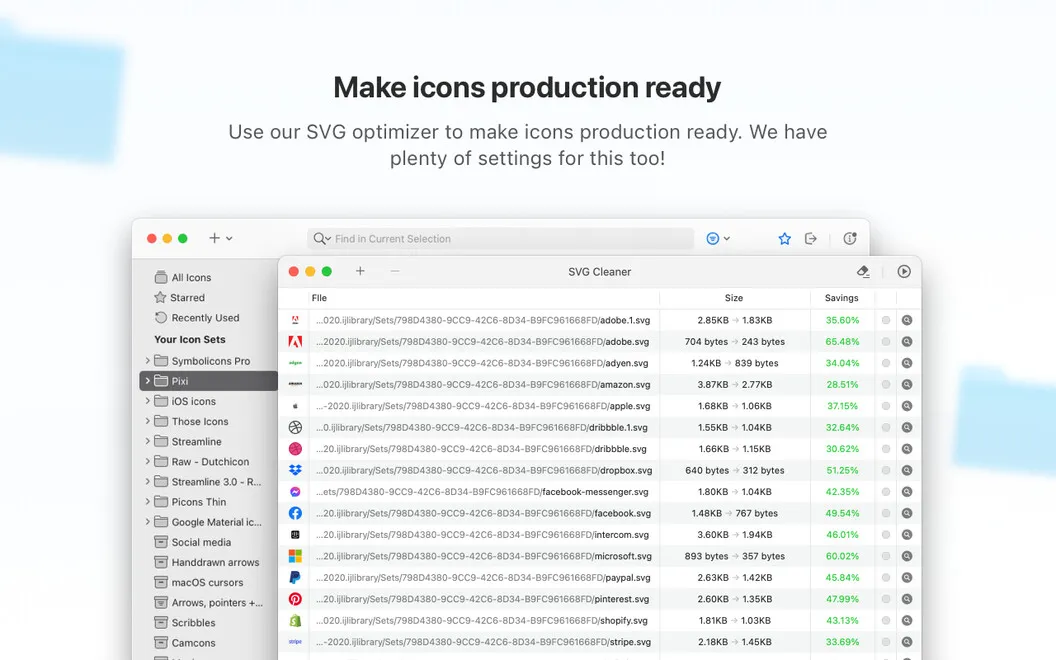
IconJar gives you one place to keep, search, and preview your icon collections instead of sorting through scattered asset folders. You can group related icons into smart sets, import your collections from Sketch, and use Quick Look to check an icon without opening it individually. Support for SVGs and icon fonts lets you keep those assets in the same library.
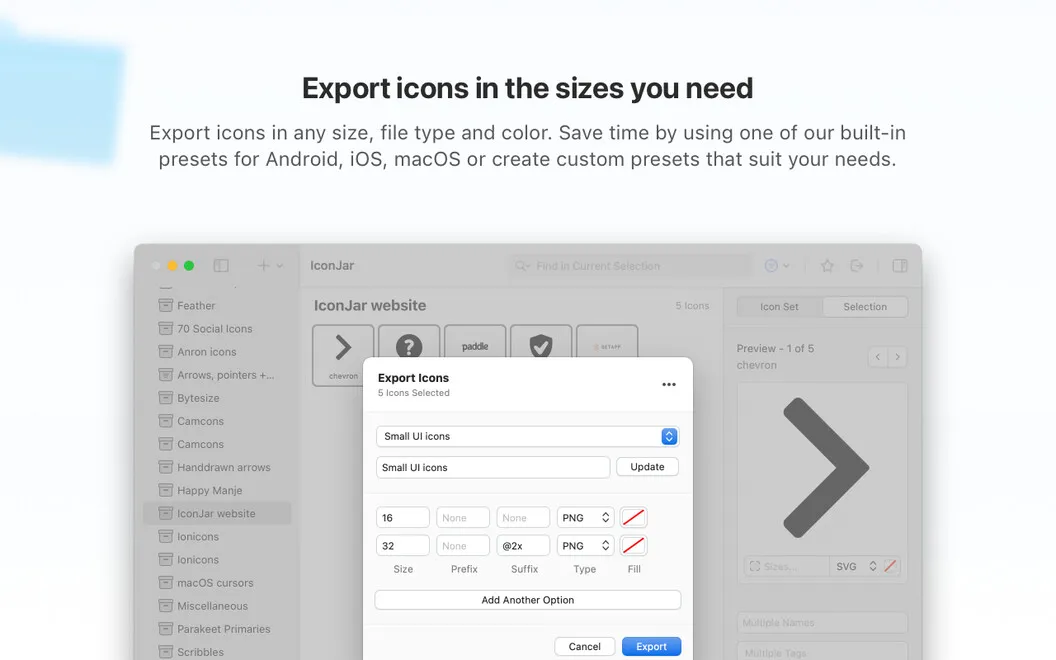
When you need icons for a project, you can export a batch at the sizes you specify, using presets or choosing PNG, TIFF, WebP, GIF, SVG, or JPEG. You can also drag icons into other apps, including ones that don’t natively support SVGs.
As your collections change, you can replace a whole pack or selected icons and update their descriptions and metadata. When distributing a collection, IconJar’s native format lets you include tags and licensing information.
-
Find icons in one place
You can search organized collections and preview icons without opening each file separately.
-
Prepare exports in batches
You can export multiple icons at specified sizes and choose the format your project needs.
-
Move icons into your work
You can drag icons into other apps, even when those apps don’t natively support SVGs.
-
Keep collections current
You can replace selected icons or entire packs and revise descriptions and metadata as your library changes.
Best for
- You design interfaces using multiple icon sets
- You develop apps and need icons in several sizes or formats
- You maintain reusable icon collections across projects
Skip it if
You probably don’t need it if you only use a handful of icons and rarely search or export them.
Screenshots
From the developer
IconJar is a one-stop tool for icon management used by designers and developers across the globe. Search, organize, preview, and extract icons from one spot – instead of creating tons of asset folders to store your collections. The app is optimized for Dark Mode and comes with support for SVGs and icon fonts.Read the full description
Alternatives to IconJar
Other apps to manage fonts & icons. See all