KeyKey Typing Tutor
Boost your typing speed
KeyKey Typing Tutor helps you learn touch typing or improve existing habits through short lessons, real-word practice, and feedback on your speed and accuracy.
by KeyKey.ninja · 95% positive (494)
What you get
Build typing speed while learning to make fewer mistakes.
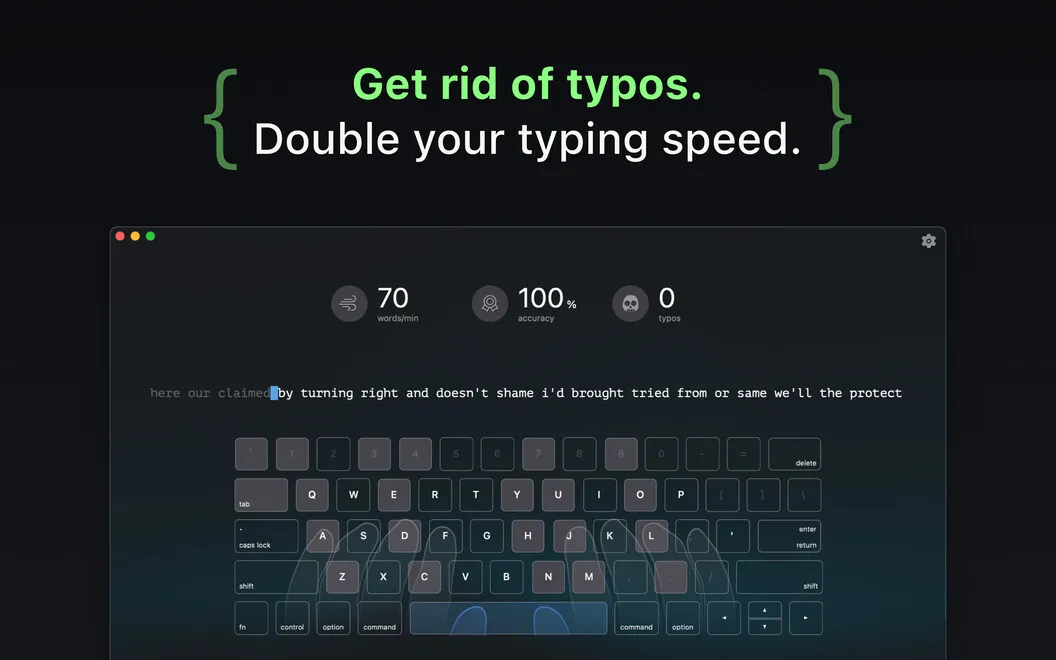
KeyKey Typing Tutor gives you structured practice to type faster without relying on looking down at your keyboard. You work through seven lessons using real words rather than random letter strings, choosing a starting level that fits your ability and practicing at your own pace. On-screen finger-placement guidance helps you learn where your hands belong.
You can see which letters cause you trouble, so you know what to focus on instead of repeating the same mistakes unnoticed. Word difficulty adapts to your results, and you can add capitals, numbers, and punctuation when you want more demanding practice. Advancing to new levels requires accurate typing, keeping speed from becoming your only goal.
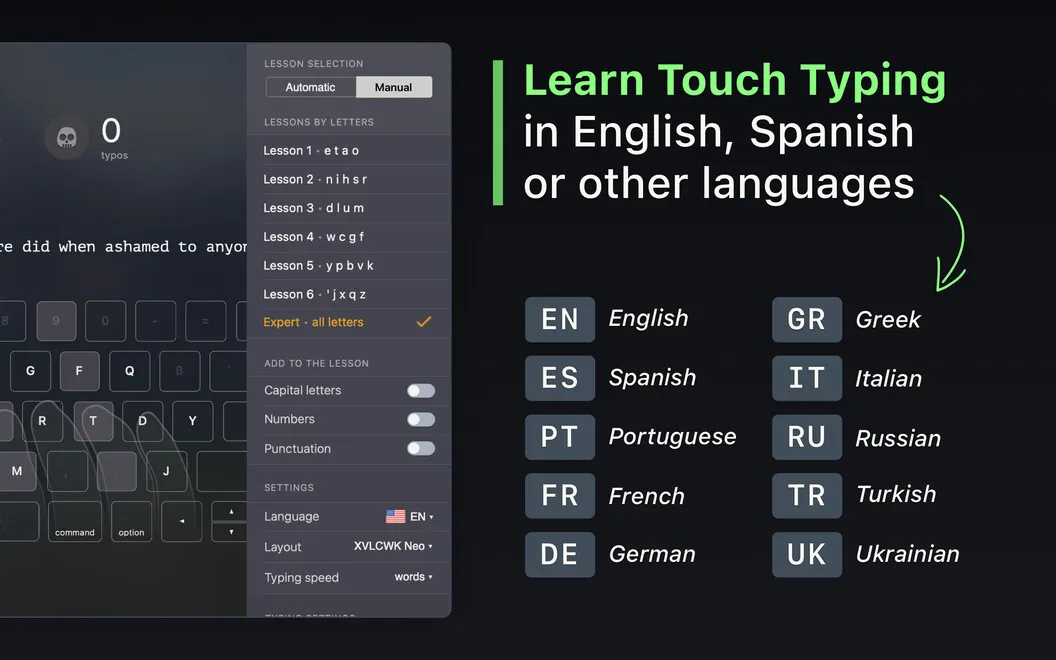
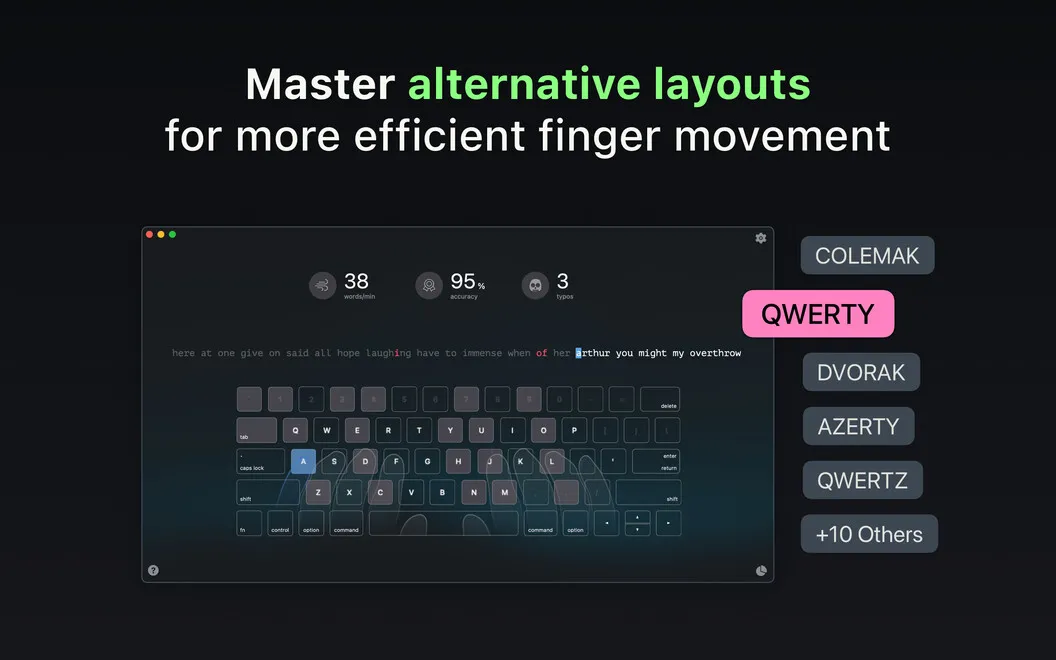
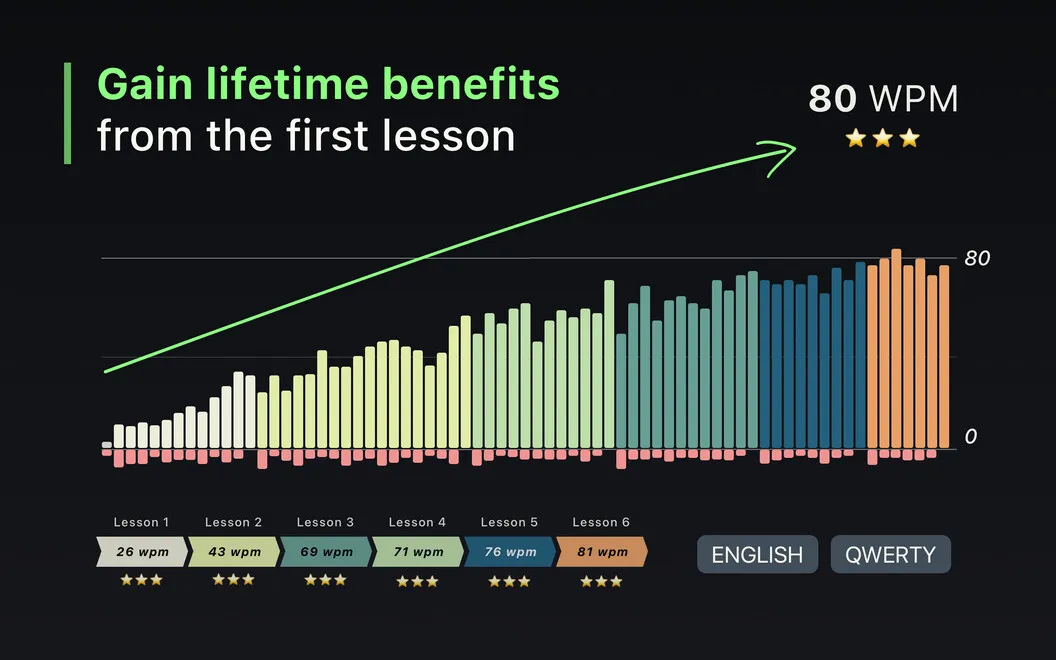
After each session, you can compare your speed, accuracy, and errors with earlier results. Progress records let you see how your practice is paying off over time, including when you’re learning another supported language or a layout such as Dvorak or Colemak.
-
Stop watching your hands
You get finger-placement guidance and on-screen key hints to practice typing without looking down.
-
Target recurring mistakes
You see which letters cause errors, helping you focus your practice where you need it most.
-
Practice useful combinations
You build familiarity with real words and phrases instead of spending your sessions typing random letter strings.
-
See measurable progress
You compare speed, accuracy, and errors across sessions to see whether your typing is improving.
Best for
- You’re learning to type without looking at the keyboard
- You want to correct persistent typing mistakes
- You’re practicing a supported language or alternative keyboard layout
Skip it if
You probably don’t need it if you already touch type comfortably and aren’t looking for structured practice.
Screenshots
From the developer
Want to increase productivity and decrease fatigue both mentally and physically? KeyKey Typing Tutor is the educational app that makes light work of learning to touch type. The app delivers its course in practical bite-size lessons to help you hone your typing skills.Read the full description
Alternatives to KeyKey Typing Tutor
Other apps to learn to type faster. See all