Penguin
Plist Editor
Penguin is a Mac plist editor for you if you work with app configuration files and want to navigate, change, and validate their contents in a tree view.
by Triplane
What you get
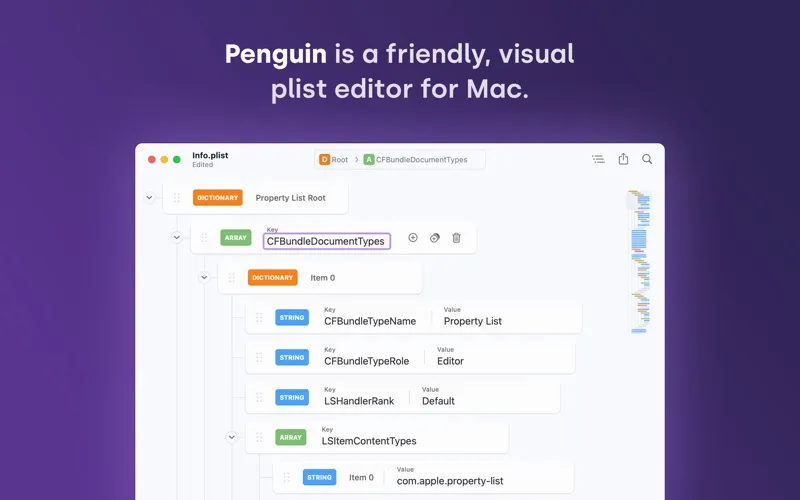
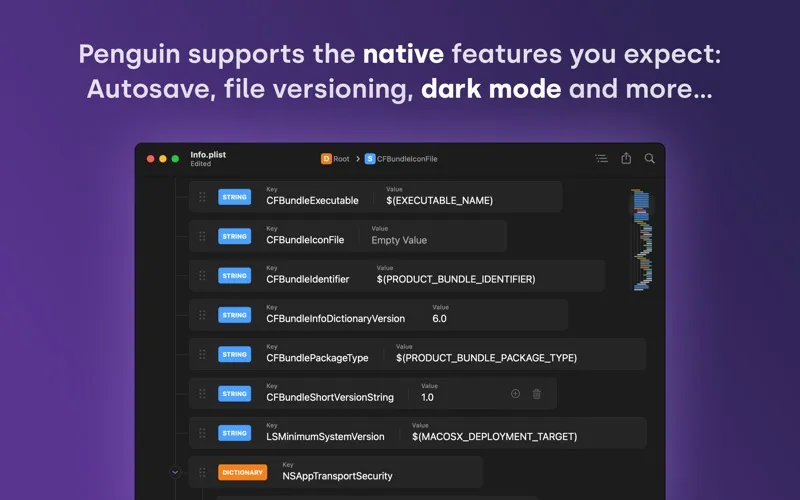
You can edit plist files without working through raw XML.
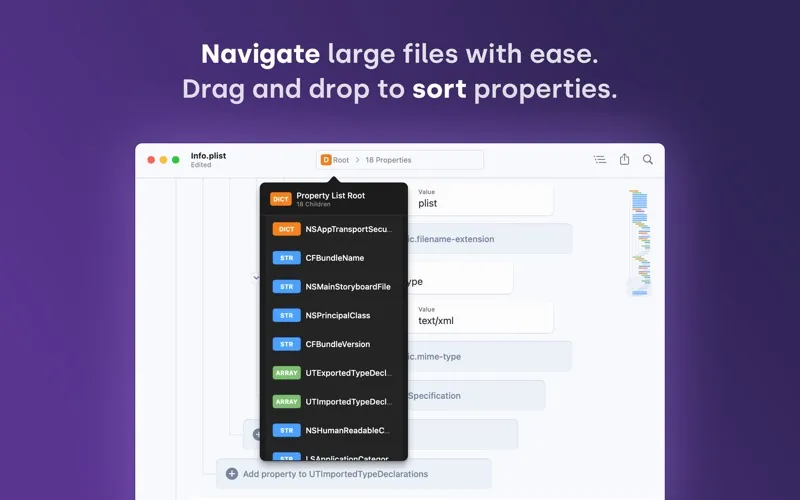
Penguin gives you a structured way to edit XML and binary plist files. You can expand nested properties, drag entries into place, and change values without working through raw XML. Keyboard shortcuts and a path navigator help you move between properties, while large files remain responsive.
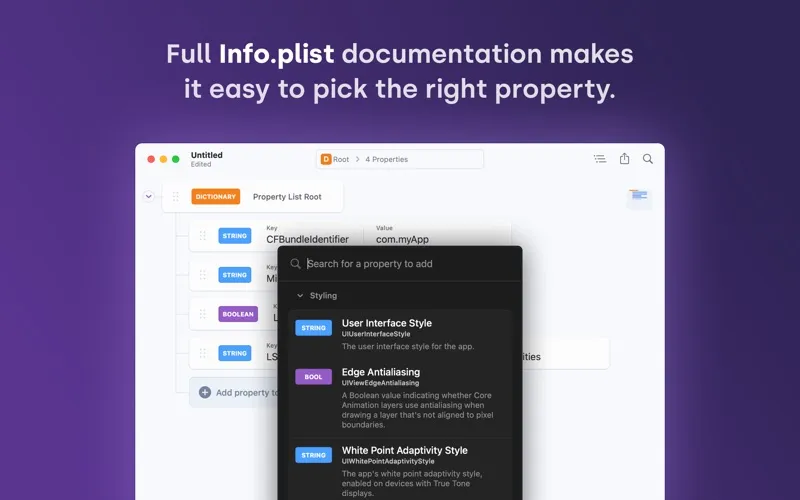
When you edit an Info.plist, you can look up available keys, suggested values, and explanations of what each property does. Live validation helps you catch plist errors as you work, and hexadecimal checks help you enter valid data values.
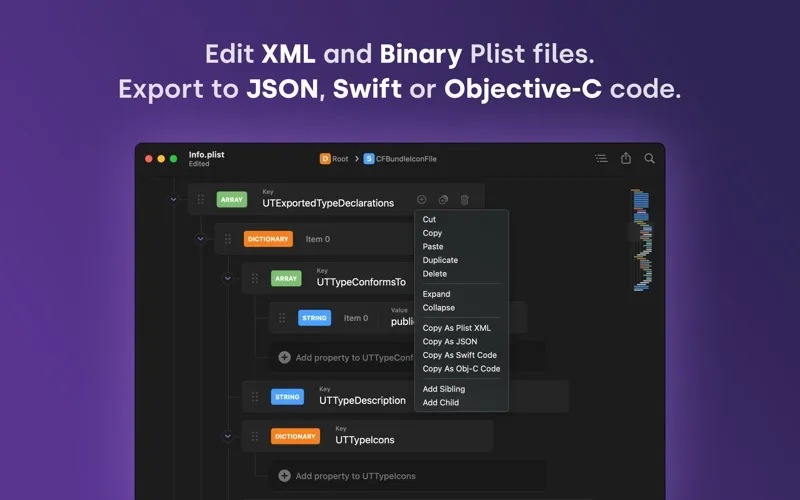
You can reuse all or part of a plist as XML, JSON, Swift, or Objective-C dictionaries, or convert between XML and binary formats. For files you keep in source control, you get Xcode-style formatting by default, preserved XML ordering, and a choice of tabs or spaces. Autosave and file versioning give you a way to retain and revisit your changes.
-
Navigate nested properties
You can expand branches and jump between properties instead of scrolling through raw XML.
-
Choose Info.plist keys
You can check available keys, values, and explanations while editing your app’s information property list.
-
Catch errors while editing
You get live plist validation and hexadecimal checks to help spot invalid entries before you finish.
-
Reuse plist content
You can copy or export selected sections as XML, JSON, Swift, or Objective-C dictionaries without retyping them.
-
Keep formatting consistent
You can save with Xcode-style formatting, retain XML property order, and choose your indentation.
Best for
- You regularly edit Info.plist files for Apple apps
- You need to navigate large or deeply nested plists
- You reuse plist data in code or other formats
Skip it if
You probably don’t need Penguin if you rarely edit plist files and your existing editor handles those occasional changes.
Screenshots
From the developer
Looking for an easier way to edit plist files? Penguin lets you edit any plist file in a beautiful and easy to understand tree view. Drag, drop, expand, reorder and modify your plist with intuitive controls and clear visual cues.Read the full description
Alternatives to Penguin
Other apps to developer utilities. See all