Plist Extractor
Plist Extractor lets you extract individual PNG images from sprite sheets, for developers and others working with packed image assets.
by 红 陈
What you get
Get individual PNG images out of your sprite sheets.
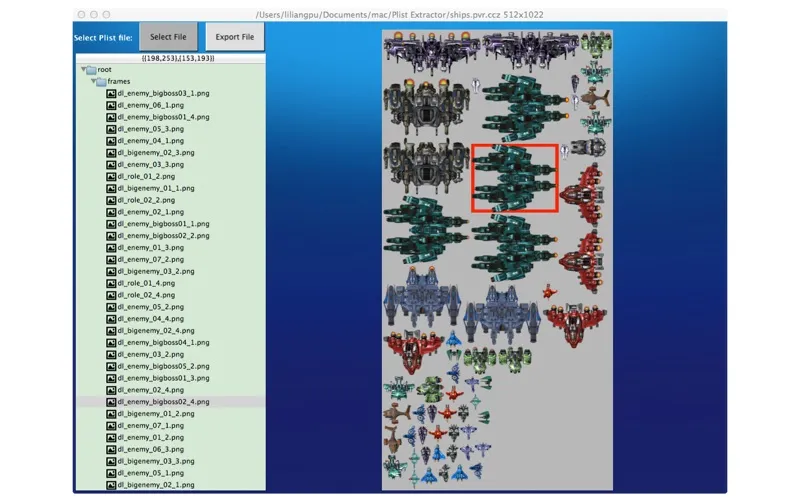
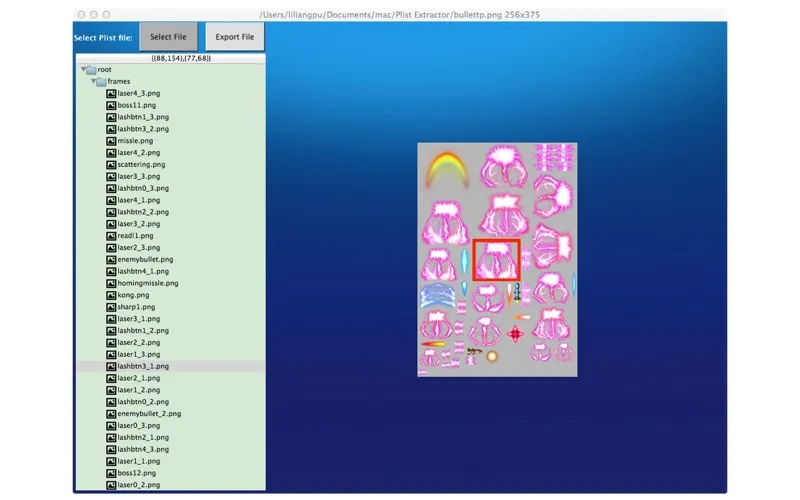
Plist Extractor gives you separate PNG files from images packed into a sprite sheet. If you have a sheet in .pvr.ccz, .pvr, or .png format with its accompanying plist file, you can extract the images rather than cut them out yourself. This is useful when you need individual assets instead of the combined sheet.
You need both source files: the sprite sheet image and its matching plist. Keep them in the same folder, then open both in the app so Apple’s sandbox allows access to them. The app is free and serves this specific extraction task.
-
Separate image assets
You get individual PNG files from a packed sprite sheet without cutting out each image yourself.
-
Use supported sheet formats
You can extract images from .pvr.ccz, .pvr, or .png sprite sheets when you have the accompanying plist.
-
Extract at no cost
You can use the app for free to turn your sprite sheet assets into separate PNG files.
Best for
- Developers extracting assets from sprite sheets
- You have a packed image sheet and its matching plist
Skip it if
You don’t need it if your images are already separate files or you lack the matching plist.
Screenshots
From the developer
This tool can extract png image files from sprite sheet(.pvr.ccz or .pvr or .png and plist). Make sure you have both the image and plist files in the same directory and open both the two files because of the apple sandbox. This app is free.Read the full description
Alternatives to Plist Extractor
Other apps to developer utilities. See all