
Clone in VS Code
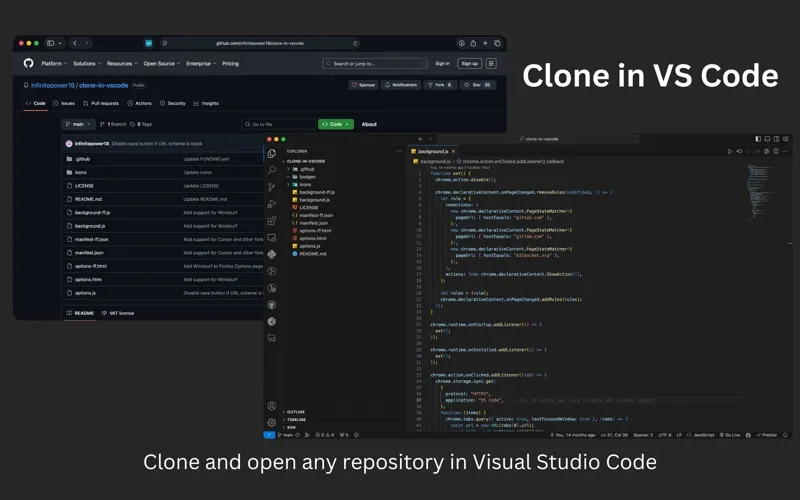
Clone in VS Code is a Safari extension for developers who want to start cloning GitHub, GitLab, or Bitbucket repositories in their preferred VS Code-based editor.
by Ahnaf Mahmud
What you get
Start cloning a repository in your editor directly from Safari.
When you find a repository you want to work with on GitHub, GitLab, or Bitbucket, you can send it from Safari to your editor with one click. Clone in VS Code opens Visual Studio Code and starts the cloning workflow there, so you can continue through the remaining steps in your editor rather than manually transferring the repository address.
You can also use VSCodium or Cursor by choosing which editor opens in the extension’s options. You’ll need a supported editor installed on your Mac and Safari 15.4 or later. The extension handles the handoff from browser to editor; you still complete the cloning process in the editor.
-
Skip the manual handoff
You can start cloning from a repository page without manually moving its address into your editor.
-
Keep your preferred editor
You can choose Visual Studio Code, VSCodium, or Cursor as the destination.
-
Use across three hosts
You get the same browser-to-editor shortcut for repositories on GitHub, GitLab, and Bitbucket.
Best for
- You regularly browse repositories in Safari
- You clone projects into VS Code, VSCodium, or Cursor
Skip it if
You don’t need it if you browse repositories outside Safari or don’t use a supported editor.
Screenshots
From the developer
A Safari extension to clone any GitHub, GitLab or Bitbucket repository in Visual Studio Code with just one click. All you need is Visual Studio Code installed on your Mac for this extension to work.Read the full description
Alternatives to Clone in VS Code
Other apps to work with Git. See all
 Gitfox
The foxy Git client
Setapp
95% · 688 ratings
Gitfox
The foxy Git client
Setapp
95% · 688 ratings
 TaoGit
Fancy Git Client
Setapp
63% · 54 ratings
TaoGit
Fancy Git Client
Setapp
63% · 54 ratings
 Pulldog
Keep your pull requests organized
Sold separately
Pulldog
Keep your pull requests organized
Sold separately
 Repo Man
Back up your code for real
Sold separately
Repo Man
Back up your code for real
Sold separately
 Git Browser Lite
Mac App Store
Git Browser Lite
Mac App Store
 Maestri
An infinite canvas where coding agents work side by side. Plan, build, ship.
Setapp
96% · 56 ratings
Maestri
An infinite canvas where coding agents work side by side. Plan, build, ship.
Setapp
96% · 56 ratings