DeskMop
A pristine desktop, on demand
DeskMop lets you temporarily tidy your Mac desktop for screenshots and screen recordings. It’s for you if you need clean captures without rearranging your everyday workspace.
by Benjamin Dansby
What you get
You get a clean desktop for captures, then your usual workspace back.
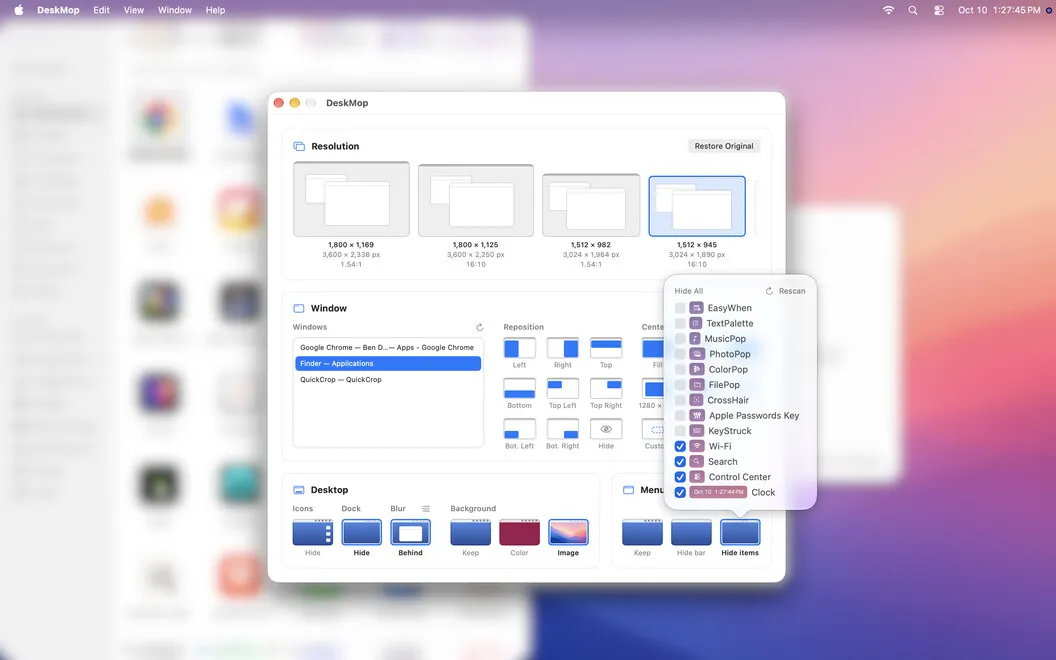
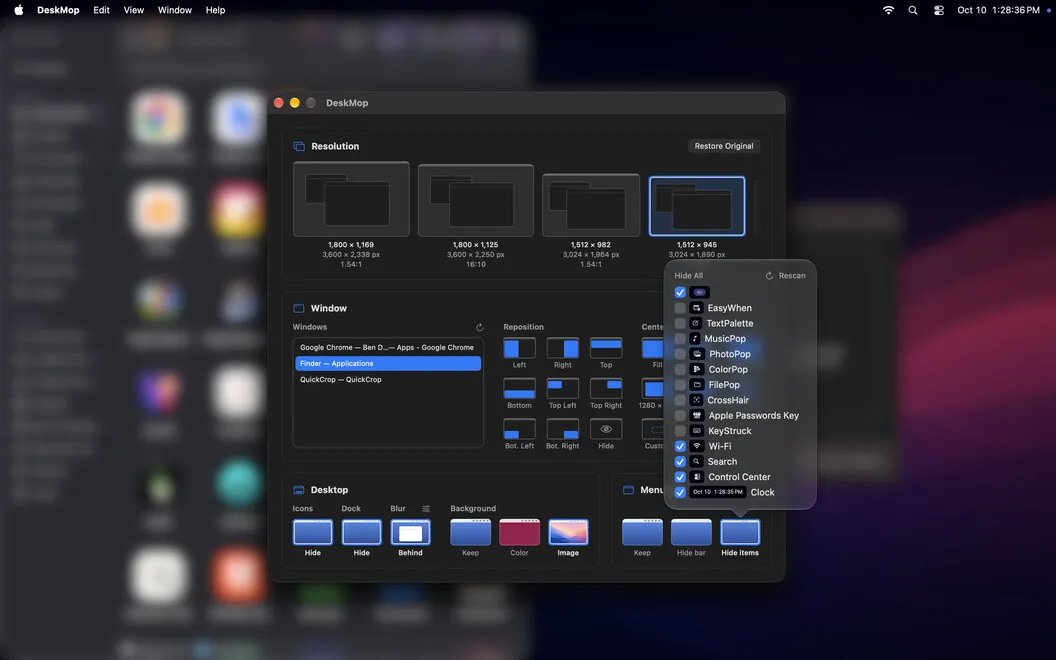
You can prepare your Mac for a screenshot or screen recording without moving desktop files or permanently changing your setup. Hide your desktop icons, replace your wallpaper with a solid color or your own image, and leave only the menu bar items you want visible—or hide the bar entirely.
You can set the display resolution to the dimensions you need, using preview thumbnails to choose your setup. If a window doesn’t fit the shot, you can snap it into place, resize it, or hide it before capturing. That gives you control over what appears around the content you’re showing.
Once you’ve taken the shot, you can restore your previous setup with one click. Quitting DeskMop also restores your resolution, wallpaper, icons, and menu bar automatically, so you don’t have to reconstruct your workspace afterward.
-
Keep clutter out
You can hide desktop icons and unwanted menu bar items without moving your files.
-
Get the framing right
You can choose your display resolution and reposition, resize, or hide windows before capturing.
-
Choose a neutral background
You can replace your everyday wallpaper with a solid color or an image suited to your shot.
-
Return to normal
You get your previous desktop settings back with one click, or automatically when you quit.
Best for
- You capture app screenshots for documentation
- You prepare your desktop for tutorials or product demos
- You want clean captures without rearranging your workspace
Skip it if
You don’t need it if your usual desktop already looks the way you want in screenshots and recordings.
Screenshots
From the developer
DeskMop stages a spotless Mac desktop for screenshots and screen recordings. Switch to any resolution, hide every desktop icon, swap in a solid color or your own wallpaper, and clean up the menu bar down to just the items you choose. Take the shot, then put everything back exactly as it was with one click.Read the full description
Alternatives to DeskMop
Other apps to take & annotate screenshots. See all
 CleanShot X
Take better screenshots and GIFs
Setapp
99% · 14,421 ratings
CleanShot X
Take better screenshots and GIFs
Setapp
99% · 14,421 ratings
 Xnapper
Create shareable screenshots
Setapp
96% · 865 ratings
Xnapper
Create shareable screenshots
Setapp
96% · 865 ratings
 ScreenFloat
Power up your screenshots
Setapp
94% · 88 ratings
ScreenFloat
Power up your screenshots
Setapp
94% · 88 ratings
 AldooSnap
Capture, annotate, share fast
Sold separately
AldooSnap
Capture, annotate, share fast
Sold separately
 Tidyshot
Tidy up your screenshots
Sold separately
Tidyshot
Tidy up your screenshots
Sold separately
 FireShot
Web Page Screenshots
Mac App Store
FireShot
Web Page Screenshots
Mac App Store