EasyWhen
Date & time formatter
EasyWhen is a menu-bar date and time formatter for your Mac, helping you prepare meeting times, file timestamps, and document dates without manually reformatting them.
by Benjamin Dansby
What you get
You get dates and times ready to paste wherever you need them.
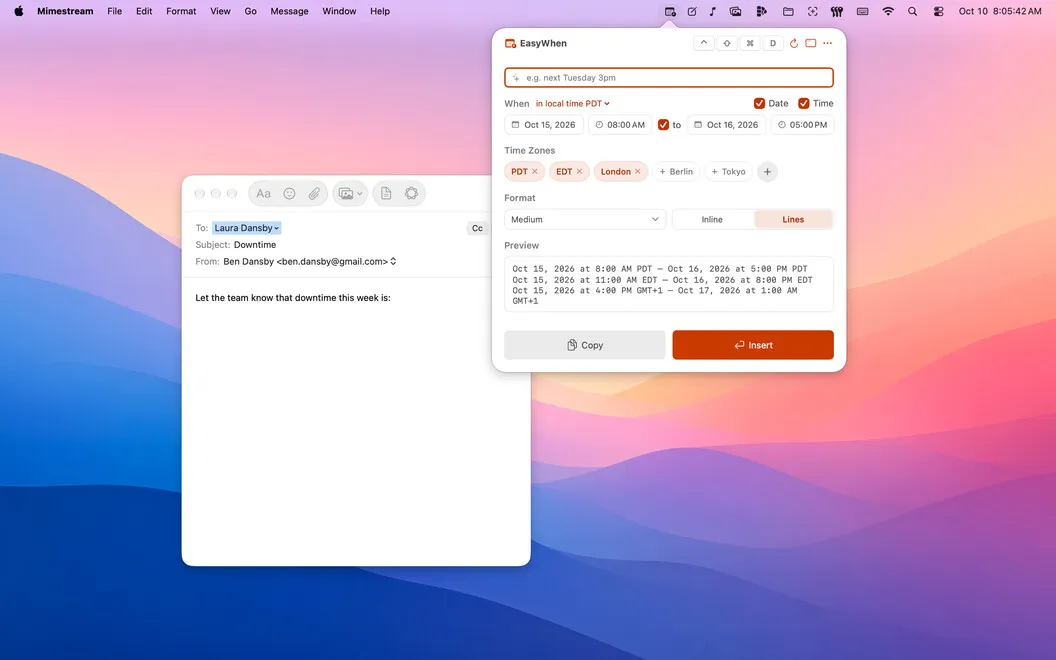
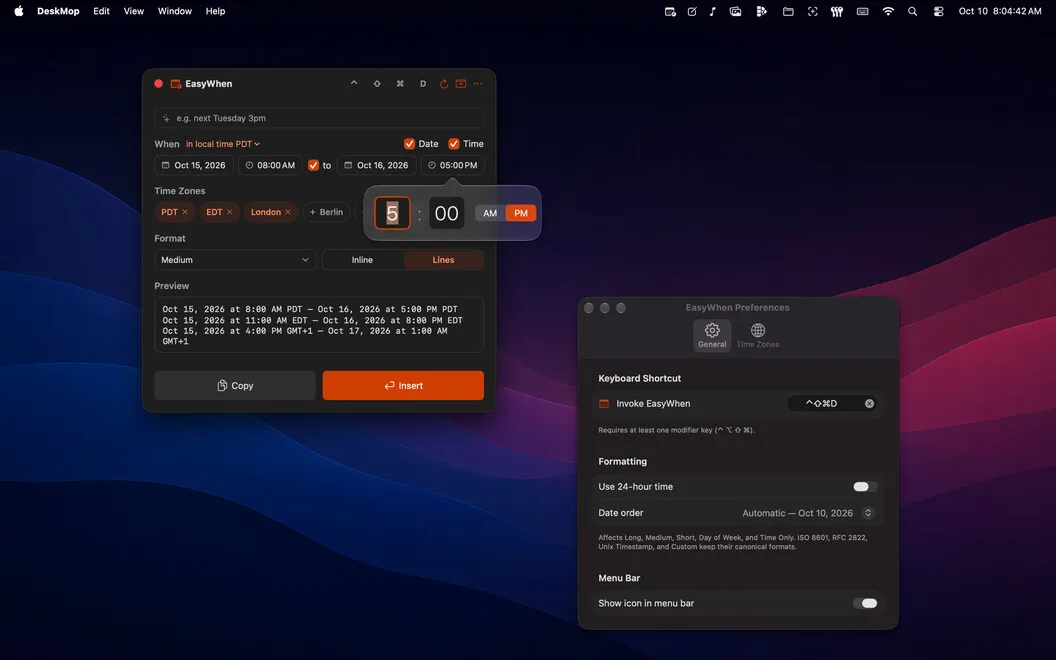
You can put a correctly formatted date or time into an email, document, or filename without typing it out yourself. Choose the date and time in EasyWhen, then copy or insert it in the format you need, from an email-friendly date to an ISO timestamp.
When you arrange meetings across time zones, you can use your saved zones to prepare the right local time without calculating the difference yourself. You can also format dates for invoices and receipts, or produce filename-safe timestamps for files and exports.
If your work requires a particular date pattern, you can build it once and reuse it. A global keyboard shortcut brings EasyWhen up while you’re working in another app, so you don’t need to leave your document to look up formatting rules.
-
Share the right meeting time
You can prepare times for the zones you work with without calculating time differences yourself.
-
Keep dates consistent
You can reuse the same date patterns across invoices, receipts, files, and exports.
-
Stop retyping timestamps
You can copy or insert ready-formatted dates and times instead of entering and adjusting them manually.
-
Reuse your preferred format
You can save a custom date pattern and bring it back whenever your work calls for it.
Best for
- You coordinate meetings across time zones
- You regularly date invoices, receipts, or exports
- You need consistent timestamps for filenames
Skip it if
You probably don’t need it if you rarely insert dates or times and your existing apps already format them as you need.
Screenshots
From the developer
EasyWhen sits in your menu bar with every date and time format you actually use. Pick your date and time, then copy or insert — no typing, no re-formatting, no second-guessing. It speaks every time zone, every locale, and any custom format you save.Read the full description
Alternatives to EasyWhen
Other apps to work across time zones. See all
 World Clock Pro
Work across time zones
Setapp
89% · 435 ratings
World Clock Pro
Work across time zones
Setapp
89% · 435 ratings
 Atlas
Where the world finds time
Sold separately
Atlas
Where the world finds time
Sold separately
 Numi
Calculate and convert anything
Setapp
99% · 2,475 ratings
Numi
Calculate and convert anything
Setapp
99% · 2,475 ratings
 Soulver
Convert and calculate in notes
Setapp
99% · 1,018 ratings
Soulver
Convert and calculate in notes
Setapp
99% · 1,018 ratings
 Desktop Clock Live
Mac App Store
Desktop Clock Live
Mac App Store
 Dato
Stay on top of your schedule
Setapp
99% · 875 ratings
Dato
Stay on top of your schedule
Setapp
99% · 875 ratings