Dato
Stay on top of your schedule
Dato is a menu bar calendar and clock app for you if your day involves frequent meetings, upcoming events, or coordination across time zones.
by Sindre Sorhus · 99% positive (875)
What you get
Keep your schedule in view and get to meetings on time.
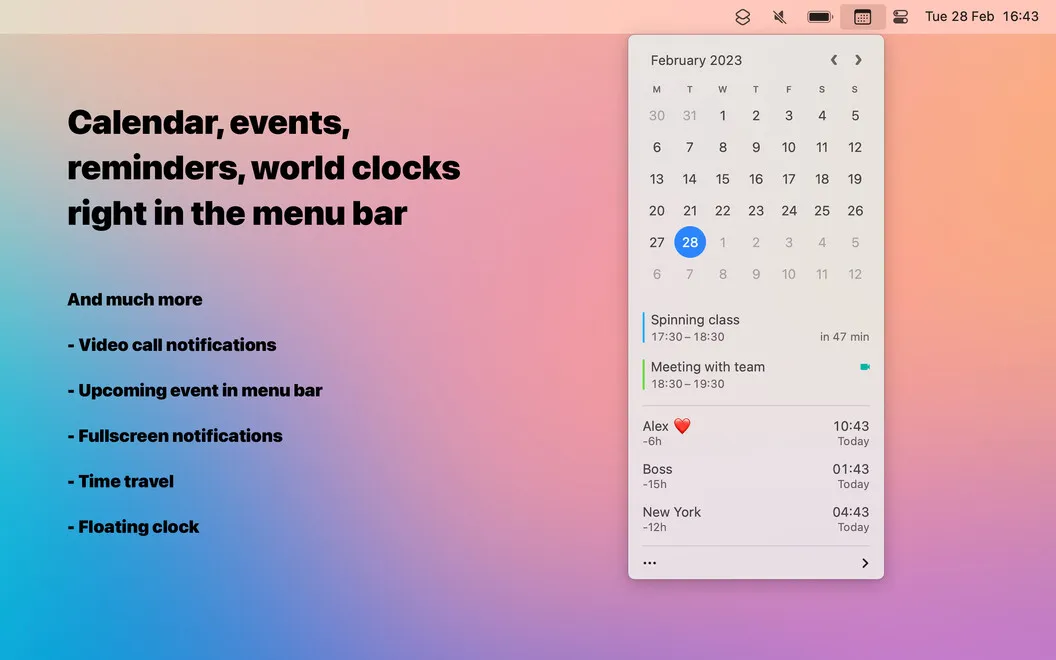
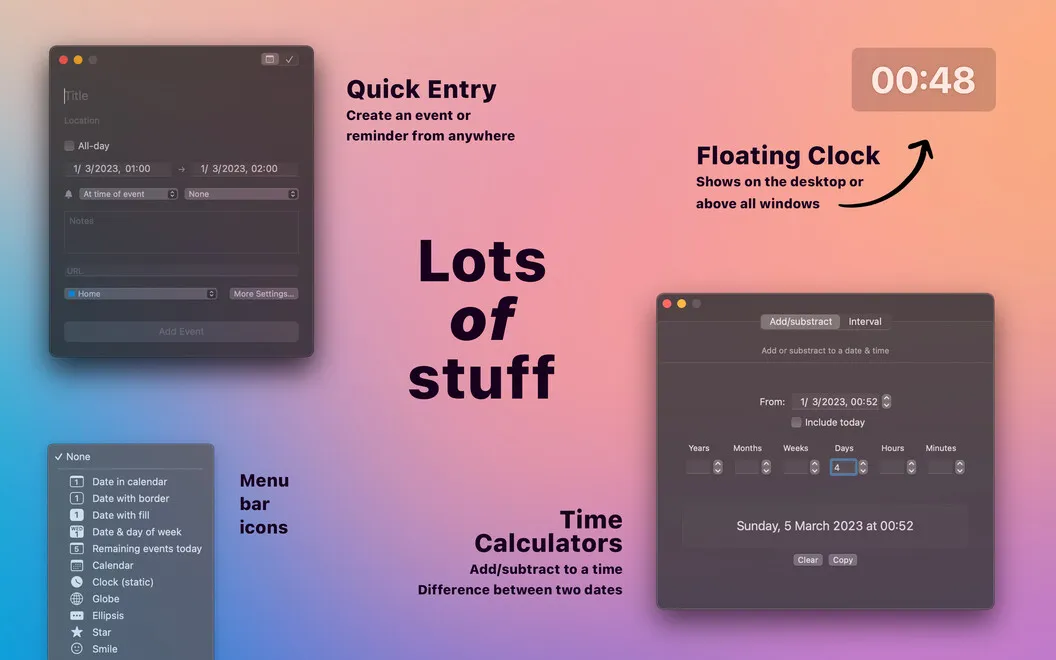
Dato gives you a place to check what’s next without opening your calendar app. You can sync your calendars, preview upcoming events, and add new ones from a menu bar drop-down. You can also choose what appears in the menu bar, including a clock or week counter, to keep useful schedule details visible.
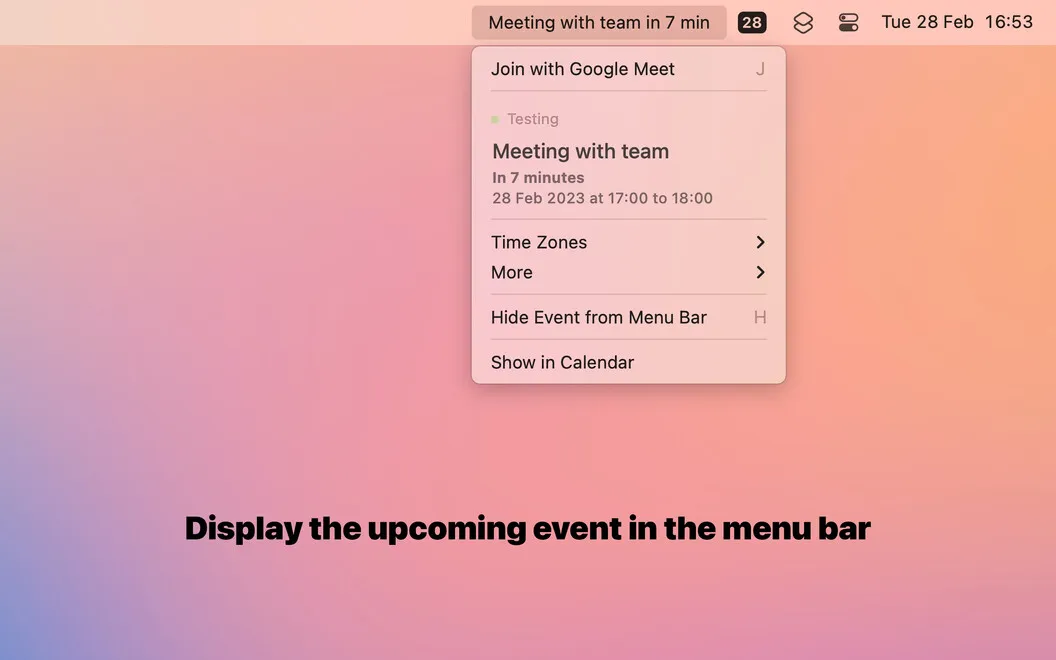
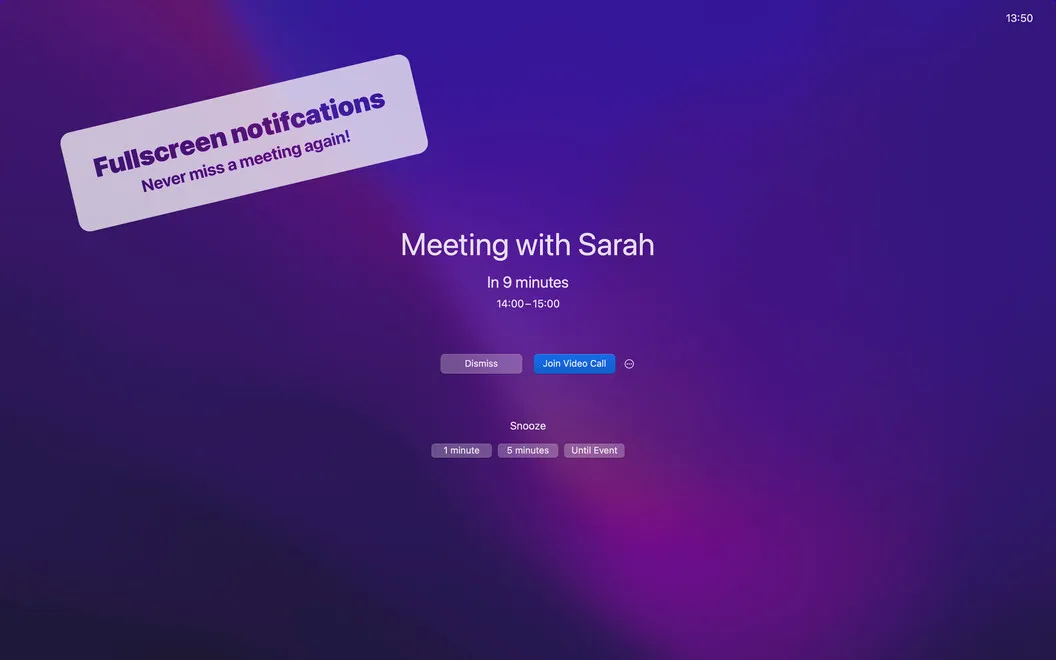
When it’s time for a meeting, you can join Zoom, Google Meet, or Teams directly from the menu bar or use a customizable keyboard shortcut. Full-screen alerts make upcoming commitments harder to overlook if you tend to dismiss ordinary calendar notifications without thinking.
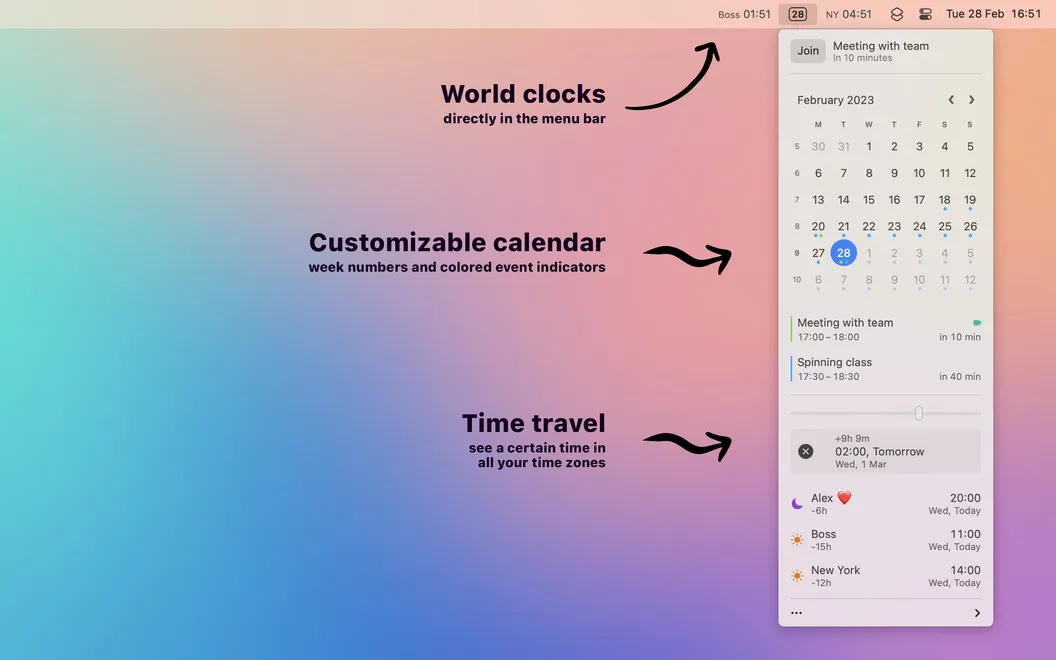
If you coordinate with people elsewhere, you can keep world clocks in your menu bar and check their local time at a glance. A slider lets you convert a specific time between zones, while a time calculator helps you work out intervals.
-
See what’s next
You can preview upcoming events and add new ones from the menu bar without opening your calendar app.
-
Notice meeting reminders
You get full-screen alerts that are harder to overlook than routine calendar notifications.
-
Join calls directly
You can enter Zoom, Google Meet, and Teams meetings from the menu bar or with a customizable keyboard shortcut.
-
Compare local times
You can check world clocks and convert a proposed meeting time between zones with a slider.
Best for
- You have several scheduled calls each day
- You coordinate with colleagues across time zones
- You often dismiss ordinary calendar alerts
Skip it if
You probably don’t need Dato if your existing calendar alerts and meeting links already keep your schedule easy to manage.
Screenshots
From the developer
From a floating clock to a helpful week counter in your menu bar — Dato knows all the small things that make schedule management smooth and perfectly organized. Cruise through your agenda with no sweat with the help of Dato’s comprehensive schedule-management tools in a simple interface.Read the full description
Alternatives to Dato
Other apps to manage your calendar. See all
 BusyCal
Sync your tasks with calendar
Setapp
96% · 2,120 ratings
BusyCal
Sync your tasks with calendar
Setapp
96% · 2,120 ratings
 Calendars
Track tasks, events, and plans
Setapp
85% · 373 ratings
Calendars
Track tasks, events, and plans
Setapp
85% · 373 ratings
 hora Calendar
Google Calendar, made for Mac
Setapp
88% · 24 ratings
hora Calendar
Google Calendar, made for Mac
Setapp
88% · 24 ratings
 WallCal
Pin clear calendar to desktop
Setapp
89% · 207 ratings
WallCal
Pin clear calendar to desktop
Setapp
89% · 207 ratings
 Chunk
Time-block your whole day
Sold separately
Chunk
Time-block your whole day
Sold separately
 Calendar for Google Calendar
Mac App Store
Calendar for Google Calendar
Mac App Store