
FreeScaler
FreeScaler is a free, open-source Mac app for when you need to enlarge low-resolution images using AI, individually or in batches, without uploading them.
by Davide Feroldi
What you get
You can enlarge low-resolution images without sending them off your Mac.
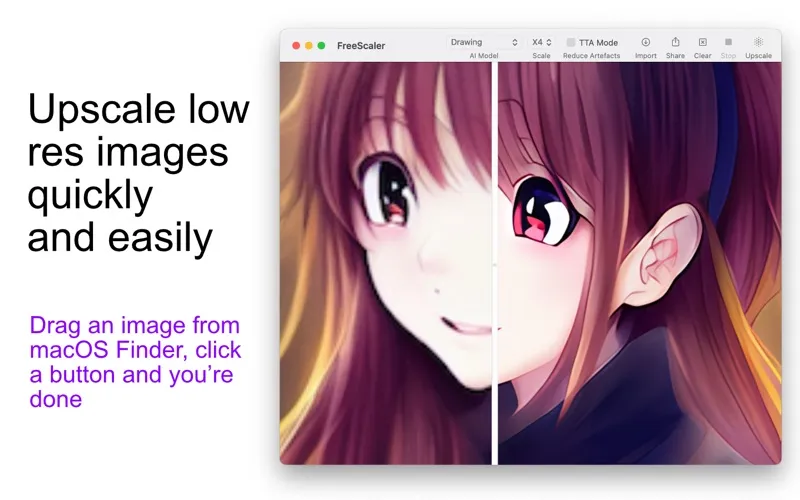
You can turn small PNG and JPEG images into larger versions using AI upscaling, then compare the result with the original before deciding what to keep. You choose the model and enlargement scale, so you can assess which result suits your image rather than accept a single preset.
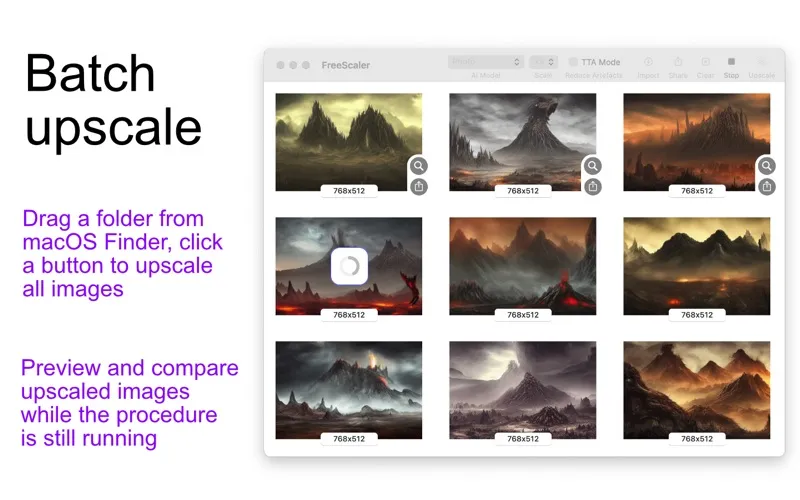
When you have a folder of images, you can process them together instead of repeating the same steps for each file. Drag the folder from Finder, preview results while the batch runs, and save or share individual images or the whole batch. You can also start upscaling from Finder’s contextual menu.
Your images stay on your Mac, with no remote uploads, ads, or usage-statistics collection. You’ll need at least 8GB of RAM and a supported Apple Silicon, AMD, or Nvidia GPU; Intel GPUs aren’t supported.
-
Larger versions of small images
You can upscale PNG and JPEG images with your chosen AI model and enlargement scale.
-
Check before you keep
You can compare original and upscaled images, including previews while a batch is still running.
-
Less repetitive folder processing
You can upscale a folder together, then save or share one result or all of them.
-
Keep your images local
You don’t need to upload your images, and no data or usage statistics are collected.
Best for
- You need larger versions of low-resolution PNGs or JPEGs
- You have entire folders of images to upscale
- You want AI upscaling without uploading private images
Skip it if
You don’t need it if your images are already large enough, and you can’t use it with an Intel GPU.
Screenshots
From the developer
FreeScaler is a free and open source tool used to upscale low resolution images using advanced AI models. UPSCALE AN IMAGE It's a very simple tool, you just need to import a PNG or JPEG image, choose your favorite model and scale, and you're done.Read the full description
Alternatives to FreeScaler
Other apps to edit & enhance photos. See all
 Luminar
Photo editing made easy
Setapp
90% · 878 ratings
Luminar
Photo editing made easy
Setapp
90% · 878 ratings
 CameraBag Pro
Edit photos and videos
Setapp
89% · 500 ratings
CameraBag Pro
Edit photos and videos
Setapp
89% · 500 ratings
 PhotosRevive
Colorize your old photos
Setapp
96% · 162 ratings
PhotosRevive
Colorize your old photos
Setapp
96% · 162 ratings
 Adobe Lightroom
Photo Editor
Mac App Store
Adobe Lightroom
Photo Editor
Mac App Store
 Adobe Photoshop Elements 2025
Mac App Store
Adobe Photoshop Elements 2025
Mac App Store
 Fotor
AI Photo Editor, Design
Mac App Store
Fotor
AI Photo Editor, Design
Mac App Store