Fuse Caption Studio
Transcribe and translate media, then edit every caption on a real timeline
Fuse Caption Studio gives you editable transcripts and captions on your Mac, with translation and publishing tools for your videos, podcasts, interviews, and lectures.
by Rui Miguel Reis Carvalho
What you get
You get captions you can time, style, and export alongside your recordings.
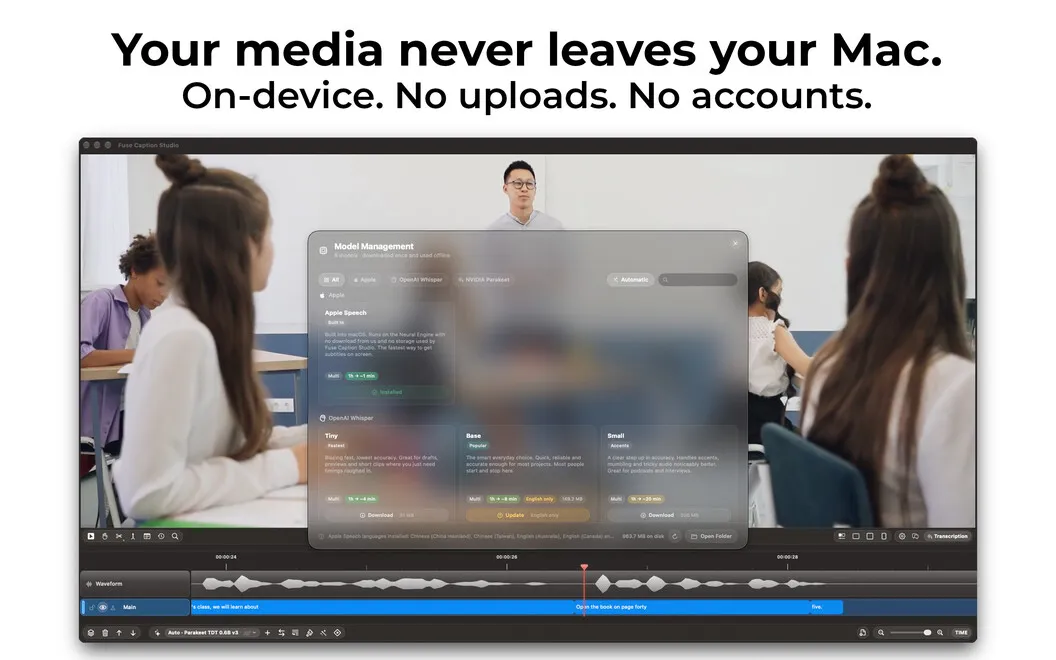
You can turn video or audio into editable text in about 100 languages, translate your content, and keep transcription private on your Mac. Whether you’re preparing an interview, podcast, or lecture, you get captions you can check against the recording rather than a transcript alone.
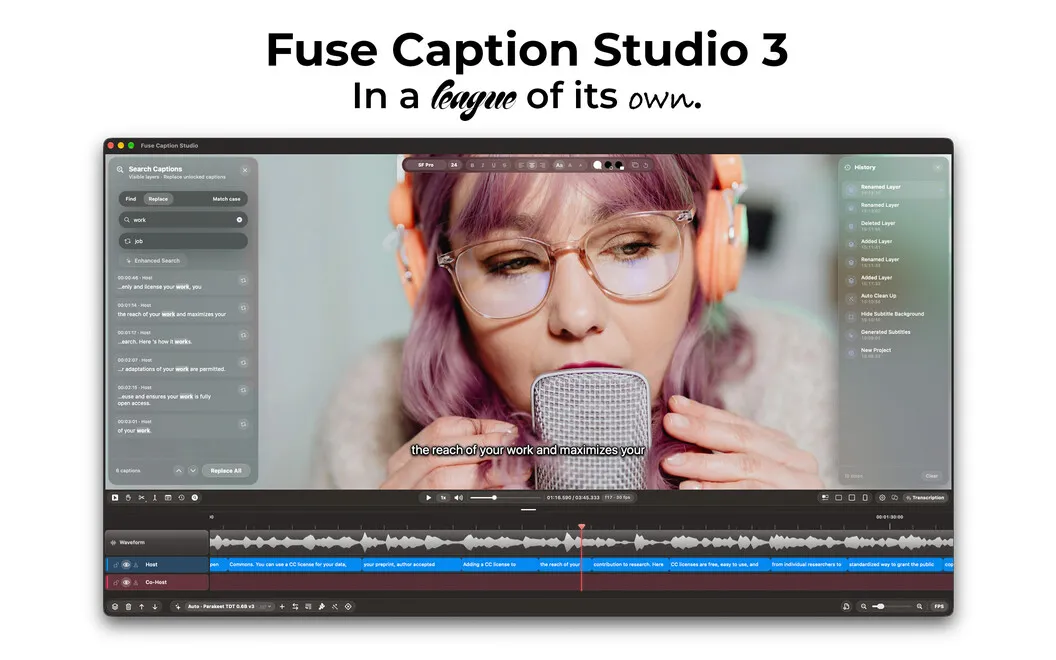
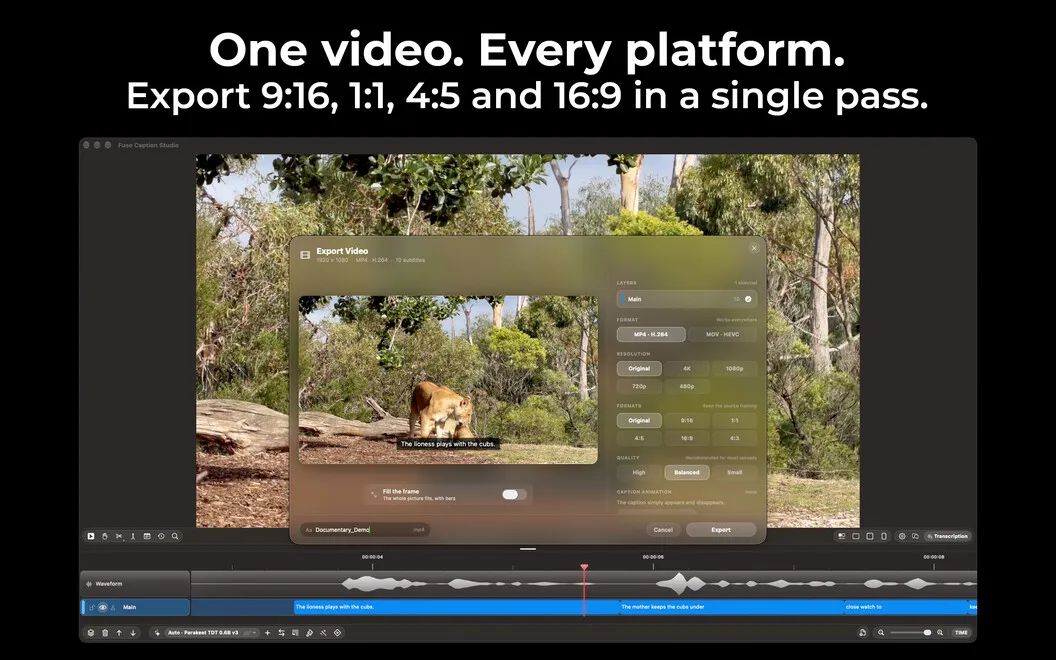
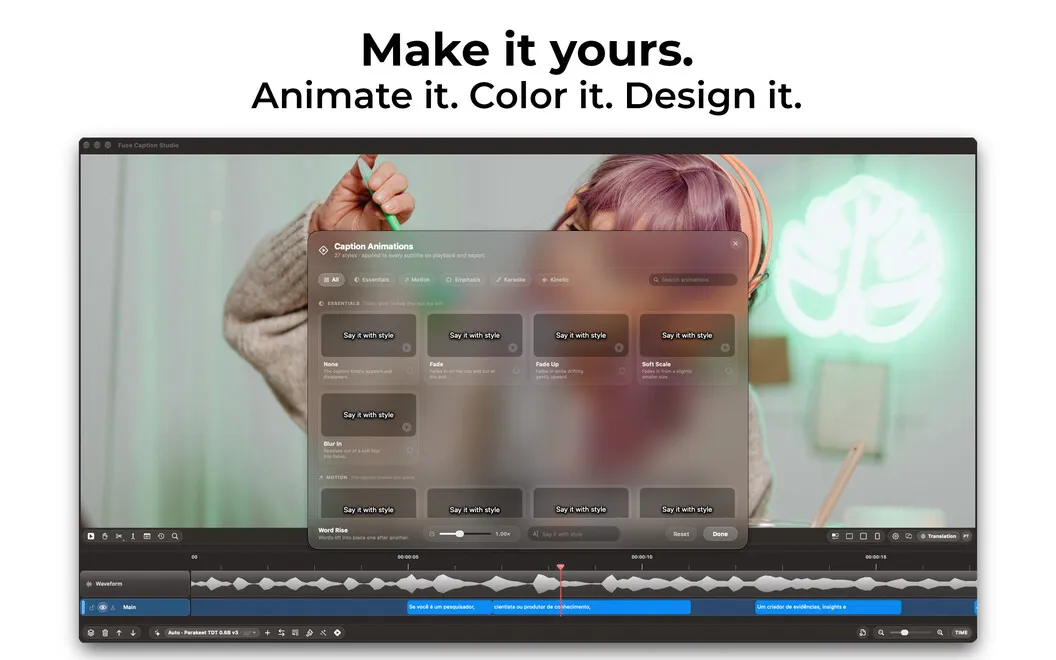
You can correct wording, split or combine captions, and adjust when each line appears on a visual timeline. Batch changes and filler-word removal reduce repetitive cleanup, while speaker identification helps you follow conversations. You can also style your captions and preview them in landscape, square-ish 4:3, or vertical layouts before exporting subtitle files, transcripts, or videos with captions permanently visible.
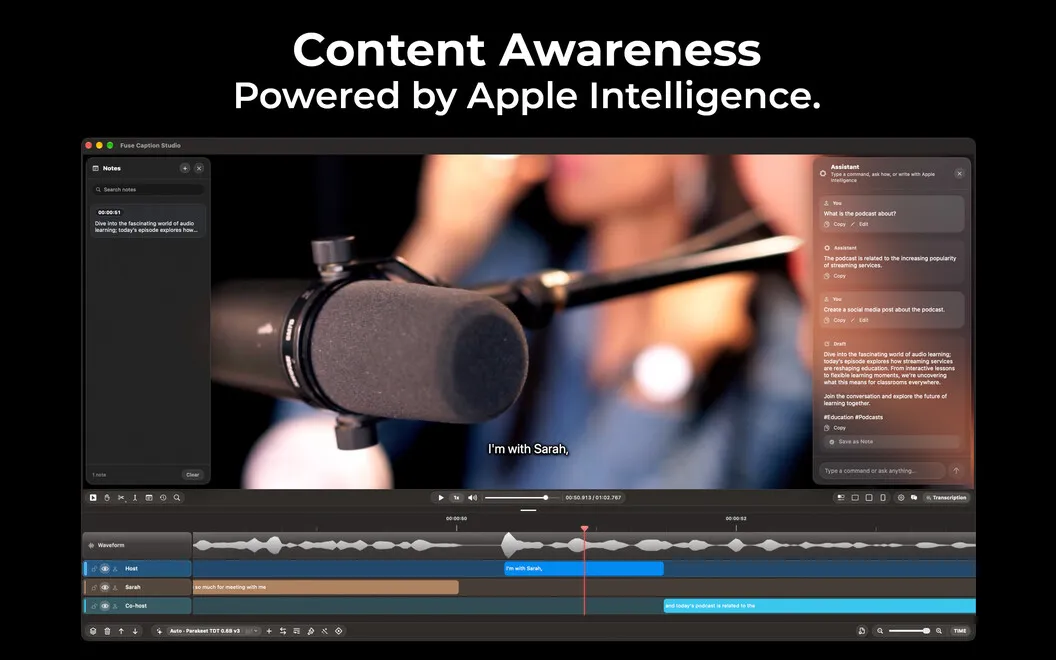
With Apple Intelligence, you can ask questions about your recording and turn it into chapters, title ideas, descriptions, hashtags, and social posts. That gives you material for publishing as well as the finished captions.
-
Match captions to speech
You can move, split, merge, and retime captions while checking where they appear in your recording.
-
Reduce repetitive corrections
You can update multiple captions together and remove filler words in one pass.
-
Choose your finished output
You can export a transcript, subtitle file, or video with captions burned in.
-
Keep transcription private
You can transcribe your recordings locally on your Mac.
-
Reuse what you recorded
You can use Apple Intelligence to generate chapters, titles, descriptions, and social posts from your content.
Best for
- You publish videos that need carefully timed captions
- You turn interviews or podcasts into transcripts
- You need captions and translations for multilingual recordings
Skip it if
You don’t need this if you only watch captioned videos and never prepare transcripts or subtitles yourself.
Screenshots
From the developer
Fuse Caption Studio is a powerful caption and transcription editor built for Mac. Import video or audio, transcribe it in about 100 languages, and edit every caption as a clip on a visual timeline.Read the full description
Alternatives to Fuse Caption Studio
Other apps to add captions & subtitles. See all