
Hydra Dev Studio
One native window for databases, file servers, Git and SSH, plus safe AI agents
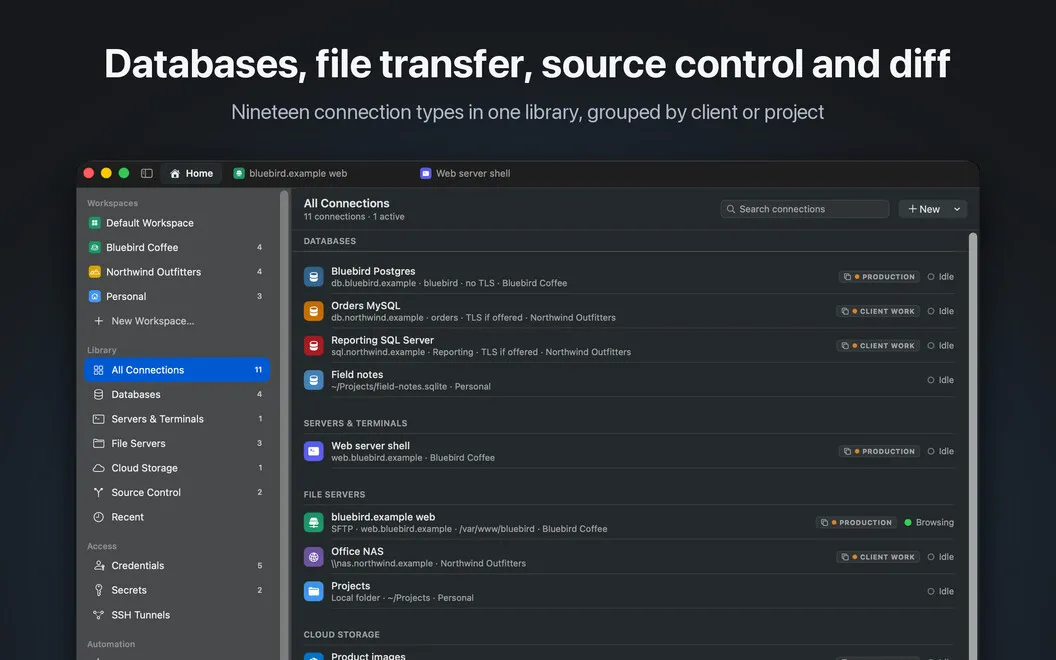
Hydra Dev Studio gives you one native Mac workspace for database queries, remote files, source control and SSH, if your development work regularly spans those tools.
by Hankinsoft Development, Inc.
What you get
You can handle databases, server files and code changes in one window.
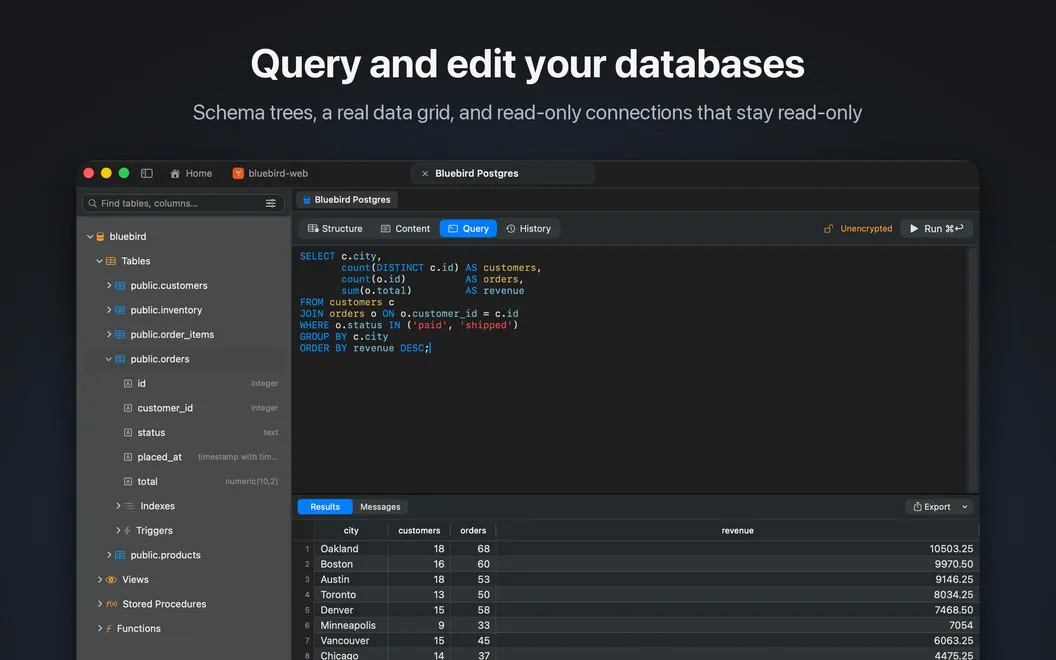
You can move from querying a database to fixing a server configuration file or reviewing a Git change without switching apps. Your connections and repositories stay together in a tabbed Mac workspace, so you can keep related work open side by side. You can edit database rows, make sensitive connections read-only, and reach databases behind a server through SSH tunnels.
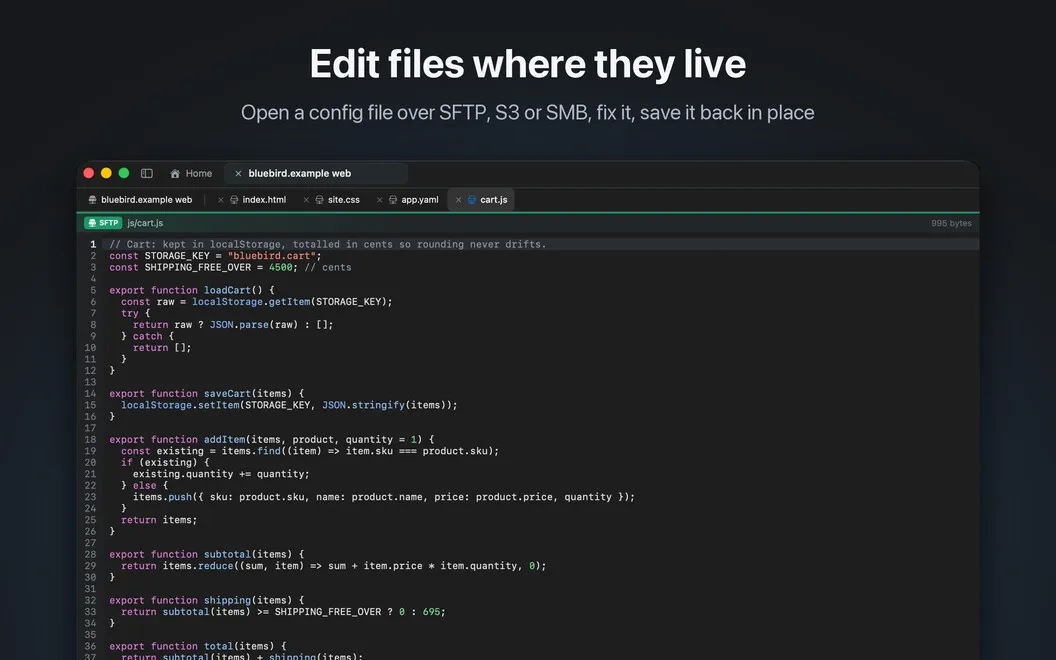
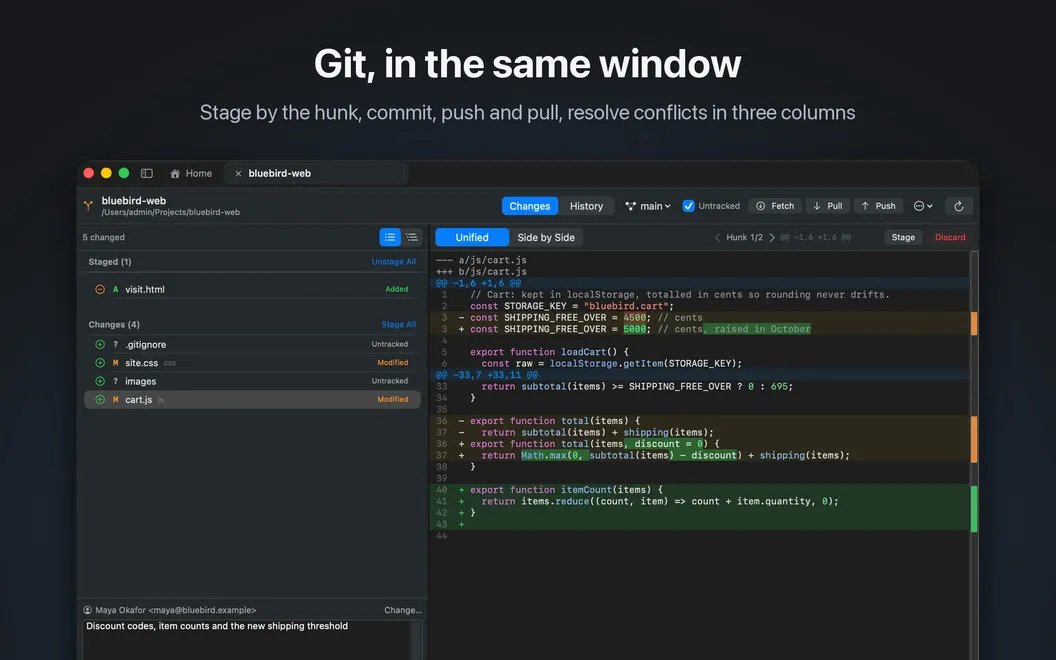
When you need to update remote files, you can edit and save them back to the server, preserving their encoding and line endings. You can also compare local and remote folders before deploying, stage individual Git changes, and resolve merge conflicts.
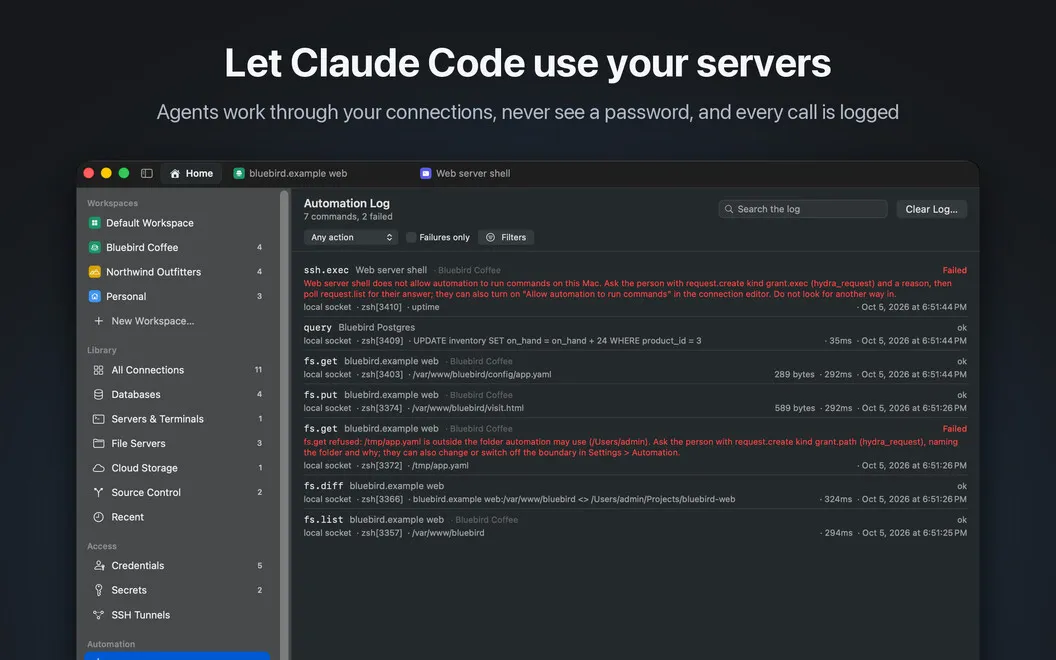
If you use Claude Code or another MCP client, you can let it work across your connections without handing it passwords. Risky actions require your approval, open views reflect agent changes, and an activity log records what you and your agents do. Your connection library syncs between your Macs through private iCloud storage, while passwords stay in your keychain.
-
Switch apps less
You can query data, edit remote files, review code and open SSH terminals in the same window.
-
Protect sensitive data
You can mark database connections read-only when you need to inspect data without changing it.
-
Check before deploying
You can compare local folders with server copies before uploading changes.
-
Control agent access
You can let AI agents work without receiving your passwords, approve risky steps, and review their actions in a log.
-
Keep connections across Macs
You get your connection library on your other Macs through private iCloud sync, with passwords kept in your keychain.
Best for
- You regularly switch between database, Git and SSH work
- You edit server files and compare deployment folders
- You want AI coding agents to use connections without receiving passwords
Skip it if
You probably do not need it if your work stays in a code editor and rarely involves databases, remote files or SSH.
Screenshots
From the developer
Hydra Dev Studio is a native Mac workspace for developers. It holds your database connections, remote file servers, cloud storage, SSH sessions and source control repositories in one library, and opens each one as a tab in the same window.Read the full description
Alternatives to Hydra Dev Studio
Other apps to manage databases. See all
 TablePlus
Database Management made easy
Setapp
99% · 2,557 ratings
TablePlus
Database Management made easy
Setapp
99% · 2,557 ratings
 SQLPro Studio
Manage multiple DBMS
Setapp
97% · 650 ratings
SQLPro Studio
Manage multiple DBMS
Setapp
97% · 650 ratings
 SQLPro for SQLite
A simple but powerful SQLite editor.
Setapp
96% · 114 ratings
SQLPro for SQLite
A simple but powerful SQLite editor.
Setapp
96% · 114 ratings
 Base
Simplify SQLite file management
Setapp
98% · 120 ratings
Base
Simplify SQLite file management
Setapp
98% · 120 ratings
 Access MDB Viewer
Mac App Store
Access MDB Viewer
Mac App Store
 Navicat Premium Lite
Mac App Store
Navicat Premium Lite
Mac App Store