
SQLPro Studio
Manage multiple DBMS
SQLPro Studio gives you one Mac interface for querying and updating multiple databases, suited to developers and anyone who regularly works across database systems.
by Hankinsoft Development, Inc. · 97% positive (650)
What you get
You can query, compare, and update databases without switching between separate tools.
You get one place on your Mac to view, store, and retrieve database data across several systems. You can work with MySQL, Microsoft SQL Server, PostgreSQL, MariaDB, and Oracle, so managing different database types doesn't mean learning a separate interface for each. You can also access supported cloud-hosted databases, including those on Heroku, Amazon RDS, and Microsoft Azure.
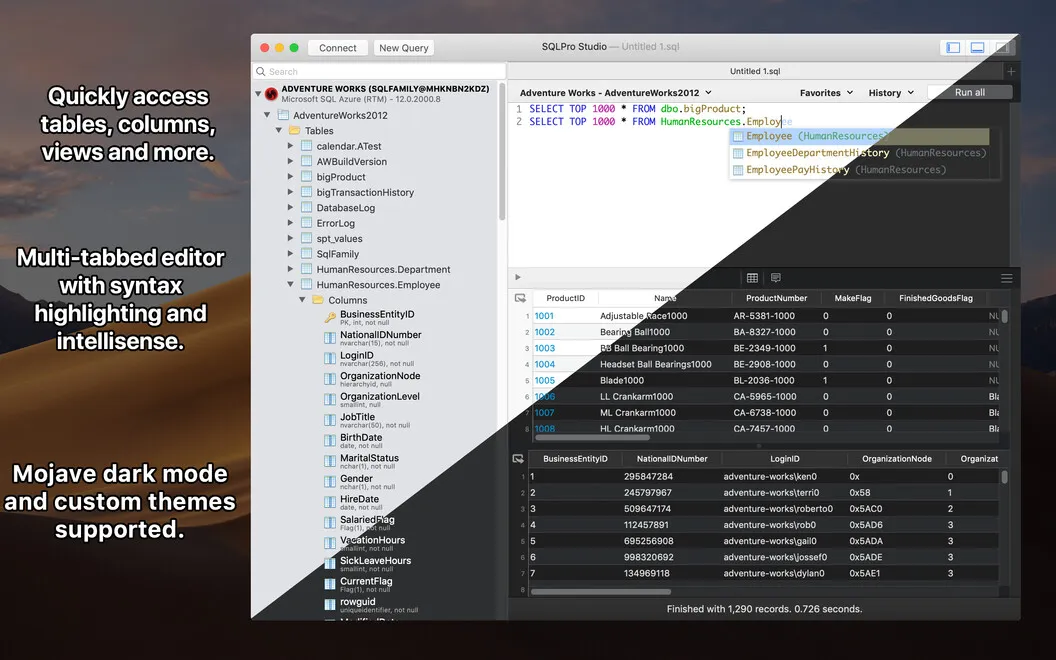
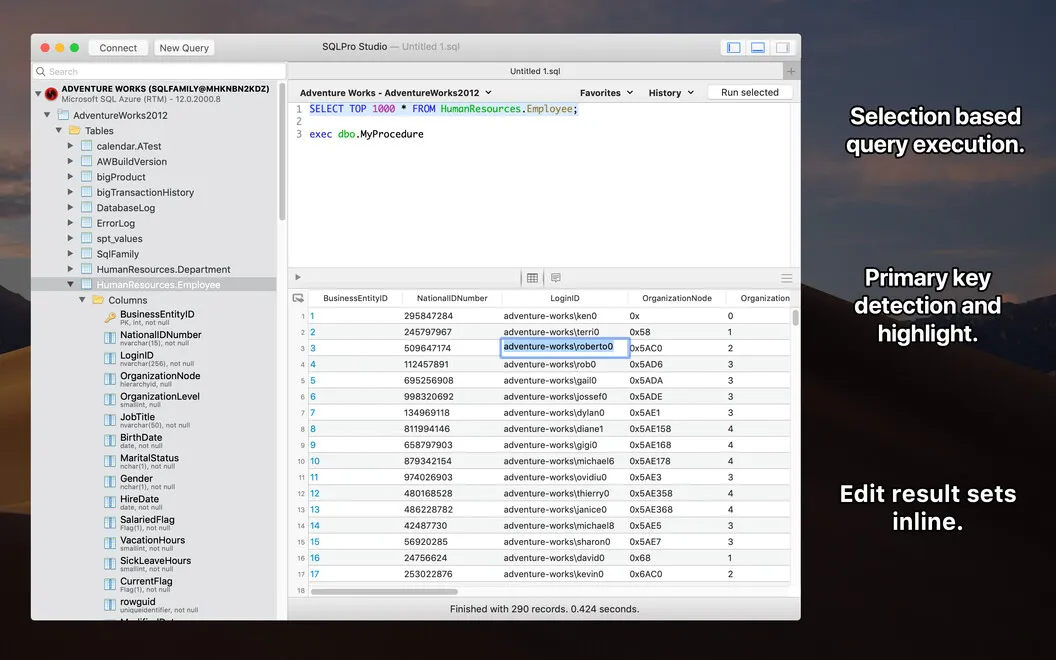
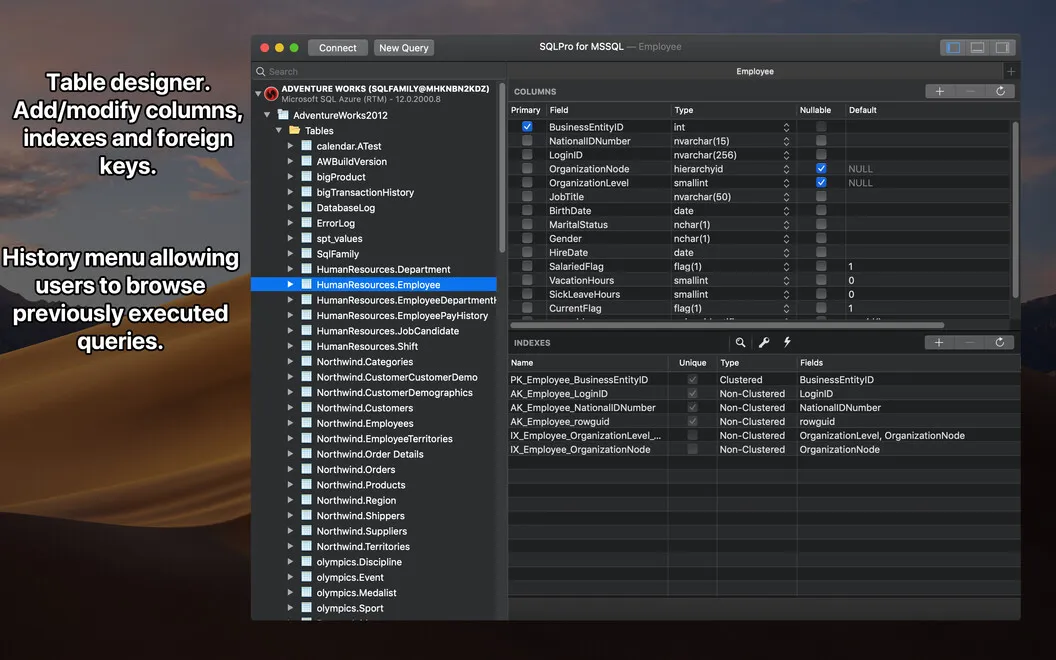
When you're checking data, you can run multiple queries and keep their result sets visible together for comparison, alongside messages and errors. You can create tables, update their contents, and select individual cells or groups of cells rather than entire rows. While writing queries, you get autocomplete, SQL formatting, and highlighted syntax errors to help you spot mistakes and keep statements readable.
-
Keep database work together
You can work across several database types in one interface instead of switching between separate tools.
-
Compare query results
You can display multiple result sets at once to check differences without repeatedly changing views.
-
Select the cells you need
You can select a single cell or several cells without selecting the whole row.
-
Catch SQL mistakes
You can spot highlighted syntax errors and use formatting and autocomplete while writing queries.
-
Reach cloud-hosted data
You can work with supported databases on Heroku, Amazon RDS, and Microsoft Azure using the same interface.
Best for
- You develop applications backed by different database systems
- You regularly compare results from multiple SQL queries
- You maintain both local and cloud-hosted databases
Skip it if
You don't need it if you never query or edit databases directly.
Screenshots
From the developer
Often use one certain database manager or even several DBMS at once, right? Use SQLPro Studio for viewing, storing and retrieving SQL server data with ease. You’ve got one user interface to work with a number of database types at the same time. The app comes with a set of rich features, so it is useful for many cases.Read the full description
Alternatives to SQLPro Studio
Other apps to manage databases. See all
 TablePlus
Database Management made easy
Setapp
99% · 2,557 ratings
TablePlus
Database Management made easy
Setapp
99% · 2,557 ratings
 SQLPro for SQLite
A simple but powerful SQLite editor.
Setapp
96% · 114 ratings
SQLPro for SQLite
A simple but powerful SQLite editor.
Setapp
96% · 114 ratings
 Base
Simplify SQLite file management
Setapp
98% · 120 ratings
Base
Simplify SQLite file management
Setapp
98% · 120 ratings
 Hydra Dev Studio
One native window for databases, file servers, Git and SSH, plus safe AI agents
Sold separately
Hydra Dev Studio
One native window for databases, file servers, Git and SSH, plus safe AI agents
Sold separately
 Access MDB Viewer
Mac App Store
Access MDB Viewer
Mac App Store
 Navicat Premium Lite
Mac App Store
Navicat Premium Lite
Mac App Store