
iFlicks
Upload videos to iTunes
iFlicks helps you prepare movies and TV shows for iTunes, with conversion, metadata, and artwork tools for keeping your video collection organized.
by Jendrik Bertram · 94% positive (159)
What you get
Get your videos into iTunes with useful details and matching artwork.
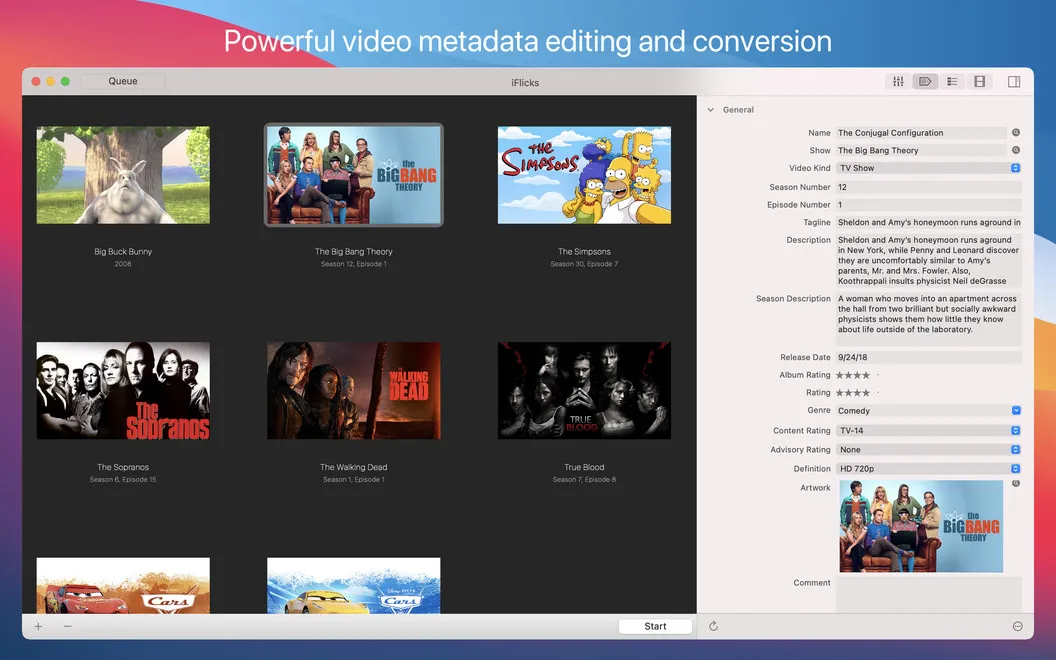
With iFlicks, you can turn a collection of video files into an organized iTunes library. Drag in your movies or TV shows, convert popular formats such as MKV, and update metadata and artwork so you can identify what you want to watch.
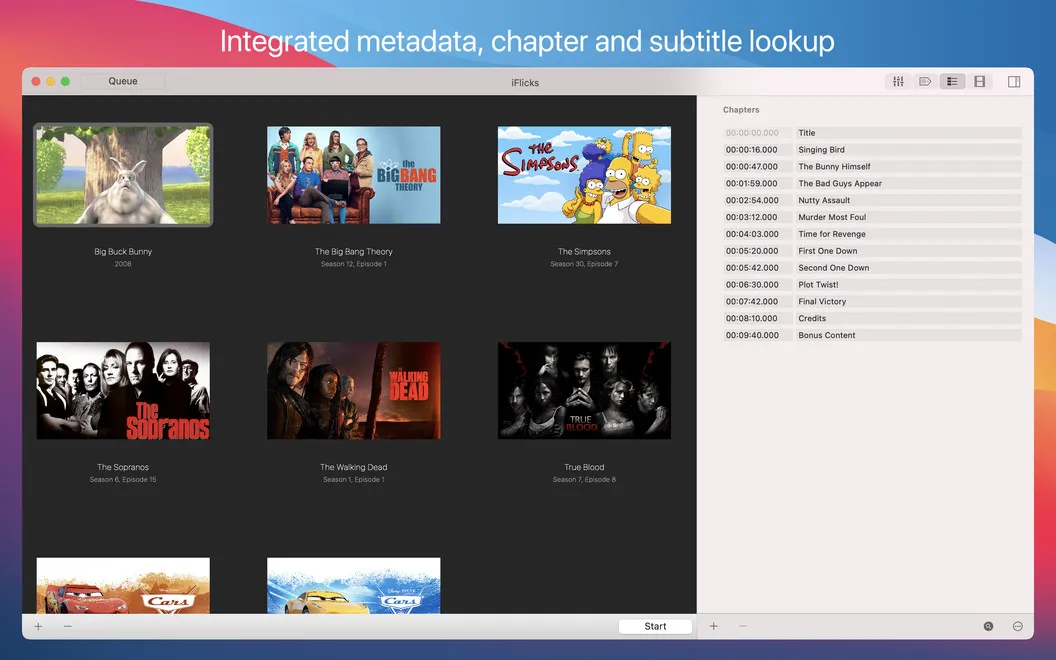
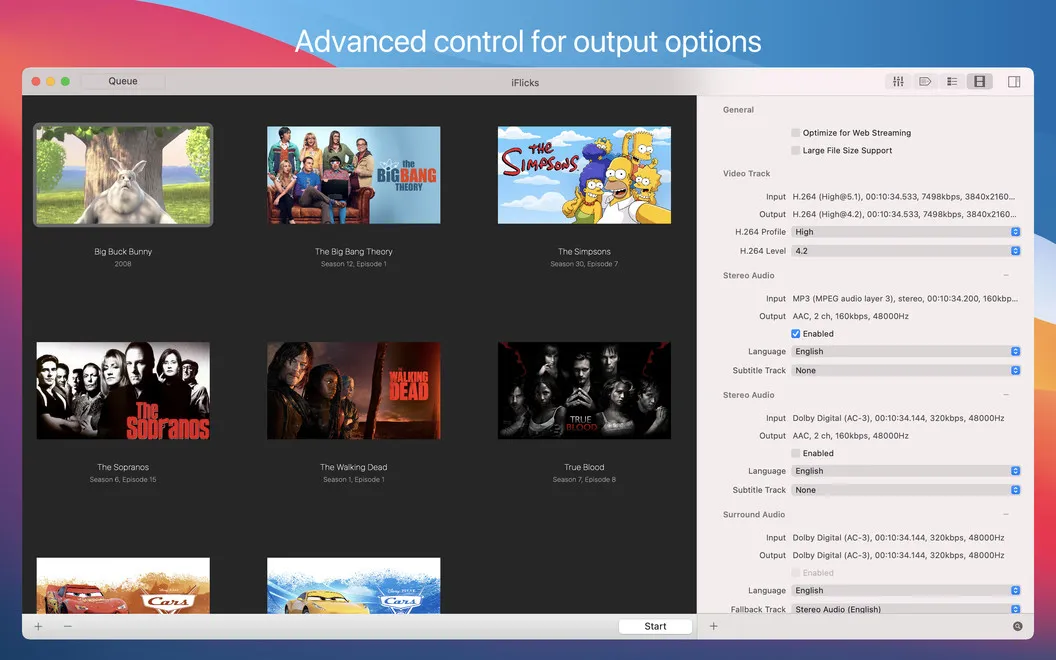
You can add subtitles and chapters, and prepare videos for viewing on your Mac or iOS device. When your files contain compatible H.264 video and AAC audio, you can move them into an M4V container without re-encoding, avoiding unnecessary quality loss.
If you regularly add videos, you can cut down on repeated setup. Rules, Watch Folders, and AppleScript let you apply metadata settings, choose presets, and send processed files to destinations based on conditions you define.
-
Recognize your movies
You can update metadata and choose artwork so your iTunes collection is easier to browse.
-
Prepare files for iTunes
You can convert popular video formats into files suitable for your iTunes library.
-
Watch with subtitles
You can add subtitles and chapters to your movies and TV shows.
-
Avoid unnecessary re-encoding
You can put compatible H.264 video and AAC audio into M4V containers without losing quality through re-encoding.
-
Repeat less manual work
You can automate processing choices and destinations with rules, Watch Folders, and AppleScript.
Best for
- You keep movies and TV shows in iTunes
- You regularly import videos in different formats
- You want consistent metadata and artwork
Skip it if
You probably don't need it if you only watch streaming services and don't maintain a local video library.
Screenshots
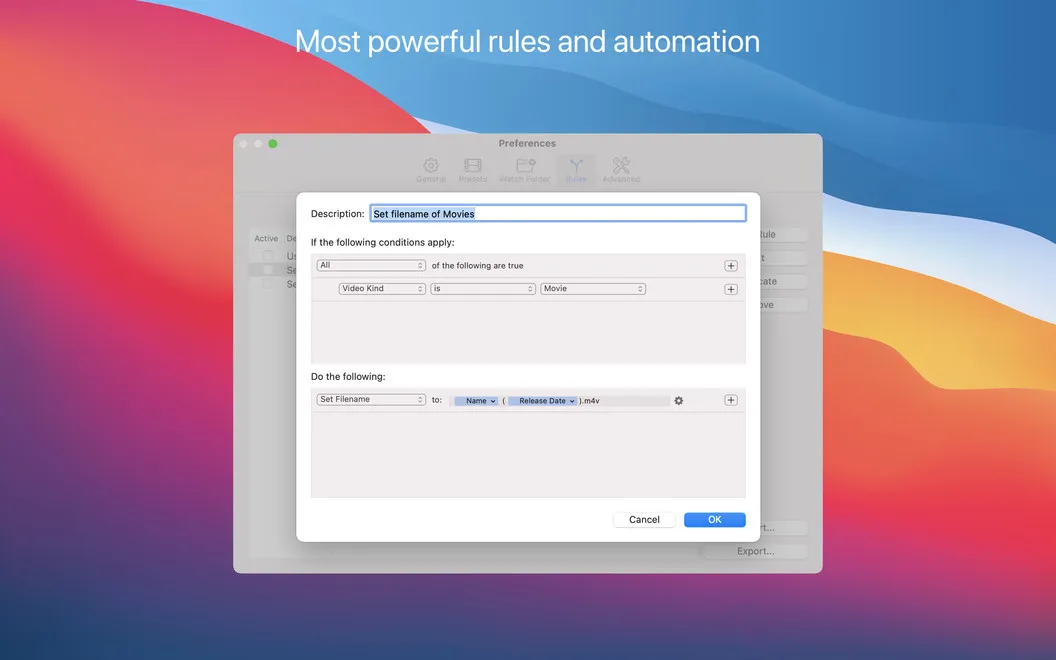
From the developer
Fancy using a feature-rich iTunes video converter? Wondering how to add TV shows to iTunes? Wish to add mp4 to iTunes, along with some mkv and m4v files? iFlicks is the answer. Import movies to iTunes in a quick, fun, intuitive way. Browse the iTunes artwork, if you want, you can set the movie art of the chosen movies.Read the full description
Alternatives to iFlicks
Other apps to organize your video library. See all
 Vidarium
Your local video library.
Setapp
Vidarium
Your local video library.
Setapp
 Movie Explorer Pro
Curate your movie collection
Setapp
93% · 90 ratings
Movie Explorer Pro
Curate your movie collection
Setapp
93% · 90 ratings
 Focus
AI video search for Mac
Sold separately
Focus
AI video search for Mac
Sold separately
 Vimeo
Video Management
Mac App Store
Vimeo
Video Management
Mac App Store
 Folx
Download videos and torrents
Setapp
95% · 1,797 ratings
Folx
Download videos and torrents
Setapp
95% · 1,797 ratings
 Spectra
View everything in one place
Sold separately
Spectra
View everything in one place
Sold separately