Kerlig
Write smarter in any Mac app
Kerlig is a Mac AI writing assistant for you if you regularly draft messages, polish text, or ask questions about documents while working across apps.
by Kerlig.com · 88% positive (25)
What you get
You get clearer messages and faster replies without leaving your current app.
You can check a message before sending it, turn a rough draft into a clearer reply, or translate text without opening a browser. A keyboard shortcut brings Kerlig into the Mac app where you’re working, so you can spend less time moving text between tools. Saved tone presets help you keep Slack replies casual and client emails more formal.
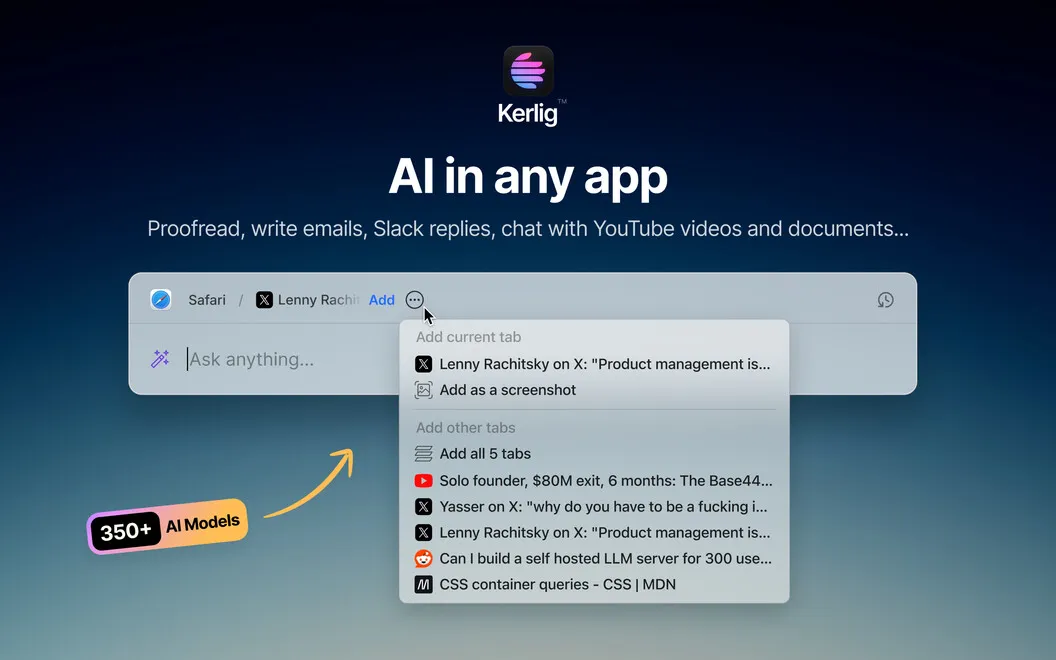
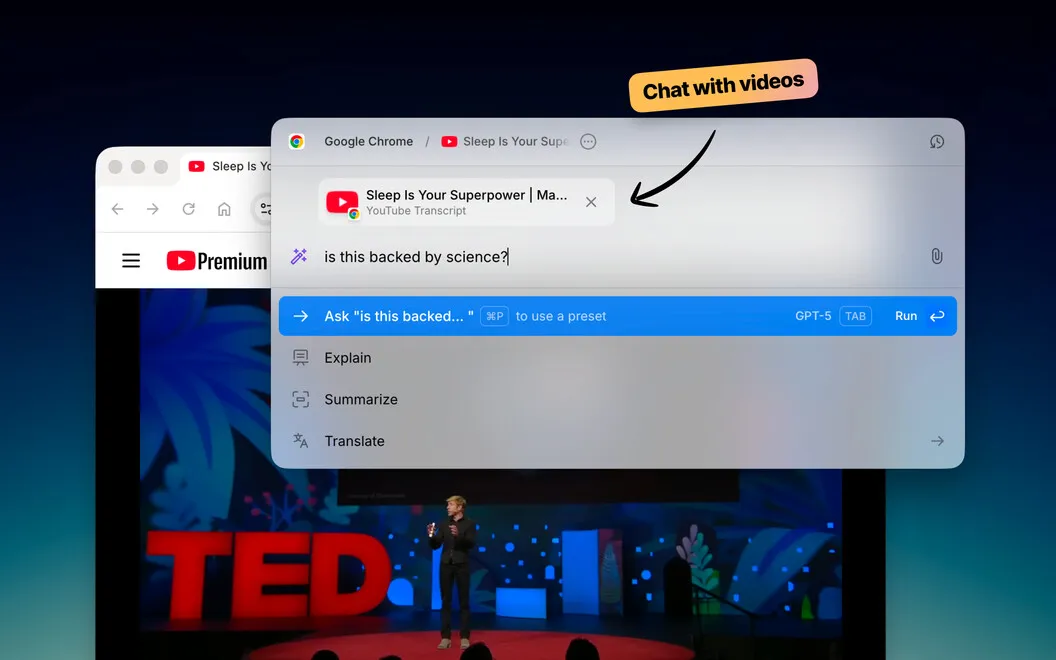
You can also ask questions about PDFs, web pages, ebooks, and images, or get summaries instead of copying passages into a separate chat. For repeated writing tasks, you can save your own prompts for things like Jira tickets or social posts.
You choose which AI provider handles your requests, using your own API keys, or run supported local models to keep processing on your device. Your chat history stays encrypted on your Mac.
-
Catch mistakes before sending
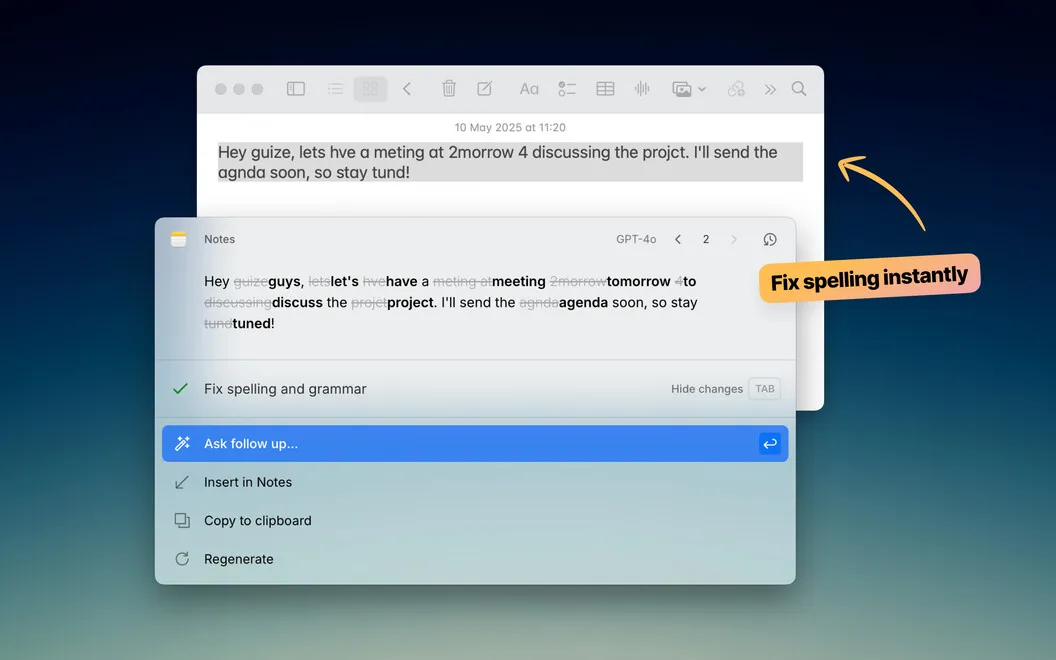
You can proofread messages and fix awkward wording in the app where you’re writing.
-
Draft replies with less effort
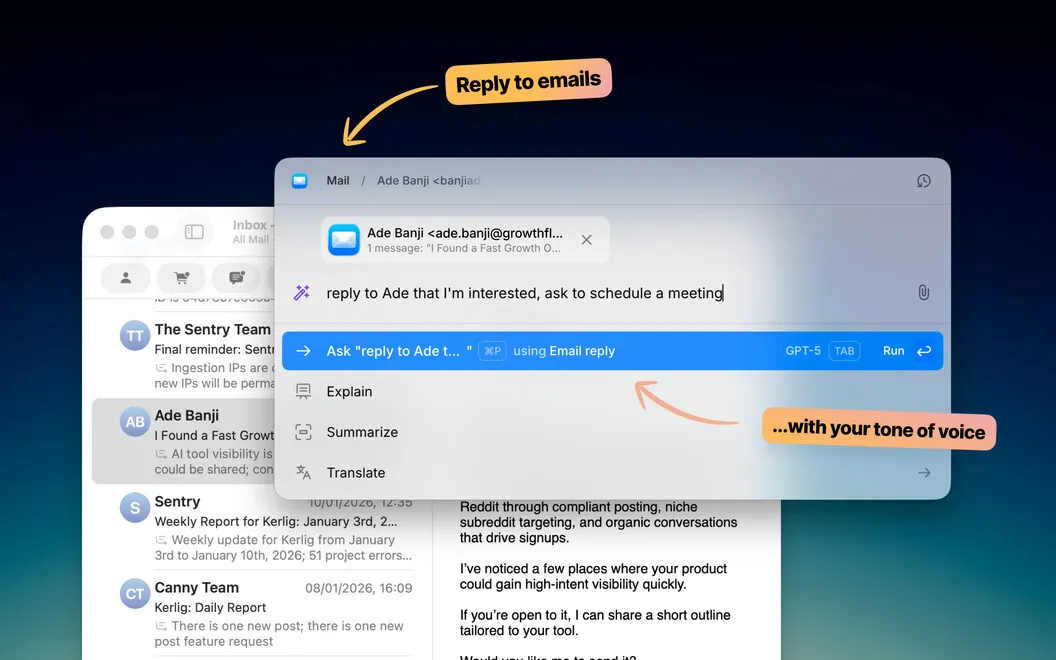
You can generate email and Slack replies, then use saved tones to suit the conversation.
-
Get answers from documents
You can question or summarize PDFs, web pages, ebooks, and images without copying passages into a browser.
-
Repeat less prompting
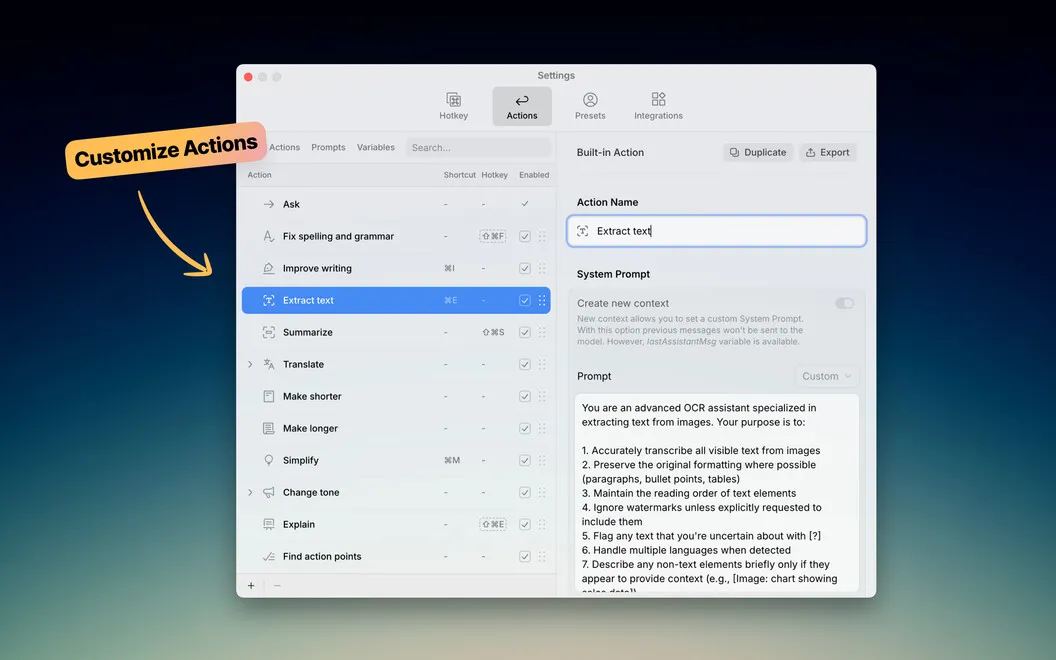
You can save custom prompts for recurring work such as Jira tickets, code conversion, or social posts.
-
Choose where processing happens
You can use AI providers with your own API keys or supported local models for on-device processing.
Best for
- You write frequent emails and Slack replies
- You need summaries and answers from documents
- You repeat the same AI writing tasks across Mac apps
Skip it if
You probably don’t need it if occasional proofreading is enough and your existing writing tools already cover that.
Screenshots
From the developer
Kerlig is an AI writing assistant that lives in your Mac’s menu bar. Press a shortcut and it’s there — no browser tabs, no context-switching. Use it to proofread messages, draft replies, summarize documents, or run custom actions across any app.Read the full description
Alternatives to Kerlig
Other apps to rewrite & improve text with AI. See all
 Plus
Work with text using AI
Setapp
86% · 278 ratings
Plus
Work with text using AI
Setapp
86% · 278 ratings
 Pinchbar
Transform text in a pinch
Setapp
91% · 32 ratings
Pinchbar
Transform text in a pinch
Setapp
91% · 32 ratings
 Manzoni
Write privately with AI
Setapp
Manzoni
Write privately with AI
Setapp
 QuillBot
AI Writing Assistant
Mac App Store
QuillBot
AI Writing Assistant
Mac App Store
 Spark Mail
Manage emails easier
Setapp
90% · 3,066 ratings
Spark Mail
Manage emails easier
Setapp
90% · 3,066 ratings
 BoltAI 2
Write, code, learn with Al
Setapp
96% · 49 ratings
BoltAI 2
Write, code, learn with Al
Setapp
96% · 49 ratings