
MenuBar Weather
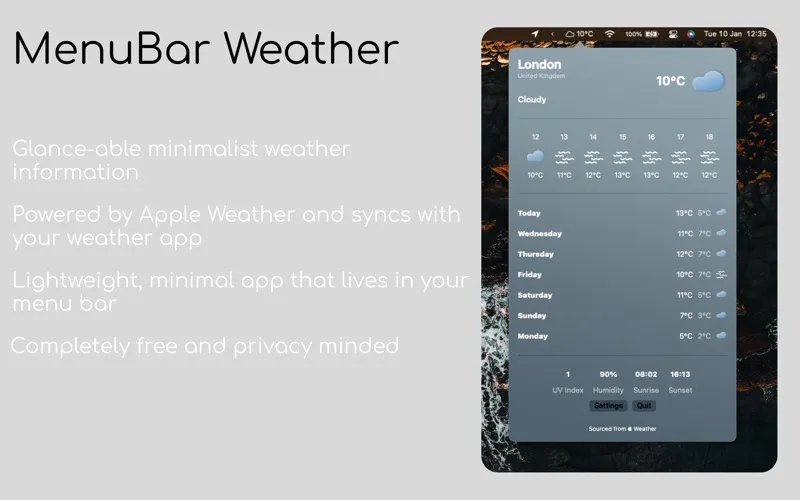
MenuBar Weather gives you a quick view of local weather from your Mac’s menu bar. It’s for you if you want routine weather checks without opening a separate weather window.
by Ellisn Ltd
What you get
You can check local weather with a glance at your menu bar.
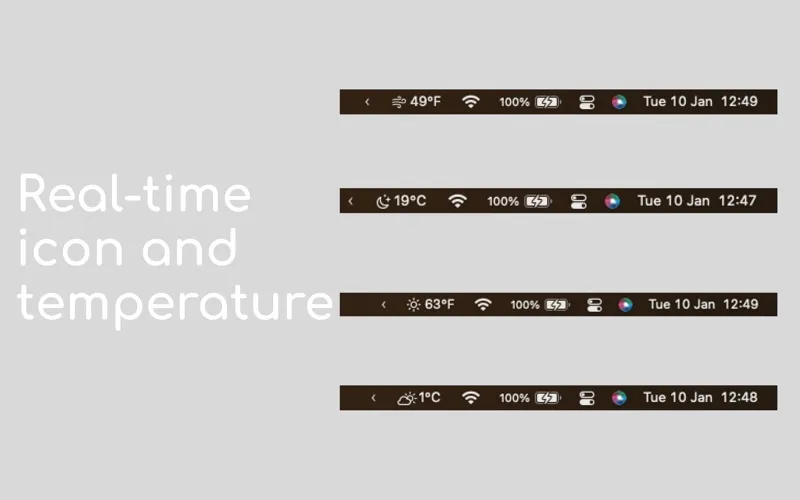
You get weather information for your current location in your Mac’s menu bar, keeping it within reach while you work. When you want to check conditions before heading out or during the day, you can look there instead of visiting a weather website. The compact presentation suits quick checks rather than making weather a separate task.
Your weather information refreshes hourly and whenever your location changes significantly, so you don’t have to refresh it manually. You get a lightweight way to keep local conditions handy, with a simple interface that stays in the menu bar.
-
Check weather at a glance
You can see local weather information in your menu bar without visiting a weather website.
-
Stay current without refreshing
Your weather information updates hourly, without you having to refresh it manually.
-
Follow your location
You get updated weather information when your location changes significantly.
Best for
- You want quick weather checks while working
- You prefer weather information in your menu bar
- You move between locations with your Mac
Skip it if
You don’t need it if checking weather on your phone or in a browser already suits you.
Screenshots

From the developer
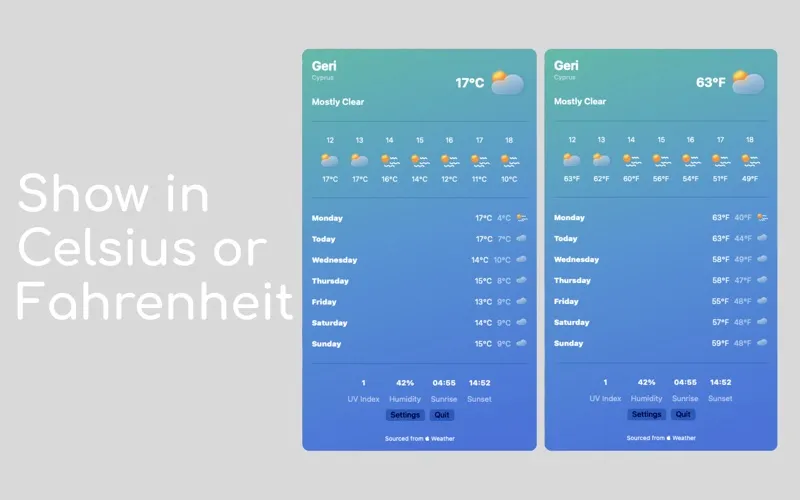
MenuBar Weather is a beautiful, lightweight weather app that lives in your MenuBar. It displays all major weather Information for your current location at a glance with a simple, yet beautiful UI.Read the full description
Alternatives to MenuBar Weather
Other apps to check the weather. See all