
METAR MenuBar
METAR MenuBar lets you check airport weather observations from your Mac’s menu bar. It’s for pilots, dispatchers, controllers, and aviation enthusiasts seeking an informational overview.
by Mike Bell
What you get
See reported airport flight conditions without opening a browser.
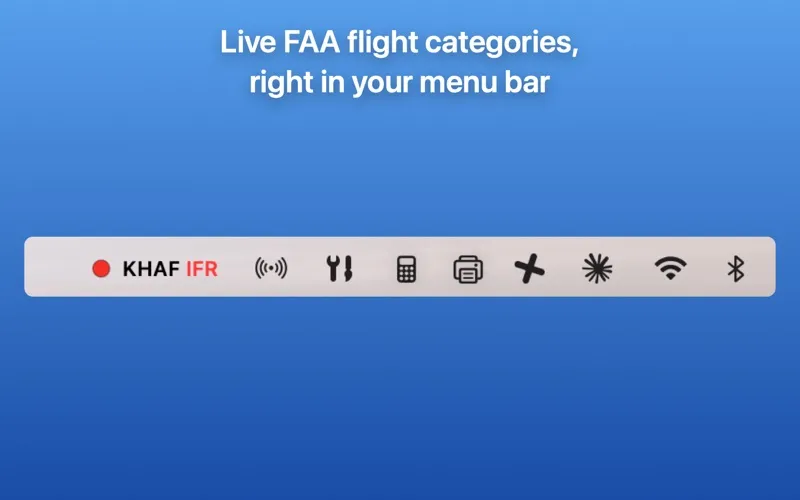
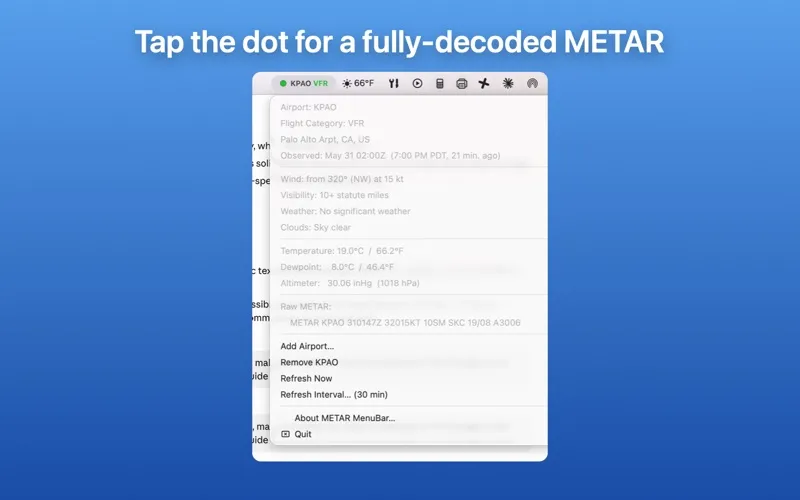
You can glance at your Mac’s menu bar to see an airport’s reported FAA flight category: VFR, MVFR, IFR, or LIFR. A color-coded dot gives you the overview; clicking it lets you read a decoded METAR with wind, visibility, clouds, ceiling, temperature, dewpoint, and altimeter readings in metric or imperial units.
You can follow several airports and switch between them, with each observation shown in the airport’s local time. Updates run every 30 minutes by default, with an adjustable interval and automatic refresh after your Mac wakes or reconnects. When an observation is more than two hours old, a triangle replaces the dot so you can spot aging data.
You get this reference without a Dock icon, notifications, or an account. It is not an FAA-certified weather system: you must not use it for flight planning or go/no-go decisions, or as a replacement for an official preflight weather briefing.
-
Check conditions at a glance
You can identify the reported flight category from a color-coded menu bar dot without opening a browser.
-
Read observations without decoding
You get METAR details in readable form, including wind, visibility, cloud layers, and temperature.
-
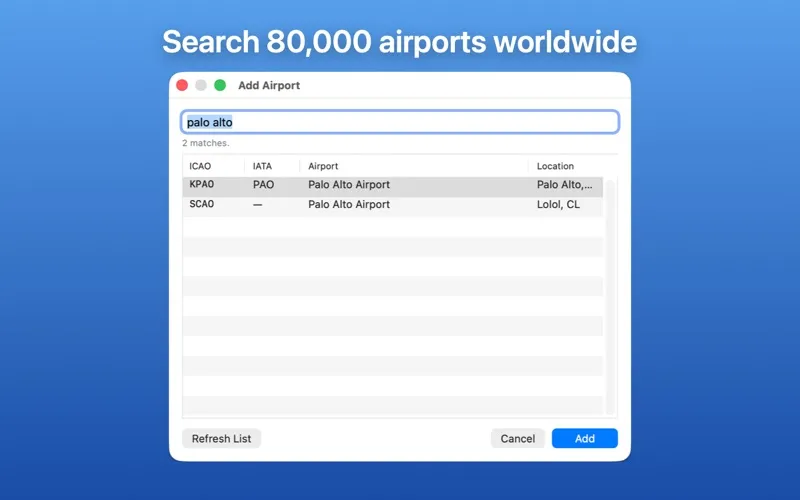
Follow several airports
You can switch between saved airports and read each observation in that airport’s local time.
-
Notice aging reports
You see a triangle instead of the category dot when an observation is more than two hours old.
Best for
- You’re an aviation enthusiast following airport weather.
- You’re a pilot wanting an informational weather reference outside flight planning.
- You’re a dispatcher or controller checking reported conditions for general awareness.
Skip it if
You don’t need it if you only want everyday forecasts or need an approved source for flight planning.
Screenshots
From the developer
METAR MenuBar shows the current FAA flight category — VFR, MVFR, IFR, or LIFR — for one or more airports as a color-coded dot in your menu bar. Click the dot for a fully-decoded METAR observation.Read the full description
Alternatives to METAR MenuBar
Other apps to check the weather. See all