Mine
Private AI Workspace
Mine gives you a Mac workspace for notes, documents, and AI questions, with local storage and a preview of what gets sent. It suits you if you want control over your source material.
by Jeffery Graham Christopher Evans
What you get
Get answers from your notes while seeing exactly what you share.
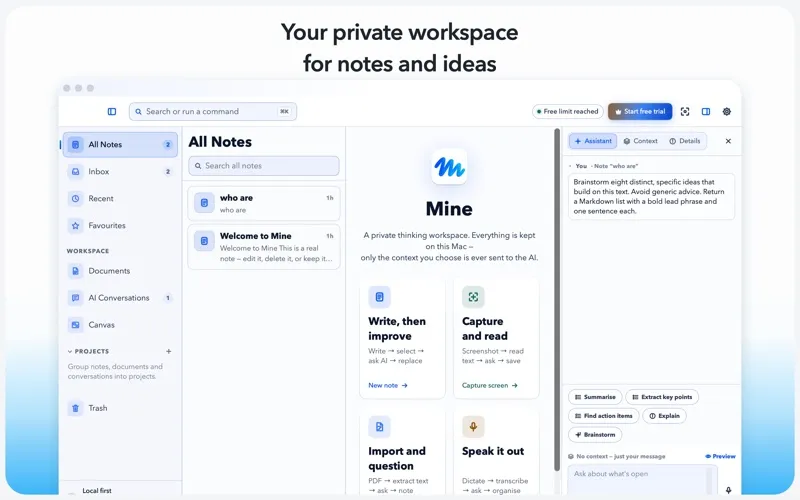
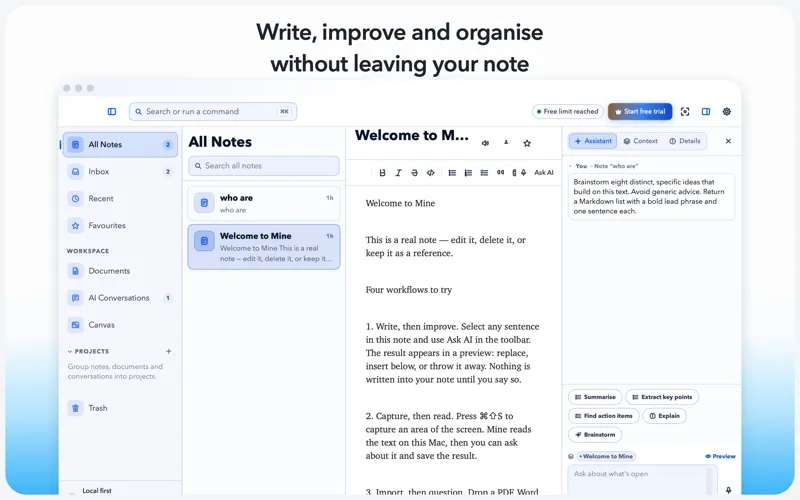
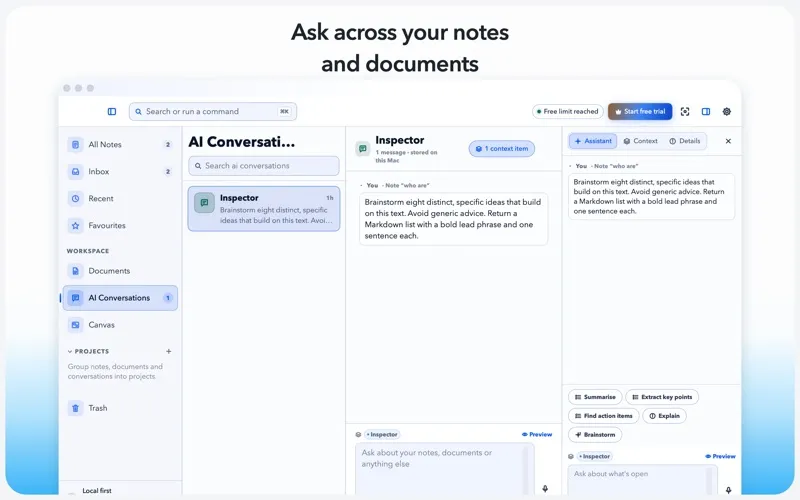
You can bring notes, PDFs, Word files, and captured screen text into one searchable workspace without uploading the original files. Your imported material stays on your Mac, and you can ask AI questions about it instead of hunting through documents yourself.
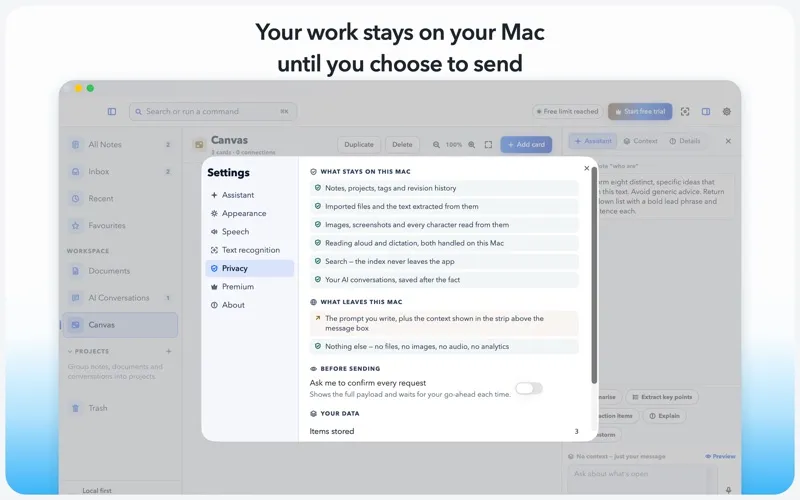
Before a question leaves your Mac, you can inspect the attached sources and the exact request text. Your question and that visible context are sent; your files, images, and audio are not. When you want to improve your writing, you can preview a shorter version, translation, or change of tone before deciding whether to keep it.
You can also dictate notes and questions locally, hear answers read aloud, and recover earlier versions of your notes. Local tools remain free, while the free tier allows 12 AI requests per day. You need Premium only to remove that AI request limit.
-
Find answers in your material
You can question imported documents and captured text rather than manually searching for each detail.
-
Know what you share
You can read the exact request and attached context before sending a question, while original files stay on your Mac.
-
Keep control of edits
You can review rewrites, translations, and tone changes before replacing your text or adding an alternative below it.
-
Write without typing
You can dictate notes or questions on your Mac without uploading audio, then listen to answers read aloud.
-
Recover earlier wording
You can return to previous note versions and export your writing as Markdown, plain text, rich text, or JSON.
Best for
- You want AI answers from documents without uploading the original files
- You collect notes and screen text for later reference
- You want to review AI edits before accepting them
Skip it if
Skip it if you need AI processing to stay entirely offline, since questions and their visible context leave your Mac.
Screenshots
From the developer
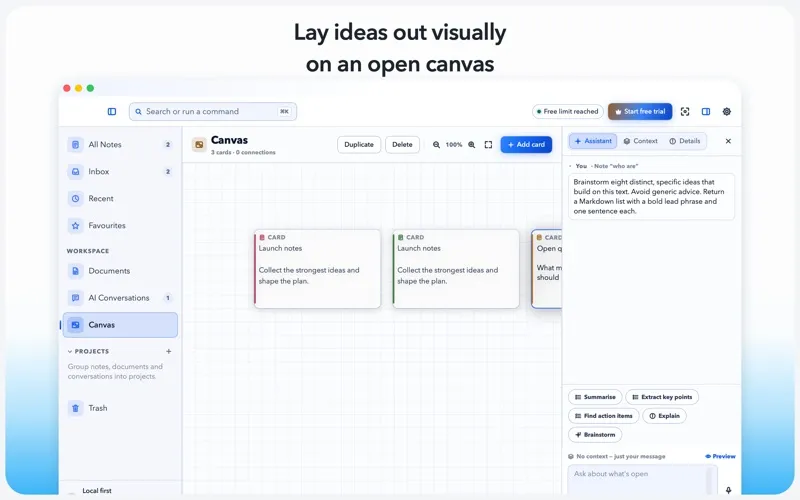
Your notes, your Mac, your business. Mine is a workspace for thinking. Write notes, drop in PDFs and Word files, grab anything off your screen, or just talk — then ask questions about all of it. What makes Mine different is where the work happens: on your Mac, not on somebody's server.Read the full description
Alternatives to Mine
Other apps to ask AI about your documents. See all