
Origami
Switch projects without rebuilding your setup.
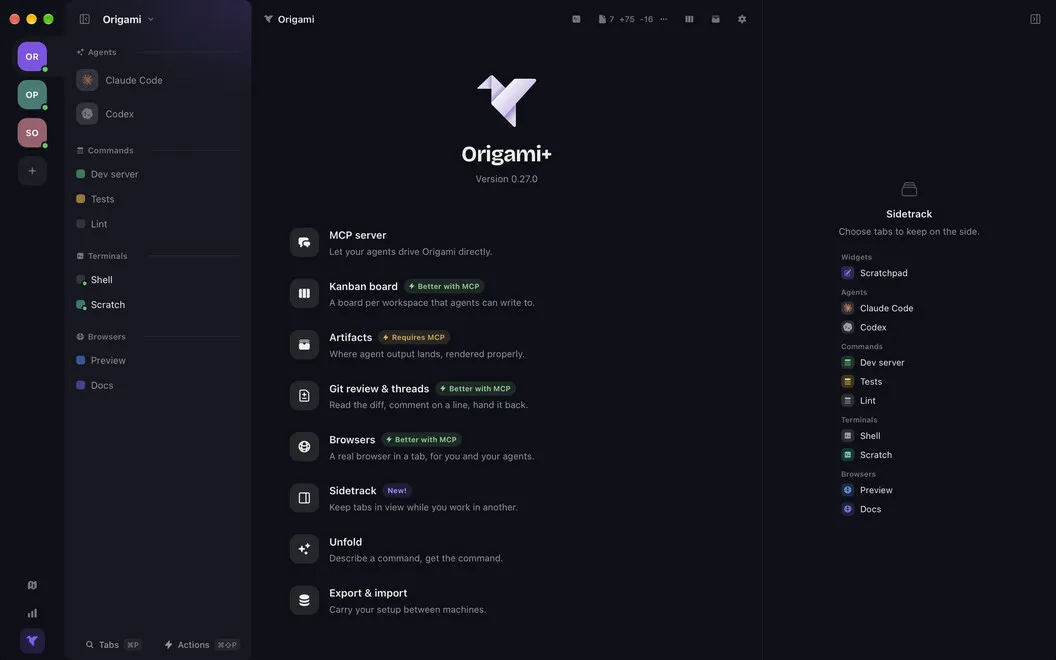
Origami is a Mac workspace manager for developers who switch between projects. You keep each project's terminals, coding agents, saved commands, and tasks together.
by Ricardo Bucho
What you get
You can switch projects without rebuilding your terminal and agent setup.
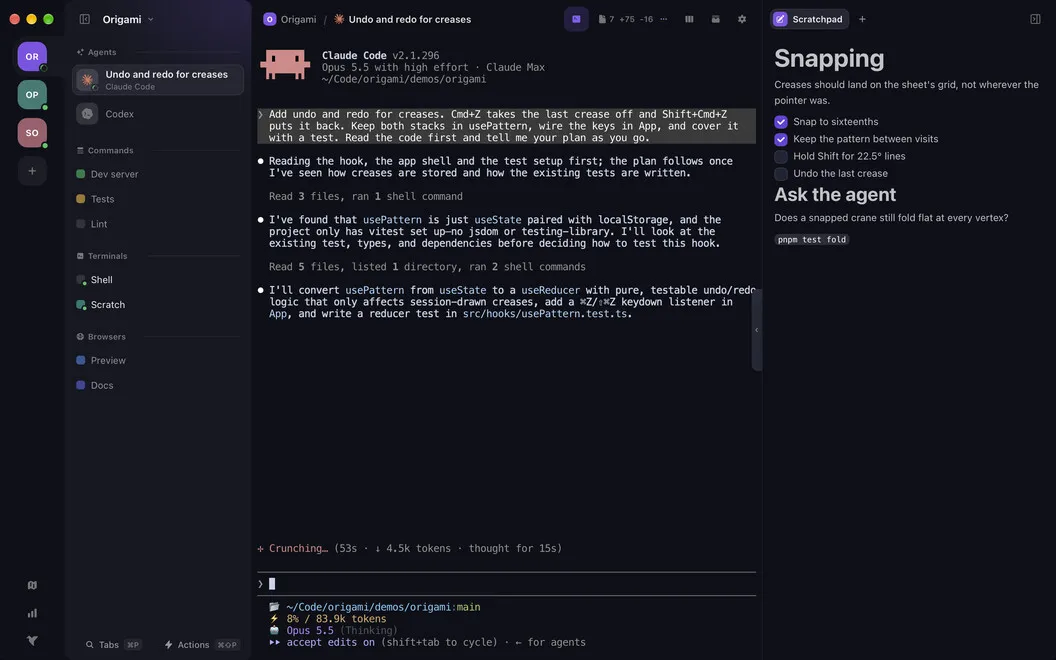
You get a separate workspace for each coding project, so returning to work doesn't mean hunting through tabs or reopening the right folders. Your terminals, agents, and saved commands stay grouped by project, while you keep using your own shell configuration, dotfiles, and aliases.
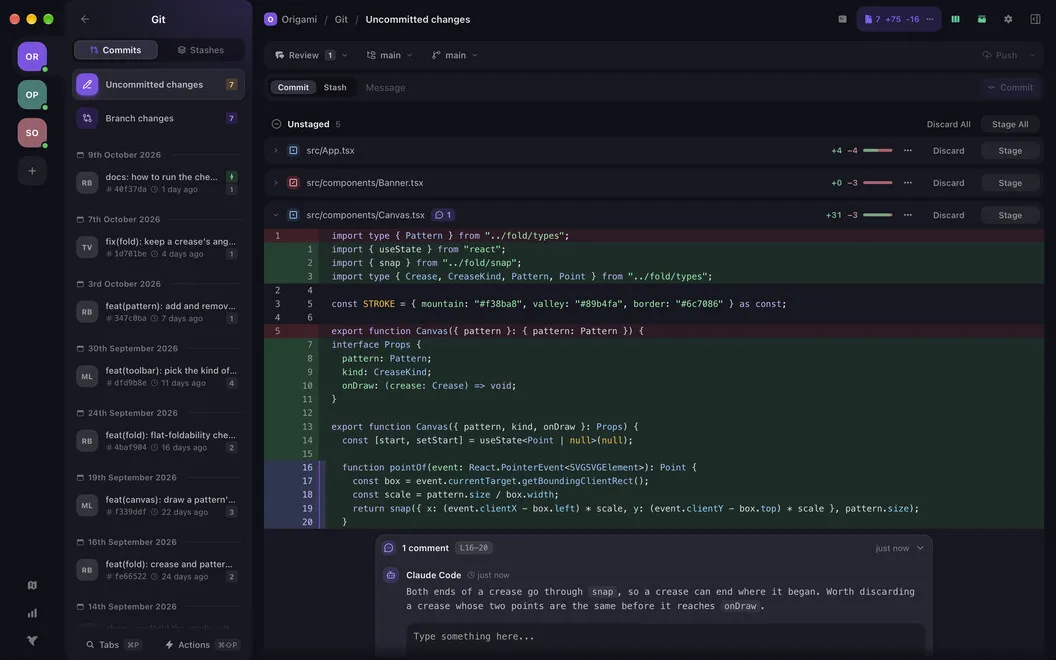
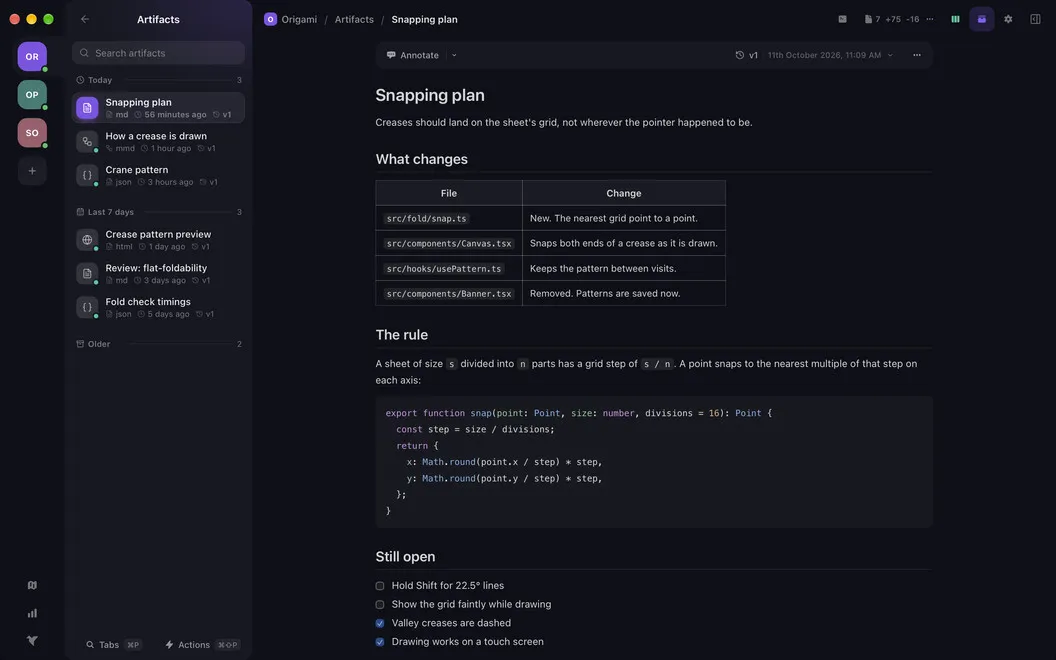
You can inspect code changes, add line comments, stage files, commit, and push without opening a separate Git client. Run your own coding agents alongside your terminals, and view their published Markdown, JSON, HTML, and Mermaid output inside the workspace, with saved versions to revisit.
You also get a Kanban board for each project, keeping bugs, larger tasks, comments, and attachments close to the code they concern. Keyboard shortcuts and a command palette let you navigate without reaching for the mouse, while Unfold turns a plain-language command request into text at your prompt.
-
Resume projects with less setup
You return to grouped terminals, agents, and saved commands instead of reconstructing each project's tabs.
-
Keep your familiar shell
You use your existing shell configuration, dotfiles, and aliases in every terminal tab.
-
Finish Git reviews in place
You can read diffs, comment on lines, stage changes, commit, and push without switching to another Git app.
-
Keep tasks beside your code
You track each project's bugs and larger tasks on its own Kanban board, including comments, attachments, and card history.
-
Revisit agent output
You view supported artifacts from your coding agents inside the workspace and return to saved versions.
Best for
- You regularly switch between coding projects
- You run coding agents alongside terminal sessions
- You want project tasks and Git reviews near your code
Skip it if
You probably don't need it if a few terminal tabs already cover your work and you don't need project-specific agents, Git reviews, or task boards.
Screenshots
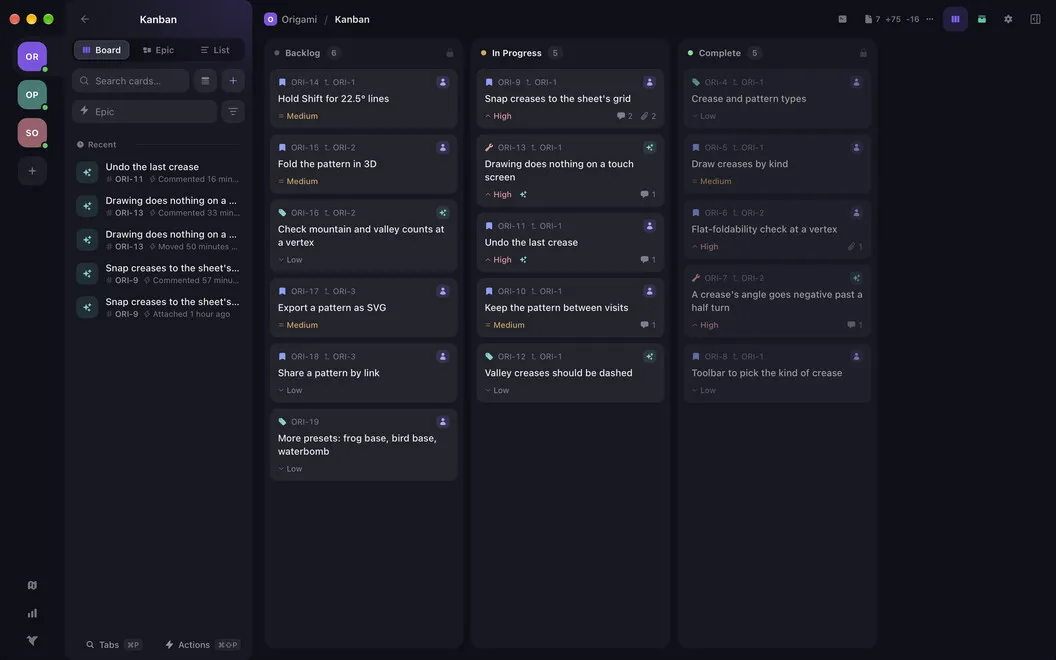
From the developer
Origami is a workspace manager for Mac. Group your agents, terminals, and saved commands by project — so switching projects means switching workspaces, not scrambling to reassemble your setup. Every tab runs your own shell, with your config, dotfiles, and aliases right where you left them.Read the full description
Alternatives to Origami
Other apps to work with AI coding agents. See all
 Maestri
An infinite canvas where coding agents work side by side. Plan, build, ship.
Setapp
96% · 56 ratings
Maestri
An infinite canvas where coding agents work side by side. Plan, build, ship.
Setapp
96% · 56 ratings
 Tecta
Keep tabs on Claude Code
Sold separately
Tecta
Keep tabs on Claude Code
Sold separately
 Codex AI
AI Coding Agent
Mac App Store
Codex AI
AI Coding Agent
Mac App Store
 SnipperApp 3
The AI-ready code snippet manager with built-in MCP, iCloud sync, and Raycast
Sold separately
SnipperApp 3
The AI-ready code snippet manager with built-in MCP, iCloud sync, and Raycast
Sold separately
 AI Assistant For Kimi
Mac App Store
AI Assistant For Kimi
Mac App Store
 Xcode
Mac App Store
Xcode
Mac App Store