
PDF Content Search
Search inside scanned files
PDF Content Search is a Mac document search app for when you need to find words or numbers inside scanned paperwork, images, files, and Apple Mail attachments.
by Jürgen Koller Software GmbH
What you get
Find the document you need by searching for what’s inside it.
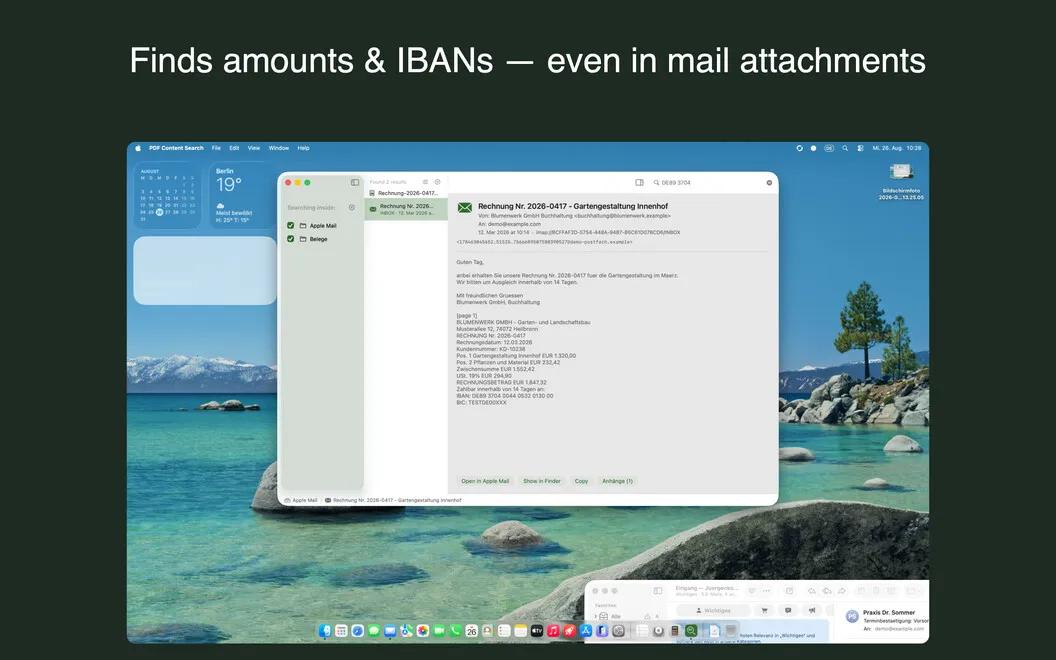
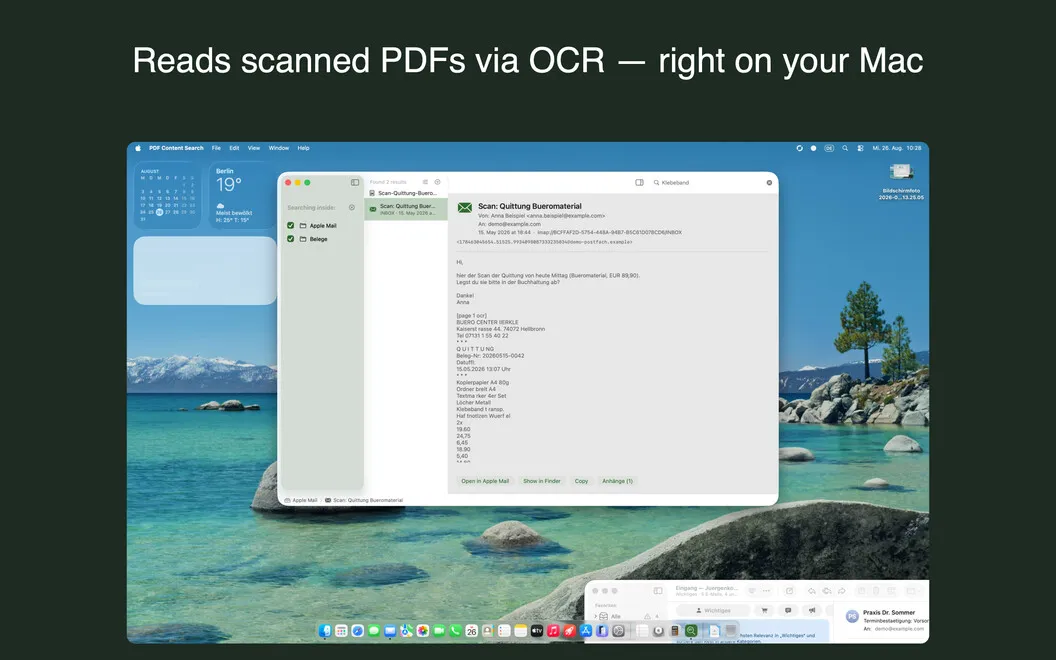
You can find an invoice, contract number, or bank detail without opening documents one at a time. Choose a folder, then search for text inside scanned PDFs, photos, screenshots, and plain text files. Text recognition runs on your Mac, and your search index stays updated as files change.
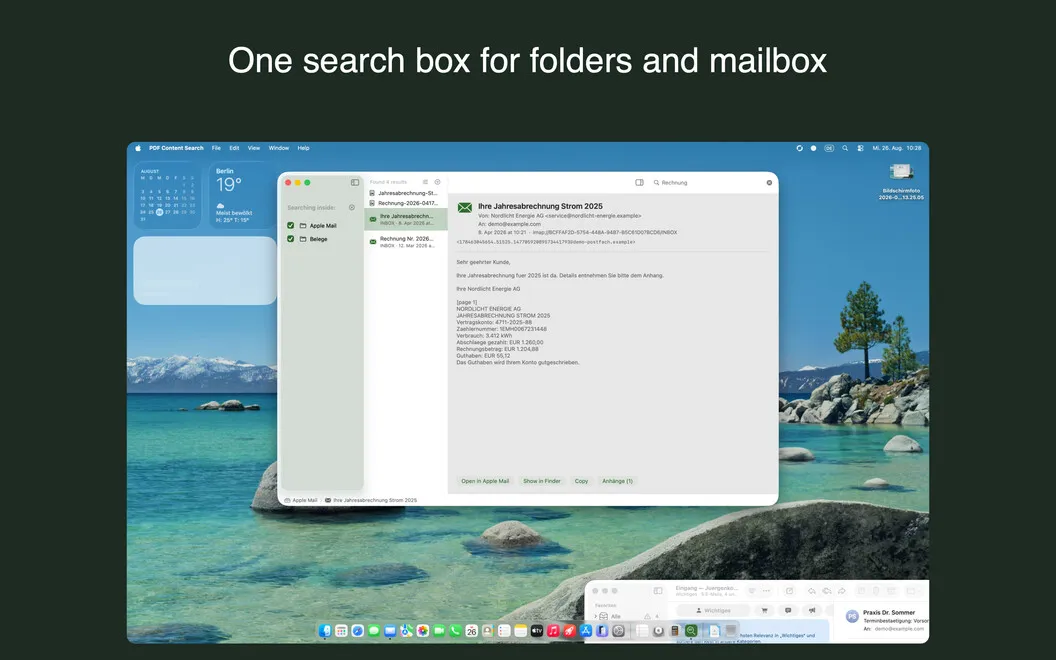
You can search Apple Mail subjects, message bodies, and attachment contents alongside your files, including Word, Excel, Pages, Numbers, and Keynote documents. From a result, you can open an attachment or return to its original email.
When your archive spans years, you can narrow results by date and check highlighted matches in a preview before jumping to the relevant page. Searches also handle accents, umlauts, and partial words, so you can find a name even when you type it without its accent.
-
Find details inside scans
You can locate invoice numbers, names, or bank details in scanned PDFs and images without inspecting each file.
-
Search mail and files together
You can find matching email text and attachments alongside documents, then open the attachment or original message.
-
Narrow years of paperwork
You can filter results by date and use highlighted previews to identify the right document and page.
-
Find alternate spellings
You can search without accents or umlauts, or enter part of a long word, and still find matching text.
Best for
- You regularly retrieve invoices or contracts from scanned archives
- You need to search across Apple Mail attachments and document folders
- You have years of paperwork to narrow down by date
Skip it if
You probably don’t need it if your documents are already easy to find with Spotlight and you rarely search scans or email attachments.
Screenshots
From the developer
PDF Content Search is a document search app for Mac that reads what Spotlight can't. Point it at a folder, and it finds text in scanned PDFs, photos, screenshots, and Mail attachments. Type a word, get the document, and jump to the exact page. No more opening files one by one to hunt for that one IBAN.Read the full description
Alternatives to PDF Content Search
Other apps to search inside PDFs & scans. See all
 PDF Search
Find anything in a PDF with AI
Setapp
92% · 370 ratings
PDF Search
Find anything in a PDF with AI
Setapp
92% · 370 ratings
 PDF Owl
Build the table of contents using on-device AI. Plus a reader-focused PDF viewer
Sold separately
PDF Owl
Build the table of contents using on-device AI. Plus a reader-focused PDF viewer
Sold separately
 Physical Scanner Connect
Mac App Store
Physical Scanner Connect
Mac App Store
 Kepter
A Finder alternative: a drawer of your files you recognise on sight.
Sold separately
Kepter
A Finder alternative: a drawer of your files you recognise on sight.
Sold separately
 Brother iPrint&Scan
Mac App Store
Brother iPrint&Scan
Mac App Store
 Prizmo Remix
Automate document scanning & processing
Setapp
96% · 28 ratings
Prizmo Remix
Automate document scanning & processing
Setapp
96% · 28 ratings