
QuitAll
Speed up Mac by quitting all apps
QuitAll is a menu bar utility for quitting Mac apps in groups. It helps you close unnecessary background apps or deal with frozen apps without quitting everything individually.
by Amico Apps LLC · 98% positive (1,841)
What you get
You can close unwanted apps without hunting down each one.
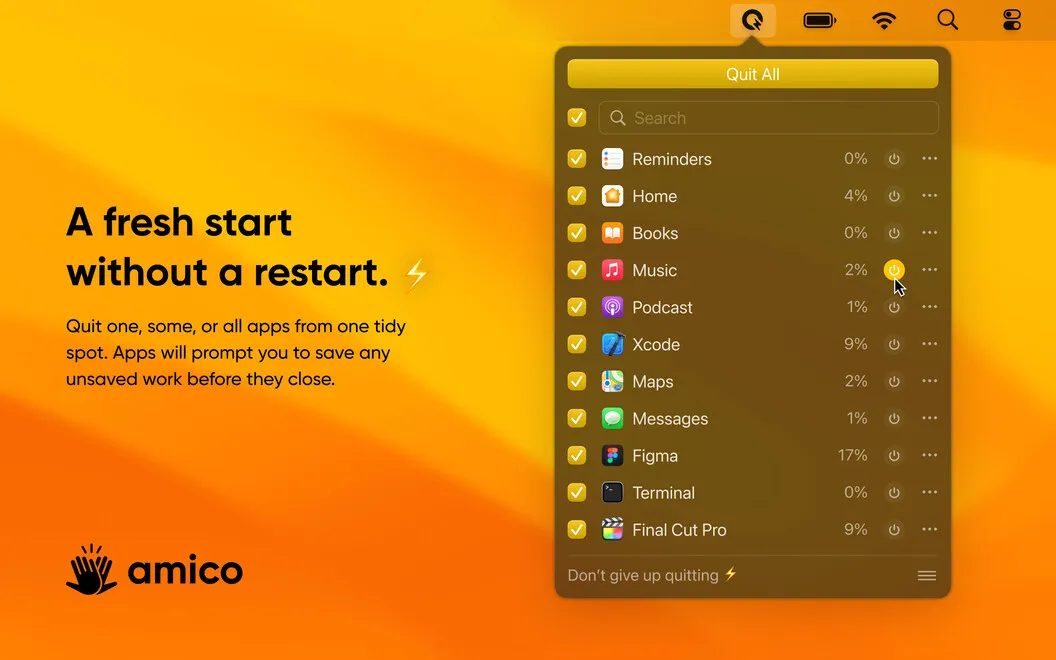
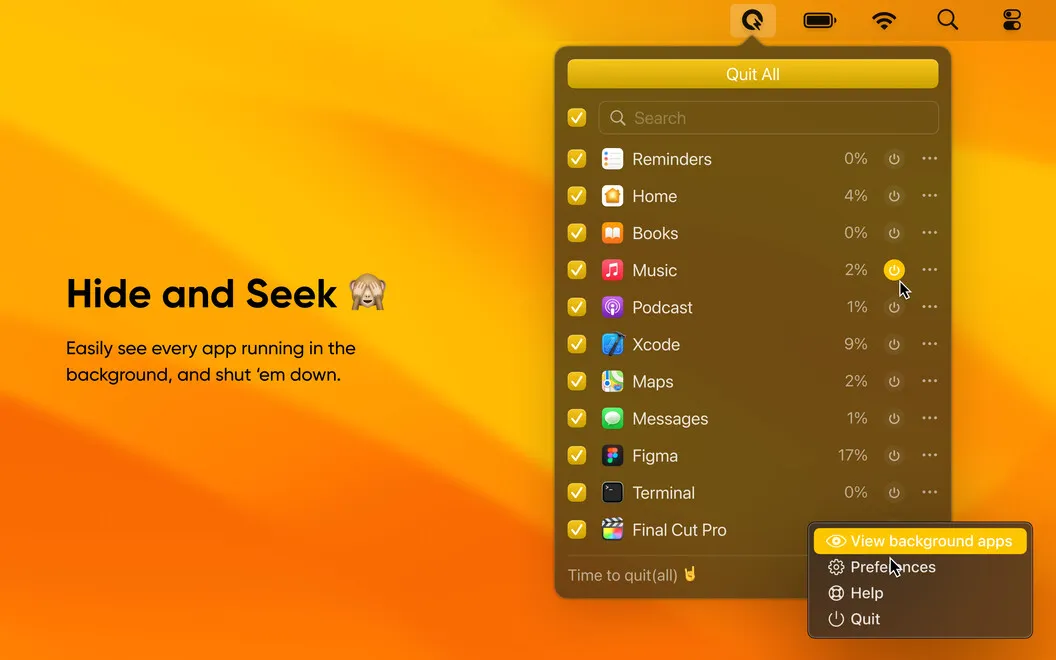
QuitAll gives you one place in your menu bar to close the apps you no longer need. You can quit everything at once or select just a few, including apps running in the background. If too many open apps are slowing your Mac down, you can reduce what’s running before resorting to a restart.
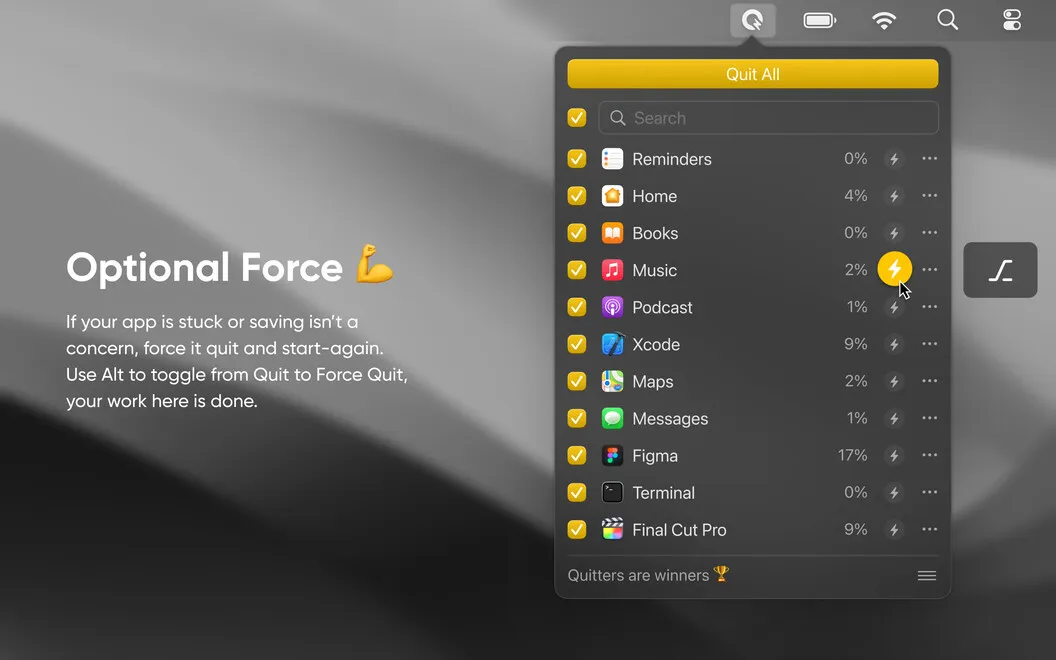
When you quit normally, apps ask you to save unsaved work before closing, so you get a chance to keep your changes. If an app is frozen, you can switch to Force Quit and then reopen it. Force quitting can discard unsaved work, so it’s an option for when normal quitting won’t do.
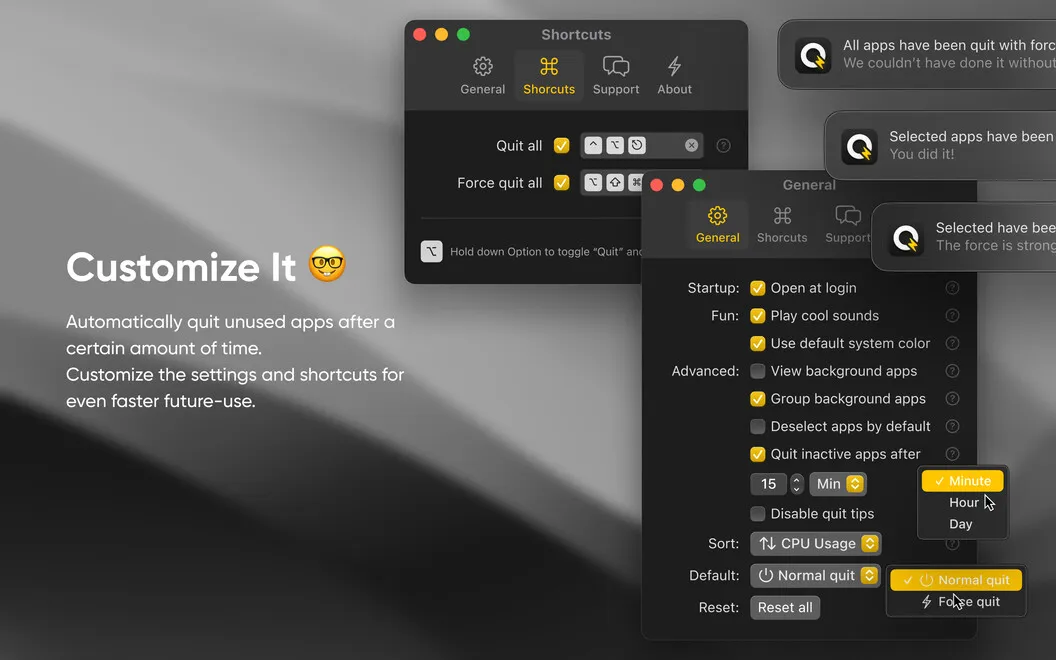
You can also set QuitAll to launch when you log in and customize shortcuts and its default quitting behavior to suit how you work.
-
Close apps in groups
You can quit all apps or select several from one menu instead of closing them individually.
-
Reduce background activity
You can see which apps are running in the background and close those you don’t need.
-
Keep a chance to save
When you quit normally, apps prompt you to save changes before closing.
-
Get past frozen apps
You can force quit unresponsive apps and reopen them, with the understanding that unsaved work may be lost.
Best for
- You regularly leave many apps running
- Your Mac slows down with background apps open
- You want to close several apps at once
Skip it if
You probably don’t need it if you keep few apps open and are comfortable quitting or force quitting them with macOS.
Screenshots
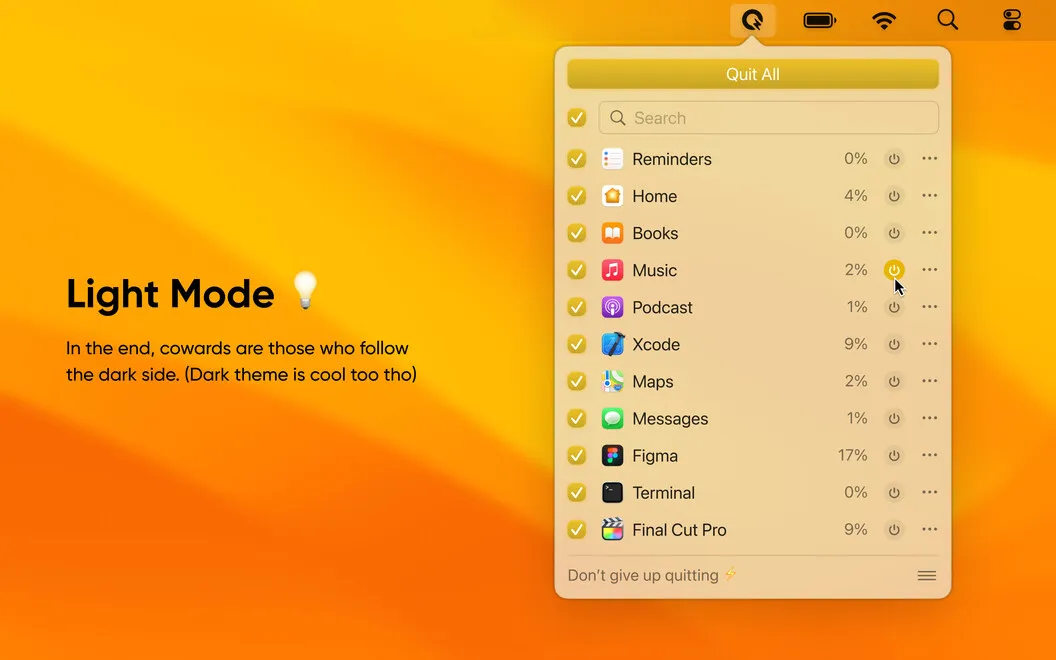
From the developer
Love handling all the tasks at the same time but hate closing multiple apps one by one? Or find yourself stuck when your machine stalls due to too many apps running in the background? Before you go for a restart, try quitting all or select apps with the handy helper living in your menu bar called QuitAll!Read the full description
Alternatives to QuitAll
Other apps to speed up your Mac. See all
 App Tamer
Reduce CPU usage
Setapp
95% · 684 ratings
App Tamer
Reduce CPU usage
Setapp
95% · 684 ratings
 Aion
Close idle apps automatically
Setapp
Aion
Close idle apps automatically
Setapp
 Shiny
One-tap memory cleanup with a live memory-pressure readout in your menu bar.
Sold separately
Shiny
One-tap memory cleanup with a live memory-pressure readout in your menu bar.
Sold separately
 CleanMyMac
Tidy up your Mac
Setapp
97% · 18,514 ratings
CleanMyMac
Tidy up your Mac
Setapp
97% · 18,514 ratings
 iStat Menus
Track CPU, GPU, sensors, etc.
Setapp
96% · 5,527 ratings
iStat Menus
Track CPU, GPU, sensors, etc.
Setapp
96% · 5,527 ratings
 Mission Control Plus
Close windows from Mission Control
Setapp
97% · 1,077 ratings
Mission Control Plus
Close windows from Mission Control
Setapp
97% · 1,077 ratings