Substage
Control Finder with natural language
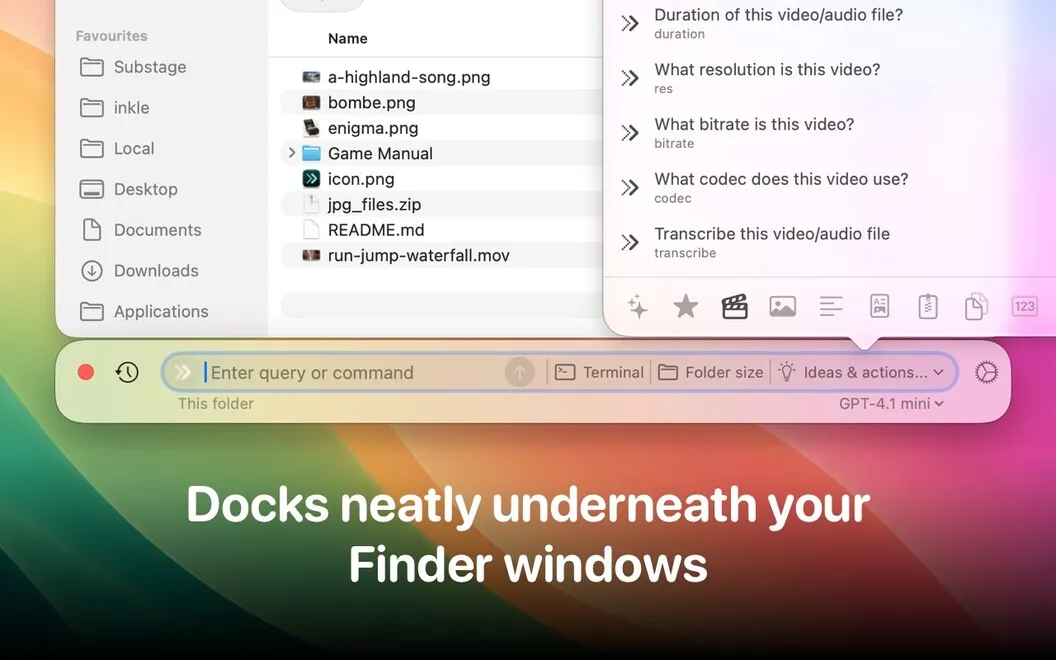
Substage lets you manage files and Mac settings with plain-language requests. It’s for you if you want to use Terminal commands without learning their syntax.
by Selkie Design · 84% positive (96)
What you get
Get file conversions and Mac tasks done by typing what you need.
With Substage, you can describe a file or system task in ordinary language instead of figuring out Terminal syntax. Your request becomes a Terminal command, so you can get things done without writing the command yourself.
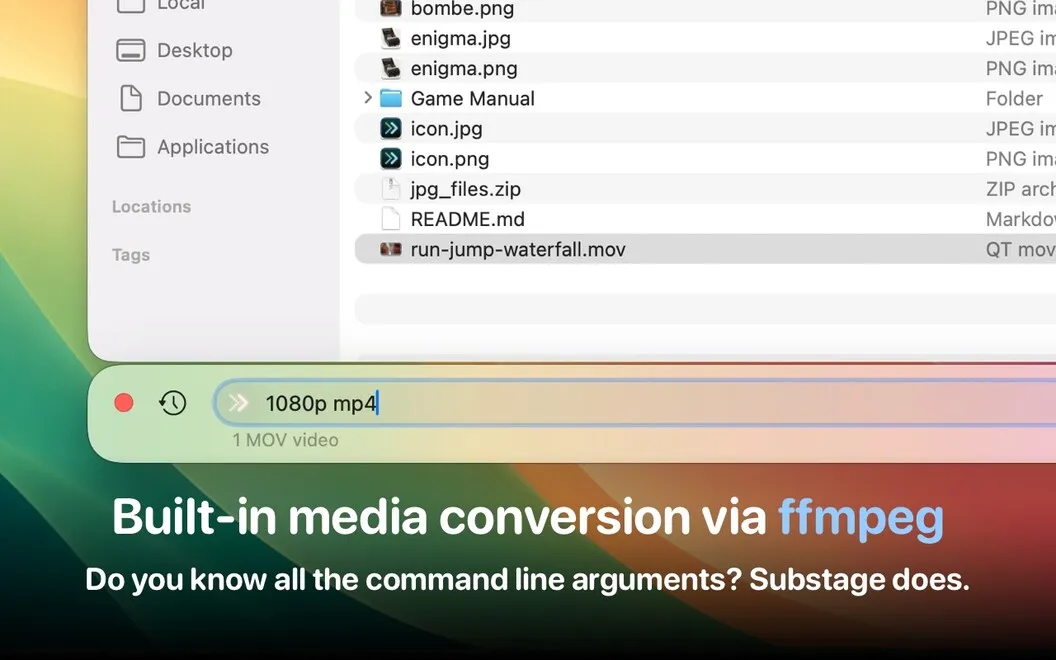
You can turn an image into a JPG or a MOV into a 1080p MP4 without opening a separate conversion app. You can also switch to dark mode, keep your Mac awake, or check its hardware details by asking. For quick answers, you can convert measurements, identify a PDF’s author, or check where you downloaded a file.
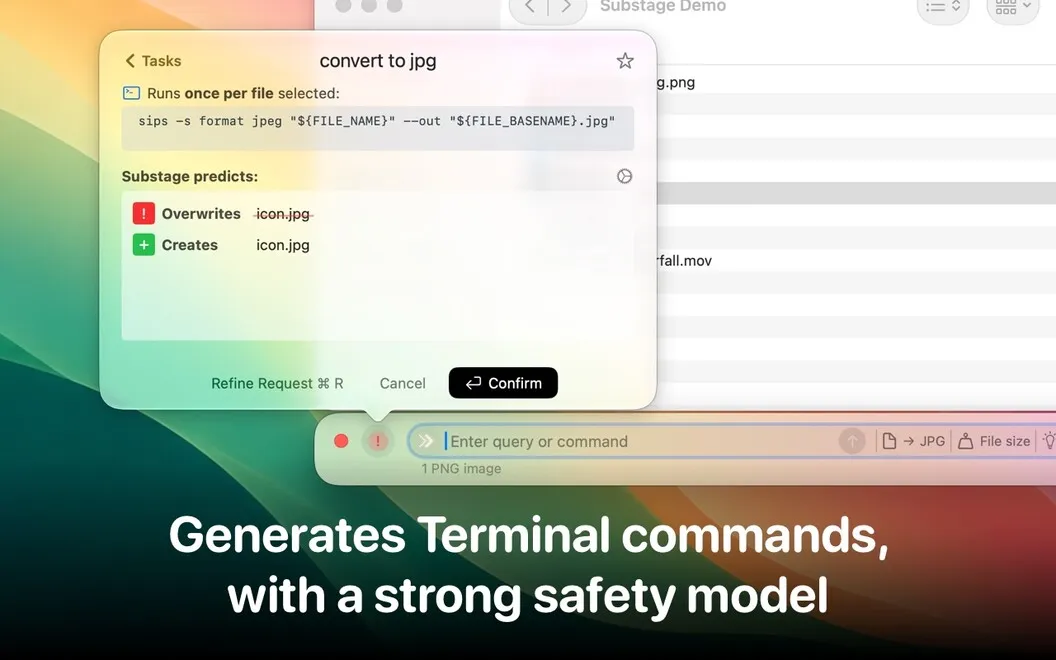
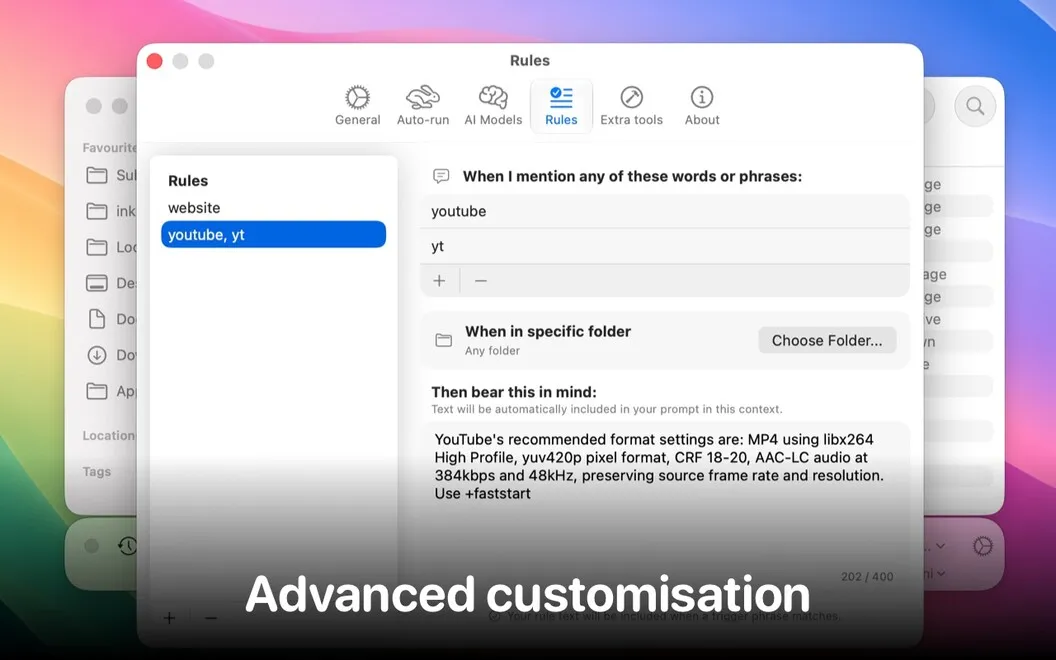
Before a generated command runs, you get an assessment of its potential risks. You can adjust the caution level to require manual approval or allow commands to run automatically within your chosen risk threshold.
-
Skip Terminal syntax
You can describe file and system tasks in plain language rather than work out the commands yourself.
-
Convert without switching apps
You can request image and video conversions, including JPG images and 1080p MP4 videos, without opening another app.
-
Avoid settings menus
You can ask to switch dark mode, keep your Mac awake, or check hardware information.
-
Get quick factual answers
You can convert measurements, check a PDF’s author, or find out where a file was downloaded.
-
Choose when commands run
You can review potential command risks and set when manual approval is required.
Best for
- You want Terminal results without learning command syntax
- You regularly need quick image or video conversions
- You prefer typing requests to navigating Mac settings
Skip it if
You probably don’t need it if you’re comfortable writing Terminal commands and already have conversion tools you like.
Screenshots
From the developer
Substage makes managing your Mac effortless by letting you use natural language. It simplifies your workflow by converting your instructions into powerful Terminal commands. No more dealing with complicated syntax!Read the full description
Alternatives to Substage
Other apps to get an AI assistant. See all
 BoltAI 2
Write, code, learn with Al
Setapp
96% · 49 ratings
BoltAI 2
Write, code, learn with Al
Setapp
96% · 49 ratings
 TypingMind
Use new UI to chat with AI
Setapp
90% · 1,362 ratings
TypingMind
Use new UI to chat with AI
Setapp
90% · 1,362 ratings
 BoltAI
Write, code, learn with AI
Setapp
95% · 467 ratings
BoltAI
Write, code, learn with AI
Setapp
95% · 467 ratings
 AI Council
Stop trusting just one AI
Setapp
91% · 22 ratings
AI Council
Stop trusting just one AI
Setapp
91% · 22 ratings
 Sidekick
The agentic interface for your Mac.
Setapp
Sidekick
The agentic interface for your Mac.
Setapp
 Eney
Proactive AI Assistant
Sold separately
97% · 154 ratings
Eney
Proactive AI Assistant
Sold separately
97% · 154 ratings