Weather Dock
Desktop forecast
Weather Dock gives you current conditions and forecasts from your Mac’s Dock and menu bar, for quick weather checks before commuting, heading outdoors, or planning your day.
by Voros Innovation
What you get
You can check conditions and prepare for rain without opening a browser.
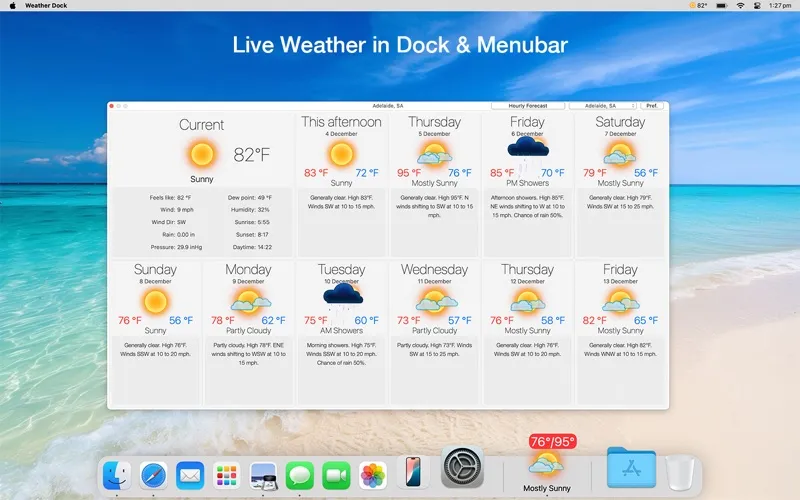
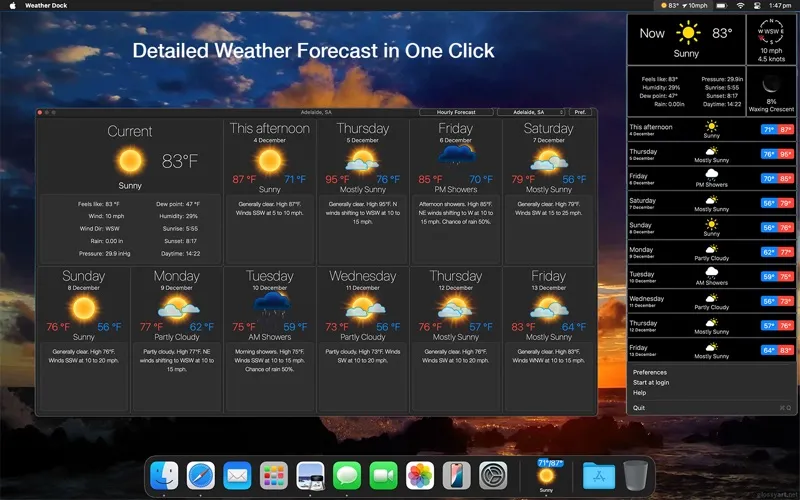
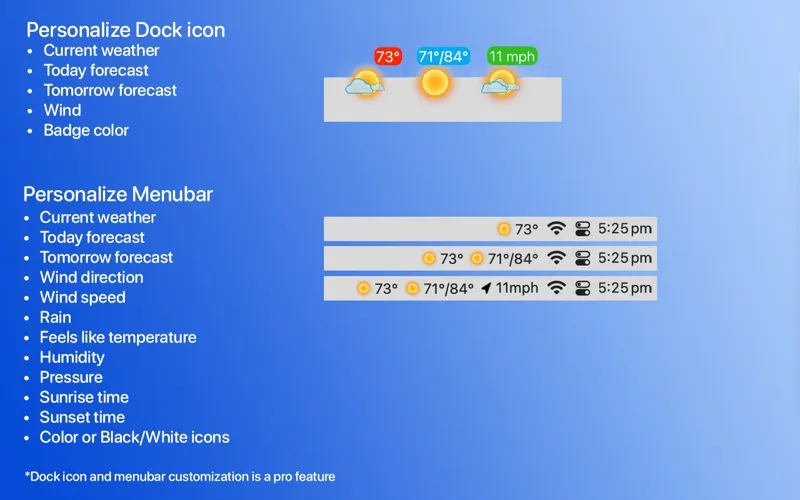
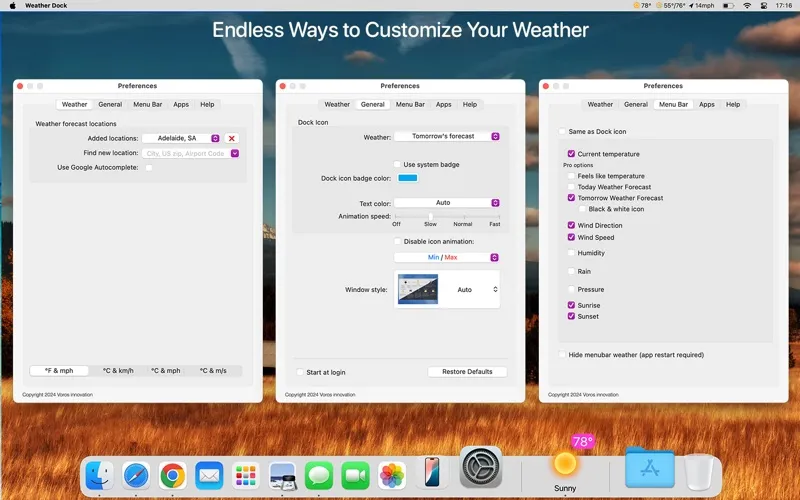
You can see the current temperature and conditions in your Dock or menu bar, then open a forecast with one click when you need more detail. You can choose whether the Dock badge shows temperature, wind, feels-like temperature, or today’s or tomorrow’s highs and lows, so the information you care about stays visible.
Before heading out, you can check rain radar in the United States, Canada, Mexico, and Europe, and receive alerts before rain begins. Severe weather warnings cover your locations in the US and Europe. You can also set quiet hours to keep rain alerts from disturbing you at night.
With the full version, you can plan around hourly forecasts, check up to 15 days ahead in the menu bar, and follow multiple locations. You also get two hours of radar history and a 45-minute radar forecast to help judge when to leave.
-
Check without opening a window
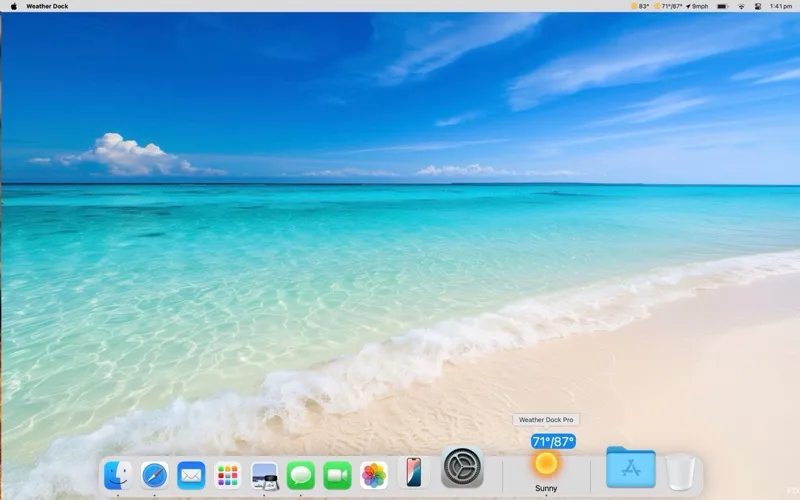
You can read current temperature and conditions directly from your Dock or menu bar.
-
Prepare before rain arrives
You can receive advance rain alerts and check radar in supported regions before stepping outside.
-
Plan beyond today
With the full version, you can check hourly forecasts and look up to 15 days ahead in the menu bar.
-
See what matters
You can display wind, feels-like temperature, or daily highs and lows on the Dock badge instead of current temperature.
Best for
- You check the weather before commuting or walking
- You plan outdoor activities around rain
- You want current conditions visible while working
Skip it if
You probably do not need it if occasional weather checks in a browser already meet your needs.
Screenshots
From the developer
Weather Dock puts live weather in your Dock icon and menu bar. One glance gives you the temperature and conditions. One click opens the full forecast.Read the full description
Alternatives to Weather Dock
Other apps to check the weather. See all