
WhatsMyUsage
Track AI quotas at a glance
WhatsMyUsage is a Mac AI quota monitor for you if you use Claude Code, Codex, Cursor, or Grok Build and want to check limits without opening provider dashboards.
by Dominique Conceicao Rosario
What you get
See how much AI usage you have left without switching tabs.
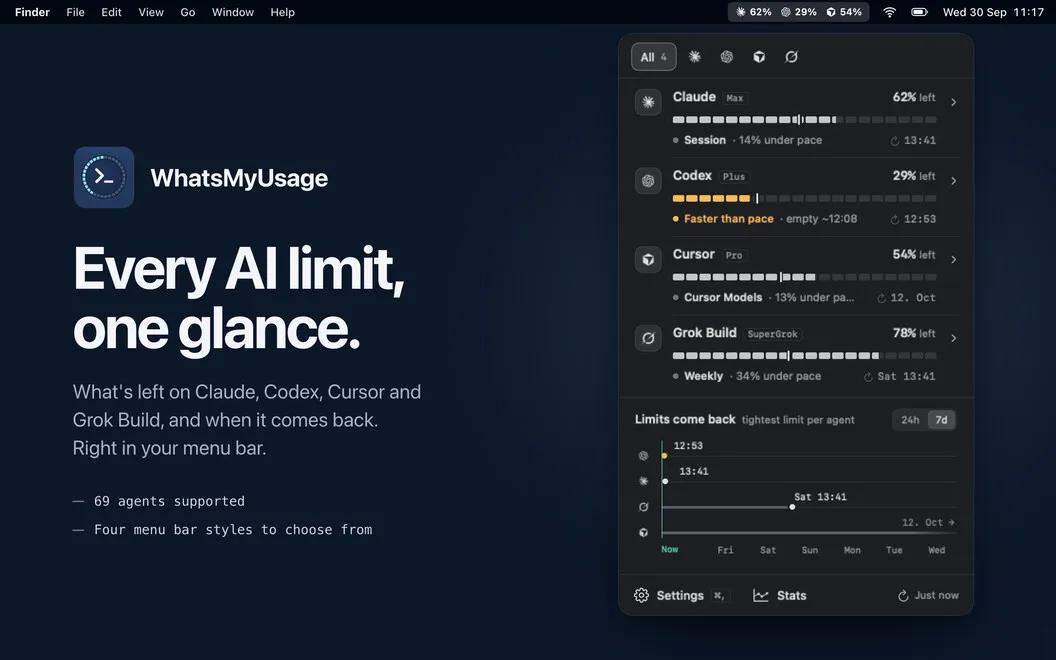
You can check your remaining AI quotas from your Mac’s menu bar instead of opening separate provider dashboards. WhatsMyUsage brings together usage for Claude Code, Codex, Cursor, and Grok Build, with up to three providers visible in the menu bar and the rest available in the main window.
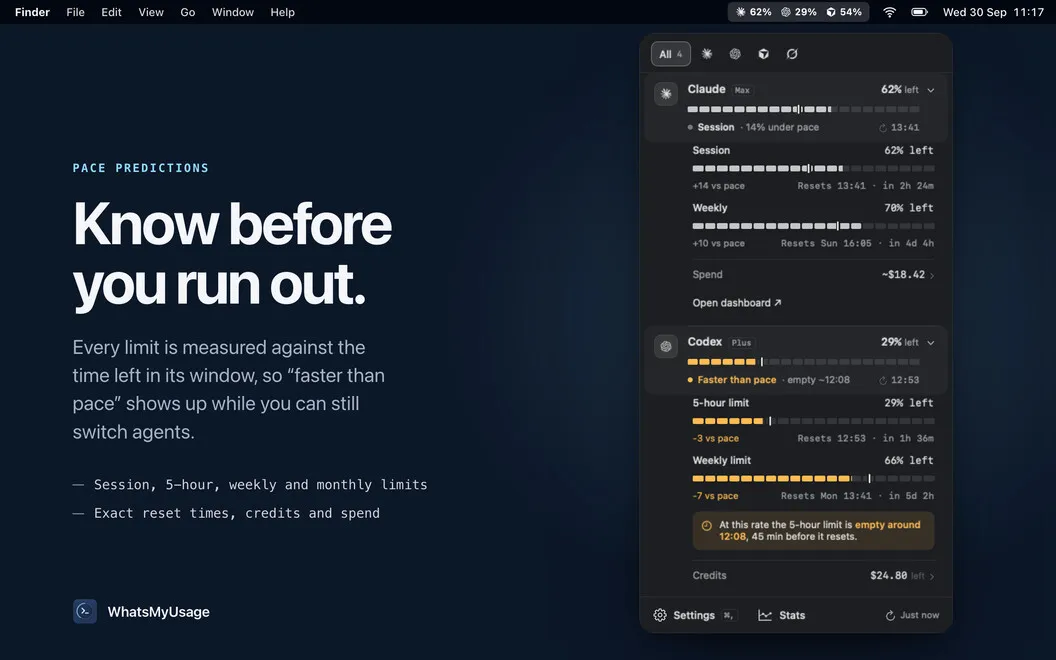
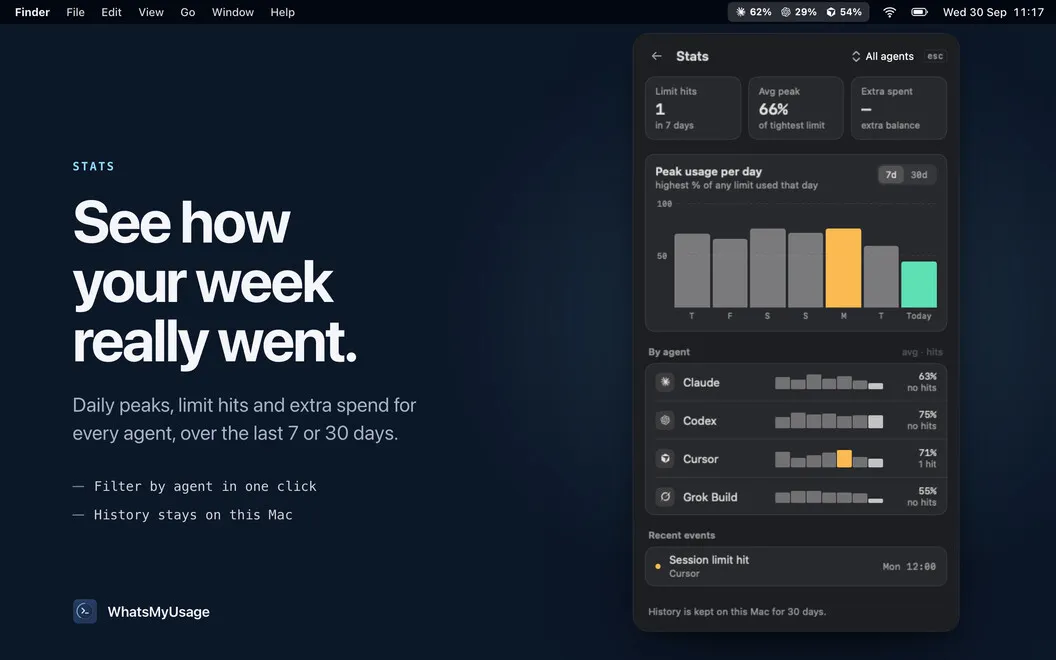
You get a clearer basis for deciding whether to keep working or wait for a reset. Depending on the provider, you can see session, weekly, monthly, and credit-based limits, along with reset times, usage rate, available credits, and estimated dollar totals. You can also put your most-used providers first.
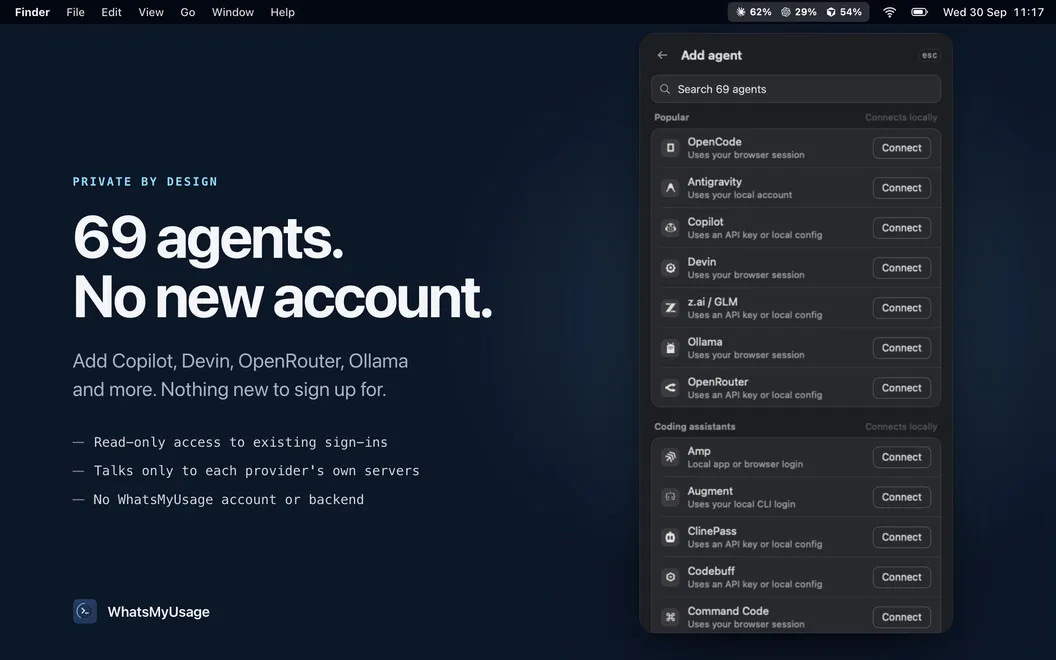
You don’t need another account to check those numbers. The app uses credentials and session data already on your Mac, contacts provider APIs directly, and keeps your credentials on your machine without a WhatsMyUsage backend.
-
Check without changing tabs
You can see remaining quotas from the menu bar instead of hunting through provider dashboards.
-
Plan around your limits
You can check reset times and usage rate where supported to judge how quickly you’re approaching a limit.
-
Compare your AI quotas
You can review supported providers together and put the ones you use most first.
-
Avoid another account
You use your existing credentials, which stay on your Mac while the app contacts provider APIs directly.
Best for
- You switch between several supported AI coding tools
- You regularly approach AI usage limits
- You want quota checks without opening dashboards
Skip it if
You don’t need it if you use none of the supported providers or rarely need to check your AI quotas.
Screenshots
From the developer
WhatsMyUsage — AI usage monitor for Mac. It puts quota data for Claude Code, Codex, Cursor, and Grok Build right in your menu bar, so you can stop hunting through dashboards mid-flow. Click the icon to see what's left, when limits reset, and how fast you're burning through them.Read the full description
Alternatives to WhatsMyUsage
Other apps to track AI usage limits. See all