Isle
AI usage limits, music and a Mac that stays awake with the lid closed
Isle is a MacBook notch utility for you if you want AI usage limits, playback controls, and everyday tools within reach while you work.
by APPLU DIGITAL LTDA.
What you get
You keep AI limits and everyday controls in view without switching apps.
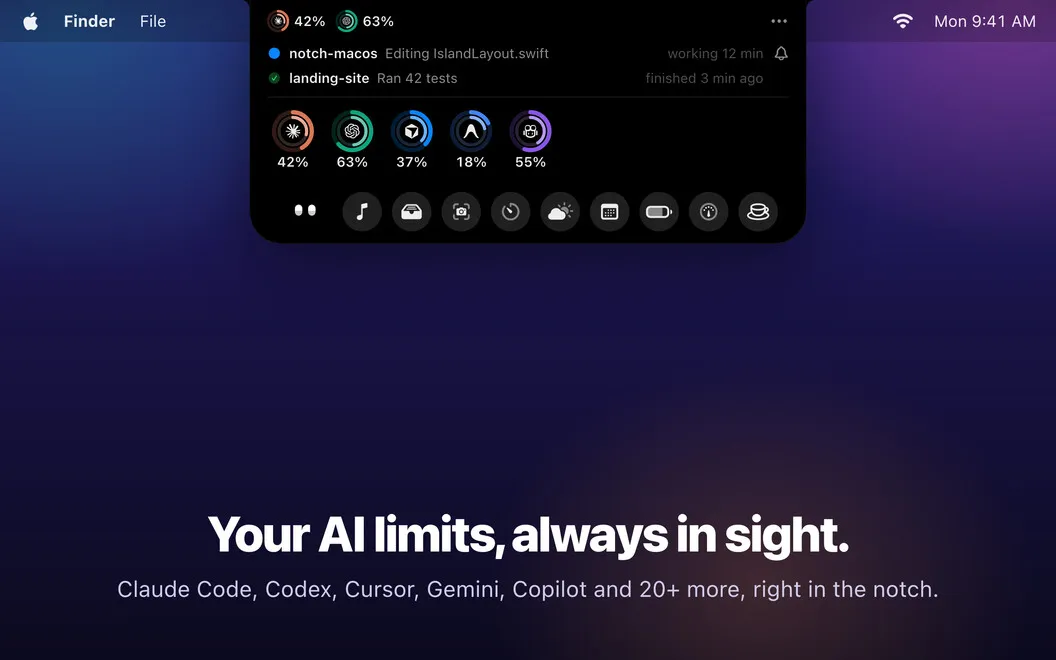
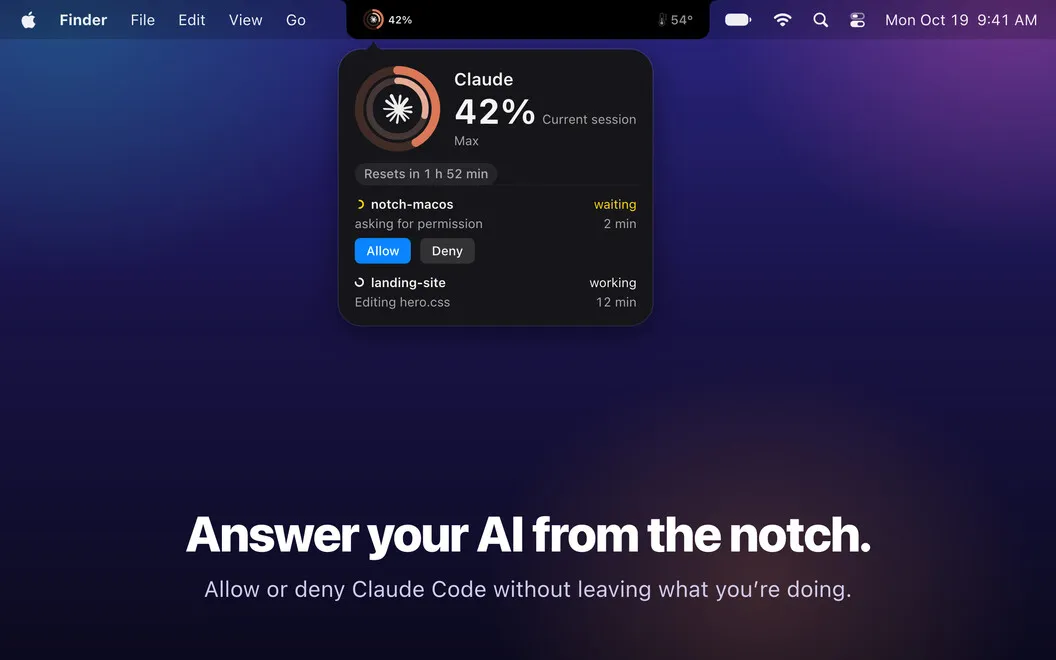
Isle gives you a place around your MacBook’s notch to check AI usage and handle small tasks without leaving your work. You can see your remaining allowances for Claude Code, Codex, Cursor, and other supported services, with alerts when usage exceeds 80% or a session needs attention. If you use Terminal or iTerm, you can approve or deny Claude Code permission requests there too.
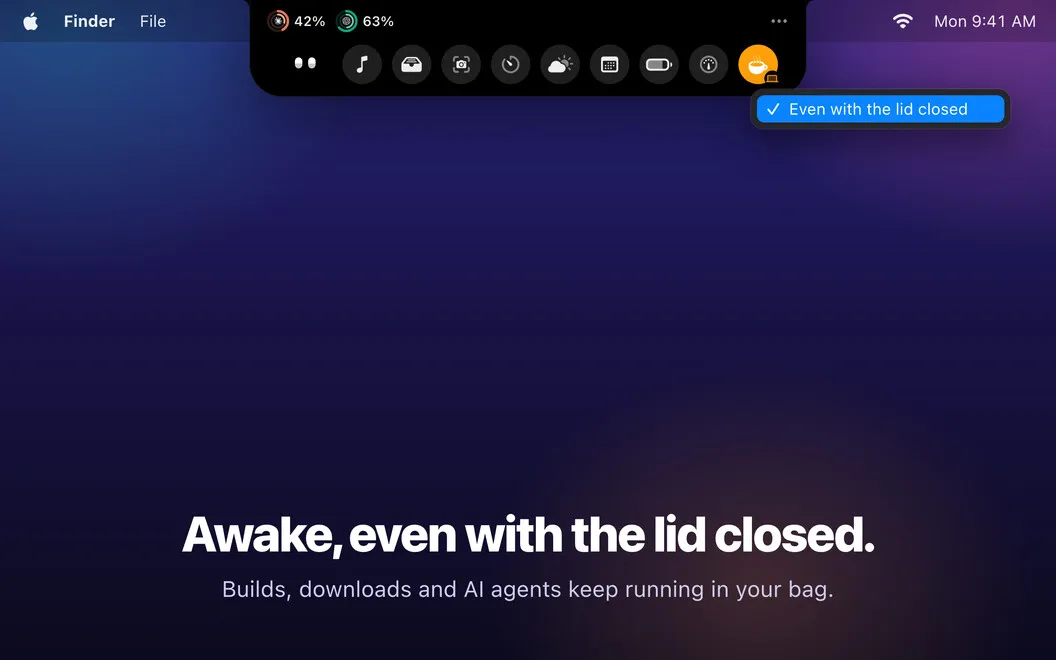
You can keep downloads, builds, renders, and AI agents running with the lid closed. This mode runs the fans at full speed and stops if your battery falls below 15%, your Mac overheats, or you quit Isle. You also get playback controls and lyrics without opening your music app.
For quick explanations or handoffs, you can capture part of your screen, add arrows or text, pixelate sensitive details, and copy or save the result. A temporary file shelf helps you hold items for later or send them through AirDrop. You don’t need an account, and your data stays on your Mac.
-
See limits before interruptions
You can check remaining AI allowances and get warned when usage passes 80%.
-
Keep long jobs running
You can continue downloads, builds, and renders with the lid closed, with automatic shutoffs for low battery or overheating.
-
Stay with your work
You can change playback, scrub tracks, and read lyrics without opening your music app.
-
Make screenshots clearer
You can add arrows, labels, and pixelation before copying, saving, or sharing a screenshot.
Best for
- You work across several AI coding services
- You need long-running jobs to continue with the lid closed
- You want music controls and screenshot tools near the notch
Skip it if
You don’t need it if you rarely check AI limits and are happy using separate apps for playback, screenshots, and sleep controls.
Screenshots
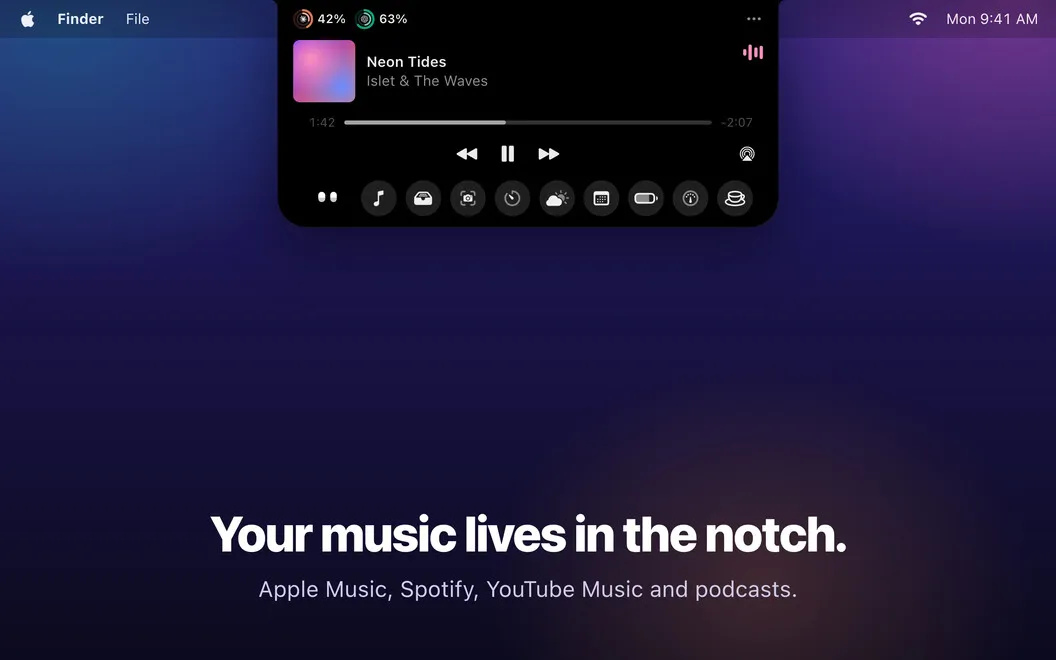
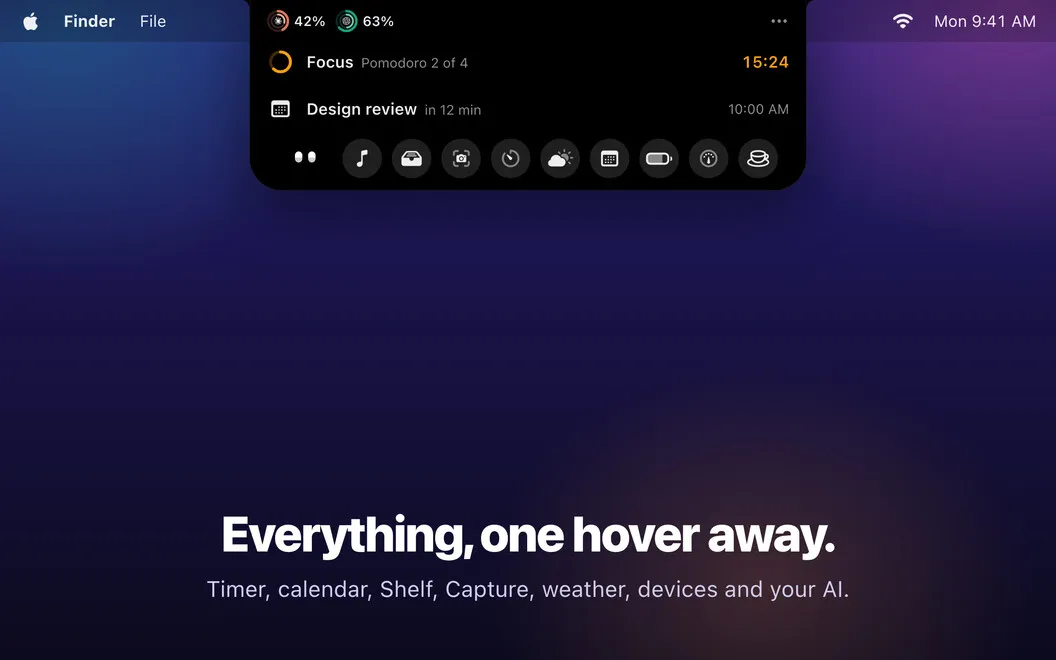
From the developer
Isle is a notch app for Mac that turns the MacBook notch into a living island, like the Dynamic Island on iPhone. Hover and it stretches, click and it opens, so music, calls, timers, and AI sessions are always in view.Read the full description
Alternatives to Isle
Other apps to use the MacBook notch. See all
 MacNotch
Notch utility for Mac
Setapp
98% · 41 ratings
MacNotch
Notch utility for Mac
Setapp
98% · 41 ratings
 NotchVinyl
Notch Music Widget
Mac App Store
NotchVinyl
Notch Music Widget
Mac App Store
 Say No to Notch
Mac App Store
Say No to Notch
Mac App Store
 Bartender
Clean up and superpower your menu bar
Setapp
97% · 15,789 ratings
Bartender
Clean up and superpower your menu bar
Setapp
97% · 15,789 ratings
 Hand Mirror
Check Mac camera in a click
Setapp
96% · 682 ratings
Hand Mirror
Check Mac camera in a click
Setapp
96% · 682 ratings
 Notchie
Read scripts from your notch
Setapp
93% · 40 ratings
Notchie
Read scripts from your notch
Setapp
93% · 40 ratings