
Widgetify
Desktop widgets
Widgetify gives you interactive Mac desktop widgets for keeping your schedule, notes, files, and system readings visible. It suits you if you want everyday information and controls on your desktop.
by 坚涛 陈
What you get
Keep your daily plans, files, and Mac stats within reach.
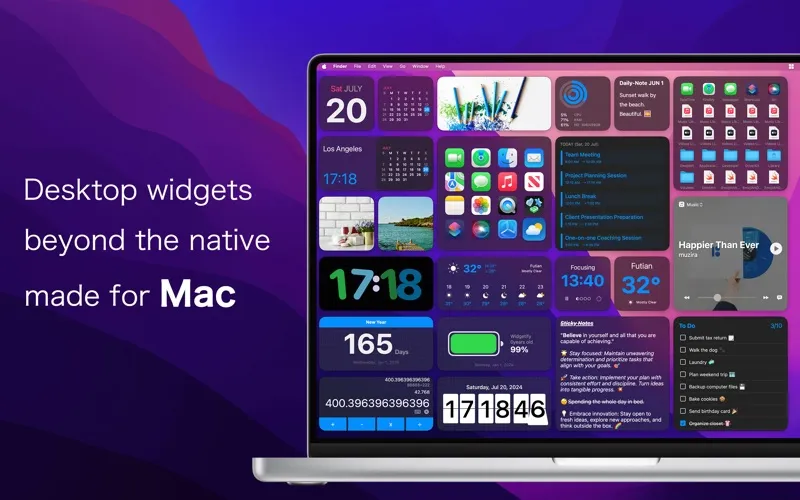
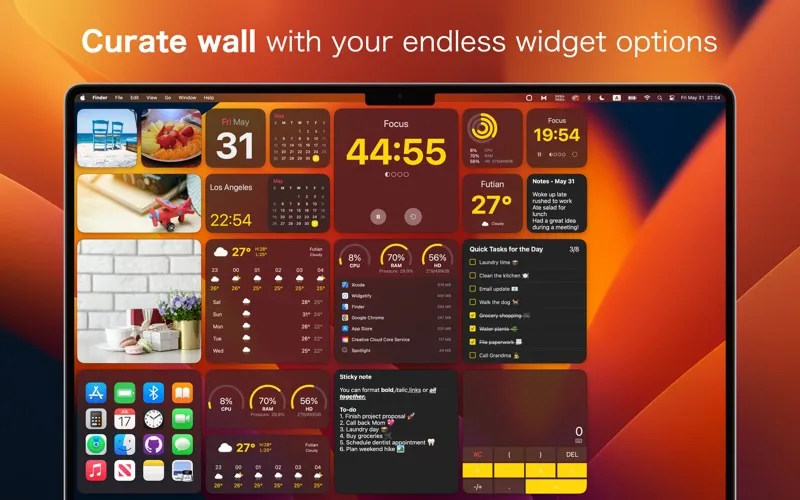
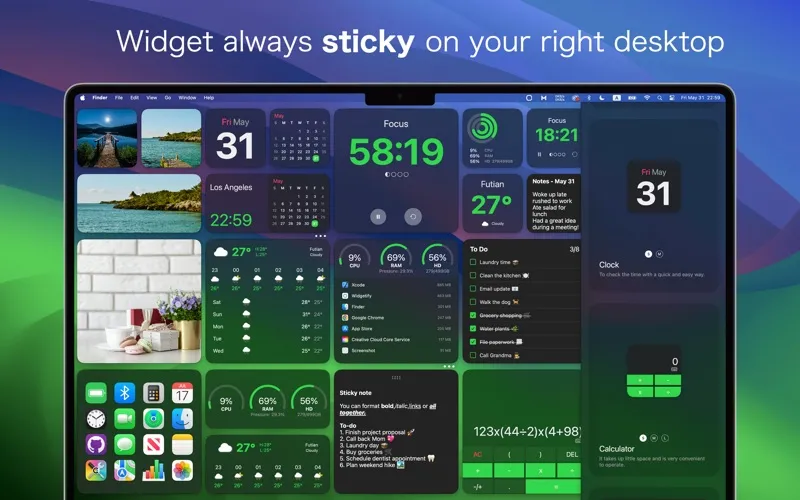
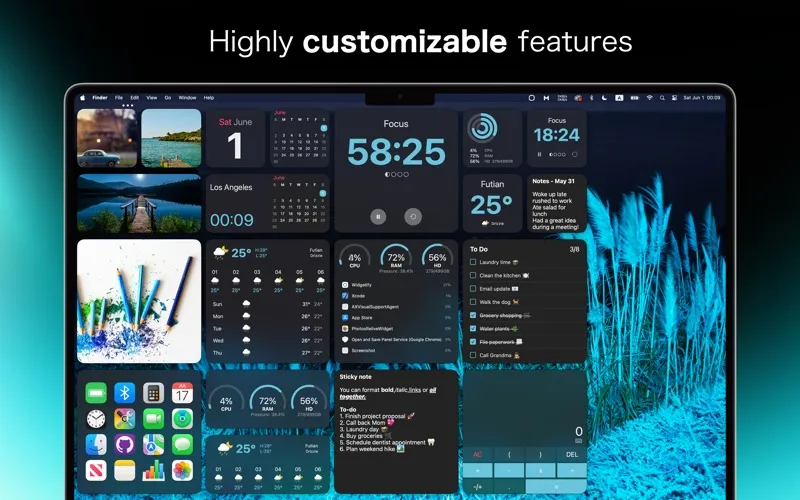
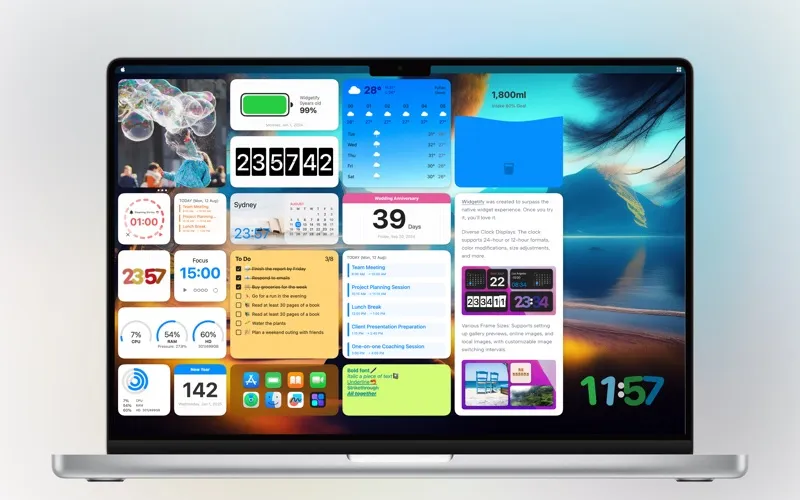
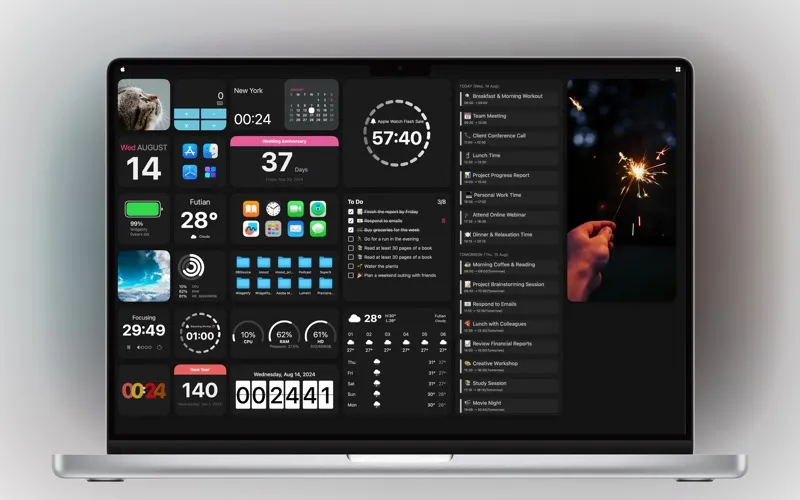
With Widgetify, you can turn your desktop into a place to check your day and handle small tasks. Choose from more than 30 interactive widgets to see calendar events, work through to-do lists and Apple Reminders, or keep a sticky note visible. You can also follow a Pomodoro timer, check another time zone, and control your music.
You get quicker access to files and folders by grouping them on your desktop, previewing documents, and launching favorite apps with a click. CPU, memory, storage, network speed, and battery-health readings let you check your Mac’s status without opening separate utilities.
You can arrange and lock widgets where you want them, keep selected ones above other windows, or show and hide them with keyboard shortcuts. Adjust supported sizes, colors, and backgrounds, then pair your layout with dynamic wallpapers or switch both together using desktop presets.
-
See your day
You can keep calendar events, to-do lists, reminders, and notes visible on your desktop.
-
Reach files faster
You can group files and folders, preview documents, and open favorite apps from desktop widgets.
-
Check your Mac’s status
You can see CPU, memory, storage, network speeds, and battery health at a glance.
-
Keep useful controls visible
You can control music or follow a timer while keeping selected widgets above other windows.
-
Choose your desktop layout
You can position and lock widgets, adjust their supported appearance settings, and switch layouts and wallpapers together.
Best for
- You want your schedule and tasks visible while you work
- You frequently open the same files, folders, and apps
- You want a customized desktop with live system readings
Skip it if
You don't need it if you prefer a clear desktop and already use other apps for quick access to your tasks, files, and system readings.
Screenshots
From the developer
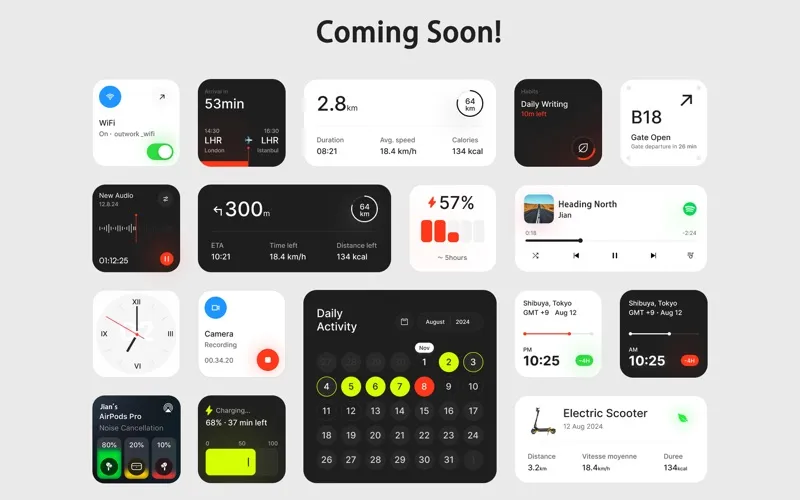
Widgetify brings 30+ interactive widgets to your desktop. Keep your schedule, notes, music, and files within reach, with a layout that feels like you. • Time & Schedule: Explore distinctive clock designs, world clocks, calendars, countdowns, and timers.Read the full description
Alternatives to Widgetify
Other apps to add widgets to your desktop. See all
 WidgetWall
Add widgets to Mac desktop
Setapp
89% · 546 ratings
WidgetWall
Add widgets to Mac desktop
Setapp
89% · 546 ratings
 BetterMacWidgets
Your desktop, but useful
Setapp
92% · 25 ratings
BetterMacWidgets
Your desktop, but useful
Setapp
92% · 25 ratings
 Lumen Widgets
Widgets that wear your wallpaper
Sold separately
Lumen Widgets
Widgets that wear your wallpaper
Sold separately
 Null Widgets
Your desktop, designed
Sold separately
Null Widgets
Your desktop, designed
Sold separately
 Panel Widgets
Widgets built like gear
Sold separately
Panel Widgets
Widgets built like gear
Sold separately
 Rook Widgets
Your desktop, as a terminal
Sold separately
Rook Widgets
Your desktop, as a terminal
Sold separately