Chorus
Control every speaker and mic
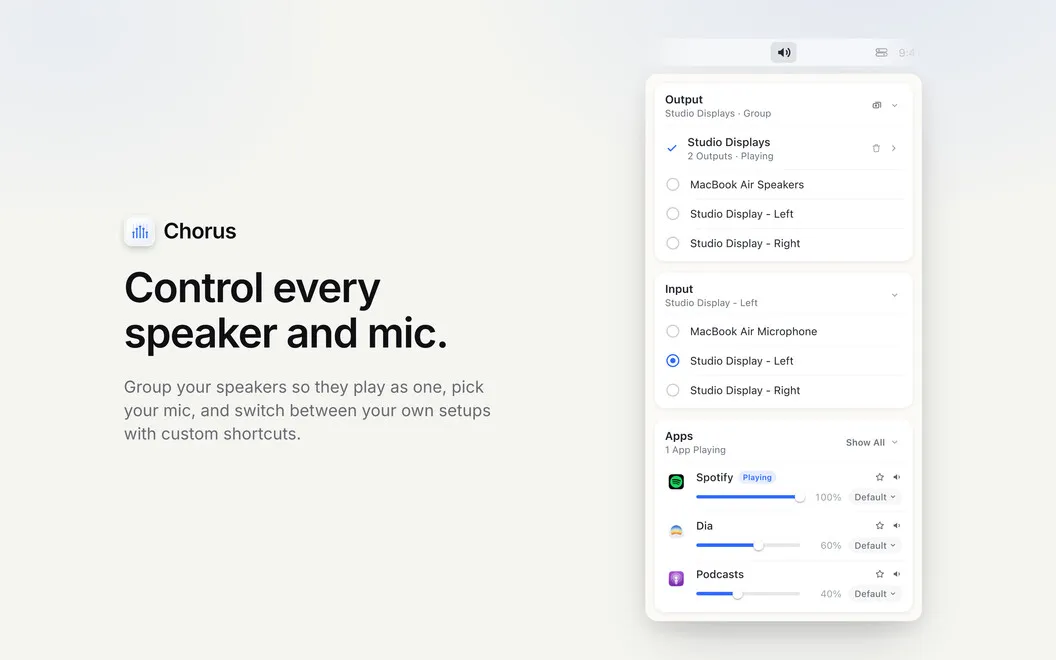
Chorus is a Mac menu-bar audio controller for when you use multiple speakers, microphones, or apps and want separate control over where sound goes and how loud it plays.
by THEODORE HQ
What you get
You decide where each app plays and control your speakers together.
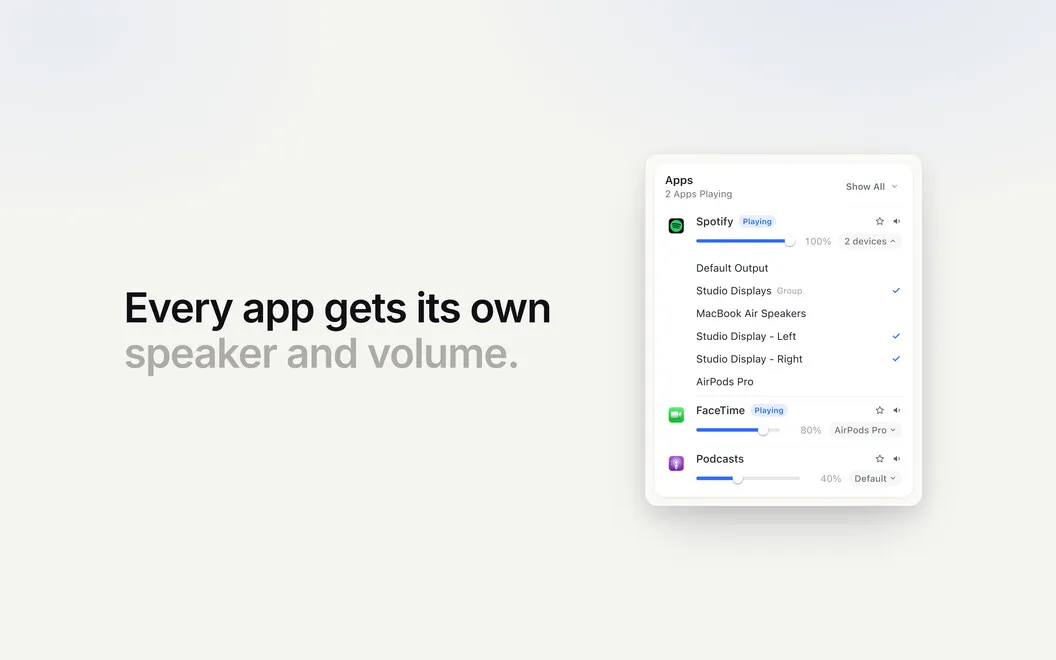
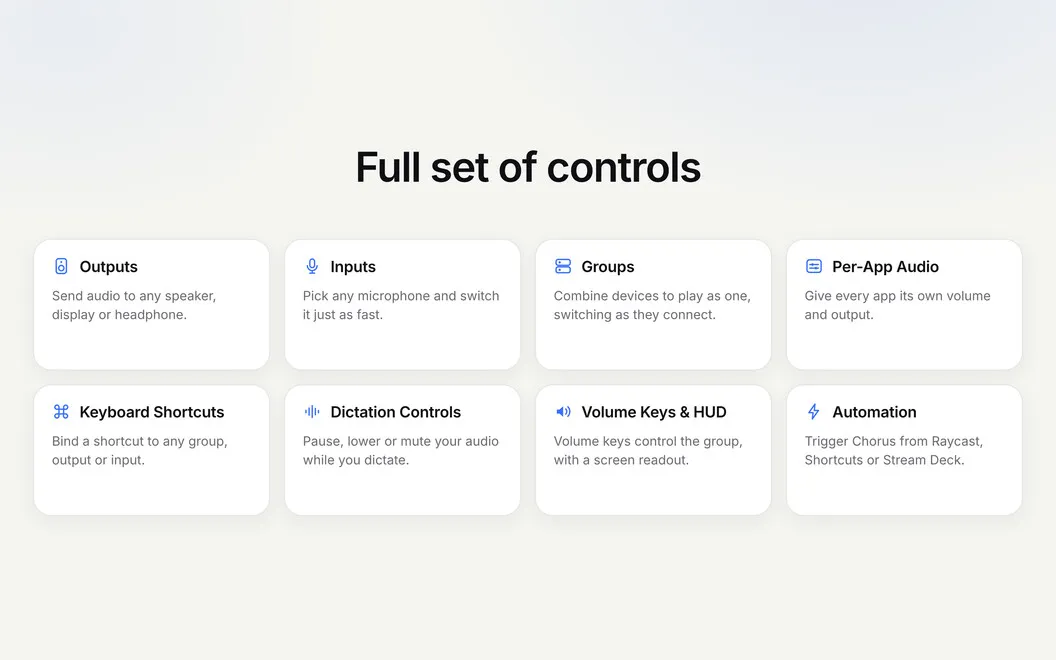
You can keep your call in your headphones while music plays through your desk speakers, with a separate volume for each app. Chorus lets you choose your microphone and manage these audio choices from your Mac’s menu bar.
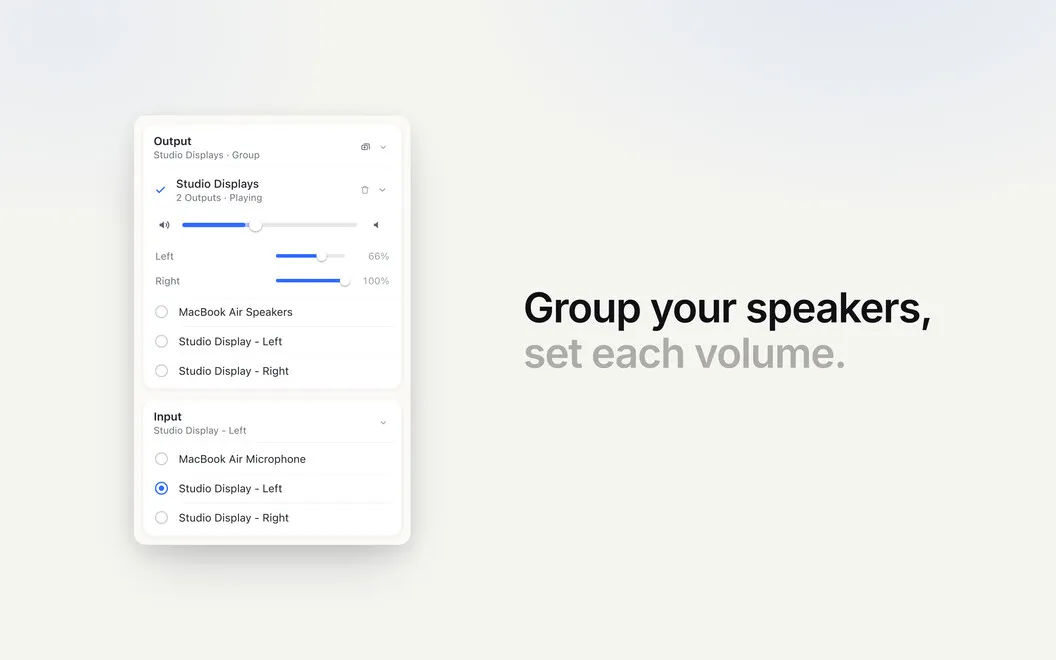
When you want several speakers playing together, you can combine them into a group and adjust their volume with your keyboard’s volume keys. You also get balance controls and an on-screen volume readout. Your setups can switch as devices connect, or you can choose a group, speaker output, or microphone with a custom shortcut.
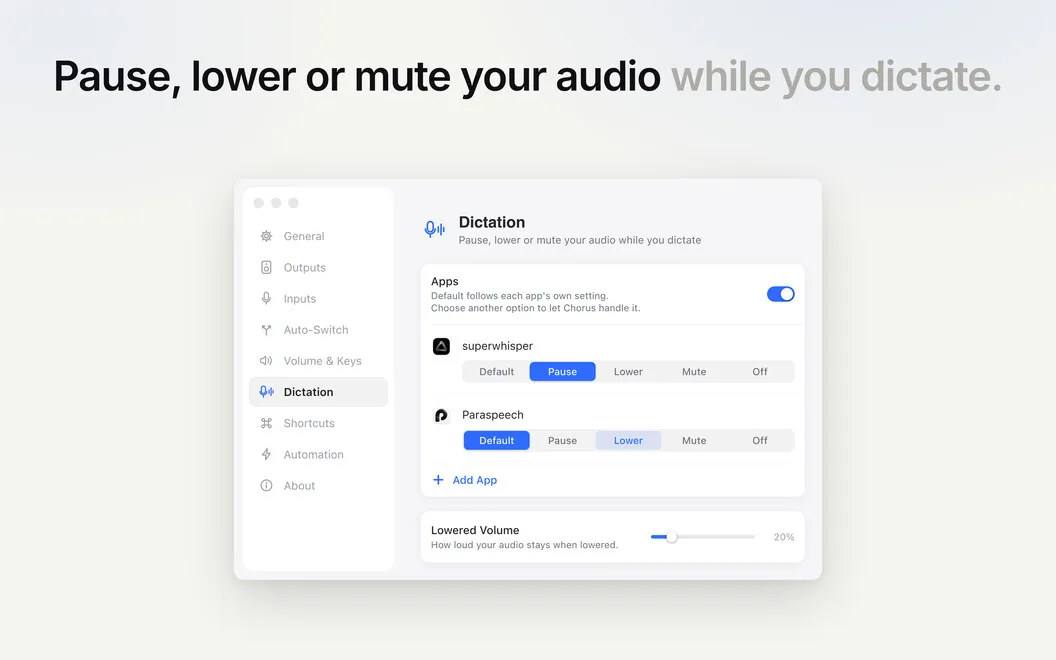
You can pause, lower, or mute playback while you dictate. If you already use Raycast, Shortcuts, or Stream Deck, you can trigger Chorus through those tools too. It uses macOS’s built-in audio grouping, so you don’t need to install an audio driver or kernel extension.
-
Separate calls from music
You can send each app to a different output and set its volume independently.
-
Adjust speakers together
You can group speakers and use your volume keys to change their shared volume.
-
Switch setups faster
You can select a speaker group, output, or microphone with a custom keyboard shortcut.
-
Quiet playback while dictating
You can pause, lower, or mute your audio while you dictate.
Best for
- You take calls on headphones while playing music through speakers
- You regularly switch between several speakers and microphones
- You want multiple speakers to play as one group
Skip it if
You probably don’t need it if you use one audio output and are satisfied with your Mac’s standard volume and microphone controls.
Screenshots
From the developer
Chorus is a native macOS menu-bar app for complete control of your speakers and mics. Group your speakers so they play as one, pick your mic, and switch between your own setups with custom shortcuts. Send music to your desk speakers while a call stays on your headphones, each with its own volume.Read the full description
Alternatives to Chorus
Other apps to control speakers & microphones. See all
 JoyMix
The missing macOS sound mixer
Setapp
76% · 71 ratings
JoyMix
The missing macOS sound mixer
Setapp
76% · 71 ratings
 Silenz
Fades music for voices, passes the room through; mutes on disconnect and lock.
Setapp
82% · 57 ratings
Silenz
Fades music for voices, passes the room through; mutes on disconnect and lock.
Setapp
82% · 57 ratings
 Microphone Selector
Your mic, always in control
Sold separately
Microphone Selector
Your mic, always in control
Sold separately
 Ladiocast
Mac App Store
Ladiocast
Mac App Store
 Turtle Beach Audio Hub v2
Mac App Store
Turtle Beach Audio Hub v2
Mac App Store
 ToothFairy
Connect Bluetooth devices faster
Setapp
94% · 421 ratings
ToothFairy
Connect Bluetooth devices faster
Setapp
94% · 421 ratings