ToothFairy
Connect Bluetooth devices faster
ToothFairy lets you connect and disconnect paired Bluetooth devices from your Mac’s menu bar or keyboard, useful if you frequently switch headphones or other accessories.
by C-Command Software · 94% positive (421)
What you get
Connect your Bluetooth devices without digging through your Mac’s settings.
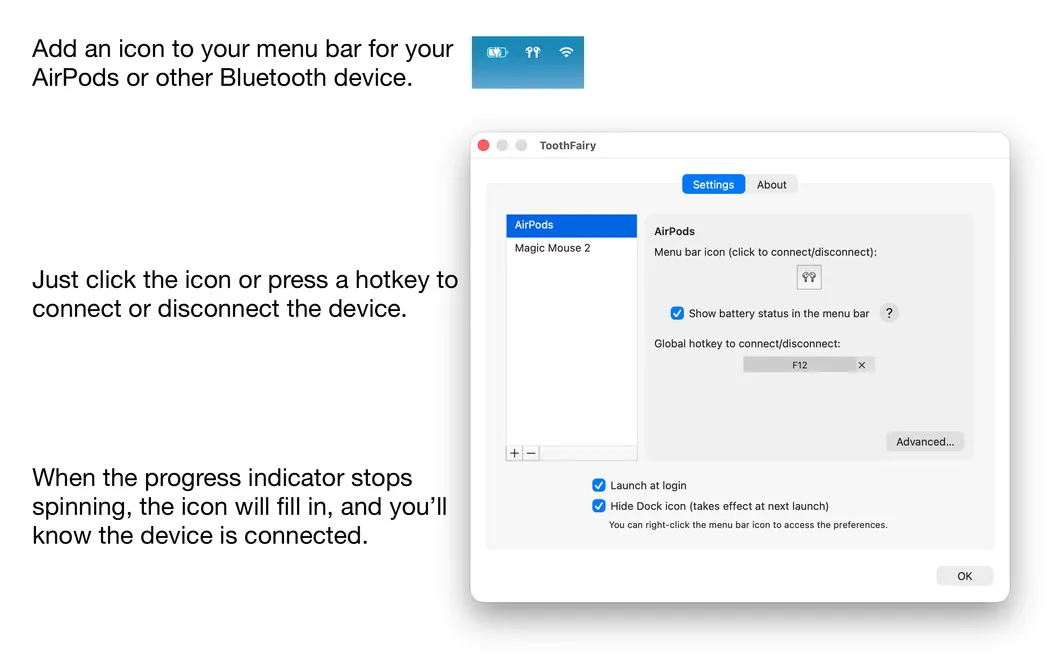
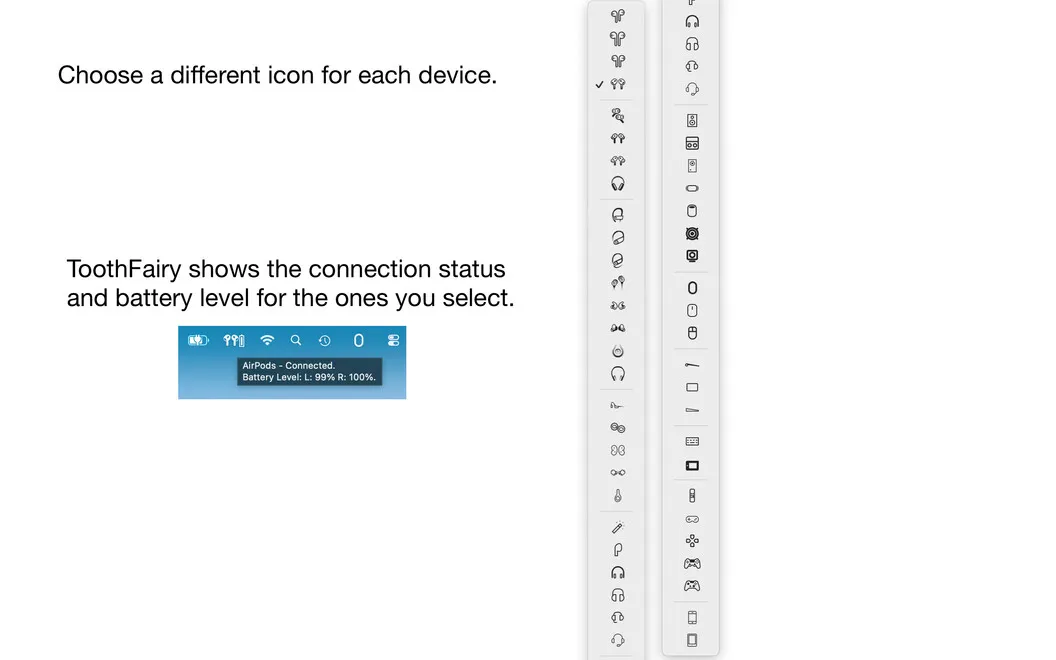
With ToothFairy, you can connect or disconnect your paired AirPods, headphones, speakers, and other Bluetooth accessories with a menu bar click or a keyboard shortcut. You spend less time opening Bluetooth settings when you want to listen, type, or use a controller. Separate icons and shortcuts for each device help you choose the right accessory quickly.
You can see which devices are connected and check their battery levels from the menu bar, so you know what you’re using and when it needs charging. For headphone listening, you can favor higher-quality AAC audio when you don’t need the headphones’ microphone.
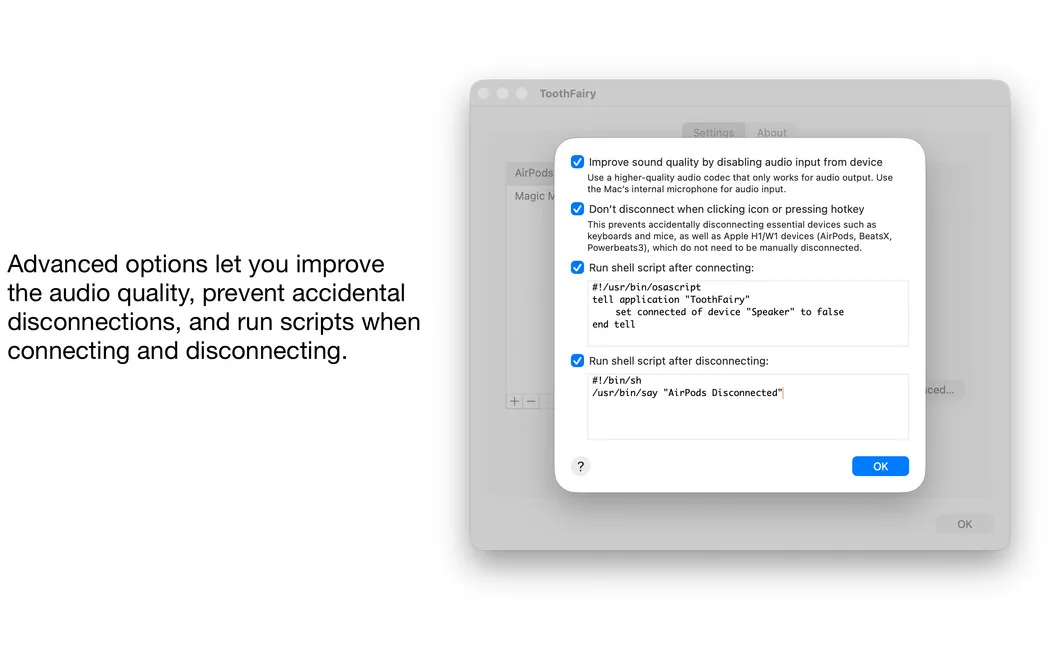
If you want more control over your setup, you can prevent accidental disconnections or run your own shell scripts when a device connects or disconnects—for example, opening your music app when you connect your headphones.
-
Connect with fewer steps
You can connect or disconnect paired accessories with a click or a device-specific keyboard shortcut.
-
Know what’s connected
You can identify connected devices and check their battery levels without opening Bluetooth settings.
-
Prioritize listening quality
You can favor AAC audio for your headphones when you don’t need microphone input.
-
Trigger your own actions
You can run shell scripts on connection or disconnection, such as opening your music app when headphones connect.
Best for
- You frequently connect and disconnect AirPods or headphones
- You use several Bluetooth accessories with your Mac
- You want custom actions triggered by device connections
Skip it if
You probably don’t need it if you rarely change Bluetooth connections and are comfortable using your Mac’s built-in controls.
Screenshots
From the developer
Take control of your Mac’s Bluetooth devices with just one click or keypress. ToothFairy is the new Bluetooth assistant you can’t live without: simply connect, disconnect, or switch between devices in seconds right from your menu bar, or with a customizable keyboard shortcut.Read the full description
Alternatives to ToothFairy
Other apps to manage Bluetooth devices. See all