CrossHair
Measure pixels. Stay precise
CrossHair gives you on-screen measurement and alignment tools for Mac when you need to check interface dimensions, spacing, and individual pixels as a designer or developer.
by Benjamin Dansby
What you get
Check UI spacing and alignment without leaving the app you’re inspecting.
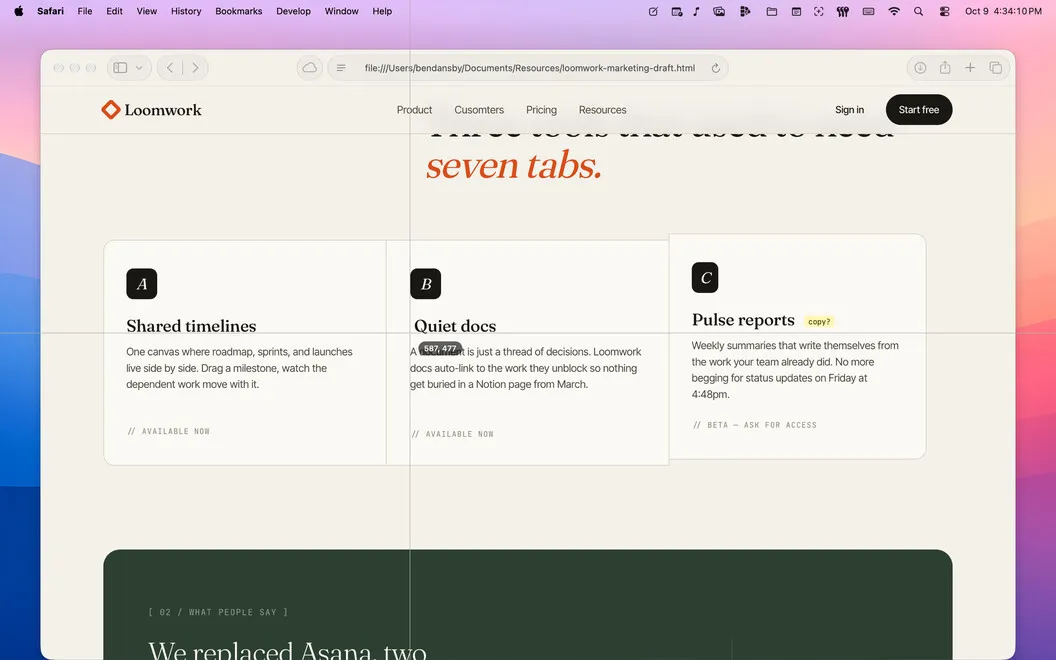
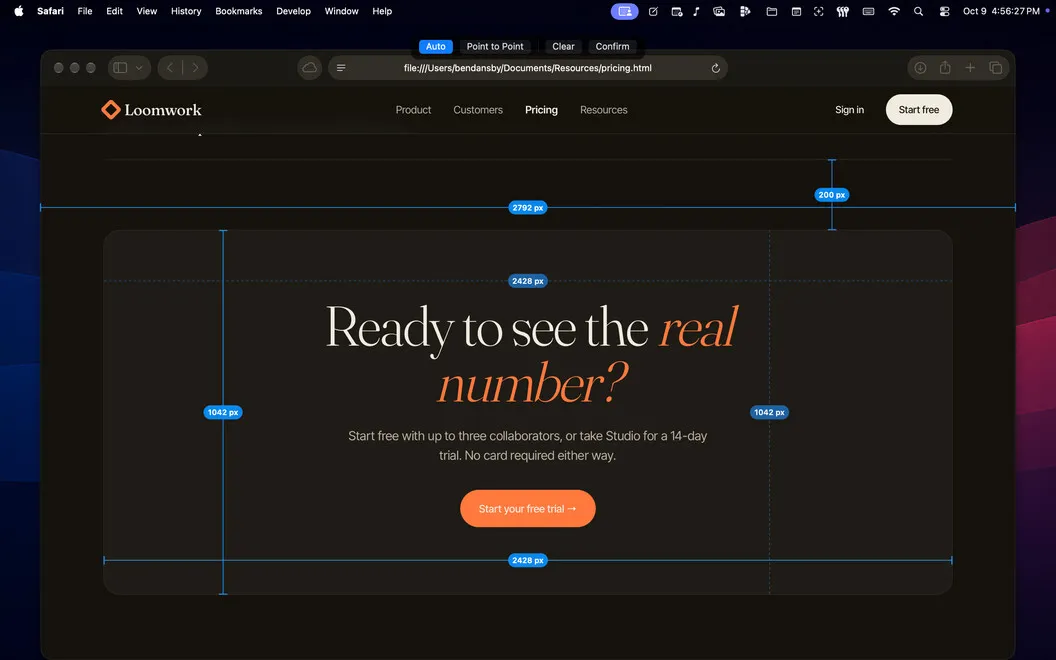
You can measure buttons, margins, sidebars, and gaps directly on your Mac’s screen, without moving your work into another app. Drag a ruler to read a distance in points or pixels, or click inside a flat-colour area to measure its width and height. A fullscreen crosshair helps you compare positions across windows.
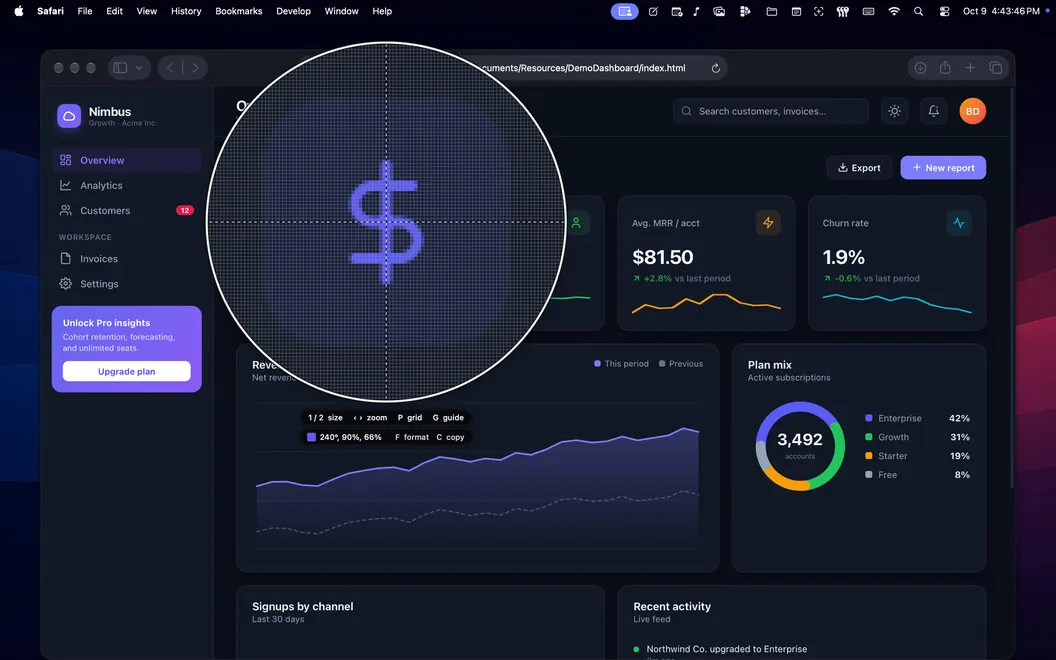
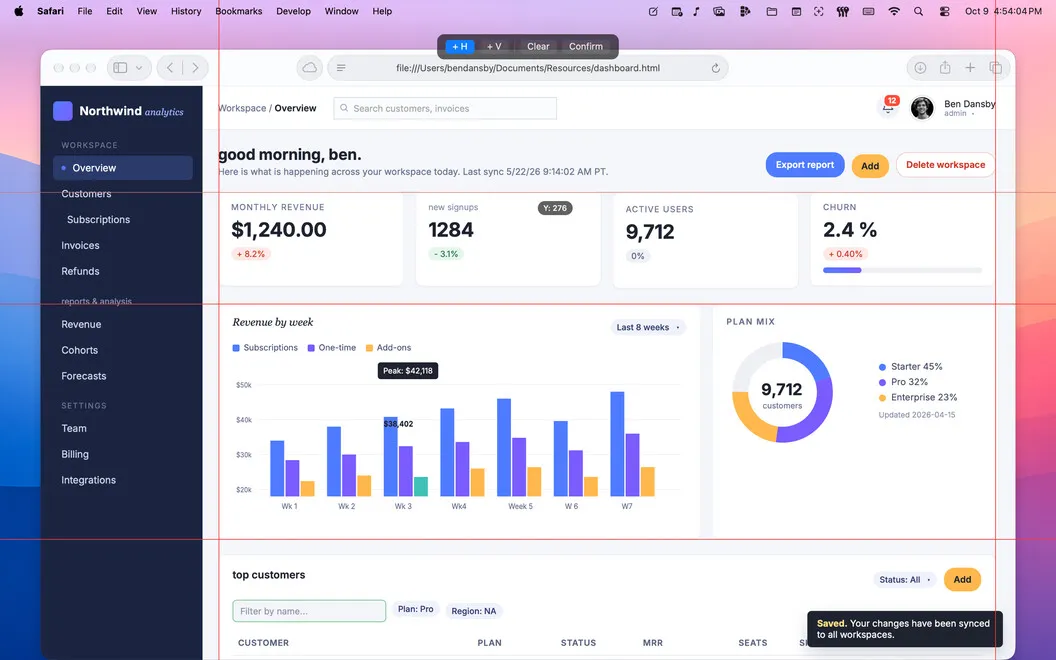
When an edge looks slightly off, you can magnify the pixels beneath your cursor and move the inspection point one pixel at a time. You can also place alignment guides, adjust their positions with arrow keys, and leave them visible while you work. Locked guides and measurements let your clicks pass through to the app underneath.
You can bring up the tools with keyboard shortcuts and dismiss them when you’re finished. Pixel inspection requires Screen Recording permission so CrossHair can read what’s under your cursor.
-
Measure where you work
You can check on-screen distances in points or pixels without switching to a separate design document.
-
Spot pixel-level differences
You can magnify an edge and inspect it one pixel at a time to check exactly where it falls.
-
Keep alignment references visible
You can leave guides over your work while clicks and keystrokes continue to reach the app underneath.
-
Size flat-colour areas
You can click inside a flat-colour region to read its full width and height.
Best for
- You design interfaces and need to check spacing and alignment
- You develop apps and want to inspect rendered UI dimensions
- You need pixel-level references across different windows
Skip it if
You probably don’t need it if you rarely check exact on-screen dimensions or your existing design tools cover all your measurement needs.
Screenshots
From the developer
CrossHair — pixel-precision toolkit for Mac designers and developers. It lives in your menu bar — or hides entirely and runs on hotkeys alone. Summon a fullscreen crosshair, zoom into individual pixels, drop persistent alignment guides, and measure any element on screen.Read the full description
Alternatives to CrossHair
Other apps to measure & align UI on screen. See all