Ruler
Easy & Powerful
Ruler is an on-screen measurement tool for when you need to check UI dimensions, spacing, or angles without estimating by eye.
by Zhenyu Jin
What you get
You can check on-screen distances and angles instead of guessing.
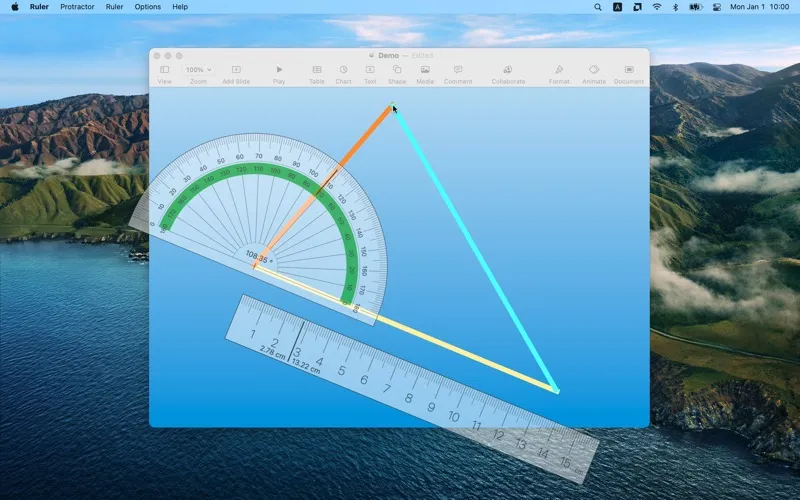
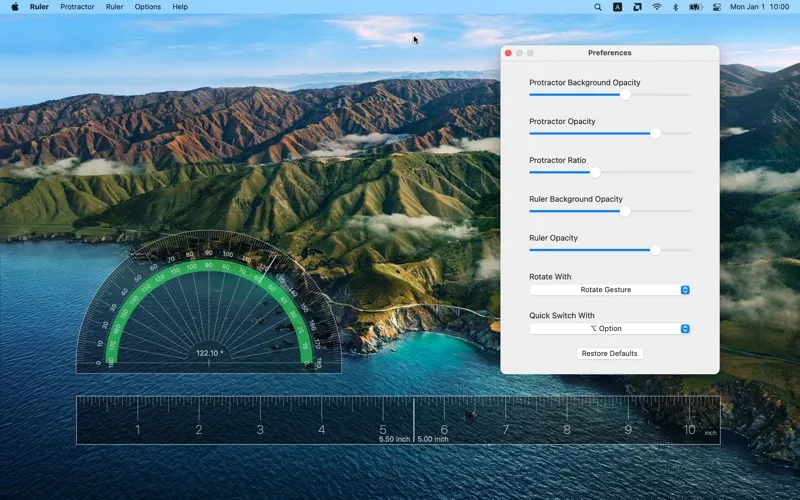
With Ruler, you can measure what you see on your screen while keeping the measuring tool above your other windows. You get lengths in pixels, centimeters, or inches, so you can check the size of an interface element or compare gaps using the unit you need. As you move your mouse, the displayed value updates in real time.
You can also check angles with a protractor and measure in any direction, rather than being limited to horizontal or vertical lines. When you’re reviewing a layout, you can rotate the tool to match a slanted edge and use measurements to decide where spacing or alignment needs attention.
-
Check sizes and gaps
You can measure on-screen lengths in pixels, centimeters, or inches rather than relying on visual estimates.
-
Measure slanted elements
You can rotate the ruler and protractor to check distances and angles in any direction.
-
Keep measurements in view
You can work with the measurement tool above your other windows, with values updating as your mouse moves.
Best for
- You’re checking UI spacing and dimensions.
- You need to measure angled elements on screen.
- You’re reviewing a layout for alignment.
Skip it if
You don’t need it if you rarely measure on-screen elements or already have sufficient measurement tools in your design app.
Screenshots
From the developer
Ruler is an always-on-top measurement tool. Features: • Track mouse and display real-time value • Ruler and Protractor in any direction • Accurate length in cm / inch / pixel • Powerful one-key quick switching • Rotate in three different methodsRead the full description
Alternatives to Ruler
Other apps to measure & align UI on screen. See all