Desktop Composer
Customize & switch macOS looks
Desktop Composer lets you save and switch between coordinated Mac appearances, for when you want different looks for work, creative sessions, or meetings.
by Apptorium · 95% positive (37)
What you get
You can change your Mac’s look without adjusting each setting separately.
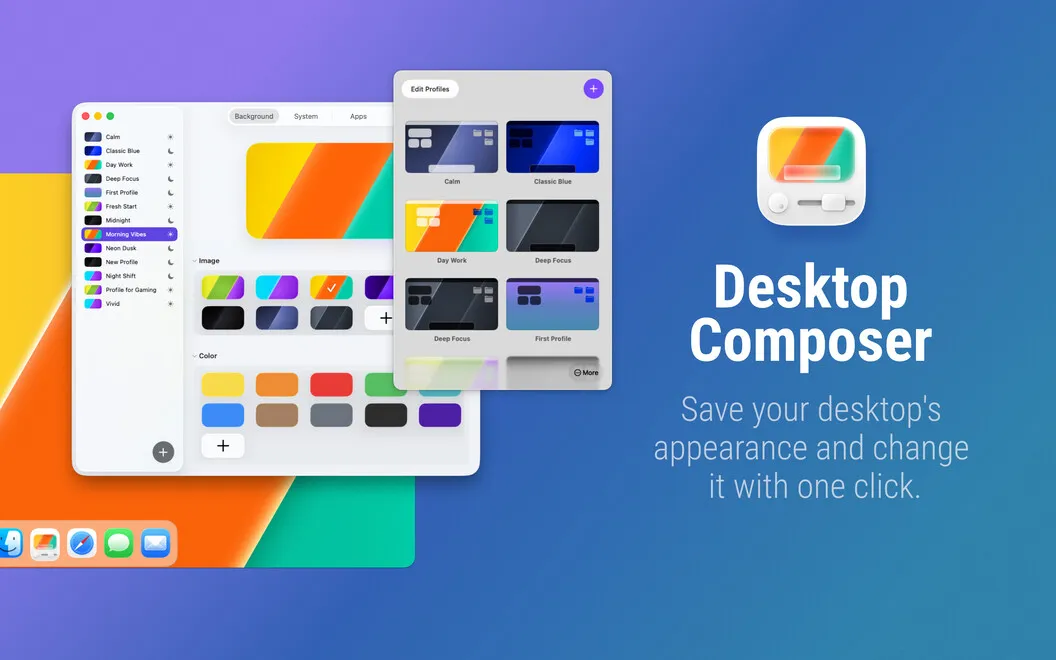
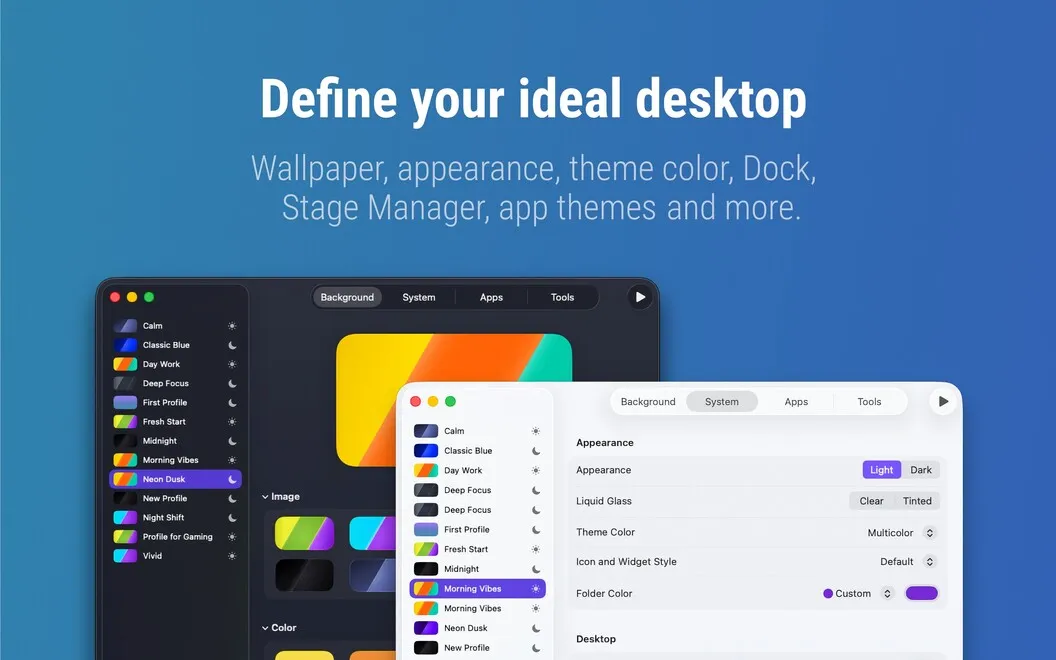
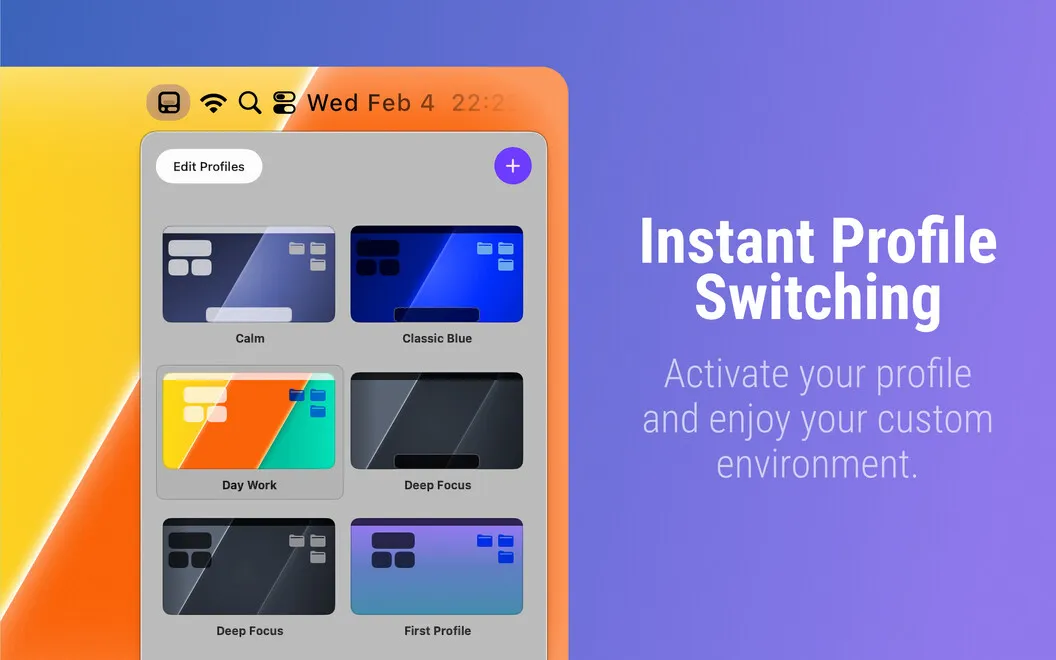
You can save your preferred Mac appearances as profiles, then switch between them with one click instead of revisiting several settings menus. Your wallpaper, Dock position, Terminal and Xcode themes, and supported folder colors and widget styles can change together. That gives you a way to keep a restrained work setup and a more colorful alternative ready to use.
You can also have your look change at scheduled times or when you activate a linked Focus mode. For meetings, you can prepare a profile that hides desktop icons and widgets before you share your screen. If you want certain settings to stay untouched, you can exclude them across all profiles or just within a particular one.
Your saved setups sync through iCloud, so you can carry them between your Macs without rebuilding each profile. Local profile backups give you another copy of those configurations.
-
Switch looks in one click
You can change several appearance settings together rather than adjust your wallpaper, Dock, and app themes separately.
-
Match your daily routine
You can schedule appearance changes or tie them to Focus modes, reducing manual setup when you move between activities.
-
Prepare a cleaner screen
You can use a meeting profile to hide desktop icons and widgets before sharing your screen.
-
Keep favorites unchanged
You can exclude settings from changes globally or per profile, preserving the parts of your setup you already like.
-
Reuse setups across Macs
You can sync profiles through iCloud instead of recreating them on each Mac, with local backups keeping an additional copy.
Best for
- You switch between coding, creative work, and meetings
- You regularly change your Mac’s appearance
- You want consistent setups across multiple Macs
Skip it if
You probably don’t need it if you prefer one fixed Mac appearance and rarely change your visual settings.
Screenshots
From the developer
Do you want a minimalist setup for deep work and a vibrant vibe for creative sessions? Why manually toggle system settings and app themes every time? Desktop Composer combines your entire macOS aesthetic into one-click profiles, finally allowing your environment to keep up with your brain.Read the full description
Alternatives to Desktop Composer
Other apps to customize how your Mac looks. See all
 24 Hour Wallpaper
100+ dynamic wallpapers
Setapp
97% · 1,409 ratings
24 Hour Wallpaper
100+ dynamic wallpapers
Setapp
97% · 1,409 ratings
 Magic Window Air
Try aerial screen savers
Setapp
96% · 495 ratings
Magic Window Air
Try aerial screen savers
Setapp
96% · 495 ratings
 Hingely
Your MacBook lid, in motion
Setapp
Hingely
Your MacBook lid, in motion
Setapp
 Sticktop
Stickers that peel like vinyl
Sold separately
Sticktop
Stickers that peel like vinyl
Sold separately
 Tintd
Auto folder icons for your Mac
Sold separately
Tintd
Auto folder icons for your Mac
Sold separately
 Aniloop Wallpaper
4K Dynamic
Mac App Store
Aniloop Wallpaper
4K Dynamic
Mac App Store