DockClick
Right-click your Dock, done
DockClick lets you manage files directly from Dock Stacks on your Mac. It’s for you if you use Dock folders and want fewer trips to Finder.
by Maximilian Marquart
What you get
You can act on Dock files without opening Finder.
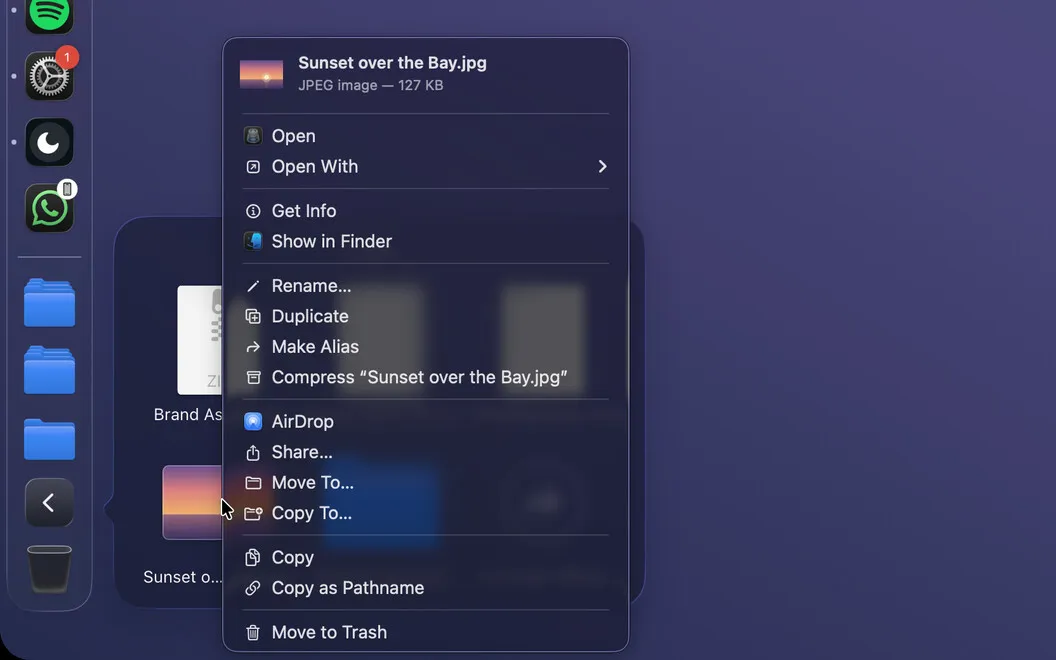
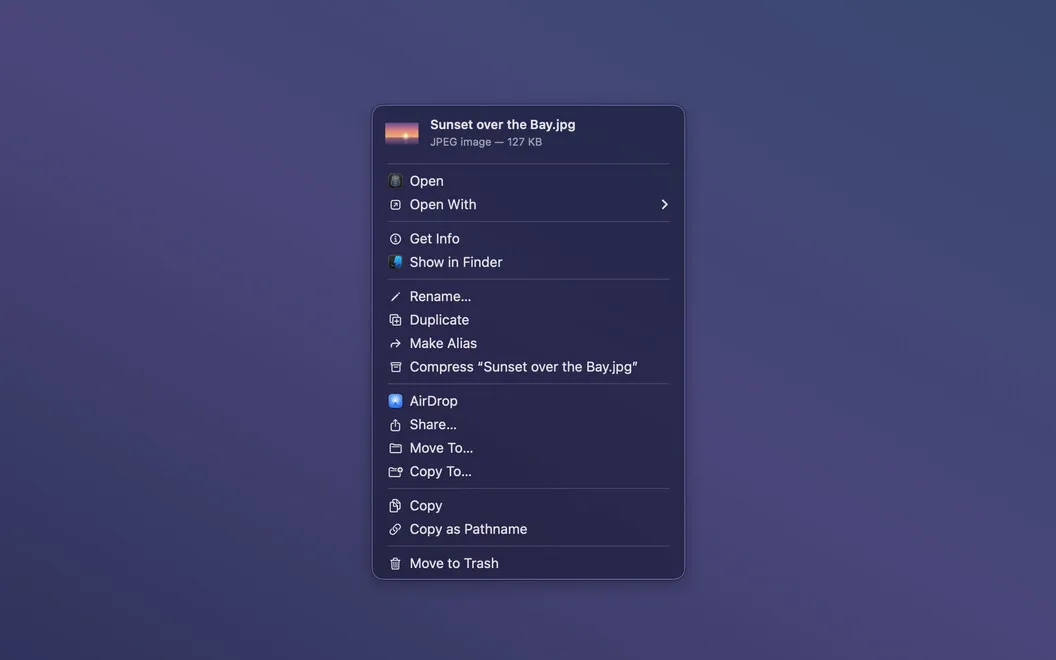
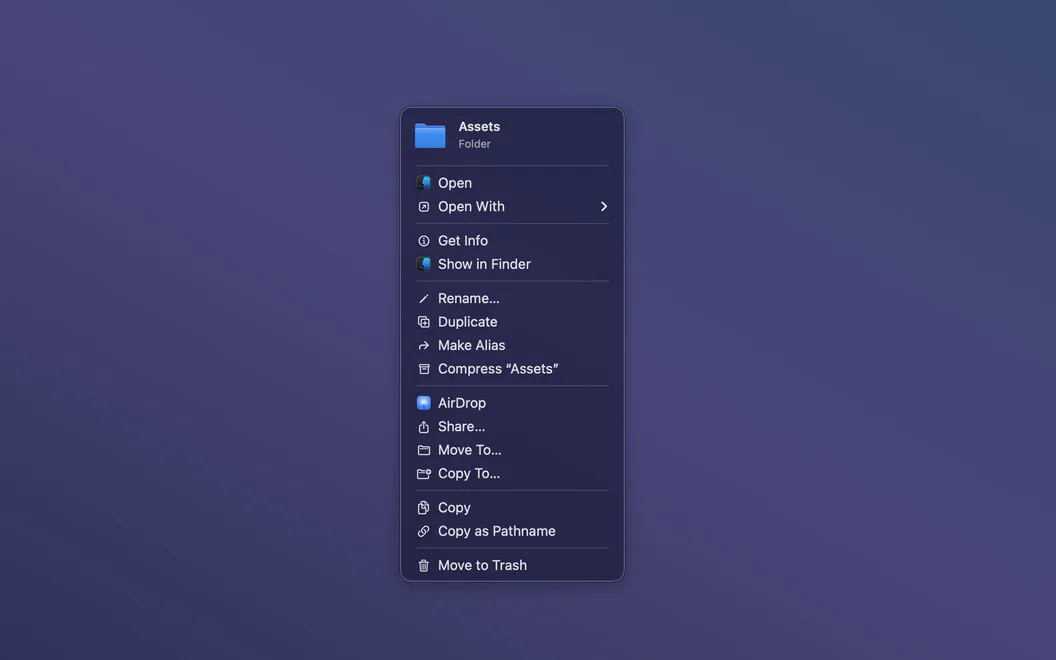
DockClick lets you finish everyday file tasks where you’re already browsing: inside a Dock Stack. You can right-click a file to rename it, move it, make a compressed archive, send it through AirDrop, or put it in the Trash without opening a Finder window. Those actions remain available as you browse deeper into subfolders.
You can check an image, PDF, or movie with a Quick Look preview at the top of the menu before deciding what to do. When you’re ready to open a file, the menu also shows the icon of the app that will open it.
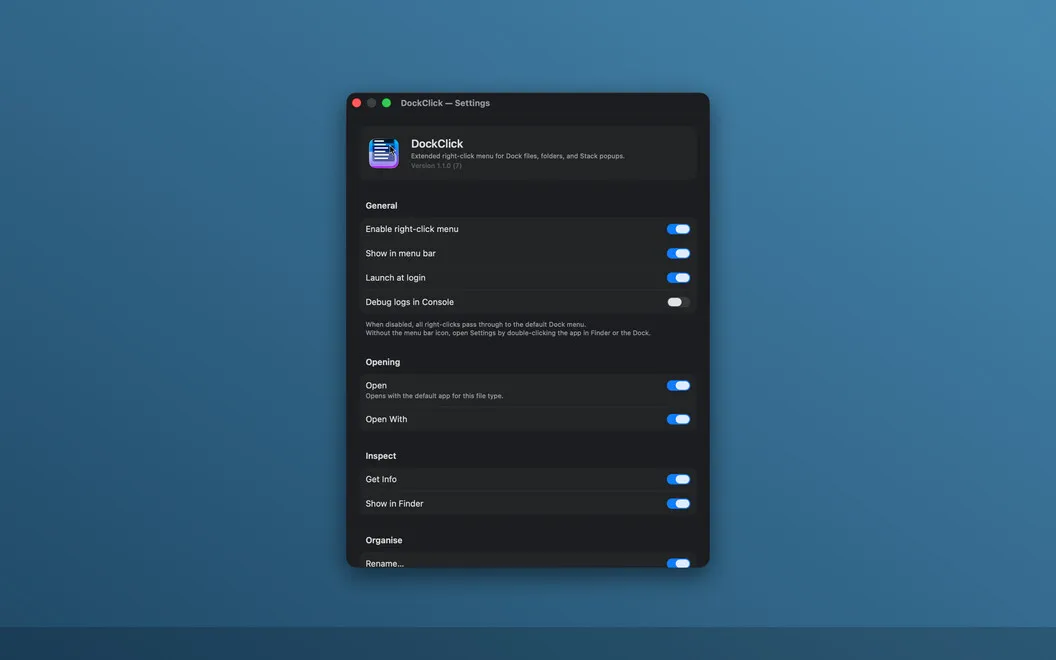
You can hide commands you don’t use, keeping the menu focused on your usual tasks. DockClick runs in the background, so you can return to your files without managing another app window or creating an account.
-
Skip the Finder detour
You can rename, move, compress, or trash a file directly from its Dock Stack.
-
Check before you act
You can preview images, PDFs, and movies in the menu before opening or sharing them.
-
Keep working in subfolders
You get the same file actions at every folder depth within a Stack.
-
Keep useful commands visible
You can hide menu entries you never use and keep your usual actions available.
Best for
- You browse Downloads or other folders through Dock Stacks
- You want to handle small file tasks without opening Finder
- You regularly access nested folders from the Dock
Skip it if
You don’t need it if you rarely use Dock Stacks or prefer handling all your files in Finder.
Screenshots
From the developer
DockClick — Dock context menu tool for Mac. Every file in a Dock Stack popup gets a full right-click menu, right where you already are. Open, rename, compress, share, move, trash — act on any file without touching Finder.Read the full description
Alternatives to DockClick
Other apps to customize your Dock. See all
 Sidebar
Try a Dock alternative
Setapp
71% · 283 ratings
Sidebar
Try a Dock alternative
Setapp
71% · 283 ratings
 DockApp
Your Dock, your rules
Sold separately
DockApp
Your Dock, your rules
Sold separately
 DockFlow
Dock presets for every task
Sold separately
DockFlow
Dock presets for every task
Sold separately
 DockGroups
Your Dock, minus the clutter
Sold separately
DockGroups
Your Dock, minus the clutter
Sold separately
 Almighty
Unlock 50+ Mac shortcuts
Setapp
92% · 270 ratings
Almighty
Unlock 50+ Mac shortcuts
Setapp
92% · 270 ratings
 Supercharge
 your Mac
Setapp
100% · 842 ratings
Supercharge
Supercharge your Mac
Setapp
100% · 842 ratings