EQ Studio
Media Equalizer
EQ Studio is a Mac audio equalizer for when you want clearer speech, different tonal balance, or more consistent loudness in your audio and video files.
by Dmytro Kolyvai
What you get
You get clearer, more evenly balanced sound without re-encoding your video.
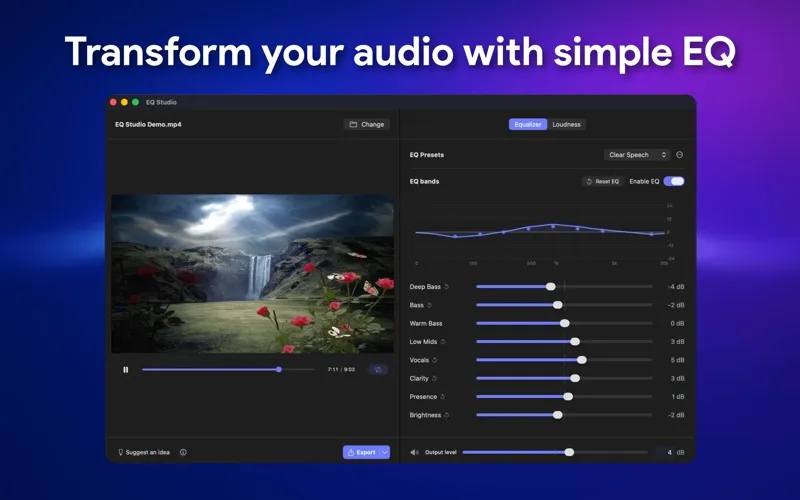
You can make speech easier to hear, reduce boomy bass, or brighten a dull recording in your audio and video files. Start with a preset such as Clear Speech or Less Boom, then adjust eight frequency bands to suit what you hear. You can compare your changes with the original and save your settings for another file.
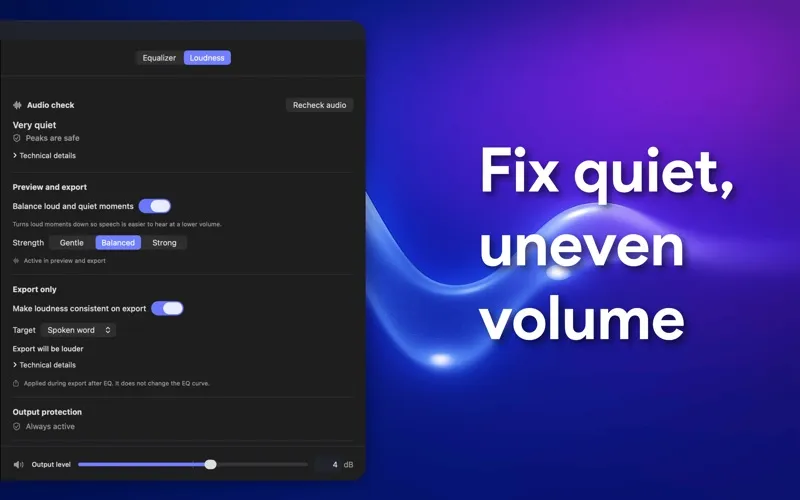
You also get help with uneven volume and export levels. Check loudness before exporting, choose a target for online video or spoken word, and balance loud and quiet passages at one of three strengths. Peak protection stays active, and finished exports are checked against a −1 dBTP ceiling.
You can hear your changes while watching the video, then export the result with the original encoded picture untouched. If you only need the sound, export audio alone. Your media stays on your Mac during processing, and you don't need an account.
-
Make speech easier to hear
You can use speech presets and frequency adjustments to make voices clearer in your recordings.
-
Reduce volume swings
You can balance loud and quiet passages and set an export loudness target for spoken word or online video.
-
Keep your picture untouched
You can export adjusted video sound without re-encoding the original video track.
-
Reuse your preferred sound
You can save custom presets and apply the same tonal adjustments to other files.
-
Keep media on your Mac
You can process your files locally without uploading them or creating an account.
Best for
- You want clearer dialogue in an existing video.
- You need more consistent loudness in spoken-word recordings.
- You want to adjust a file's tone without changing its video.
Skip it if
You don't need it if you're happy with your files' sound and loudness and only want to play them.
Screenshots
From the developer
EQ Studio lets you adjust the sound of video and audio files on your Mac. Open a file, choose a preset or adjust the eight-band equalizer, preview the result, and export. Video exports keep the original encoded video track and replace only the audio, so the picture is not re-encoded.Read the full description
Alternatives to EQ Studio
Other apps to master & mix audio tracks. See all