Music Transfer for iTunes
You can use Music Transfer for iTunes to export your music library to USB sticks, SD cards, or folders, with options to prepare tracks for in-car listening.
by Amvidia Limited
What you get
Take your music library with you, organized for playback beyond your Mac.
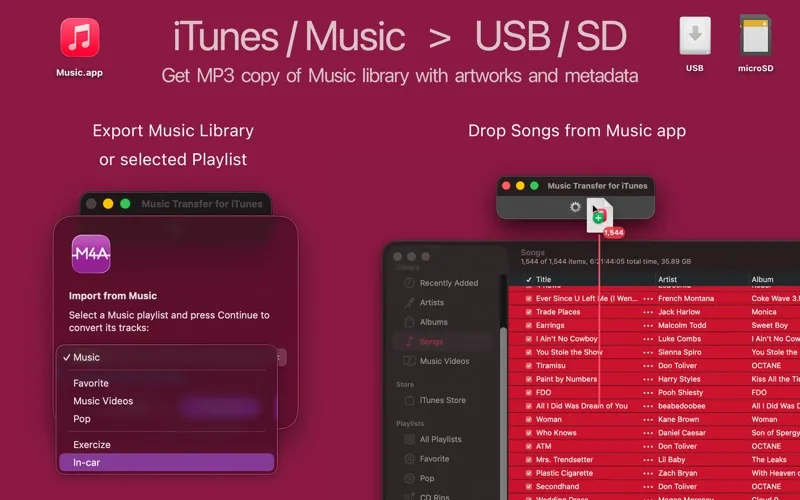
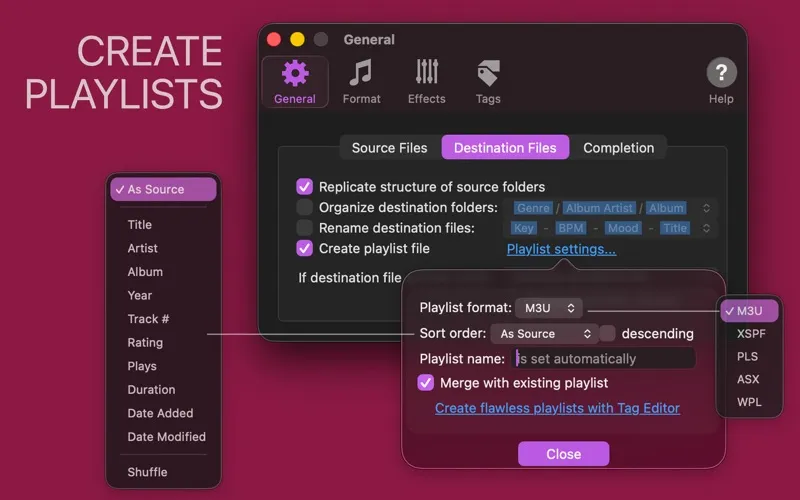
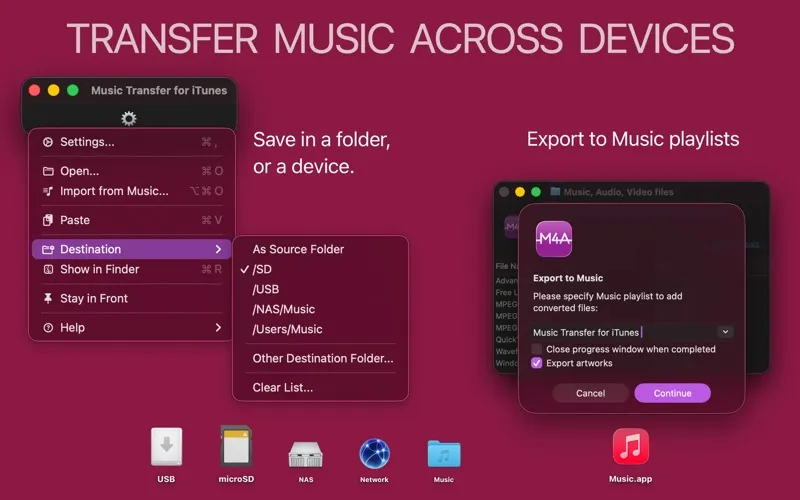
You can copy your entire iTunes or Music library, individual playlists, or selected songs to a USB stick, SD card, NAS, or local or network folder. You get exported music files and M3U playlists, so you can prepare a collection for listening outside the Music app.
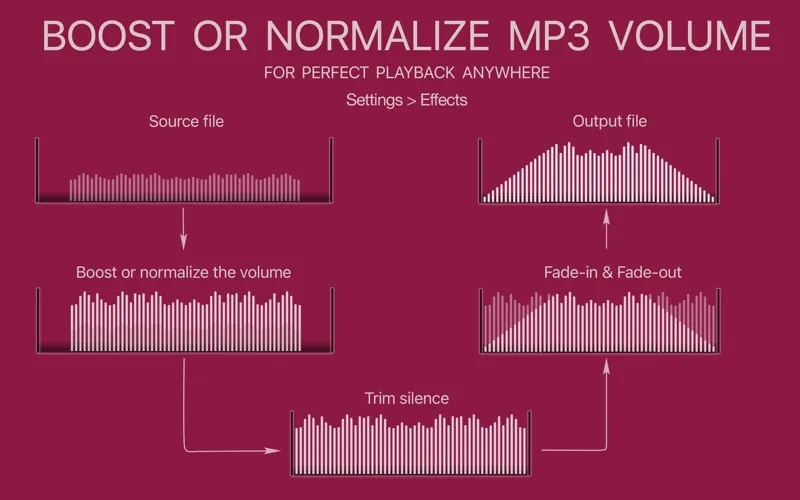
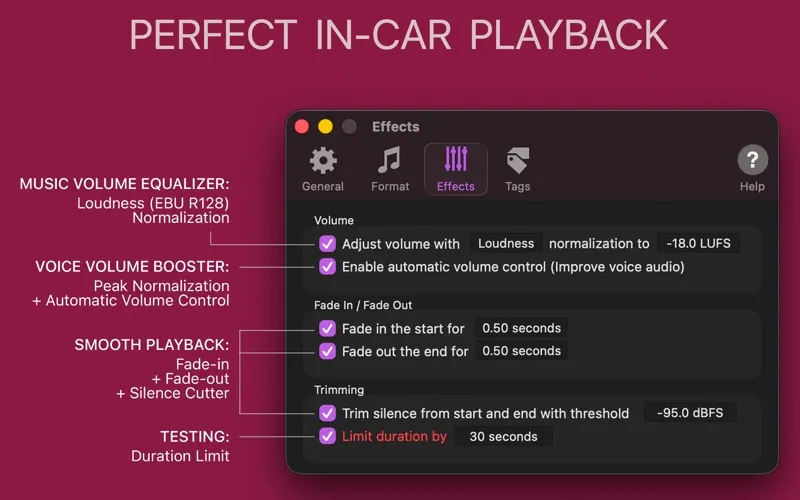
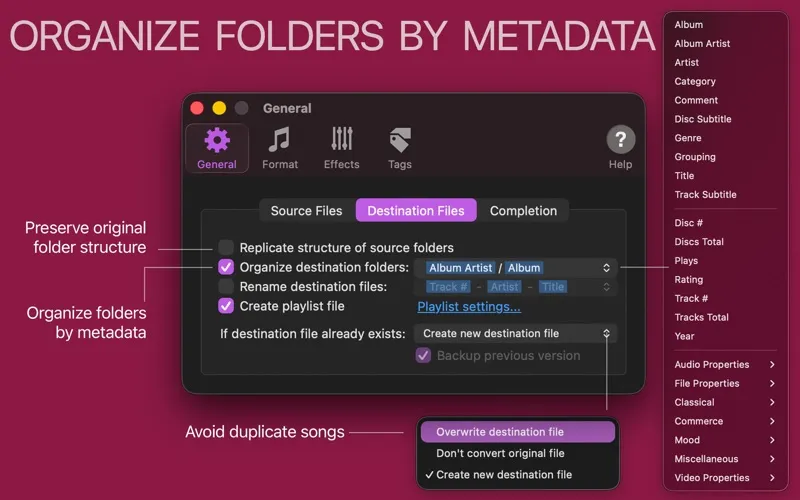
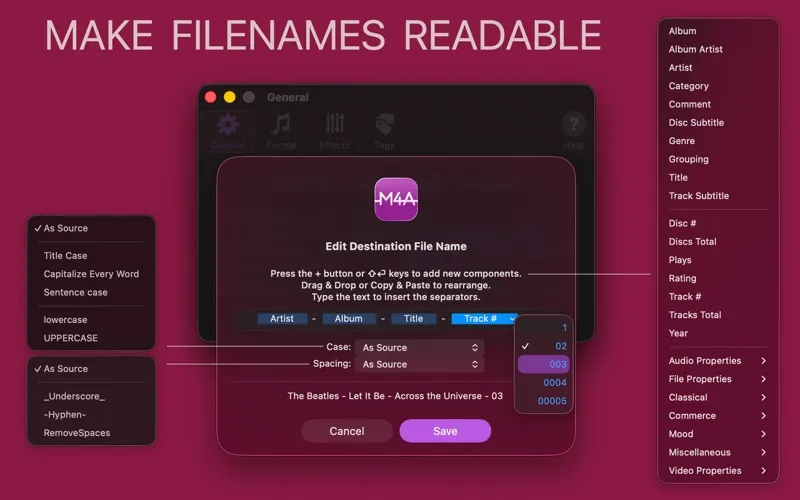
For car journeys, you can reduce volume jumps between tracks, trim silence at the beginning and end, and add fades. You can also give files readable names and group them into folders by artist, album, genre, or other song details, making your collection easier to browse on a car screen.
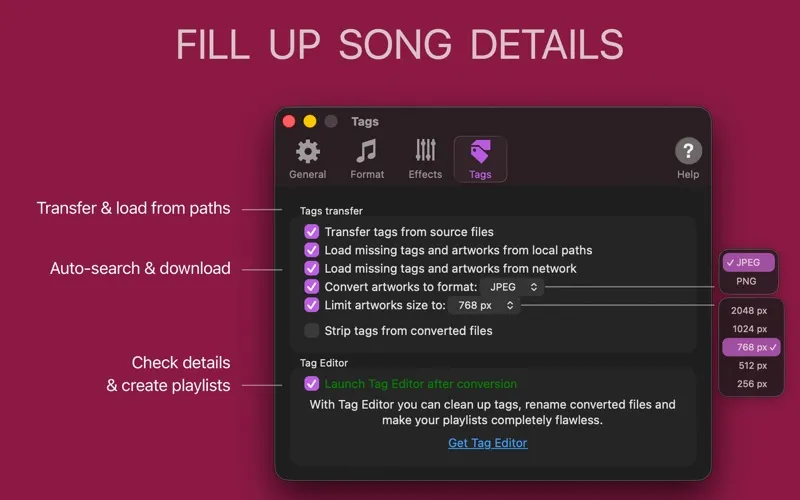
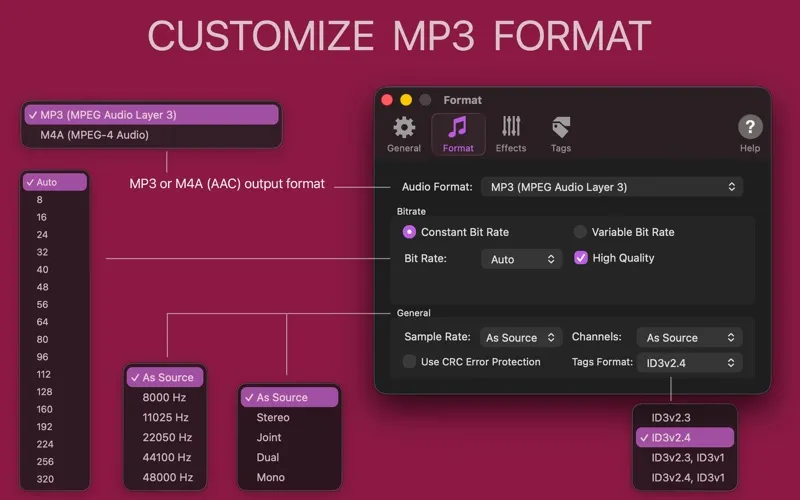
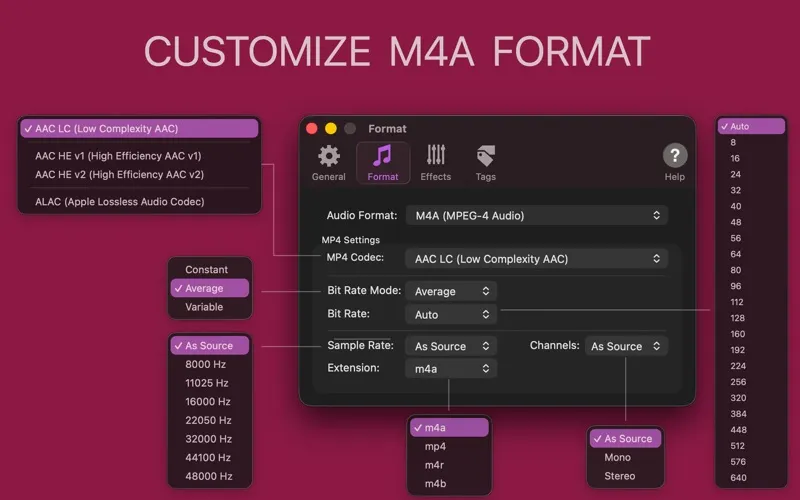
You can fill in missing artwork and song information from online sources, and convert audio to MP3 or M4A with automatic or custom settings. For podcasts, lessons, and audiobooks, volume adjustments can make speech more balanced. You cannot export DRM-protected tracks from Apple Music subscriptions or similar services.
-
Take your collection along
You can export whole libraries, playlists, or selected tracks to USB sticks, SD cards, NAS, and folders.
-
Reduce volume jumps
You can balance loudness across exported songs so you need fewer volume adjustments between tracks.
-
Find songs more easily
You can use readable filenames and folders grouped by artist, album, or genre.
-
Fill missing song details
You can retrieve missing artwork and tags online to make your exported collection easier to identify.
-
Choose your audio format
You can convert tracks to MP3 or M4A using automatic settings or your preferred bitrate and channel settings.
Best for
- You play music from USB sticks or SD cards in your car
- You want playlists exported to a NAS or shared folder
- You have a local music collection with uneven volume or missing tags
Skip it if
You don't need it if you only stream music or want to export DRM-protected subscription tracks.
Screenshots
From the developer
Music Transfer for iTunes exports songs from iTunes / Music app to external devices like USB sticks, SD cards, NAS, and local or networked folders. You can transfer the whole Music Library, separate Playlists, or selected songs.Read the full description
Alternatives to Music Transfer for iTunes
Other apps to master & mix audio tracks. See all