
Flycut (Clipboard manager)
Flycut is an open-source clipboard manager for developers, letting you reuse copied code after you've copied something else.
by General Arcade (Pte. Ltd.)
What you get
Paste previously copied code without going back to its source.
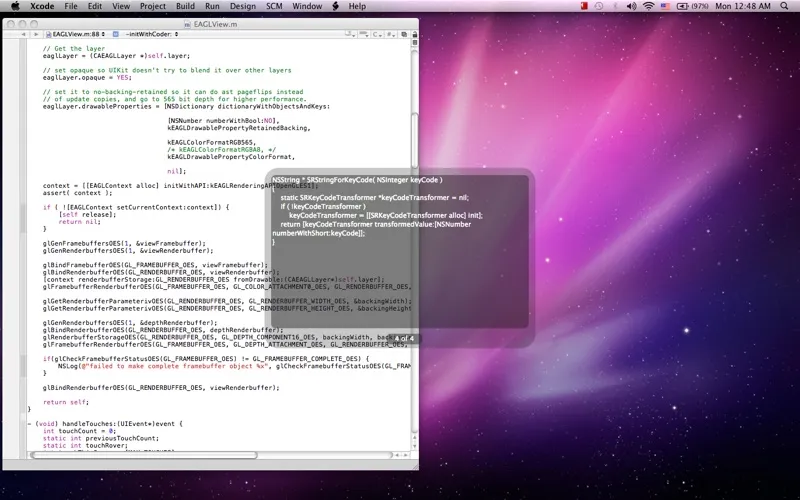
Flycut gives you a history of copied code, so you can reuse an earlier piece even after something else has replaced it in your current clipboard. If you copy several pieces while working, you don't have to return to the original source and copy each one again when you need it.
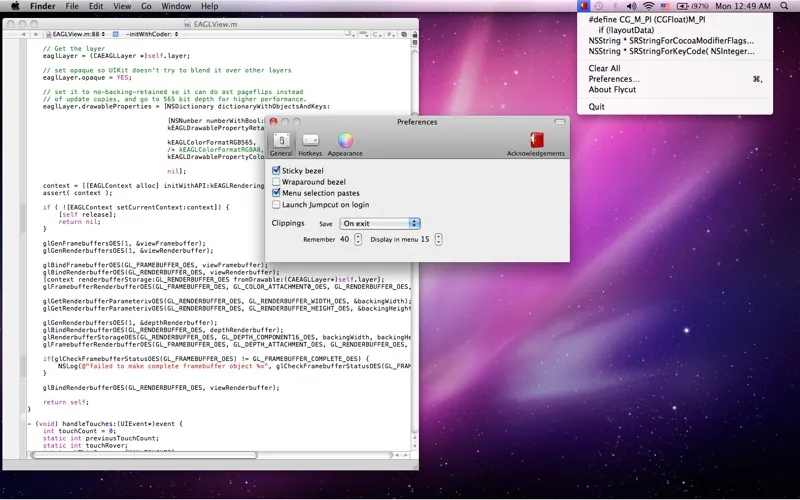
You can paste from that history using Shift-Command-V, or change the shortcut in preferences to suit how you work. Built for developers, Flycut focuses on keeping copied material within reach rather than making you rely only on your latest copy. It's also open source, so you can inspect the code behind the app.
-
Reuse earlier copies
You can paste code you've already copied, even after copying something different.
-
Avoid repeat copying
You spend less time returning to the original source just to copy the same piece of code again.
-
Choose your shortcut
You can use Shift-Command-V to paste from history or set a different hotkey in preferences.
Best for
- Developers copying several pieces of code
- You frequently need something copied before your latest clipboard item
- You prefer open-source clipboard tools
Skip it if
You don't need Flycut if you only ever paste the most recent thing you've copied.
Screenshots
From the developer
Flycut is a clean and simple clipboard manager for developers. It based on an open-source app called Jumpcut. Flycut is also open source too: http://github.com/TermiT/flycut Every time you copy code pieces Flycut store them in history.Read the full description
Alternatives to Flycut (Clipboard manager)
Other apps to keep clipboard history. See all
 Paste
Never lose anything you copy
Setapp
98% · 7,204 ratings
Paste
Never lose anything you copy
Setapp
98% · 7,204 ratings
 Unclutter
Manage files, notes, clipboard
Setapp
98% · 651 ratings
Unclutter
Manage files, notes, clipboard
Setapp
98% · 651 ratings
 Quip
Smart clipboard manager
Setapp
67% · 48 ratings
Quip
Smart clipboard manager
Setapp
67% · 48 ratings
 PasteJet
Smarter clipboard, faster pasting
Sold separately
PasteJet
Smarter clipboard, faster pasting
Sold separately
 PastePlop
Your clipboard, in a grid
Sold separately
PastePlop
Your clipboard, in a grid
Sold separately
 SaneClip
Private clipboard history
Sold separately
SaneClip
Private clipboard history
Sold separately