PastePlop
Your clipboard, in a grid
PastePlop is a clipboard manager for you if you regularly reuse copied text, links, or screenshots and want to find them beyond your most recent copy.
by Benjamin Dansby
What you get
You can recover past copies and keep today's snippets within reach.
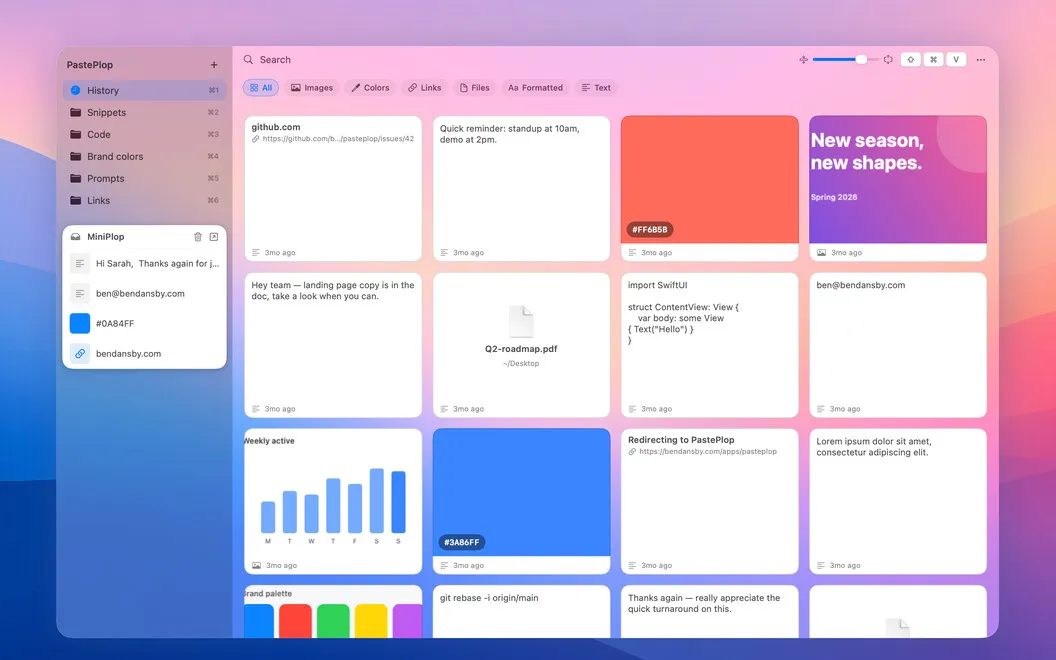
You get a way to return to text, links, and screenshots you've copied, rather than losing access when you copy something else. Press ⌘⇧V from anywhere to open a grid of your clipboard history, then click the item you want to paste. Your history can extend beyond just your latest copies.
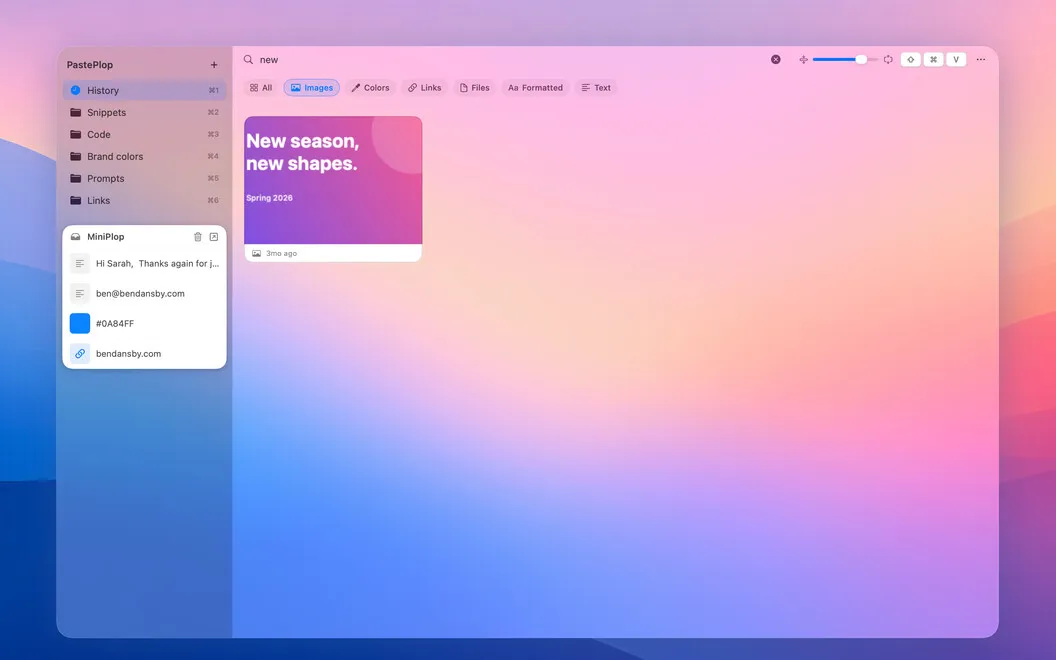
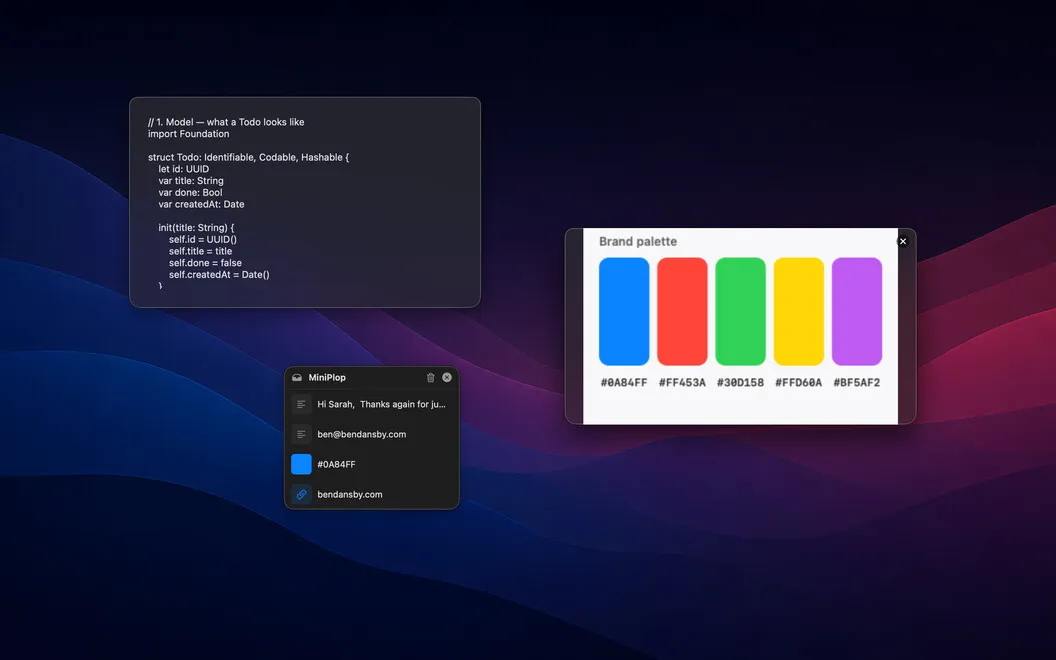
You can find a copied screenshot by searching for words inside it, even when you don't remember when you captured it. Custom categories let you group code, links, and other snippets in ways that match your work.
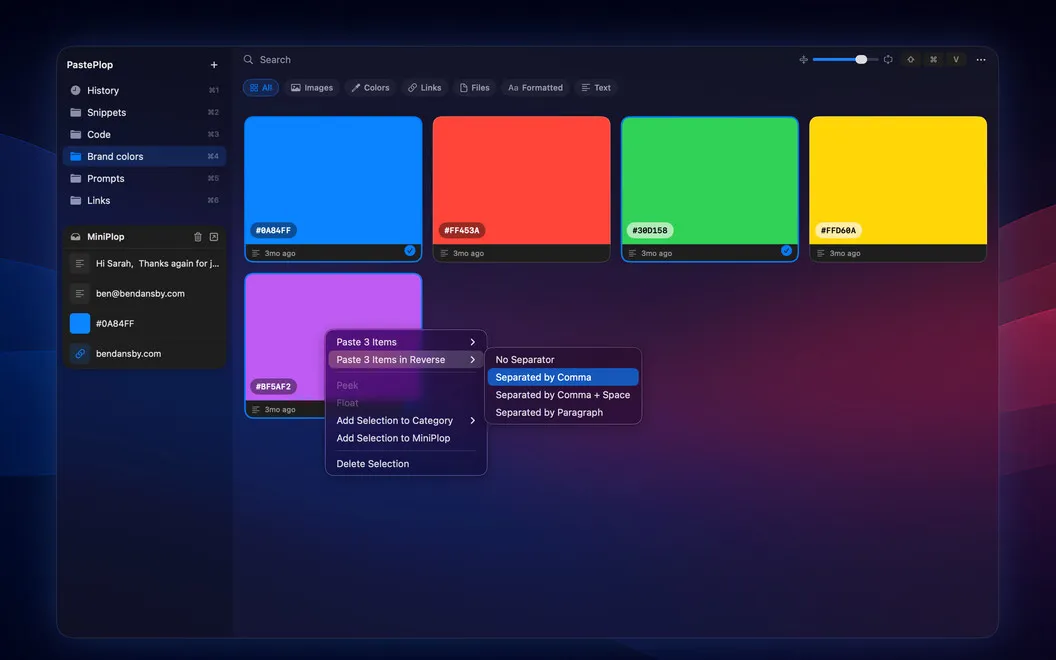
For your current task, you can keep selected snippets in MiniPlop, a smaller persistent tray. When you need several copied items, you can paste them in sequence, including in reverse order.
-
Recover earlier copies
You can return to an older link, snippet, or screenshot instead of finding and copying it again.
-
Find screenshots by words
You can search the text inside copied images to locate the screenshot you need.
-
Group reusable material
You can organize copied code, links, and snippets into categories that fit your work.
-
Keep active snippets nearby
You can hold the items you're currently using in a small persistent tray.
-
Paste several items
You can paste multiple copied items in sequence or reverse their order.
Best for
- You frequently reuse copied text or code
- You need to recover links copied days earlier
- You collect screenshots and remember their wording
Skip it if
You don't need it if you rarely reuse copied material and your latest clipboard item is usually enough.
Screenshots
From the developer
PastePlop sits in your menu bar with everything you've copied. Hit ⌘⇧V and a grid pops up: every link, snippet, and screenshot, organized optionally into categories you set up. OCR runs in the background, so you can search images by what's written in them.Read the full description
Alternatives to PastePlop
Other apps to keep clipboard history. See all
 Paste
Never lose anything you copy
Setapp
98% · 7,204 ratings
Paste
Never lose anything you copy
Setapp
98% · 7,204 ratings
 Unclutter
Manage files, notes, clipboard
Setapp
98% · 651 ratings
Unclutter
Manage files, notes, clipboard
Setapp
98% · 651 ratings
 Quip
Smart clipboard manager
Setapp
67% · 48 ratings
Quip
Smart clipboard manager
Setapp
67% · 48 ratings
 PasteJet
Smarter clipboard, faster pasting
Sold separately
PasteJet
Smarter clipboard, faster pasting
Sold separately
 SaneClip
Private clipboard history
Sold separately
SaneClip
Private clipboard history
Sold separately
 CopyClip
Clipboard History
Mac App Store
CopyClip
Clipboard History
Mac App Store