
PasteJet
Smarter clipboard, faster pasting
PasteJet is a Mac clipboard manager for you if you frequently reuse copied material. You can retrieve earlier copies, group related items, and keep frequently pasted text close at hand.
by Michael Anthony Del Pape
What you get
You can paste earlier copies without returning to their source.
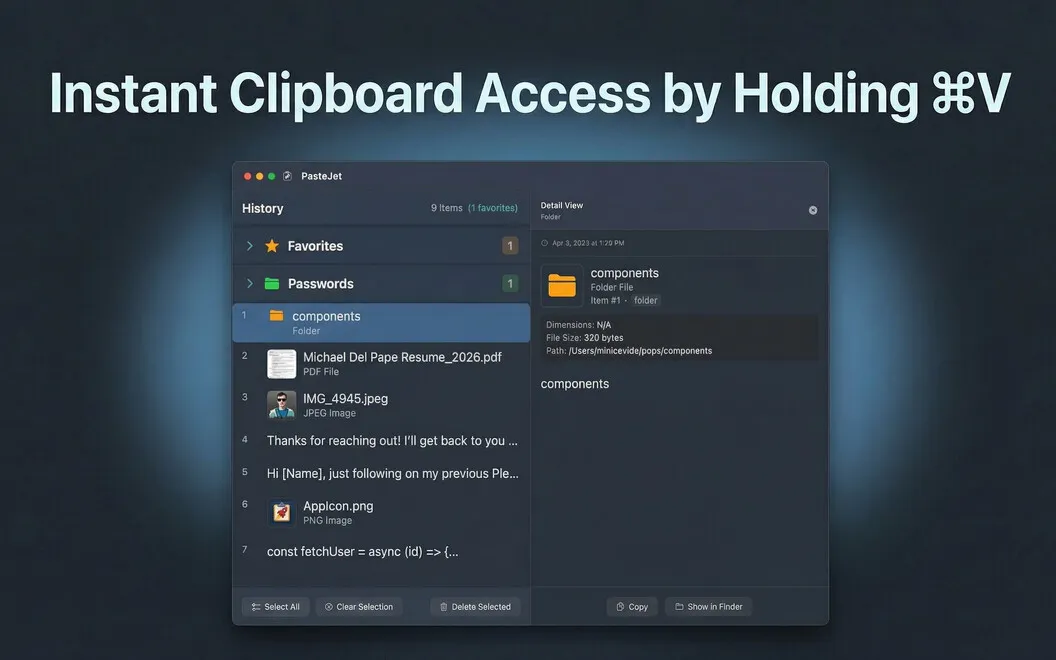
With PasteJet, you can retrieve text, images, files, and links after copying something else. Your history holds up to 500 items, so you can search or browse for an earlier copy rather than reopen the page, document, or folder it came from.
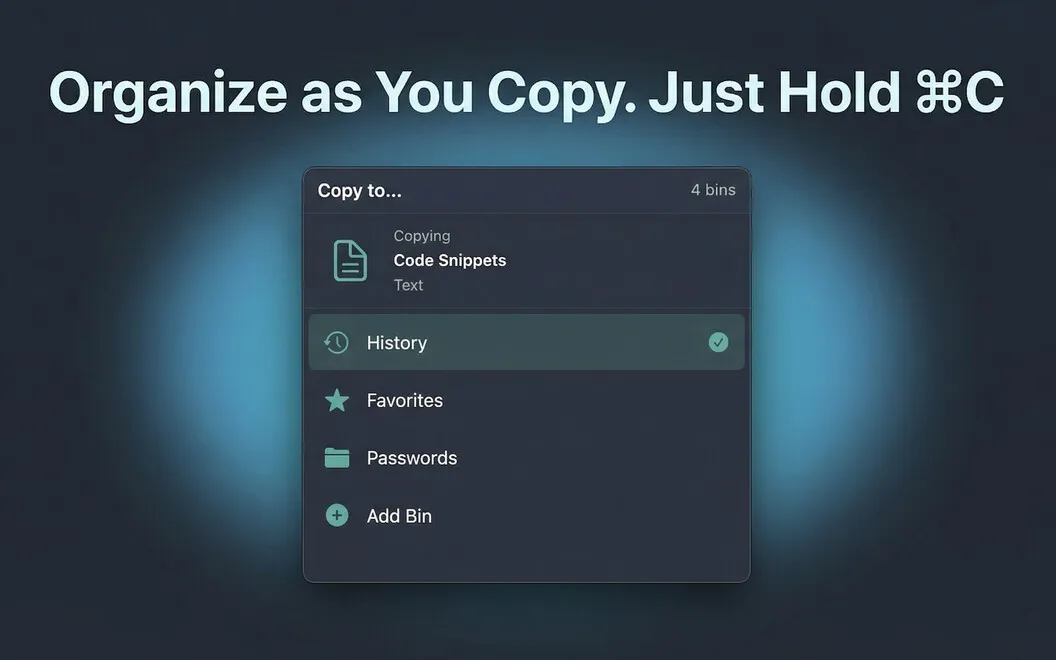
You keep using Command+V: tap to paste your latest copy, or hold it to choose from your history. For material you reuse often, you can save up to 10 favorites, such as an email signature, address, or code snippet. You can also group related copies into collections, keeping project references or templates together instead of hunting through one long list.
Your copied material stays on your Mac, stored locally with AES-256 encryption rather than sent to a server. You can access it from the menu bar without adding a Dock icon or leaving a floating window open.
-
Retrieve earlier copies
You can search up to 500 copied items instead of returning to the original source.
-
Reuse everyday text
You can keep up to 10 favorites ready to paste, including signatures, addresses, and code snippets.
-
Keep project material together
You can group copied assets, links, and templates into collections so related items are easier to find.
-
Keep copies local
Your clipboard history stays on your Mac with AES-256 encryption, without being sent to a server.
Best for
- You frequently paste the same signatures, addresses, or snippets
- You copy references and assets while working across documents
- You want clipboard history stored only on your Mac
Skip it if
You probably don't need it if you only paste your latest copy and rarely reuse copied material.
Screenshots


From the developer
PasteJet is a clipboard manager for Mac that remembers everything you copy. It lives in your menu bar and works with a simple twist on Command+V — tap it to paste normally, hold it to browse your history. Text, images, files, links — it keeps them all and lets you find what you need fast.Read the full description
Alternatives to PasteJet
Other apps to keep clipboard history. See all
 Paste
Never lose anything you copy
Setapp
98% · 7,204 ratings
Paste
Never lose anything you copy
Setapp
98% · 7,204 ratings
 Unclutter
Manage files, notes, clipboard
Setapp
98% · 651 ratings
Unclutter
Manage files, notes, clipboard
Setapp
98% · 651 ratings
 Quip
Smart clipboard manager
Setapp
67% · 48 ratings
Quip
Smart clipboard manager
Setapp
67% · 48 ratings
 PastePlop
Your clipboard, in a grid
Sold separately
PastePlop
Your clipboard, in a grid
Sold separately
 SaneClip
Private clipboard history
Sold separately
SaneClip
Private clipboard history
Sold separately
 CopyClip
Clipboard History
Mac App Store
CopyClip
Clipboard History
Mac App Store