
Insomniac
Keep your Mac awake, smartly
Insomniac keeps your Mac awake automatically when specific conditions are met. It’s for you if presentations, downloads, or external-display work need to continue without sleep interruptions.
by MyMixApps
What you get
Keep your Mac awake when you need it, without remembering a toggle.
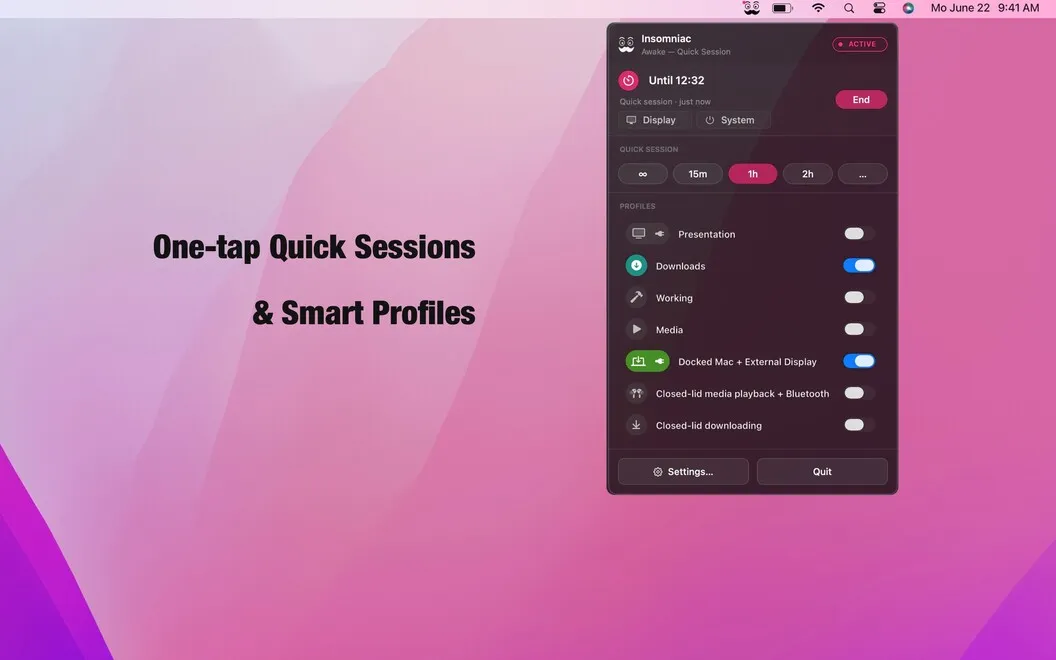
You can leave a download running, give a presentation, or work with an external display without your Mac going to sleep mid-task. Insomniac watches for conditions you choose and prevents sleep while they apply, then stops preventing sleep when they no longer do. You don’t have to remember to turn an always-awake switch off afterward.
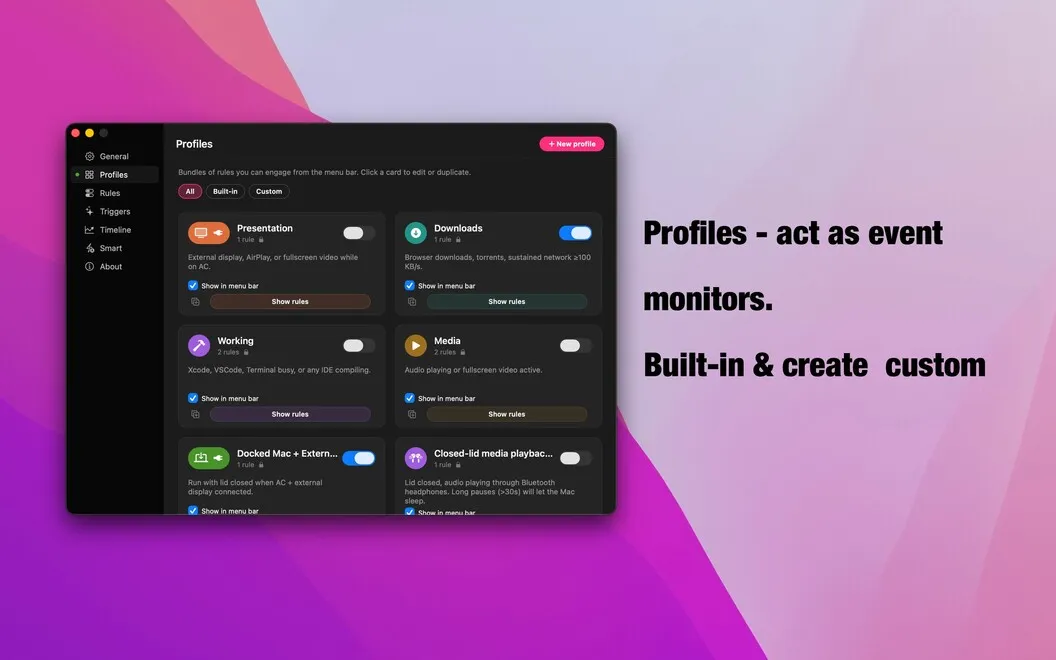
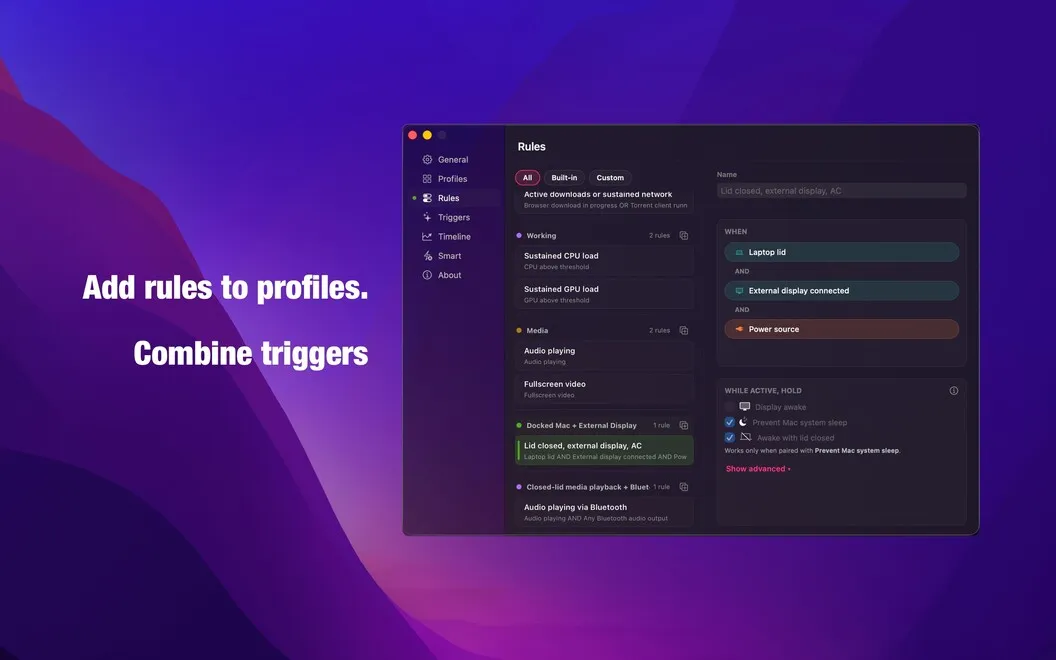
You can start with ready-made profiles or define your own combinations of conditions, such as an app running while your Mac is plugged into power. Audio playback, calendar events, lid position, and download activity can also determine when your Mac stays awake.
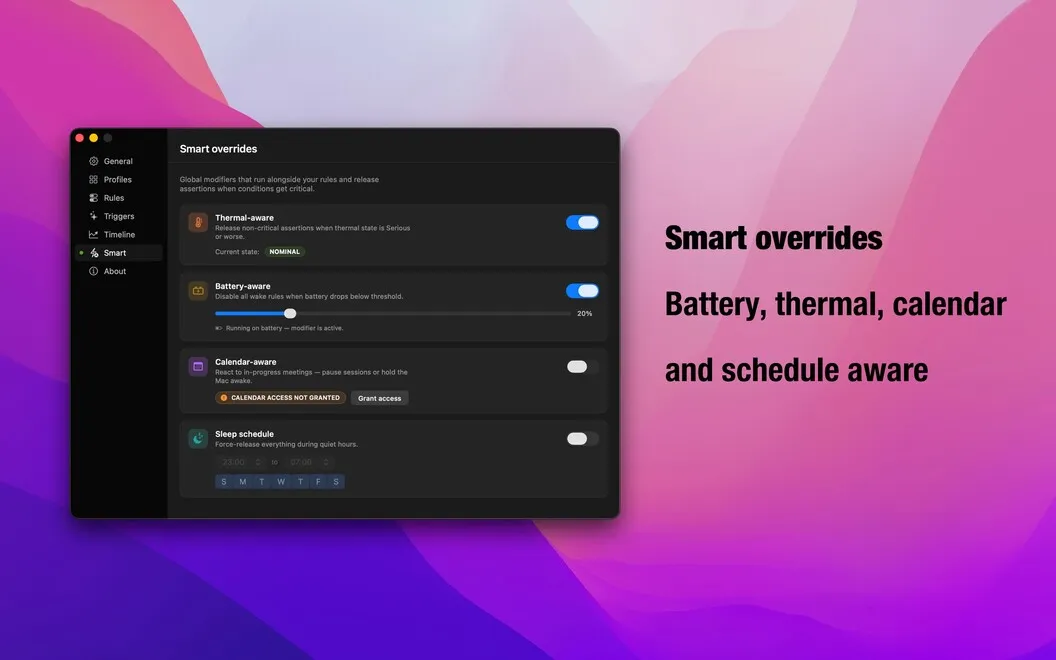
You can let low battery or heat pause sleep prevention, so keeping a task running doesn’t have to mean keeping your Mac awake regardless of its condition. From the menu bar, you can check what’s active, switch profiles, and adjust the rules.
-
Avoid mid-task sleep
You can keep your Mac awake during presentations, downloads, and media playback.
-
Stop babysitting a toggle
Your Mac stops being held awake when your chosen conditions no longer apply.
-
Match your working setup
You can tie sleep prevention to an external display, power connection, running app, or a combination of conditions.
-
Respect battery and heat
You can automatically pause sleep prevention when your battery runs low or your Mac gets too hot.
Best for
- You give presentations that must stay onscreen
- You leave downloads running unattended
- You work with a docked Mac or external display
Skip it if
You don’t need it if your Mac’s normal sleep settings already suit your work and you rarely need exceptions.
Screenshots
From the developer
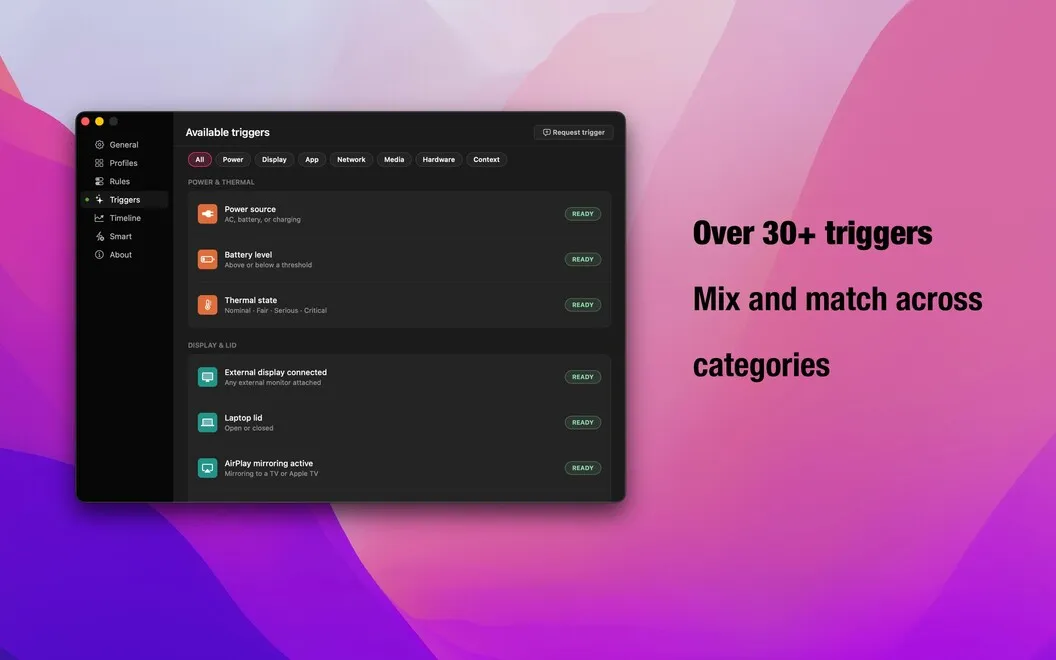
Insomniac is a context-aware sleep prevention app for Mac. Forget the always-on toggle — it runs a rules engine instead. Build profiles from 30+ triggers like lid state, audio playback, CPU load, calendar events, and AC power, and Insomniac handles the rest: wake when the condition fires, sleep when it doesn't.Read the full description
Alternatives to Insomniac
Other apps to keep your Mac awake. See all
 Lungo
Keep your Mac awake
Setapp
99% · 1,852 ratings
Lungo
Keep your Mac awake
Setapp
99% · 1,852 ratings
 Clamshell
Keeps your MacBook awake with the lid closed. No external display, no admin.
Setapp
95% · 21 ratings
Clamshell
Keeps your MacBook awake with the lid closed. No external display, no admin.
Setapp
95% · 21 ratings
 BlackFlare
Keep Mac awake while AI codes
Setapp
BlackFlare
Keep Mac awake while AI codes
Setapp
 AwakeBar
Your Mac, wide awake
Sold separately
AwakeBar
Your Mac, wide awake
Sold separately
 Amphetamine
Mac App Store
Amphetamine
Mac App Store
 Alarm Clock
Countdown Timer
Mac App Store
Alarm Clock
Countdown Timer
Mac App Store