Microsoft Outlook
Microsoft Outlook gives you one Mac app for email, calendars, and contacts across multiple accounts, whether you’re organizing work correspondence or personal plans.
by Microsoft Corporation
What you get
Keep your email and schedule together across accounts.
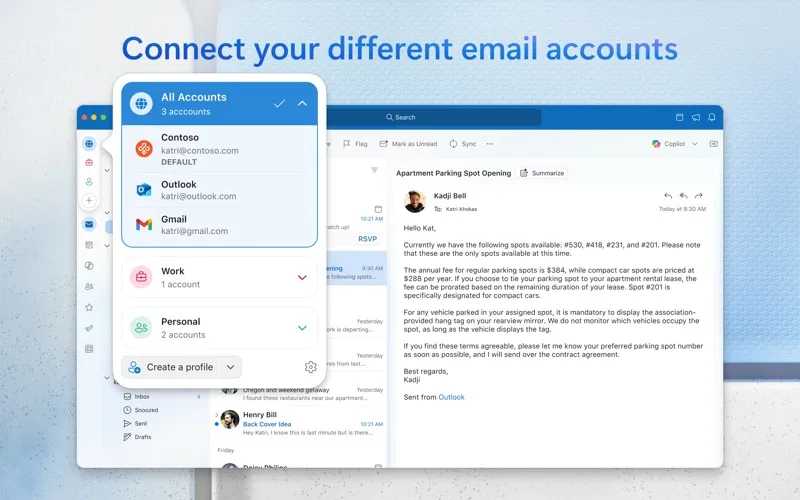
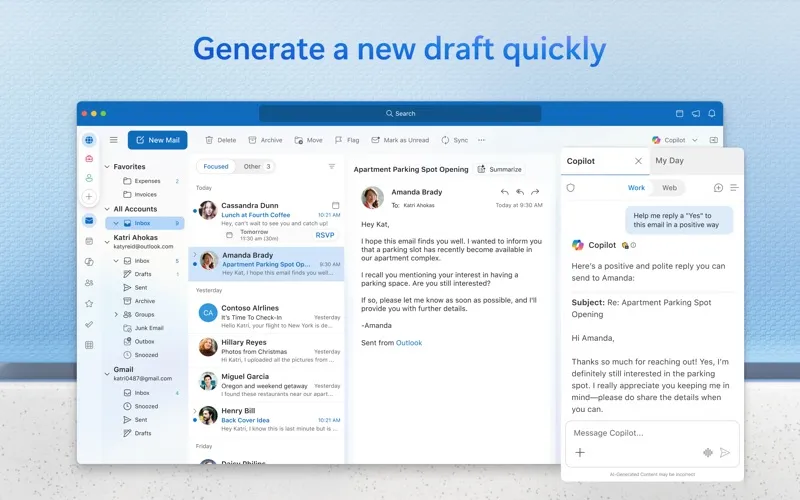
You can handle messages, appointments, and contacts from multiple accounts without moving between separate apps. Outlook supports providers including Microsoft 365, Gmail, Yahoo Mail, and iCloud, as well as IMAP and POP accounts. You can use it free with personal email accounts; removing ads requires a premium subscription.
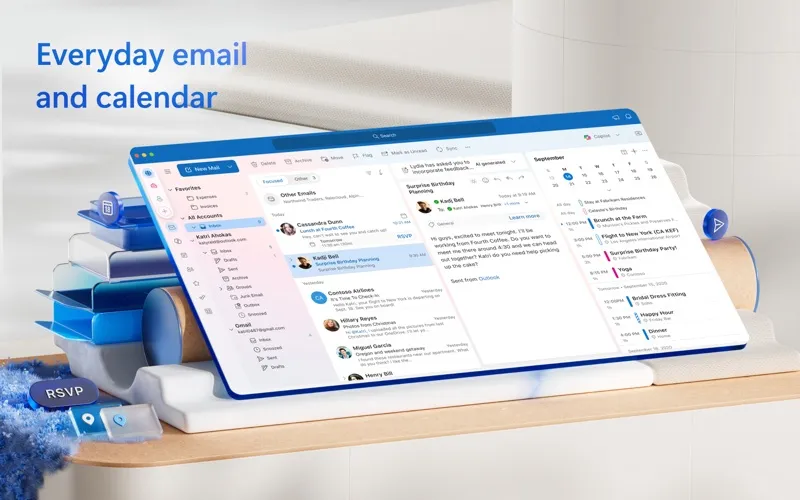
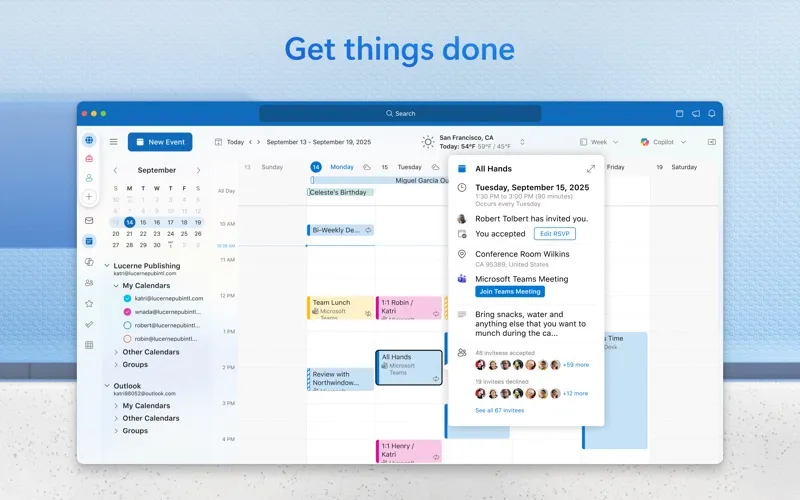
You can keep your agenda beside your inbox with My Day, including a two-week calendar view, so you can check upcoming commitments while answering mail. When arranging meetings, you can check availability, track RSVPs, and share your calendar. You can also set meetings to start late or finish early to leave gaps between them.
You can keep important messages within reach by pinning them, use search suggestions to locate correspondence, and put frequently used commands on your toolbar. Adjustable swipe and hover actions let you handle routine email in a way that suits you.
-
Fewer apps to check
You can handle email, calendars, and contacts from multiple providers in one place.
-
See commitments while replying
You can view your agenda and a two-week calendar beside your inbox rather than switching away from your messages.
-
Coordinate meetings
You can check availability, track replies to invitations, and share your calendar when arranging time with others.
-
Keep important mail accessible
You can pin messages you need to revisit and use search suggestions to find correspondence.
Best for
- You manage email accounts from several providers.
- You schedule meetings and answer email throughout the day.
- You want work and personal correspondence in one Mac app.
Skip it if
You don’t need it if your current email and calendar apps already handle your accounts and scheduling comfortably.
Screenshots
From the developer
Outlook helps you stay connected and organized at the office and at home with easy access to emails, files, calendar events, and contacts across all your accounts so you can quickly get things done.Read the full description
Alternatives to Microsoft Outlook
Other apps to manage email. See all